Outdated Drivers Are Slowing You Down
One free scan finds every outdated or missing driver and matches the right update for your exact hardware.Free scan · exact hardware matchPC Slower Than It Used to Be?
A free scan shows the junk files, broken settings and background clutter dragging Windows down - then fixes them in one click.Free scan · Windows 10 & 11If your Wii spits a disc out, the cause could be the disc or the console; the symptom alone does not identify a failed part. First press Eject to check whether a disc is already inside, then test a clean, compatible Wii game and see whether the problem affects one disc or several. That pattern helps distinguish a disc problem from a console or loading-mechanism fault.
What the ejection pattern can tell you
Nintendo’s support guidance says a Wii that ejects discs on its own could have a problem with the game disc or the console. It does not name one universal cause. Pay attention to whether the issue follows a particular disc or happens with multiple games.
- Only one disc is ejected: Inspect that disc for dirt, scratches, or damage, then try another compatible Wii game. If the other disc works, the original disc is a more likely source of the trouble.
- Several compatible discs are ejected: A console or drive problem becomes more likely, though this pattern alone cannot identify the failed component.
- The Wii will not take a disc: Check whether another disc is already inside. If it still will not accept one after that check, Nintendo says the disc-pulling mechanism may have a problem.
- The disc stays in but produces a read error: That is different from physical ejection. Lens-cleaning guidance may be relevant to contamination-related read errors, but it is not a confirmed fix for a disc being physically spat out.
Nintendo’s South Africa ejection guidance also distinguishes problems affecting one game from problems affecting some or all games.
Check for a disc already inside
A Wii will not accept another disc if one is already inserted. Press the console’s Eject button once before trying to load a game. If the Wii still will not accept a disc, Nintendo says this indicates a possible problem with the mechanism that pulls discs into the system.
The Tool Desk
Outbyte Driver Updater FREEScan for outdated or missing drivers - takes under a minuteDriver Scan →Outbyte PC Repair FREERepair Windows errors before they cause bigger problemsFix Now →#1 Best Overall

- Compatible with all Nintendo Wii models (D4 D3-2 D2A D2B D2C D2E DMS).
- Great replacement for your broken or defective DVD drive
Make sure the disc is compatible and inserted correctly
Use a Wii game disc for this test—not a DVD, Blu-ray disc, or game disc made for another console. Wii and Wii mini do not play those formats. Wii game discs are region encoded, so a disc from another region may not be compatible with your console. The original Wii model RVL-001 is the model with GameCube-disc compatibility.
For a Wii game, place the disc with its printed side facing away from the front buttons, following Nintendo Australia’s insertion guidance. An incorrectly oriented disc is a compatibility and loading check to rule out; it does not establish why a console ejects discs on its own.
Rank #2

- Compatible with all Nintendo Wii models (D4 D3-2 D2A D2B D2C D2E DMS).
- Great replacement for your broken or defective DVD drive.
- 1 X DVD Drive for WII. 3 X Opening Tool for random colors
Try these checks in order
- Press Eject once. Check whether a disc is already inside before inserting another.
- Restart the Wii. Turn it off, confirm it is placed correctly, wait 30 seconds, and turn it back on. Nintendo includes these steps in its disc-read troubleshooting; they are basic checks, not a guaranteed mechanical-ejection repair.
- Test a known-compatible game. Insert a clean Wii game in the correct direction. If possible, test a second compatible game as well.
- Note which discs are affected. Record whether one game, some games, or every compatible game is ejected. This is the key distinction in Nintendo’s ejection troubleshooting.
- Inspect any suspect disc. If it is dirty, clean it gently with a soft cloth, wiping from the center outward. Nintendo advises replacing a physically damaged disc.
- Separate ejection from read errors. If the disc remains inside but the Wii cannot read it, consult the relevant Nintendo instructions for your region. Nintendo Australia’s read-error guidance discusses its Wii Lens Cleaning Kit for internal lens contamination. That recommendation addresses a read problem, not a verified remedy for immediate ejection.
When to seek diagnosis or consider replacement
If multiple clean, compatible Wii games continue to be ejected, or the console will not accept discs after you have checked for one already inside, the issue is more likely to be in the console than in a single game. The tests above narrow the possibilities, but they cannot establish which internal part has failed. Seek model-specific diagnosis rather than assuming a particular component or repair cost.
Service and replacement options depend on the console model and region. Nintendo of America says it no longer accepts service requests for specified Wii and Wii mini model groups; that statement should not be applied automatically to every model or country. Its guidance for multiple-disc read errors says the console needs replacement, but that is a separate symptom from a Wii physically ejecting discs. Check the applicable regional support information before deciding whether repair or replacement makes sense.
Rank #3

- Compatible with all Nintendo Wii models (D4 D3-2 D2A D2B D2C D2E DMS).
- Great replacement for your broken or defective DVD drive.
- Don't work with Gamecube games.
- 1 X DVD Drive for WII. 3 X Opening Tool for random colors
Nintendo of America’s multiple-disc read-error guidance covers the replacement recommendation and service limitations. A Wii that spits out a disc does not, by that fact alone, meet that read-error diagnosis.
Quick Recap
Best Value
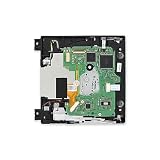
- Replace a broken or damaged optical drive.
- Plays 12 cm Wii Discs and 8 cm GameCube Discs.
- Compatible with Nintendo Wii 1st gen consoles (RVL-001).
Rank #4

- The Disc Drive replacement only suits for Nintendo Wii D4/D3-2/DMS/D2B/D2C/D2A/D2E Series.NOT for Nintendo Wii U, they are different model, please must make sure that have confirmed before place the order.
- Help to solve the problem that console meet with the problem of unable to read discs, making noise while reading discs, stuck on the reading screen, slow installation, or unable to autoplay, etc. Replace the new disc drive for Nintendo Wii will help to make the console normal to use.
- For Nintendo Wii U disc drive replacement was test before shipment,and made of good quality, ABS plastic material make it use more accurately and has longer working time,resistant to wear and tear.
- Comes with professional Repair tools. The repair tools will help to disassemble the console and install the disc drive for Nintendo Wii, easy and convenient to install the new one.
- If do not have any installation experience, we suggest to find the professional to replace for Nintendo Wii DVD drive. If you have any problem or need installation guide, please leave a message.
Product prices and availability are accurate as of the date/time indicated and are subject to change. Any price and availability information displayed on Amazon at the time of purchase will apply.



