Windows Errors? Fix Them Before They Spread
Repair common Windows errors and clear accumulated junk for a smoother, more stable PC - no reinstall needed.Free scan · no reinstallOutdated Drivers Are Slowing You Down
One free scan finds every outdated or missing driver and matches the right update for your exact hardware.Free scan · exact hardware matchThe most common reason is that a Sims 4 update has automatically disabled Custom Content and Mods. Re-enable them in Game Options > Other > Enable Custom Content and Mods, then fully quit and relaunch the game. If items are still missing, check that their files are extracted in the right Mods folder and compatible with the current patch. Before testing without CC, exit without saving: EA warns that saving with CC and Mods disabled may remove content from a save.
Why an update can make CC disappear
EA turns Mods off after updates because a patch can make previously working files cause gameplay problems. With Mods disabled, installed custom content will not appear in the game. EA Help explains that a Mod that caused no problems before an update may cause them afterward. This does not mean every item is broken; the setting may simply have been switched off.

Compatibility is still worth checking once the setting is enabled. EA’s September 22, 2026 update notes reported an automated crash report traced to outdated Mod files and an issue involving a Mod corrupting memory. Those reports show that outdated Mods remain a possible concern, but do not establish that any particular missing CC item is incompatible. Read EA’s September 22, 2026 update notes.
Troubleshoot without risking a save
- Back up your files. Copy
Documents/Electronic Arts/The Sims 4/SavesandDocuments/Electronic Arts/The Sims 4/Modssomewhere safe. Keep a list of the Mod and CC names and their creators if possible. - Check that your platform supports Mods. EA supports Mods on PC and Mac; Mods cannot be downloaded on PlayStation or Xbox. If you play on console, custom content Mods are not an available option.
- Test the updated game without Mods, then exit without saving. Launch the game and briefly check Live Mode to see whether the base game works. Do not choose Save and Exit while CC is disabled: EA warns that content may be removed from the saved game. Quit without saving before restoring your content.
- Turn CC and Mods back on. In the game, open Game Options > Other, select Enable Custom Content and Mods, apply the change, and fully exit and relaunch. If you use script Mods, also select Script Mods Allowed. EA’s instructions are in its post-update Mods guide.
- Confirm the files are in the user Mods folder. Downloads must be extracted from archives such as
.zipor.rar, then placed in the Sims 4 user folder’sModsdirectory. Create the folder if it is missing. Do not confuse the user-data folder with the folder where the game itself is installed. See EA’s Mods installation guide for the installation steps. - Check each creator’s compatibility notes. Look for an update intended for your current game patch and follow the creator’s replacement or reinstallation instructions. Some Mods need a full reinstall, and a compatible update may not be available immediately after a game patch.
- Clear the cache and test files in small batches. After changing Mods, delete
localthumbcache.packagefrom the Sims 4 user folder. Add back files you have confirmed are updated in small batches. If the problem returns, use the 50/50 method: remove half the suspect files, test, then keep narrowing the half that reproduces the issue. Keep required dependencies together while testing. - Repair the game only if the base game still appears faulty. The EA Forums guide lists Repair in the EA app, Verify in Epic (then follow the EA app steps because Epic launches through it), or Verify integrity of game files in Steam. The guide says repair does not touch the Mods folder. A fresh save can also help distinguish a save-specific issue from a broader game problem.
- Escalate with useful details. Include your platform and launcher, game version, what changed, and a list of the CC and Mods you use. EA says the game version appears at the lower left of the Main Menu.
How to tell which cause fits
| What you see | Likely cause | What to check next |
|---|---|---|
| CC vanished immediately after the update, and Mods are disabled | The game turned off the setting after patching | Enable CC and Mods, then restart the game. |
| CC remains missing after enabling the setting | Files may be unextracted, in the wrong folder, or nested where the game does not load them as expected | Confirm the files are extracted and in the Sims 4 user folder’s Mods directory. |
| Some files work but others do not, or the game has problems with Mods enabled | An individual file may be outdated or conflict with another file | Check creator notes, then isolate files in small batches or with the 50/50 method. |
| The base game has trouble even with Mods disabled, or the issue appears only in one save | A base-game or save-specific issue may be involved | Test a fresh save; consider repairing the game if core files seem faulty. |
About mod managers and cloud-folder interference
A mod manager can help organize files, but it cannot determine with certainty on its own whether a Mod is incompatible or obsolete after an update. Check the creator’s current instructions for individual files. CurseForge’s troubleshooting guidance also lists OneDrive interference as a possible issue to investigate; treat it as a secondary lead, not a universal explanation. See CurseForge’s Sims 4 Mods and CC troubleshooting page.
#1 Best Overall

- 𝐀𝐝𝐨𝐫𝐚𝐛𝐥𝐞 𝐌𝐢𝐧𝐢 𝐓𝐕 𝐑𝐞𝐭𝐫𝐨 𝐃𝐞𝐬𝐢𝐠𝐧 𝐟𝐨𝐫 𝐊𝐢𝐝𝐬:This handheld game console features a cute, vintage-style design that perfectly captures the charm of classic 90s toys. Its compact and ergonomic body is specifically designed to fit comfortably in small hands, making it an ideal retro gaming gift for kids, boys, and girls to enjoy anytime, anywhere.
- JALECO Games+168 Preloaded Classic Retro Games & Expandable Library: Loaded with JALECO licensed video games and extra 168 games in TF cards, this portable gaming player offers a rich collection of adventure, sports, and puzzle games. It supports expandable memory to add more 80s/90s retro games, ensuring endless fun and helping kids develop hand-eye coordination and problem-solving skills
- 𝐃𝐮𝐚𝐥 𝐏𝐥𝐚𝐲𝐞𝐫 & 𝐒𝐨𝐜𝐢𝐚𝐥 𝐈𝐧𝐭𝐞𝐫𝐚𝐜𝐭𝐢𝐨𝐧 𝐌𝐨𝐝𝐞:Built for versatility, this mini retro console supports two-player mode, fostering social interaction among siblings and friends. You can connect two consoles to share a single screen for multiplayer action, making it a favorite for kids' playdates (Note: P2 controller and extra gamepad require separate purchase for competitive play).
- 𝐀𝐝𝐯𝐚𝐧𝐜𝐞𝐝 𝐅𝐞𝐚𝐭𝐮𝐫𝐞𝐬 𝐟𝐨𝐫 𝐒𝐦𝐨𝐨𝐭𝐡 𝐆𝐚𝐦𝐞𝐩𝐥𝐚𝐲:Experience seamless performance with features like easy search navigation, rewind, quick save, and load progress. This allows kids to master challenging levels on the vivid 3.0-inch screen, providing a high-quality gaming experience similar to the classic 90s console editions they love.
- Perfect Gift for Holidays and Special Occasions: An ideal gift for birthdays, Christmas, and holidays, this electronic toy brings joy to kids and teens. With its reusable battery and portable design, it’s a surprise gift that promises hours of entertainment, ensuring customer satisfaction and lasting memories. ideal Gift for boy and girls age 8-12.
EA and Maxis do not pre-screen or support player-created Mods. Download from creators you trust and understand that Mods can carry risks. EA’s official steps for re-enabling and installing them are available in its update guidance and installation guide.
Quick Recap
Best Value
![The Sims 4 - Toddler Stuff - Origin PC [Online Game Code]](https://m.media-amazon.com/images/I/51PHWLecssL._SL160_.jpg)
- Requires The Sims 4 & all game updates. For PC, see minimum system requirements for the pack.
- Dress in Adorable Apparel – Express your toddlers’ personalities with new boy and girl fashions and hairstyles. Choose from a variety of tops, bottoms, and shoes that showcase their unique style. Dress in whimsical outfits from butterfly-winged tees to animal hoodies, even rainbow moccasins.
- Jump into Fun – Toddlers can burn energy while having fun on the collection of playground objects. Tiny Sims can hop into the ball pit with a buddy, scoot down the slide, or scamper through colorful tunnels. With a little imagination, toddlers can make-believe that they’re pirates or space-explori
- Host Play Dates – Build the perfect play space in a local park or backyard, then invite the neighbors over for a play date! Toddlers can make friends and let loose while parents facilitate the fun, tell stories, and grill up the kids’ favorite foods.
Rank #3
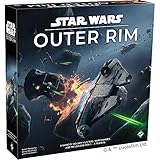
- OPEN-WORLD STAR WARS ADVENTURE: Explore the galaxy’s dangerous fringe as iconic smugglers, bounty hunters, and rogues navigating the lawless Outer Rim.
- PLAY AS LEGENDARY CHARACTERS: Take on the role of fan-favorite heroes like Han Solo, Boba Fett, Bossk, Lando Calrissian, and Doctor Aphra, each with unique abilities and playstyles.
- SANDBOX STRATEGY GAMEPLAY: Choose your own path to victory by completing jobs, delivering cargo, hunting bounties, upgrading your ship, and outsmarting rivals.
- IMMERSIVE NARRATIVE EXPERIENCE: Dynamic encounters, story-driven cards, and evolving objectives create cinematic moments that feel straight out of the Star Wars saga.
- HIGH REPLAYABILITY: Modular boards, character variety, and branching decisions ensure no two games play the same—perfect for repeated game nights and Star Wars fans.
Rank #2

- Specification: GBA SP USB Type C Adapter is specifically designed to fit for GBA SP game consoles, for Gameboy Advance sp Charger Adapter featuring a Type C charging port and a 3.5mm headphone jack, ensuring seamless compatibility with gaming device.
- Type C Compatibility: GBA Gameboy Advance SP Adapter converter transforms the original charging port into a Type C interface, supporting PD and standard Type C cables (note: PD charger compatibility may vary and requires user testing).
- Headphone Jack: The 3.5mm jack automatically switches output between headphone and speaker when plugged or unplugged, allowing simultaneous Type C charging and headphone use without interference.
- Printed PETG Construction: GBA SP 3.5MM Headset Converter is made with sturdy PETG material via 3D printing, this game console charging adapter ensures stable and safe circuitry, and long lasting performance, even with frequent use.
- Anti Loss Rope: The game console adapter is small and lightweight, including a anti loss hanging rope to prevent misplacement while maintaining a secure connection during gameplay or charging on the go.
Product prices and availability are accurate as of the date/time indicated and are subject to change. Any price and availability information displayed on Amazon at the time of purchase will apply.
Independent reader supportYour contribution helps us test, update, and keep practical guides available for everyone.



