The Logitech G29 is listed as compatible with PS5, so a steering problem does not automatically mean the wheel is incompatible. First set its platform switch to PS4 mode before connecting it. Then connect the wheel’s power directly to an outlet and its USB cable directly to the PS5, without a hub. Check connections, updates and game settings; if the problem persists, test another game or device to narrow down where it occurs.
1. Set the G29 to PS4 mode before connecting it
Move the platform switch to PS4 before plugging the wheel in. Logitech locates the switch on top of the G29’s inner frame, behind the RPM indicator lights. The setup page lists PS4, PS3 and PC modes, while Logitech separately lists the G29 as supported on PS5. Logitech’s G29 product page and platform-mode instructions provide those details.
2. Check power and USB connections
- Connect the power cable directly to a wall outlet, not through a power or USB hub, and make sure the connection is seated.
- Connect the wheel’s USB cable directly to a PS5 USB port. Remove any USB hub or similar device from the path.
- If it still does not work, try another USB port on the console.
- Inspect the cables and attached connections for loose plugs or visible damage.
These are Logitech’s recommended connection checks; they do not identify a particular cable or component as faulty. See Logitech’s G29 platform-mode instructions and console troubleshooting checklist.
3. Check PS5 and game settings
- Check for available PS5 system software updates and updates for the game.
- Open the game’s control settings and check that steering input is configured for the wheel.
- If the game has wheel-specific settings, confirm that they are enabled and configured as intended.
Logitech recommends checking system and game updates, along with console and in-game settings. A G29 compatibility listing does not establish that every PS5 game supports the wheel, so check the particular game’s documentation if the wheel works elsewhere.
The Tool Desk
Outbyte Driver Updater FREEFix the driver behind crashes, sound loss and screen glitchesFind Drivers →Outbyte PC Repair FREERepair Windows errors before they cause bigger problemsFix Now →#1 Best Overall

- Immersive Gaming Experience: Perfect for PlayStation 5, PS4 and PC gaming titles, the Driving Force simulates the feeling of driving a real car with precision steering and pressure-sensitive pedals
- Premium Control: The Driving Force feedback racing wheel provides a detailed simulation of driving a real car, with helical gearing delivering smooth, quiet steering and a hand-stitched leather cover
- Customizable Pedals: These pressure-sensitive nonlinear brake pedals provide a responsive, accurate braking feel on a sturdy base - with adjustable pedal faces for finer control
- 900-Degree Rotation: Lock-to-lock rotation of the Driving Force means you can turn the wheel around two and a half times, hand over hand on wide turns - just like a real F1 race car
- Up Your Game: Take your racing simulation to the next level with Driving Force accessories like the Driving Force Shifter or desk and rig mounts
4. Test another game or device to isolate the problem
Try steering in a different game. If the wheel works there but not in one title, focus on that game’s control settings and wheel support rather than assuming the wheel is broken. Logitech also recommends testing the wheel with another console or on a computer. A change in the result helps narrow down whether the issue is tied to one game or connection setup, but it is not a definitive hardware diagnosis. Logitech’s troubleshooting checklist describes these tests.
Independent reader supportYour contribution helps us test, update, and keep practical guides available for everyone.5. When to contact Logitech
If the G29 still provides no steering after the mode, power, USB, update and settings checks—and the issue persists across another game or device—contact Logitech support or seek a warranty or repair assessment. The symptom alone does not establish that a sensor, motor or circuit board has failed.
Quick Recap
Best Value
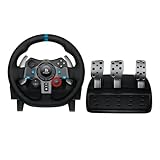
- Immersive Gaming Experience: Perfect for PlayStation 5, PS4 and PC gaming titles, the Driving Force simulates the feeling of driving a real car with precision steering and pressure-sensitive pedals
- Premium Control: The Driving Force feedback racing wheel provides a detailed simulation of driving a real car, with helical gearing delivering smooth, quiet steering and a hand-stitched leather cover
- Customizable Pedals: These pressure-sensitive nonlinear brake pedals provide a responsive, accurate braking feel on a sturdy base - with adjustable pedal faces for finer control
- 900-Degree Rotation: Lock-to-lock rotation of the Driving Force means you can turn the wheel around two and a half times, hand over hand on wide turns - just like a real F1 race car
- Up Your Game: Take your racing simulation to the next level with Driving Force accessories like the Driving Force Shifter or desk and rig mounts
Rank #4
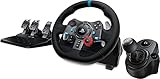
- Racing Wheel: A definitive sim racing wheel for PlayStation 4 and PlayStation 3: Realistic steering and pedal action for the latest racing titles
- Racing Wheel: Easy-access game controls: On-wheel D-pad, console buttons, paddle shifters and LED indicator lights
- Racing Wheel: Built to last: Durable solid steel ball bearings, stainless steel shifter and pedals and hand-stitched leather wheel grip
- Shifter: The sim racing shifter for G29 and G920 Driving Force Racing Wheels: Adds realistic shifting to your racing rig
Rank #3

- Immersive gaming: Driving Force is perfect for games on PlayStation 5, PS4 and PC and simulates the driving experience of real vehicles thanks to precise steering and pressure-sensitive pedals
- Premium control: the racing steering wheel with driving force feedback simulates in detail the driving feel of real vehicles with helical teeth for a fluid, quiet steering, hand-stitched leather cover
- CUSTOMIZABLE PEDALS: Pressure-sensitive non-linear brake pedals provide precise braking feel with fast response, durable base, adjustable pedal surfaces for even more precise control.
- 900° steering range. Two and a half turns of the steering wheel between stops, hand-over-hand in wide turns, just like a real F1 racing car
- Play even better: The next level for your racing simulation with Driving Force accessories such as the Driving Force gear lever or holders for desk and rig
Rank #2

- REALISTIC RACING SIMULATION DUO: Feel what is like to drive a real race car with G29 Driving Force Racing Wheel & Pedals and Driving Force Shifter
- PAIRED FOR PRECISION: Take full control of the race with G29 Driving Force Racing Wheel & Pedals and Driving Force Shifter
- PRECISE CONTROL: Helical transmission gears reduce noise and vibration with anti-backlash keeping wheel and pedals tight. The six-speed “H” shifter helps you execute smooth, accurate gear transitions
- FORCE FEEDBACK: The dual motor force-feedback realistically simulates the feel of tires on a turn, understeer, oversteer, drifting and more
- PREMIUM BUILT: Look, feel and durability of a real race car wheel, pedals and shifter. Wheel cover, knob and boot are covered in high-quality, hand-stitched leather with a solid steel gear shaft and polished metal pedals
Product prices and availability are accurate as of the date/time indicated and are subject to change. Any price and availability information displayed on Amazon at the time of purchase will apply.




