Recommended Free Tools
If Call of Duty: Black Ops 4 Zombies will not start, the cause depends on where the failure happens: the game may still be installing, it may crash before Zombies opens, a console may have trouble reading a disc or validating a digital license, or an online match may fail to connect. Identify the platform, whether you own the game on disc or digitally, and the exact point where it stops before trying a fix.
First, identify where Zombies stops
“Not starting” can describe several different problems, and the fix for a launch crash is not the same as the fix for a failed online connection. Check what happens immediately after selecting Zombies or a map, and note any error code or message.

- The game itself will not launch or crashes: use the PC or PlayStation launch steps below.
- Zombies is unavailable while the game installs: let the update and installation finish.
- The game opens, but a map hangs or fails to load: record the map and the exact point of failure, then try the relevant platform checks.
- Zombies opens, but you cannot join a match: check online services and your network separately.
Also note whether other game modes launch. This helps distinguish a general game or installation problem from a failure limited to Zombies. The official guidance cited here does not identify one confirmed Zombies-only cause or establish a current widespread outage.
If Zombies is unavailable while the game installs
Activision’s Black Ops 4 installation guide, published in October 2018, says the day-one update must finish before Zombies is available on the PS4 and Xbox One disc installations it describes. Blackout could become playable before the full installation completed; that does not mean Zombies is ready.
#1 Best Overall
The same launch-era article recommended 112 GB of free hard-drive space for an optimized PS4 disc installation, described a roughly 50 GB day-one update, and gave an approximately 55 GB final installation footprint. It also said Blackout could become playable at about 30% installation, or approximately 16–20 GB. These are figures from Activision’s 2018 guidance, not current universal storage requirements or a guarantee of the space needed on every platform today.
If Black Ops 4 crashes on Windows PC
Try Activision’s PC troubleshooting steps in a low-risk order. Its Black Ops 4 PC troubleshooting guide is dated November 6, 2018, so treat the named software checks as possibilities rather than proof that a particular application is responsible.
Rank #2

- The most thrilling multiplayer experience offers tactical, grounded gameplay and player choice
- The biggest Day 1 Zombies offering ever with three full experiences at launch
- In Blackout, Black Ops comes to life in a massive battle royale experience
- Repair the game: in the Battle.net launcher, select Call of Duty: Black Ops 4 and run Scan and Repair.
- Install pending updates: update Windows and your graphics drivers, then reboot. Activision’s broader Black Ops 4 crash guidance also advises checking minimum system requirements, closing background applications, and updating video and sound drivers.
- Restore default graphics settings: if you can reach the game’s settings, reset them to default before trying Zombies again.
- Close possible conflicts: exit background applications and services that could interfere. Activision specifically lists NZXT CAM, MSI Afterburner, and Razer Cortex among programs to disable for troubleshooting, and suggests checking for Razer Synapse updates.
- Check security software carefully: Activision notes that antivirus exceptions may be relevant. Do not disable protection permanently; if you test an exception, follow your security software’s safe procedure and restore protection afterward.
- Try a clean boot only if needed: Activision includes a clean boot among further checks. If you do this, follow Microsoft’s instructions and restore your normal startup configuration after testing.
- Check ASLR only if you changed it: Activision’s guide says to re-enable Address Space Layout Randomization (ASLR) if it has been disabled.
The official Black Ops 4 PC page lists the original release requirements; those specifications do not, by themselves, establish compatibility with every current Windows configuration.
If the game will not launch on PlayStation
Sony’s current game-launch troubleshooting guide gives separate PS4 and PS5 steps. On PS5, these apply when playing the PS4 version through backward compatibility. Work through the steps for your console and copy type, testing the game again after each change.
Rank #3

- The most thrilling multiplayer experience offers tactical, grounded gameplay and player choice
- The biggest Day 1 Zombies offering ever with three full experiences at launch
- In Blackout, Black Ops comes to life in a massive battle royale experience
PS4
- If you have a disc, check that it is clean and inserted correctly. If the game is installed on extended storage, confirm that the drive is connected.
- Restart the console.
- Restore licenses through the console’s account settings.
- If the problem remains, delete the game and download it again, or reinstall it from disc.
- Install any available PS4 system software update.
- If necessary, use PS4 Safe Mode to rebuild the database, following Sony’s current instructions.
- Reinstalling system software is a later option. Back up your data and follow Sony’s directions before taking this step.
PS5 playing the PS4 version
- For a disc copy, check for disc problems. If the game is on USB extended storage, move it to console storage and test again.
- Restart the PS5, then restore licenses.
- Reinstall the game if restarting and restoring licenses do not help.
- Update PS5 system software.
- If needed, use Safe Mode to clear the system software cache and rebuild the database, following Sony’s instructions.
For a disc-specific failure, Activision’s Black Ops 4 crash guidance also advises checking the disc, ensuring the console has adequate ventilation, updating console software, and clearing old game data. To test a suspect disc, try it on another PS4. Activision says that if the same problem follows the disc to another console, the disc is likely defective and you can request a replacement through its support route. This test does not apply to digital copies.
If Zombies opens but an online match will not connect
A connection failure is different from the game failing to launch. Check the live Activision online services status and your platform’s network service status when the problem occurs; availability can change, so an old outage report is not a reliable diagnosis. Activision’s Black Ops 4 connection guide also recommends testing the console’s network connection and using wired Ethernet when possible.
Rank #4
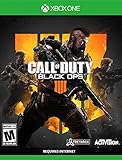
- The most thrilling multiplayer experience offers tactical, grounded gameplay and player choice
- The biggest Day 1 Zombies offering ever with three full experiences at launch;ESRB Content: Blood and gore|Drug reference|Intense violence|Strong language; Genre: First Person Shooter
- In Blackout, Black Ops comes to life in a massive battle royale experience
If services are available but the connection still fails, restart your router and reduce other bandwidth-heavy activity on your network, then test again. If the game crashes before reaching a lobby, return to the platform launch steps instead of treating it as a matchmaking problem.
Independent reader supportYour contribution helps us test, update, and keep practical guides available for everyone.What to send support if the problem persists
Collect the exact error code or message, your platform, whether the copy is physical or digital, and the steps that reproduce the failure. A screenshot or short video can help show where Zombies stops. Sony specifically asks players to provide the error code, steps, and an image or video when contacting support. Contact Sony or Xbox for console, account, or hardware issues; contact Activision Support for unresolved game-specific problems.
Quick Recap
Best Value

- The most thrilling multiplayer experience offers tactical, grounded gameplay and player choice
- The biggest day 1 Zombies offering ever with three full experiences at launch; ESRB content: Blood and gore|Drug reference|Intense violence|Strong language; Genre: First person shooter
- In blackout, black Ops comes to life in a massive battle royale experience
Product prices and availability are accurate as of the date/time indicated and are subject to change. Any price and availability information displayed on Amazon at the time of purchase will apply.




