wmm2eres.dll may appear in messages such as “The program can’t start because wmm2eres.dll is missing,” “Error loading wmm2eres.dll,” or “The specified module could not be found.” If wmm2eres.dll is not found, the program reporting the error is usually a damaged or incomplete Windows Movie Maker installation, not Windows itself.
The 60-second answer
wmm2eres.dll is a legacy resource DLL belonging to Windows Movie Maker. It normally sits in the Movie Maker installation directory, sometimes inside the language-specific 1033 folder, rather than in C:WindowsSystem32 or C:WindowsSysWOW64.


As an Amazon Associate I earn from qualifying purchases.
The safest fix is to identify the program that calls the file, then repair or reinstall that entire Movie Maker installation from original media, a verified backup, or a trusted signed installer. Do not download a loose copy from a DLL website and do not copy it into a Windows system folder.
Recommended Free Tools
Windows Movie Maker is legacy software. Windows Movie Maker 2.1 was associated with Windows XP SP2 and Windows XP Tablet PC Edition 2005, while later versions were distributed through Windows Essentials 2012. Microsoft ended support for Windows Essentials and removed it from official download on January 10, 2017. There is no current official Microsoft download for the standalone DLL or the discontinued suite.
#1 Best Overall

- ✔️ POWERFUL VIDEO EDITING MADE EASY – Create professional-looking videos with an intuitive drag-and-drop editor. Trim, cut, combine clips, add music, titles and transitions, and turn your footage into stunning movies in just a few clicks.
- ✔️ 1000+ EFFECTS, TITLES & CREATIVE TOOLS – Enhance every project with premium transitions, filters, animated titles, stickers, picture-in-picture effects, keyframe animation and motion tracking for impressive cinematic results.
- ✔️ EDIT IN 4K & 8K WITH MULTI-TRACK TIMELINE – Produce high-quality videos using advanced multi-track editing, precise timeline controls and support for modern 4K Ultra HD and 8K video formats.
- ✔️ CREATE MOVIES, SLIDESHOWS & DISC PROJECTS – Turn photos and videos into memorable movies, family videos, travel films and slideshows, then export to popular formats or burn DVDs and Blu-ray Discs with custom menus.
- ✔️ ONE-TIME PURCHASE – NO SUBSCRIPTION – Enjoy a lifetime license with no recurring fees. Optimized for Windows 11 and Windows 10 with support for H.265/HEVC and today's most popular video formats.
What is wmm2eres.dll
wmm2eres.dll is an application and resource DLL used by Windows Movie Maker. Its legacy description is “Windows Movie Maker Ext Res.” It is not a general Windows runtime, graphics driver, Visual C++ component, or DirectX file.
Legacy inventories place it in locations such as:
C:Program FilesMovie Maker
C:Program FilesMovie Maker1033
The 1033 directory represents English-language resources. A publicly indexed Movie Maker 2.1 file is a 32-bit build identified as version 2.1.4026.0 and approximately 4 KB. Older Movie Maker 2.0 manifests show a different version. These details come from historical inventories, not a current Microsoft package manifest, so use them for identification rather than as a reason to hunt for a matching download.
No authoritative 64-bit build is established. If a modern game or unrelated installer asks for this filename, do not assume it owns the file. Check which executable is producing the message. The program may include a modified or bundled Movie Maker component, or the error may be misleading.
Do these 3 things before closing this tab:
1Repair Windows errors before they cause bigger problems2Fix the driver behind crashes, sound loss and screen glitches3Clear out junk files and repair common Windows errorsWhat the error actually means
These messages all indicate a loader failure:
- “The program can’t start because wmm2eres.dll is missing from your computer.”
- “There was a problem starting wmm2eres.dll. The specified module could not be found.”
- “Error loading wmm2eres.dll.”
- “The code execution cannot proceed because wmm2eres.dll was not found.”
- “wmm2eres.dll is either not designed to run on Windows or it contains an error.”
“Specified module could not be found” does not always mean that the named file alone is absent. Windows loads the requested DLL and then searches for that DLL’s dependencies. If a dependency is missing, blocked, corrupted, or the wrong architecture, the message may still name wmm2eres.dll.
First ask what changed:
- Was Movie Maker removed or partially uninstalled?
- Did an installer fail?
- Did antivirus quarantine the file?
- Did disk cleanup or malware removal delete it?
- Was an old XP or Vista installation migrated to Windows 10 or Windows 11?
- Does the error appear at startup even though Movie Maker is no longer installed?
Those answers determine whether you need an application repair, a quarantine review, a stale startup cleanup, or a compatibility decision.
Fix 1: Identify and repair Movie Maker
Start with the parent application. Repairing Windows will not normally replace an application resource DLL.
- Press Windows + I to open Settings.
- Select Apps, then Installed apps.
- Search for Movie Maker and Windows Essentials.
- Select the three-dot menu beside the entry.
- Choose Advanced options if it is available.
- Select Repair, then start the program again.
If Settings does not offer a repair option:
- Press Windows + R.
- Enter
appwiz.cpland press Enter. - Find Windows Movie Maker or Windows Essentials.
- Right-click the entry.
- Choose Change, Modify, or Repair, if available.
- Complete the wizard and restart Windows.
Microsoft documents the general repair process for installed programs through Control Panel > Programs and Features > Repair or Change.
PC Slower Than It Used to Be?
A free scan shows the junk files, broken settings and background clutter dragging Windows down - then fixes them in one click.Free scan · Windows 10 & 11Crashes, No Sound, or Screen Glitches?
Random freezes, missing sound and display glitches usually trace back to one bad driver. Find and replace yours safely.Free scan · under a minuteIf Movie Maker opens afterward, the repair restored the matching file set. If the same error remains, or Movie Maker is not listed, continue with a complete reinstall.
Rank #2
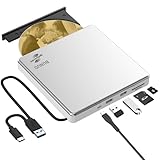
- Permanent LightScribe Labeling – No Ink Required: Unlike messy paper labels or fading markers, this CD burner uses a precision laser technology to etch high-contrast, smudge-proof text and images directly onto LightScribe-compatible CDs and DVDs. Perfect for creating professional-looking archival backups, vintage mixtapes, or legacy photo discs that last for generations without peeling or blurring. This LightScribe burner is ideal for music lovers, video creators, filmmakers, and photographers
- Plug & Play External DVD Drive: This BUNUD DVD drive features an SD/TF card reader and two extra USB ports. It allows you to transfer photos or videos directly from your camera, drone or dashcam to your laptop. You can also charge your phone and plug in flash drives without the need for a separate card reader or USB hub. The light scribe drive supports reading, writing and burning CDs/DVDs, backing up data, watching movies, listening to music, installing systems and software, and creating LightScribe photos
- Wide Compatibility CD Drive: This BUNUD external CD/DVD drive for laptop works as a DVD player and burner with macOS devices such as the Mac mini, MacBook Air, MacBook Pro, MacBook Neo and iMac, as well as with Windows 11/10/8/7/XP devices such as HP, Dell, LG, Lenovo and ASUS laptops and desktops, as well as Linux. With no need for a driver or power adapter, this external LightScribe CD drive is ideal for modern laptops without built-in optical drives
- Read, Write and Burn DVDs & CDs: This BUNUD CD reader for laptop features a USB 3.0 and Type-C data cable. Simply plug this USB DVD drive external straight into a MacBook USB-C port or any USB 3.0 port on an older computer — no driver or adapter is required, and LightScribe DVD burner will be recognised automatically within seconds. This DVD player for laptop supports reading DVDs, CDs, VCDs and SVCDs, and can burn DVD+/-R/RW and CD-R/RW discs at speeds of up to 8x for DVDs and 24x for CDs
- Portable Slim LightScribe Drive: The BUNUD LightScribe CD burner features a sleek, lightweight aluminum-silver case with a pop-up tray. This external LightScribe DVD drive is easy to use and can be slipped into any laptop bag for use on the go, whether for business travel or at home, in the classroom or in the office. The LightScribe function makes your discs more attractive, durable and long-lasting. This CD ROM external drive for laptop is backed by a 12-month warranty and 24/7 support
Fix 2: Reinstall the complete Movie Maker installation
Do not reinstall only wmm2eres.dll. Movie Maker expects a matching group of executables, resource files, language files, and dependencies. Mixing files from different releases can create “not designed to run on Windows” errors.
Use one of these sources:
- Original Windows XP or Vista installation media
- A previously verified installer kept by your organization
- A known-good backup of the original application
- A signed installer from a source you control and trust
Microsoft warns that unofficial Windows Movie Maker downloads may contain malware or hidden costs. Since Windows Essentials 2012 is discontinued, do not treat a search result claiming to be an official current download as trustworthy.
Before reinstalling, remove the damaged entry through Settings > Apps > Installed apps or Control Panel > Programs and Features. Restart Windows, run the original installer, and install the complete application. If the installer is on removable media, copy it to a local folder first and right-click it to choose Run as administrator.
After installation, launch Movie Maker from its new shortcut. If it works, leave wmm2eres.dll in the Movie Maker directory. Do not move it to a Windows system directory.
On Windows 10 or Windows 11, a successful installation does not guarantee reliable operation. Movie Maker is unsupported legacy software, and its old codecs, installers, or graphics assumptions may not work correctly on current Windows. If the program still fails after a clean installation, use a supported video editor or run the old software in a controlled legacy environment with files backed up.
Fix 3: Check Windows Security quarantine
Antivirus software can remove a damaged, altered, or suspicious copy of an application DLL. Restore it only if you can verify that the file came from your original Movie Maker installation and the detection was a false positive.
- Open Start and search for Windows Security.
- Select Virus & threat protection.
- Choose Protection history.
- Review entries related to Movie Maker or
wmm2eres.dll. - Open an entry to inspect its path, detection, and action.
- If the file is trusted and the detection is clearly incorrect, choose Restore.
- Repair or reinstall Movie Maker immediately afterward.
- Run a full scan before using the program normally.
Microsoft warns that restoring an unsafe file can reintroduce a threat. If Protection History is empty, the event may have aged out; older entries are not retained indefinitely. In that case, reinstall the parent application from trusted media instead of trying to reconstruct the DLL manually.
Fix 4: Repair Windows components only when they are involved
SFC and DISM repair protected Windows components. They are useful when system files are corrupted, but they are unlikely to restore a legacy Movie Maker DLL on Windows 10 or Windows 11.
Rank #3

- 𝗨𝗡𝗣𝗔𝗥𝗔𝗟𝗟𝗘𝗟𝗘𝗗 𝟭𝟬𝟴𝟬𝗣 𝗛𝗗𝗠𝗜 𝗩𝗜𝗗𝗘𝗢: Seamlessly connects to your smart TV, monitor, or projector via HDMI and AV cables. Elevate your DVD collection with stunning high-definition visuals and immersive audio, making every movie night a cinematic delight.
- 𝗥𝗘𝗚𝗜𝗢𝗡-𝗙𝗥𝗘𝗘, 𝗨𝗡𝗜𝗩𝗘𝗥𝗦𝗔𝗟 𝗖𝗢𝗠𝗣𝗔𝗧𝗜𝗕𝗜𝗟𝗜𝗧𝗬: Our robust HDMI DVD player offers extensive compatibility with a wide array of media devices. This multi-region DVD player effortlessly handles DVD, DVD-R, and DVD-RW disc formats, as well as all CD and USB video formats.
- 𝗙𝗔𝗦𝗧, 𝗟𝗖𝗗 𝗗𝗜𝗦𝗣𝗟𝗔𝗬, 𝗟𝗢𝗪-𝗡𝗢𝗜𝗦𝗘: Elevate your entertainment experience with our compact TV DVD player, boasting lightning-fast loading speeds, top-tier reading capabilities, convenient memory playback, a vibrant LCD screen, and remarkably quiet operation.
- 𝗨𝗦𝗕, 𝗛𝗗𝗠𝗜, 𝗥𝗖𝗔, 𝗥𝗘𝗠𝗢𝗧𝗘: Our DVD player includes a HDMI cable, RCA AV cables and a USB port for versatile media playback. It's equipped with a full format remote, allowing you to access functions such as rewind, zoom, slow motion, and customisation of visual and audio settings.
- 𝗪𝗛𝗔𝗧'𝗦 𝗜𝗡 𝗧𝗛𝗘 𝗕𝗢𝗫: This package contains 1x DVD Player, 1x AV Cable, 1x Power Cable, 1x Remote Control, 1x HDMI Cable and a user manual. Dimensions: 28.86 x 7.48 x 1.77in - Weight: 1.6 pounds.
Run them as follows:
- Open Start.
- Search for Command Prompt.
- Right-click it and select Run as administrator.
- Run:
DISM.exe /Online /Cleanup-image /Restorehealth
- Wait for it to complete.
- Then run:
sfc /scannow
- Restart Windows and test the application.
Microsoft recommends running DISM before SFC. If either command reports that it could not repair files, restart and run the commands again, then inspect the result. If wmm2eres.dll is still missing, return to the Movie Maker repair or reinstall step.
Repeatedly running SFC and DISM without knowing what changed can be tedious, especially when the damaged file belongs to an old application. Outbyte PC Repair can scan for system problems and show what needs attention, while its repair functions require the full version; reinstalling Movie Maker remains the definitive fix when that application owns the file.
On an old Windows XP system, use the original Windows installation media or the appropriate XP repair process if protected Windows components are also damaged. Do not expect modern DISM commands to repair an XP installation.
What’s actually slowing this PC down?
Pick the symptom - the matching free tool is one click away.
Fix 5: Use System Restore after a known change
System Restore is useful when the error began immediately after an installation, cleanup operation, update, or quarantine event.
- Press Windows + R.
- Enter:
rstrui.exe
- Press Enter.
- Select Choose a different restore point if available.
- Pick a restore point dated before the problem began.
- Select Next, review the affected programs, and choose Finish.
- Restart and test Movie Maker.
System Restore normally does not remove personal documents, but it can remove applications and drivers installed after the selected restore point. If the error continues, reinstall Movie Maker from trusted media rather than repeatedly rolling Windows backward.
Fix 6: Check updates and drivers only for related failures
wmm2eres.dll itself is not normally repaired by a graphics driver, DirectX package, Visual C++ redistributable, or .NET installation. Those components may affect separate playback or rendering errors, but they do not provide this Movie Maker resource file.
You can still install pending Windows updates:
- Open Start > Settings.
- Select Windows Update.
- Choose Check for updates.
- Install available updates.
- Restart when prompted.
If Movie Maker reports a separate display or playback problem, inspect the graphics driver:
- Right-click Start.
- Select Device Manager.
- Expand Display adapters.
- Right-click the graphics device.
- Choose Update driver.
- Select Search automatically for drivers.
If Windows cannot find a suitable driver, use the graphics hardware manufacturer’s official support page. Do not use a driver update as a substitute for restoring Movie Maker.
Manually checking Device Manager means hunting through hardware entries and guessing which driver is stale. Outbyte Driver Updater can scan for driver problems and identify available updates, while driver installation through the full version is optional; it will not replace a missing Movie Maker file.
Independent reader supportYour contribution helps us test, update, and keep practical guides available for everyone.Why regsvr32 is usually wrong
Do not run this command merely because the error names a DLL:
regsvr32 wmm2eres.dll
regsvr32 is intended for DLLs that expose registration entry points such as DllRegisterServer. A resource DLL does not become usable because it was registered. The command may produce an error such as “entry point was not found” or “the module failed to load,” without repairing the application.
Movie Maker needs the correct file in the correct application directory and the rest of its matching installation. Registration is not the solution.
Do not copy the file into System32
Never place wmm2eres.dll into either of these folders as a generic fix:
C:WindowsSystem32
C:WindowsSysWOW64
Application DLLs normally load from the application directory. Copying a legacy 32-bit file into a system folder can create version conflicts, fail to solve the original dependency problem, and increase DLL-preloading risk.
A manual copy is reasonable only when all of these conditions apply:
Free tools Windows power users keep installed
One-click scans. No signup required.
- The source is the same original installation media or a verified backup.
- The file belongs to the same Movie Maker build.
- Its provenance and signature can be checked.
- It is restored to the Movie Maker directory, not a Windows system directory.
If Movie Maker is no longer installed
An error at every Windows startup may come from a stale shortcut, scheduled task, or leftover program entry rather than an actively used Movie Maker installation.
First confirm the caller:
- Check the error window title and path.
- Open Task Manager with Ctrl + Shift + Esc.
- Review Startup apps for Movie Maker or Windows Essentials entries.
- Disable only an entry you have confirmed is obsolete.
- Check Settings > Apps > Installed apps for an incomplete uninstall.
- Remove the old application through its uninstaller if one exists.
If a scheduled task is involved, open Task Scheduler, inspect tasks under Task Scheduler Library, and disable only a task clearly tied to the removed program. If you still use Movie Maker, reinstall it instead of disabling its startup components blindly.
When the file exists but still fails
If wmm2eres.dll is present and Windows reports that it is “not designed to run on Windows” or “contains an error,” suspect one of these conditions:
Best Value
- The file is corrupted.
- The file belongs to a different Movie Maker release.
- A 32-bit application is being given an incompatible file set.
- Antivirus modified or quarantined part of the installation.
- A dependency is missing.
- The installer was unofficial or altered.
- The old program is incompatible with Windows 10 or Windows 11.
Do not solve this by downloading another copy. Remove the questionable installation, scan Windows, and reinstall the complete application from trusted original media. If the error persists, identify the executable that triggers it and consider replacing Movie Maker with supported software.
Quick wins for a faster PC:
Scan for outdated or missing drivers - takes under a minuteDriver Scan →Repair Windows errors before they cause bigger problemsFix Now →FAQ
Is wmm2eres.dll a Windows 10 or Windows 11 system file?
No. It is a legacy Windows Movie Maker application resource DLL. It may have shipped with older Windows releases or Movie Maker packages, but it is not a normal current Windows component.
Is wmm2eres.dll 32-bit or 64-bit?
Publicly indexed versions are 32-bit, and no authoritative 64-bit build is established. The application and its DLL files must come from a matching installation.
Can I download wmm2eres.dll separately?
You should not download it from a random DLL site. The file may contain malware, have the wrong architecture or version, or leave the rest of Movie Maker damaged. Recover it only from original installation media, a verified backup, or a trustworthy quarantine record.
Will DirectX or Visual C++ fix this error?
Not normally. Those packages do not provide this Movie Maker resource DLL. Install them only when a separate error specifically names a missing DirectX or runtime component.
The Tool Desk
Outbyte Driver Updater FREEFix the driver behind crashes, sound loss and screen glitchesFind Drivers →Outbyte PC Repair FREEClear out junk files and repair common Windows errorsFree Scan →Should I register wmm2eres.dll?
No. A resource DLL is not repaired with regsvr32. Repair or reinstall the Movie Maker installation instead.
Why does a game or unrelated program mention this file?
Verify the calling executable. It may contain a bundled or modified Movie Maker component, have a stale dependency, or be using an unsafe installer. Do not assume the file belongs in the game directory until the program’s provenance is clear.
Quick Recap
Product prices and availability are accurate as of the date/time indicated and are subject to change. Any price and availability information displayed on Amazon at the time of purchase will apply.




