The Tool Desk
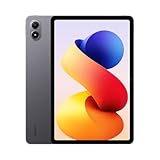
Outbyte Driver Updater FREEScan for outdated or missing drivers - takes under a minuteDriver Scan →Outbyte PC Repair FREERepair Windows errors before they cause bigger problemsFix Now →Xiaomi’s WinPlay is a HyperOS gaming feature designed to run selected Windows games locally on the Xiaomi Pad 6S Pro 12.4. It is not a full Windows installation, a general Windows-app environment, or a guarantee that every Steam or GOG game will work.
WinPlay was introduced in January 2025 as a limited beta associated with HyperOS 2 beta firmware and Xiaomi Community enrollment. As of August 18, 2026, Xiaomi’s public HyperOS material confirms the Pad 6S Pro’s HyperOS 3 rollout but does not publicly document a stable, global WinPlay release, current compatibility list, or download.
As an Amazon Associate I earn from qualifying purchases.
What is Xiaomi WinPlay?
WinPlay is Xiaomi’s system-level compatibility technology for running certain Windows games on HyperOS devices. The games execute on the tablet rather than being streamed from a gaming PC or cloud server.
Free tools Windows power users keep installed
One-click scans. No signup required.
Early reports described the system as using Xiaomi’s HyperCore technology, with virtualization or emulation and translation between Windows gaming software and the tablet’s Android-based environment. Xiaomi reportedly referred to a multi-layer virtualization design, but the precise implementation details should be treated as Xiaomi’s technical description rather than independently verified architecture.
#1 Best Overall

- WIFI Version No Calls or Text, NO SIM CARD OR SD SLOT . FCC ID: 2AFZZCRP4CG
- 3.2K 144Hz crystal-clear display11.2"3:23200 x 2136, 345 ppiUp to 144HzUp to 360Hz240Hz (with pen)800 nits peak brightnessTÜV Rheinland Low Blue Light (Hardware Solution) CertifiedTÜV Rheinland Flicker Free CertifiedTÜV Rheinland Circadian Friendly CertifiedOriginal color PRO | Sunlight mode | 68 billion colors | DCI-P3 | Pro HDR | Reading mode | Adaptive colors | HDR10 | Dolby Vision | Wet touch technology | 10x super resolution
- Snapdragon 8 Elite Mobile Platform3nm manufacturing process8-core (2+6) Oryon CPU: 2x4.32GHz + 6x3.53GHzAdreno 830 @1100MHz Tablet Size: (9.89 x 6.83 x 0.23 in)
- Rear camera:50MP 1/2.76" 1.28μm pixel sizef/1.8 PDAF4K video at 30fps, 60fps1080P video at 30fps, 60fps720P video at 30fpsPhoto | Video | Portrait | Document | Teleprompter | Dynamic shot | HDR | Professional video recordingFront camera:32MP 1/3.6" 1.22μm pixel sizef/2.21080P video at 30fps720P video at 30fpsPhoto | Video | Portrait | Teleprompter | HDR | Dynamic shot
- 9200mAh (typ)67W HyperChargeUSB Type-CQC3+ / QC3.0 / QC2.0 / PD3.0 / PD2.0 / MI FC2.0 *No power adapter included in box. 45W power adapter sold separately. Using Xiaomi 45W power adapter is recommended.
The distinction matters: WinPlay is designed around selected Windows games. It does not install the Windows operating system, turn the tablet into a general-purpose Windows laptop, or promise compatibility with ordinary Windows applications.
Xiaomi’s January 2025 announcement coverage described the feature as local Windows gaming on the Pad 6S Pro 12.4, while contemporaneous reporting highlighted its intended offline operation.
Which Xiaomi tablet supported WinPlay?
The initial reported target was the Xiaomi Pad 6S Pro 12.4, powered by Qualcomm’s Snapdragon 8 Gen 2 platform. Some configurations offered up to 16GB of RAM.
Quick wins for a faster PC:
Repair Windows errors before they cause bigger problemsFix Now →Scan for outdated or missing drivers - takes under a minuteDriver Scan →At launch, coverage described WinPlay as limited to this tablet. Xiaomi did not publish a confirmed compatibility list covering all Xiaomi phones, tablets, Snapdragon devices, or Android tablets. A device receiving HyperOS 2 or HyperOS 3 should not automatically be assumed to support WinPlay.
The official HyperOS page lists the Pad 6S Pro 12.4 in a staged HyperOS 3 rollout scheduled for November–December 2025. That operating-system schedule is not a WinPlay compatibility matrix, and the page does not identify WinPlay as a standard HyperOS 3 feature.
How the early WinPlay beta reportedly worked
The reported early-access process involved:
- Updating the Pad 6S Pro 12.4 to an eligible HyperOS 2 beta build.
- Applying through the Xiaomi Community app if enrollment was open in the user’s region.
- Transferring legitimately acquired Windows game files from a PC to the tablet.
- Launching the WinPlay environment through the relevant Xiaomi system interface.
- Connecting a controller, keyboard, or mouse.
- Running a compatible game locally without relying on an internet connection.
Reports differed on the exact launch location, mentioning Xiaomi system tools or AI Treasure Box. Menu labels, firmware requirements, and regional eligibility may therefore differ. Users should not treat those early instructions as universal for every later HyperOS build.
Rank #2

- WIFI Version, NO SIM CARD. GLOBAL VERSION GLOBAL ROM FCC ID: 2AFZZRPBFL Support Micro SD Card Up to 2TB. Redmi Pad 2 Pro screen size is about 12.1 inches when measured diagonally. Viewable area is smaller due to the curved corners. Measurements between individual products may vary.
- Size: 12.1" 2.5K crystal-clear display16:10 aspect ratioResolution: 2560 x 1600, 249 ppiRefresh rate: Up to 120HzTouch sampling rate: Up to 360Hz 240Hz (with pen)Brightness: 500 nits (typ);600 nits (HBM)TÜV Rheinland Low Blue Light (Hardware Solution) Certified TÜV Rheinland Flicker Free Certified TÜV Rheinland Circadian Friendly Certified1.07 billion colors | Dolby Vision | Reading mode | Wet touch technology
- Rear camera:8MP 1/4", f/2, 1.12μm1080P video at 30fps 720P video at 30fpsPhoto | Video | Document | Teleprompter | HDR Front camera:8MP 1/4", f/2.28, 1.12μm1080P video at 30fps 720P video at 30fps
- Snapdragon 7s Gen 4 Mobile Platform4nm manufacturing processCPU:1xA720@ 2.7 GHz+3xA720@ 2.4GHz+4xA520@ 1.8GHzGPU:Adreno 810 @1150MHz / Accelerometer | Gyroscope | Ambient light sensor | Color temperature sensor | Electronic compass | Hall sensor
- Wi-Fi 6*Wi-Fi 6 capability may vary based on regional availability and local network support.*Wi-Fi connectivity (including Wi-Fi frequency bands, Wi-Fi standards and other features as ratified in IEEE Standard 802.11 specifications) may vary based on regional availability and local network support. The function may be added via OTA when and where applicable.SBC, AAC, LDACBluetooth 5.4IPv6
Copying a game’s files to a tablet does not transfer ownership. Players still need legally obtained games and valid Steam, GOG, or other platform licenses. WinPlay should not be used as a reason to download pirated game packages or bypass DRM.
What’s actually slowing this PC down?
Pick the symptom - the matching free tool is one click away.
Did WinPlay support Steam and GOG?
Early reporting said WinPlay could work with Steam and GOG games. That means the platforms or selected games could be used in the reported environment; it does not mean that an entire Steam or GOG library is compatible.
Game-by-game support can depend on:
- DirectX version and other graphics APIs
- x86 or x64 translation behavior
- DRM and game launchers
- Anti-cheat systems, especially kernel-level anti-cheat
- Windows services and runtime components
- Controller and input requirements
- Game-specific middleware
- Available memory, storage, and thermal headroom
Reported demonstrations included titles such as Tomb Raider and Need for Speed: Most Wanted. Those demonstrations show that particular games could launch in particular builds; they do not establish broad compatibility, stable long-session performance, or support for modern competitive releases.
What performance did Xiaomi claim?
Early coverage attributed the following figures to Xiaomi’s testing:
- 2.9% GPU performance loss through WinPlay
- About 8.3 watts of average power consumption
- A reported example of Tomb Raider: Game of the Year Edition running at approximately 45 frames per second
These are company or internal-test claims, not independent benchmarks. Results can change with the game, build, resolution, graphics settings, display brightness, wireless radios, ambient temperature, battery state, and thermal throttling. The 2.9% figure should not be presented as a universal performance difference across Windows games, and the 8.3W figure is not a guaranteed tablet-wide consumption rate.
A demonstration can confirm that a game launched; it cannot by itself establish consistent frame times, input latency, battery drain, temperature, or stability over a long session.
Rank #3

- WIFI Version, NO SIM CARD. GLOBAL VERSION GLOBAL ROM FCC ID: 2AFZZRPBFL Support Micro SD Card Up to 2TB. Redmi Pad 2 Pro screen size is about 12.1 inches when measured diagonally. Viewable area is smaller due to the curved corners. Measurements between individual products may vary.
- Size: 12.1" 2.5K crystal-clear display16:10 aspect ratioResolution: 2560 x 1600, 249 ppiRefresh rate: Up to 120HzTouch sampling rate: Up to 360Hz 240Hz (with pen)Brightness: 500 nits (typ);600 nits (HBM)TÜV Rheinland Low Blue Light (Hardware Solution) Certified TÜV Rheinland Flicker Free Certified TÜV Rheinland Circadian Friendly Certified1.07 billion colors | Dolby Vision | Reading mode | Wet touch technology
- Rear camera:8MP 1/4", f/2, 1.12μm1080P video at 30fps 720P video at 30fpsPhoto | Video | Document | Teleprompter | HDR Front camera:8MP 1/4", f/2.28, 1.12μm1080P video at 30fps 720P video at 30fps
- Snapdragon 7s Gen 4 Mobile Platform4nm manufacturing processCPU:1xA720@ 2.7 GHz+3xA720@ 2.4GHz+4xA520@ 1.8GHzGPU:Adreno 810 @1150MHz / Accelerometer | Gyroscope | Ambient light sensor | Color temperature sensor | Electronic compass | Hall sensor
- Wi-Fi 6*Wi-Fi 6 capability may vary based on regional availability and local network support.*Wi-Fi connectivity (including Wi-Fi frequency bands, Wi-Fi standards and other features as ratified in IEEE Standard 802.11 specifications) may vary based on regional availability and local network support. The function may be added via OTA when and where applicable.SBC, AAC, LDACBluetooth 5.4IPv6
Controllers, keyboard, mouse, and multiplayer
Reported beta capabilities included Xbox controllers, other Bluetooth controllers, keyboards, and mice. Coverage also mentioned enhanced haptic feedback or vibration for Xbox controllers and multiplayer input for up to four players.
Those claims describe the reported beta design and should not be treated as confirmed support on every later firmware version. Pairing a controller before launching a game is generally the safer approach. If input fails, a standard Xbox-compatible controller is a better first test than adding third-party remapping software. Some games expect XInput, keyboard input, or a specific controller layout.
What WinPlay cannot do
| WinPlay is | WinPlay is not |
|---|---|
| A local compatibility layer for selected Windows games | A full Windows installation |
| Designed for gaming on supported HyperOS hardware | A general Windows desktop or app environment |
| Potentially usable offline after game files are installed | A cloud gaming or Steam Remote Play service |
| Reported to work with selected Steam and GOG titles | A guarantee that every Steam or GOG game will run |
| Initially associated with one Xiaomi tablet and a beta program | Universal support for Android tablets or all Xiaomi devices |
Standard Windows applications were reportedly outside the feature’s scope. Games that depend on incompatible anti-cheat systems, DRM, launchers, graphics APIs, or Windows services may fail even if installation succeeds.
Common problems and what they mean
The WinPlay option is missing
The tablet may not be supported, the installed firmware may be the wrong regional or beta build, enrollment may be closed, or the feature may have been renamed, removed, or omitted from that software version. HyperOS availability alone does not prove WinPlay availability.
A game launches but runs poorly
Lower the resolution and graphics settings, begin with older or less demanding DirectX titles, and check for thermal throttling during longer sessions. A successful demonstration of one game should not be extrapolated to the entire library.
A game fails at startup
Likely causes include DRM, a launcher dependency, anti-cheat, missing runtime components, or unsupported APIs. Installation is not proof of playability. Avoid unofficial executable replacements or DRM workarounds.
Rank #4
- WIFI Version, NO SIM CARD. GLOBAL VERSION GLOBAL ROM FCC ID: 2AFZZRPBFL Support Micro SD Card Up to 2TB. Redmi Pad 2 Pro screen size is about 12.1 inches when measured diagonally. Viewable area is smaller due to the curved corners. Measurements between individual products may vary.
- Size: 12.1" 2.5K crystal-clear display16:10 aspect ratioResolution: 2560 x 1600, 249 ppiRefresh rate: Up to 120HzTouch sampling rate: Up to 360Hz 240Hz (with pen)Brightness: 500 nits (typ);600 nits (HBM)TÜV Rheinland Low Blue Light (Hardware Solution) Certified TÜV Rheinland Flicker Free Certified TÜV Rheinland Circadian Friendly Certified1.07 billion colors | Dolby Vision | Reading mode | Wet touch technology
- Rear camera:8MP 1/4", f/2, 1.12μm1080P video at 30fps 720P video at 30fpsPhoto | Video | Document | Teleprompter | HDR Front camera:8MP 1/4", f/2.28, 1.12μm1080P video at 30fps 720P video at 30fps
- Snapdragon 7s Gen 4 Mobile Platform4nm manufacturing processCPU:1xA720@ 2.7 GHz+3xA720@ 2.4GHz+4xA520@ 1.8GHzGPU:Adreno 810 @1150MHz / Accelerometer | Gyroscope | Ambient light sensor | Color temperature sensor | Electronic compass | Hall sensor
- Wi-Fi 6*Wi-Fi 6 capability may vary based on regional availability and local network support.*Wi-Fi connectivity (including Wi-Fi frequency bands, Wi-Fi standards and other features as ratified in IEEE Standard 802.11 specifications) may vary based on regional availability and local network support. The function may be added via OTA when and where applicable.SBC, AAC, LDACBluetooth 5.4IPv6
Storage becomes a problem
Windows games can require substantial space, including room for updates, shader caches, and temporary files. Xiaomi did not publish a universal minimum storage requirement for the specific WinPlay build in the available material.
Do these 3 things before closing this tab:
1Repair Windows errors before they cause bigger problems2Scan for outdated or missing drivers - takes under a minute3Clear out junk files and repair common Windows errorsBattery life or heat is worse than expected
The reported 8.3W average is a Xiaomi test claim. Display brightness, frame rate, wireless activity, game engine, ambient temperature, and the tablet’s thermal behavior can all change actual consumption.
Independent reader supportYour contribution helps us test, update, and keep practical guides available for everyone.WinPlay versus the alternatives
Winlator
Winlator is an open-source Android compatibility project used by technically confident users to experiment with Windows applications and games. It may offer broader community experimentation, but configuration is more manual and results are less predictable. There is no controlled evidence here that WinPlay is faster or more compatible than Winlator.
Steam Remote Play
Steam Remote Play streams a game from a gaming PC to the tablet. It can handle games that are too demanding or incompatible with local execution, but the host PC must be running and the network must be good enough to avoid latency and image-quality problems.
Cloud gaming
Services such as GeForce NOW run games on remote servers and stream the output. This avoids local hardware and compatibility limits, but requires reliable internet and may involve queues, supported-store restrictions, geographic limitations, or paid tiers.
Windows handheld PCs
Devices such as the ASUS ROG Ally, Lenovo Legion Go, and comparable handheld PCs generally offer more predictable access to Windows launchers, mods, utilities, and games. They are usually heavier, more expensive, and less convenient as general tablets. They are the safer choice for buyers who need broad PC-game compatibility rather than selected local gaming on a tablet.
Best Value

- WIFI Version No Calls or Text, NO SIM CARD OR SD SLOT . FCC ID: 2AFZZCRP4CG Snapdragon 8s Gen 4 Mobile Platform4nm manufacturing process1x [email protected]+3x [email protected] +2x [email protected]+2x A720 @2.0GHzAdreno 825
- 3.2K 144Hz crystal-clear display11.2"3:23200 x 2136, 345 ppiUp to 144HzUp to 360Hz240Hz (with pen)800 nits peak brightnessTÜV Rheinland Low Blue Light (Hardware Solution) CertifiedTÜV Rheinland Flicker Free CertifiedTÜV Rheinland Circadian Friendly CertifiedOriginal color PRO | Sunlight mode | 68 billion colors | DCI-P3 | Pro HDR | Reading mode | Adaptive colors | HDR10 | Dolby Vision | Wet touch technology | 10x super resolution
- Wi-Fi 7 capability*Wi-Fi 7/Wi-Fi 6E/Wi-Fi 6 capability may vary based on regional availability and local network support.*Wi-Fi connectivity (including Wi-Fi frequency bands, Wi-Fi standards and other features as ratified in IEEE Standard 802.11 specifications) may vary based on regional availability and local network support.2x2 MIMO,8x8 Sounding for MU-MIMO,Wi-Fi Direct,MiracastAAC / LDAC / LHDC 5.0IPv6
- Rear camera:13MP 1/3.06" 1.12μm pixel size f/2.2 PDAF4K video at 30fps 1080P video at 30fps, 60fps - 720P video at 30fpsPhoto | Video | Portrait | Document | Dual video | Director mode | Teleprompter | Dynamic shot | HDRFront camera:8MP 1/4" 1.12μm pixel size - f/2.281080P video at 30fps 720P video at 30fpsPhoto | Video | Portrait | Dual video | Teleprompter | Dynamic shot | HDR
- 9200mAh (typ)45W turbo chargingUSB Type-CQC3+ / QC3.0 / QC2.0 / PD3.0 / PD2.0 / MI FC2.0 No power adapter included in box. 45W power adapter sold separately. Using Xiaomi 45W power adapter is recommended.
WinPlay’s availability: beta versus current status
The January 2025 reports described WinPlay as an internal or limited beta for eligible Xiaomi Pad 6S Pro 12.4 users, associated with HyperOS 2 beta firmware and Xiaomi Community enrollment. They did not establish a normal public-stable launch date.
As of August 18, 2026, Xiaomi’s public HyperOS 3 material lists the Pad 6S Pro 12.4 for its rollout but does not provide a current public WinPlay download, compatibility list, or global release timetable. That does not prove development stopped; it means the available official material does not verify a stable, globally available feature.
Anyone considering the tablet specifically for WinPlay should confirm all three points for their market: that WinPlay is publicly available, that the exact regional firmware supports it, and that the intended games have credible compatibility evidence.
Who should consider WinPlay?
WinPlay is most appealing if you already own the supported Xiaomi tablet, want offline access to selected older or less demanding PC games, value a large screen and controller support, and are comfortable with beta software and title-by-title troubleshooting.
It is a poor fit if you expect a Windows laptop replacement, need dependable support for new AAA games or competitive anti-cheat titles, rely on mods and specialized launchers, require guaranteed 60fps performance, or are buying a Pad 6S Pro solely because of the feature.
The sensible buying position is to choose the Pad 6S Pro for its overall tablet capabilities first and treat WinPlay as a potentially useful bonus—not as a guaranteed replacement for a Windows gaming PC.
Quick Recap
Product prices and availability are accurate as of the date/time indicated and are subject to change. Any price and availability information displayed on Amazon at the time of purchase will apply.
Recommended Free Tools




