The best storage-focused gaming laptop for most buyers in 2026 is a 2TB model with a second M.2 slot. It provides room for a substantial game library without forcing you to pay a large manufacturer markup for a 4TB configuration. Buyers who want maximum capacity immediately should look at the Lenovo Legion 9i Gen 10, Alienware 16 Area-51, or selected MSI Titan 18 HX AI configurations—but check whether the advertised 4TB is two separate drives or a nonredundant RAID 0 array.
This guide ranks 15 laptops by the storage they include, their expansion options, gaming hardware, display, portability, and value. Capacities below refer to installed storage, not free space after Windows, recovery files, drivers, and applications.
As an Amazon Associate I earn from qualifying purchases.
Quick picks
- Best overall balance: Lenovo Legion Pro 7i Gen 10
- Best factory-installed 4TB option: Lenovo Legion 9i Gen 10 18-inch
- Best portable 2TB option: ASUS ROG Zephyrus G16 (2026)
- Best compact option: ASUS ROG Zephyrus G14 (2026)
- Best 4TB RAID 0 option: Alienware 16 Area-51, with important backup caveats
- Best large-screen flagship: ASUS ROG Strix SCAR 18 (2026)
- Best upgrade candidate: Acer Predator Helios Neo 16 AI
Exact SSD capacity, GPU power, memory, displays, and prices vary by country and configuration. Treat “up to” as a maximum, not a promise that every retail unit includes that specification.
Do these 3 things before closing this tab:
1Repair Windows errors before they cause bigger problems2Fix the driver behind crashes, sound loss and screen glitches3Clear out junk files and repair common Windows errors15 best gaming laptops with storage space for 2026
1. Lenovo Legion 9i Gen 10, 18-inch — best ready-to-use storage
Lenovo lists a configuration with a 2TB PCIe Gen 5 SSD plus a 2TB PCIe Gen 4 SSD, giving the Legion 9i 4TB of installed storage. That makes it the clearest choice for buyers who want a flagship desktop replacement with a large library installed from day one.
#1 Best Overall

- GIGABYTE GiMATE as Your Smart AI Mate – Introducing GiMATE, your smart AI Mate that transforms how you interact with technology. GiMATE creates an intelligent interface that truly understands your needs. Control is now more intuitive, more intelligent, and more personal.
- AMD Ryzen 7 260 Processor – With the AMD Ryzen 7 260 processor, you can stream, record gameplay, and run multiple applications without compromise. GIGABYTE GAMING A16 offers fast multimedia processing and the smoothest gaming experience.
- NVIDIA GeForce RTX 5060 Laptop GPU – Powered by NVIDIA Blackwell, GeForce RTX 5060 Laptop GPUs bring game-changing capabilities to gamers and creators. Equipped with a massive level of AI horsepower, the RTX 50 Series enables new experiences and next-level graphics fidelity. Multiply performance with NVIDIA DLSS 4, generate images at unprecedented speed, and unleash your creativity with NVIDIA Studio. All in the thinnest and longest lasting RTX laptops, optimized by Max-Q.
- Game and Create with Windows 11 Home – With Windows 11 Home, GIGABYTE GAMING A16 brings it all together in one place and gives you everything you need to stay ahead – game, create, and boost your productivity with confidence.
- 180-degree Hinge with 19.45mm Slim Chassis – GIGABYTE GAMING A16 features a laid-flat 180-degree hinge design to adapt to various scenarios, all with a 19.45 millimeters (0.76 inches) slim chassis.
The trade-off is size, price, and transportability. An 18-inch, high-performance laptop is better treated as a movable desktop than an everyday commuter machine. Confirm the exact SSD arrangement, memory configuration, and US availability before ordering.
Storage verdict: Excellent capacity immediately, but expensive and impractical for buyers who travel frequently. Check Lenovo’s configuration.
2. Lenovo Legion Pro 7i Gen 10 — best performance/storage balance
The Legion Pro 7i Gen 10 is a strong middle ground between a desktop replacement and a portable gaming laptop. Lenovo’s PSREF documentation lists RTX 5080 and RTX 5090 options along with multiple SSD arrangements, including 2TB-class configurations and dual-drive possibilities.
It is a better fit than an 18-inch flagship for buyers who want high sustained performance in a 16-inch chassis. Verify the exact retail SKU: the number of populated M.2 slots, included capacity, display, and GPU configuration can differ.
Storage verdict: One of the best choices when gaming performance matters as much as storage flexibility. See Lenovo’s specifications.
3. ASUS ROG Strix SCAR 18 (2026) — best 18-inch gaming flagship
The 2026 SCAR 18 combines an 18-inch display with Intel Core Ultra 9 290HX Plus options and RTX 5080 or RTX 5090 Laptop GPUs. ASUS lists configurations up to 2TB and a starting US Store price of $4,299.99 on the page crawled in August 2026.
It is designed for buyers who prioritize screen size and plugged-in gaming performance over portability. Do not assume every 2TB listing uses two drives; check the selected SKU and its M.2 expansion details.
Storage verdict: A powerful large-screen choice, but 2TB is not necessarily the same as 4TB and the purchase price is substantial. View ASUS specifications.
4. MSI Titan 18 HX AI — best extreme desktop replacement
The Titan 18 HX AI is aimed at buyers who want maximum chassis size, cooling, and performance. MSI documentation includes configurations with 2TB Gen 5 plus 2TB Gen 4 storage, while another US specification lists a single 2TB drive.
This difference illustrates why model names are not enough. MSI’s storage, GPU, display, and memory combinations vary materially by SKU and market. Check the exact part number rather than relying on a retailer’s generic Titan 18 description.
Storage verdict: Potentially a superb 4TB option, but configuration verification is essential. Compare MSI’s AI specification and US specification.
Free tools Windows power users keep installed
One-click scans. No signup required.
5. Alienware 16 Area-51 — best factory 4TB RAID 0 configuration
Dell lists a 4TB option using two 2TB PCIe Gen 5 TLC SSDs in RAID 0. It offers high aggregate storage performance and is smaller than an 18-inch desktop replacement.
RAID 0 is not redundancy. The drives are combined into one volume, and failure of either drive can make the entire array unavailable. Keep cloud or external backups for saves, recordings, work, and irreplaceable files.
Storage verdict: Attractive for a large primary game library, but a poor backup strategy and less reassuring for long-term data storage. Check Dell’s exact configuration.
6. ASUS ROG Zephyrus G16 (2026) — best portable 2TB laptop
The 2026 Zephyrus G16 supports up to a 2TB PCIe 4.0 NVMe SSD and includes a second M.2 slot for expansion. That combination is more useful than a nominally larger but sealed configuration: you can buy the capacity you need now and add another drive later.
What’s actually slowing this PC down?
Pick the symptom - the matching free tool is one click away.
The thinner design makes it easier to carry than the 18-inch systems, but its memory is onboard and capped at the listed maximum. It also cannot sustain the same GPU power as the thickest desktop replacements.
ASUS listed a starting US Store price of $3,699.99 on the page crawled in August 2026. Storage verdict: The strongest choice for buyers who need gaming, creative work, and expansion in a relatively transportable 16-inch system. View the G16 specifications.
Rank #2

- Thin & Light for Everyday Carry: A slim, lightweight chassis (~4.3 lbs) makes the Cyborg A15 AI easy to bring between home, class, work, and gaming setups.
- Ryzen 7 Power for Work and Play: The AMD Ryzen 7 260 processor handles schoolwork, multitasking, content, and gaming with responsive performance.
- RTX 5050 Graphics with AI Acceleration: NVIDIA GeForce RTX 5050 boosts performance with DLSS and other AI-powered features for modern games
- Smooth 144Hz FHD Gaming: The 15.6” FHD 144Hz display keeps gameplay fluid and responsive for shooters, RPGs, and fast-moving titles.
- Translucent Backlit Gaming Keyboard: Cyborg’s signature translucent keycaps and backlighting enhance style and visibility — perfect for gaming day or night.
7. Razer Blade 16 — best premium portable build
The Razer Blade 16 has been offered in premium configurations with up to 4TB of storage. Its appeal is the combination of a relatively refined 16-inch chassis, high-end performance, and premium construction.
It commands a high price, and serviceability and upgrade freedom are less attractive than on thicker gaming laptops. Confirm whether the specific model has one or two populated M.2 slots before treating its capacity as expandable.
Storage verdict: A premium option for buyers who value design and portability more than upgrade economics.
8. HP OMEN MAX 16 — best OLED performance alternative
The OMEN MAX 16 has appeared in high-end configurations with RTX 5090 graphics and dual-drive or 2TB-class storage. Its 16-inch format and OLED-oriented configurations make it relevant to gamers who also care about contrast, motion response, and media work.
HP’s storage and display combinations vary, so confirm the exact listing. OLED offers excellent contrast and fast response, but buyers who display static interfaces for long periods should consider burn-in risk and warranty terms.
Storage verdict: A compelling high-performance OLED candidate, provided the exact SKU supplies the desired drive arrangement.
Quick wins for a faster PC:
Clear out junk files and repair common Windows errorsFree Scan →Scan for outdated or missing drivers - takes under a minuteDriver Scan →Repair Windows errors before they cause bigger problemsFix Now →9. Acer Predator Helios 18 AI — best Mini-LED large-screen option
The Helios 18 AI targets large-screen gaming and includes flagship configurations reaching RTX 5090 graphics. Supported models offer an 18-inch Mini-LED 4K display up to 120Hz with a claimed 3ms response time, as well as a dual-mode option.
Mini-LED can provide higher brightness and stronger HDR than ordinary IPS, while 4K demands more GPU power than 1600p or 2.5K. Storage is SKU-dependent, so check the capacity and number of installed drives before purchase.
Storage verdict: Best for buyers who want a huge, bright display and are willing to accept a heavy chassis. See Acer’s model details.
10. Acer Predator Helios 18P AI — best gaming/workstation hybrid
The Helios 18P AI is unusual among gaming laptops because its feature set also targets professional workloads. Acer lists RTX 5090 graphics, ECC memory, dual Thunderbolt 5 ports, and Wi-Fi 7.
The Tool Desk
Outbyte PC Repair FREERepair Windows errors before they cause bigger problemsFix Now →Outbyte Driver Updater FREEScan for outdated or missing drivers - takes under a minuteDriver Scan →Those features matter to developers, AI users, and creators who need fast external displays or high-speed peripherals. They are unnecessary expenses for someone who only wants to play games. Storage capacity still depends on the selected configuration.
Storage verdict: A specialist choice for gaming plus workstation duties, not a default recommendation for ordinary gamers. View Acer’s specifications.
11. ASUS ROG Zephyrus G14 (2026) — best compact option
The G14 is the smallest laptop on this list and supports up to 2TB of PCIe 4.0 NVMe storage. Its compact size makes it easier to carry to class, work, or travel than a 16- or 18-inch system.
The same compact design limits cooling and GPU power compared with larger laptops. It is a good fit for buyers who value mobility and still want serious gaming, not for those seeking the highest sustained frame rates.
PC Slower Than It Used to Be?
A free scan shows the junk files, broken settings and background clutter dragging Windows down - then fixes them in one click.Free scan · Windows 10 & 11Outdated Drivers Are Slowing You Down
One free scan finds every outdated or missing driver and matches the right update for your exact hardware.Free scan · exact hardware matchStorage verdict: The best compact route to a large internal game library, assuming the chosen SKU includes 2TB or leaves a practical upgrade path.
12. ASUS ROG Strix G18 — best continuing-stock 18-inch value
The Strix G18 remains relevant in 2026 as a prior-generation or continuing-stock model. Listed configurations support up to 2TB of PCIe 4.0 storage and offer a large display at less than SCAR pricing.
It should not be presented as a 2026 launch. Because availability and discounts vary, compare its exact GPU, power limit, display, and M.2 layout against newer models before buying.
Rank #3
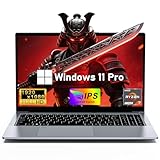
- 【Worry-Free Purchase & Reliable After-Sales】Shop with absolute confidence! This laptop comes with a 2-Year Warranty and 180-Day Free Return & Replacement Policy. Backed by our solid after-sales support team, you never have to stress over unexpected issues. Whether for daily use or long-term work needs, it’s a secure and risk-free investment for every user.
- 【Master Multitasking with 8-Core Power】FUNYET gaming laptop is equipped with AMD Ryzen 7 6800H, which adopts the advanced Zen 3+ architecture with 8 high-performance cores and 16 threads, providing excellent multi-tasking capabilities and high-intensity computing performance. Meanwhile, the built-in AMD Radeon 680M core graphics with a frequency of up to 2200MHz delivers superior performance close to that of a dedicated display, making it easy to cope with both business office and entertainment.
- 【24GB + 1TB High-Speed Storage】The AMD Ryzen 7 laptop is equipped with a high-speed DDR5 24GB ultra-large RAM that can easily handle the demands of multitasking and running large applications.The high-speed DDR5 RAM ensures a smooth and responsive system that delivers outstanding performance whether you're working with large data sets or running memory-intensive games.
- 【Stunning 15.6” FHD IPS Display for Immersive Visuals】Feast your eyes on the 15.6-inch Full HD (1920×1080) IPS screen with a 16:9 aspect ratio. This display delivers true-to-life color reproduction, sharp details, and 178° wide viewing angles. It’s also gentle on your eyes during long work or gaming sessions, bringing every image and video to vivid life with millions of vibrant colors.
- 【Pre-Installed Window 11 Pro for All Scenarios】Pre-loaded with Window 11 Pro, this laptop features an intuitive, user-friendly interface compatible with all your daily tools and software. The built-in front-facing camera, analog microphone, and stereo speakers support seamless video conferences, crystal-clear voice calls, and immersive media playback—adapting perfectly to work, study, and leisure needs.
Storage verdict: Worth considering when a discounted 2TB configuration costs substantially less than a current flagship.
13. ASUS ROG Strix G16 — best mainstream-to-high-end expansion candidate
The Strix G16 offers up to 2TB in listed configurations and is positioned below the SCAR family. It can make sense for gamers who want a performance-oriented 16-inch system without paying for every flagship feature.
Check whether the listing is the current 2026 model or remaining prior-generation stock. The exact GPU, display, memory, and second-drive arrangement matter more than the Strix G16 name alone.
Storage verdict: A sensible option when its price leaves enough budget for a high-quality second NVMe SSD.
14. Acer Predator Helios 16 AI — best affordable high-performance upgrade path
Some Helios 16 AI listings use 1TB storage, making this more attractive as an upgrade candidate than as a ready-made large-library laptop. The family is designed around gaming-focused hardware and offers a thicker chassis than ultraportable alternatives.
Recommended Free Tools
A 1TB model is worthwhile only if the laptop has a confirmed open M.2 slot and the combined cost of the laptop and replacement SSD remains competitive. Acer’s exact SKU should be checked before ordering. See an Acer Helios 16 listing.
15. Acer Predator Helios Neo 16 AI — best value-first upgrade candidate
The Helios Neo 16 AI is generally positioned as a value-oriented gaming laptop, with 1TB or 2TB configurations depending on the market. It is a practical choice for buyers who would rather spend on the GPU and add storage later.
Do not generalize the capacity across regions. Confirm the number of M.2 slots, supported drive length, included SSD, memory arrangement, and warranty policy for the exact unit.
Storage verdict: A good route to a capable gaming laptop plus separately purchased storage, provided the expansion path is documented.
Quick wins for a faster PC:
Repair Windows errors before they cause bigger problemsFix Now →Fix the driver behind crashes, sound loss and screen glitchesFind Drivers →Clear out junk files and repair common Windows errorsFree Scan →How much storage do you need?
Is 1TB enough in 2026?
It can be enough for a small library, especially if you mainly play competitive games or rotate installations. It becomes restrictive when you combine several large AAA games with high-resolution texture packs, mods, recordings, creative applications, and Windows overhead. A 1TB drive will not provide 1TB of usable free space.
Choose 1TB when the laptop is substantially cheaper and has a second M.2 slot. Otherwise, the saving can disappear once you buy an SSD and either install it yourself or pay for service.
Is 2TB the practical minimum for a premium gaming laptop?
For a premium laptop expected to last several years, 2TB is the practical target. It leaves room for multiple large games and personal files while avoiding the price and weight penalties of some 4TB configurations. Game sizes change with patches and downloadable content, so no universal game count is reliable.
When is 4TB worth it?
Choose 4TB when you routinely keep a large installed library, record gameplay locally, work with video or large project files, or want to avoid opening the laptop. A second internal SSD is often cheaper than a factory upgrade, but it adds installation work. An external USB-C SSD is flexible for a secondary library and backups, though it is less convenient and may be slower under sustained workloads.
Do these 3 things before closing this tab:
1Repair Windows errors before they cause bigger problems2Fix the driver behind crashes, sound loss and screen glitches3Clear out junk files and repair common Windows errorsStorage details that matter more than the headline capacity
One 4TB SSD versus two 2TB SSDs
Two drives can provide useful separation—for example, Windows and applications on one drive and games on another. But verify whether both drives are included, whether one M.2 slot is free, and whether the laptop combines them into RAID.
RAID 0 is fast, but not safe
RAID 0 combines drives and can improve aggregate throughput, but it provides no redundancy. A failure of one drive can take the complete volume offline. The Alienware 16’s listed 4TB RAID 0 configuration should therefore be treated as high-capacity game storage, not a backup or archive.
PCIe Gen 4 versus Gen 5
Gen 5 SSDs can deliver higher sequential transfer rates, which helps with large file transfers and some professional workloads. Gen 4 drives are normally sufficient for game loading and everyday gaming. Gen 5 models can run hotter and cost more, while benchmark gains do not translate directly into higher frame rates.
What to verify before buying
- Exact SKU: Record the model number, GPU, display, RAM, and installed SSD rather than relying on the family name.
- M.2 slots: Confirm the total number, which are populated, supported drive length, interface, and whether a heatsink or thermal pad is needed.
- Upgrade policy: Check the warranty and service rules in your country before opening the bottom cover.
- Memory: Determine whether RAM is replaceable or soldered. The Zephyrus G16, for example, uses onboard memory.
- GPU power: Compare total graphics power, Dynamic Boost, cooling, and performance-mode behavior. A high-power RTX 5080 can outperform a low-power RTX 5090 configuration.
- Display: 1600p or 2.5K is often a practical high-refresh resolution. 4K looks sharper but demands more GPU power. OLED improves contrast and response; Mini-LED favors brightness and HDR; IPS avoids OLED burn-in concerns.
- Connectivity: Check USB-C charging limits, Thunderbolt 4/5 or USB4, DisplayPort support, Ethernet, Wi-Fi 7, and an SD-card reader if you create video or photography content.
- Battery and charger: Gaming performance is primarily an outlet-powered experience. HX processors and discrete GPUs consume substantial power, while thinner systems may trade sustained performance for better unplugged endurance.
How to add an SSD later
- Check the service manual and confirm the second M.2 slot, supported length, and screw or heatsink requirements.
- Back up important files and game saves before opening the laptop.
- Use a Gen 4 NVMe drive unless the laptop specifically supports Gen 5 and your workload benefits from it.
- If replacing the operating-system drive, clone it or perform a clean Windows installation. Keep the original drive intact until the new installation works.
- If adding a second drive, initialize it in Windows Disk Management, create a partition, and format it as NTFS.
- Move libraries through each launcher’s storage settings. Steam, Xbox, Epic, and Battle.net can use a new library folder or relocate an existing installation, although exact menu labels vary by client version.
- Use an external or cloud backup for recordings, documents, and creative projects. A second internal drive is not automatically a backup.
Final buying advice
For most people, buy a 2TB gaming laptop with a documented second M.2 slot. The Legion Pro 7i, Zephyrus G16, and selected Strix or Helios models fit that strategy. Buy the Legion 9i if you want a factory-installed 4TB-class flagship and accept desktop-replacement size. Choose the Alienware 16 only if its 4TB RAID 0 configuration suits your library and you maintain independent backups. For maximum mobility, choose the Zephyrus G14; for a large-screen experience, consider the SCAR 18, Titan 18, Helios 18, or Legion 9i.
Storage should support the rest of the purchase, not compensate for weak gaming hardware. Prioritize GPU power, cooling, display resolution, RAM, and the laptop’s actual upgrade path before paying a premium for a capacity number.
Quick Recap
Product prices and availability are accurate as of the date/time indicated and are subject to change. Any price and availability information displayed on Amazon at the time of purchase will apply.




