Quick wins for a faster PC:
Clear out junk files and repair common Windows errorsFree Scan →Fix the driver behind crashes, sound loss and screen glitchesFind Drivers →Repair Windows errors before they cause bigger problemsFix Now →If Brawl Stars is stuck before the lobby, check for an app update, fully close and reopen the game, restart your device, and test a different reliable connection. If the game has already reached matchmaking, a long queue is not automatically a bug: Supercell says wait times can vary with MMR, regional player availability, Brawler selection, and new Brawler releases.
First, identify where Brawl Stars stops
Note the last screen you see: the opening/loading screen, a connection step, the lobby, or the matchmaking queue. These are different symptoms. A game that never reaches the lobby is not the same as a match search that is taking longer than expected.
- Stuck before the lobby: focus first on the app, device, and connection checks below.
- Stuck while connecting: compare connections and check whether other online services work on the same network. This can help narrow the problem, but does not prove its cause.
- Waiting after matchmaking begins: see Supercell’s explanation of Brawl Stars matchmaking before treating the wait as a loading failure.
Try these low-risk fixes in order
- Update Brawl Stars. Check your device’s official app store for an available update and install it. A current version is a useful first check, not a guaranteed fix.
- Fully close and reopen the game. Leave Brawl Stars, close it from the device’s app switcher or recent-apps view, then launch it again.
- Restart your device. Reopen the game after the restart and check whether it passes the same point.
- Test another reliable connection. If available, switch between Wi-Fi and cellular data, or try another Wi-Fi network. Signal bars alone do not show whether the connection is performing reliably.
- Reduce background load. Close other running apps, then try Brawl Stars again. If your device offers a way to clear an individual app’s cache, you can try that as well; the exact menu varies by operating system and device.
Supercell’s general connection guidance for another game, Clash of Clans, also lists weak or unstable connections, low device performance, downtime, and maintenance as possible factors. Those are general troubleshooting possibilities, not a diagnosis of Brawl Stars or evidence of a current outage. See Supercell’s connection guidance.
Check whether your device meets Brawl Stars’ minimums
Supercell’s Brawl Stars crash guidance lists these minimum requirements:
#1 Best Overall

- Multi Device Compatible and One Key Pairing: The switch pro controller is compatible with Switch, Lite, OLED, PC need a cable; 2 Pairing Methods, B and HOME or One Key pairing; Press the HOME button to wake up the console. 10 meters transmission range
- Cool Lights: Our wireless switch controller with 8 colors and 1 rainbow light; 5 switching lighting modes, colorful, strobe, breathing, static mode, light; The first time starting is default color mode; you can turn off the light circle and star light or adjust the brightness
- Programmable and Turbo Function: The pro switch controller has programmable function allows you to map more than 1 button function to M1 or M2 key. 2 mapping modes: single or multiple mapping. Turbo button with 3 burst speeds: 5 shots/s, 12 shots/s, 25 shots/s
- 4 Speeds HD Vibration and 6 Axis Gyro Control: Built in dual vibration motors with 4 levels vibration: none, weak, medium, strong; One key to adjust the vibration mode to restore the real HD vibration of the game; The pro controller switch comes with 6-axis gyro sensor
- Long Lasting: The wireless controller built-in rechargeable battery which provide a longer game time, about 10 to15 hours on LED lit mode is turned on; Fully charge takes only 3 to 4 hours with an included USB type c fast charging cable
| Platform | Minimum operating system | Minimum RAM | Minimum resolution |
|---|---|---|---|
| Android | Android 7.0 or later | 1 GB | 800 × 480 |
| iOS | iOS 14 or later | 1 GB | 640 × 960 |
Meeting a minimum does not guarantee smooth operation. Supercell also cautions that modified operating systems and custom ROMs may be unstable. If your device falls below the listed requirements, or uses a modified system, that is relevant when describing the issue to support.
If matchmaking is the part that feels stuck
Supercell says matchmaking can take longer because of a player’s MMR, the number of players available in a region or timezone, Brawler selection, or a new Brawler release. Players are normally connected to a server closest to them; if a match is not found quickly, or friends are grouped across global regions, the game may switch to another suitable server location. These factors can explain a longer wait, but do not establish a universal queue-time limit.
Rank #2

- Brawl Stars Blindbag Collectible Figure - 1 Pack (S1) (Random)
If the game has reached the queue, give it time and try again. If the same problem persists, note whether it changes with a different Brawler, time, or connection. Those comparisons can help describe the symptom, but they do not confirm a specific cause.
Independent reader supportYour contribution helps us test, update, and keep practical guides available for everyone.Contact Supercell if the problem continues
Use the Brawl Stars Support help center for topics including unstable connections, crashes, reinstalling, and bug reports or technical assistance. You can also use Supercell’s Brawl Stars contact form; Supercell ID holders should log in first.
Do these 3 things before closing this tab:
1Repair Windows errors before they cause bigger problems2Fix the driver behind crashes, sound loss and screen glitches3Clear out junk files and repair common Windows errorsRank #3
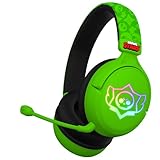
- OFFICIAL BRAWL STARS DESIGN: Gaming headset featuring the iconic Brawl Stars skull logo in striking black and yellow colors for an authentic gaming experience
- PREMIUM AUDIO: 40mm drivers deliver precise stereo sound and powerful bass, perfect for immersive gaming and team communication
- VERSATILE COMPATIBILITY: Works with multiple platforms via 3.5mm jack and USB-C adapter, including consoles, PC, smartphones, and tablets
- COMFORT-FOCUSED: Ultra-cushioned ear pads with over-ear design provide sound isolation and lasting comfort during extended gaming sessions
- INTEGRATED CONTROLS: Features convenient volume control and mute function, plus a detachable microphone for clear team communication
Include details that help support distinguish a startup failure from a matchmaking delay:
- Device model and operating-system version
- Network type, such as Wi-Fi or cellular
- Brawl Stars version, if known
- When the issue began and whether it followed an app update or new Brawler release
- The exact screen where the game stops and any error text
- Which checks you have already tried and whether switching connections changed anything
Do not clear app data or reinstall until you have confirmed you can recover access to your account. Supercell lists reinstalling help in its support center, but the steps depend on the account and device.
Quick Recap
Best Value

- To Brawl Showdown Stars Fun Gamer Don't Have Time Brawl Bro This Design is a perfect gifts a gamer, an esport athlete, a computer nerd, a programmer, a fan and lover of video games and slot machines, online gaming, live streaming, or a PC or console game.
- The perfect pick for any brother, gamer, or dad who lives for retro console battles. This funny and bold quote brings colorful nostalgia and edgy gamer attitude in one look.Great for birthdays, christmas, or gaming nights with the crew.
- Dual wall insulated: keeps beverages hot or cold
- Stainless Steel, BPA Free
- Leak proof lid with clear slider
Rank #4

- OFFICIAL BRAWL STARS DESIGN: Gaming headset featuring the iconic Brawl Stars skull logo in striking black and yellow colors for an authentic gaming experience
- PREMIUM AUDIO: 40mm drivers deliver precise stereo sound and powerful bass, perfect for immersive gaming and team communication
- VERSATILE COMPATIBILITY: Works with multiple platforms via 3.5mm jack and USB-C adapter, including consoles, PC, smartphones, and tablets
- COMFORT-FOCUSED: Ultra-cushioned ear pads with over-ear design provide sound isolation and lasting comfort during extended gaming sessions
- INTEGRATED CONTROLS: Features convenient volume control and mute function, plus a detachable microphone for clear team communication
Product prices and availability are accurate as of the date/time indicated and are subject to change. Any price and availability information displayed on Amazon at the time of purchase will apply.




