Crashes, No Sound, or Screen Glitches?
Random freezes, missing sound and display glitches usually trace back to one bad driver. Find and replace yours safely.Free scan · under a minuteWindows Errors? Fix Them Before They Spread
Repair common Windows errors and clear accumulated junk for a smoother, more stable PC - no reinstall needed.Free scan · no reinstallVerdict: The 2024 Acer Nitro V 16 with a Ryzen 7 8845HS and RTX 4060 is a strong 1080p/1200p gaming laptop when discounted to roughly US$900–$1,000. Its graphics performance, 165Hz screen, upgradeable memory and storage make it appealing to budget-conscious gamers and students. However, weak battery life, loud fans, plastic construction, a soft keyboard and inconsistent display quality prevent an unqualified recommendation.
This review covers the AMD ANV16-41 configuration reviewed by PCWorld: Ryzen 7 8845HS, RTX 4060, 16GB RAM, 1TB SSD and a 16-inch 1920×1200 165Hz display. “Nitro V 16” is a family name, not one fixed specification.
As an Amazon Associate I earn from qualifying purchases.
Quick verdict
The Acer Nitro V 16 ANV16-41 is best understood as a plugged-in gaming machine rather than an all-day laptop. Its RTX 4060 is well matched to the native 1920×1200 resolution, and the 16-inch 16:10 screen gives games and schoolwork more vertical space than a conventional 15.6-inch 1080p panel.
Buy it when the exact model has an RTX 4060, at least 16GB of dual-channel RAM, and preferably the 100% sRGB display, with a street price around US$900–$1,000. Consider an RTX 4050 version only at a substantial discount. Avoid an 8GB model at approximately US$1,000, and be cautious about paying US$1,100–$1,300 for an older RTX 4060 configuration when newer RTX 50-series laptops are available.
#1 Best Overall
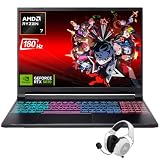
- Dominate Any Game with Top-Tier Performance: Unleash blazing-fast speeds with the latest AMD Ryzen 7 260 processor (8-core, 16-threads, boosts up to 5.1GHz). Whether you're battling for a win, live-streaming your squad, or running multiple apps, this powerhouse handles it all without breaking a sweat, keeping you at the top of the leader board
- Experience Next-Gen Graphics & Speed: Get fully immersed in your favorite worlds with the NVIDIA GeForce RTX 5070 Laptop GPU. It delivers a massive 798 AI TOPS of power and the latest DLSS 4 technology for buttery-smooth frame rates and stunning ray-traced visuals, making even the most demanding games look and feel incredible
- Smooth, Stunning Visuals with Zero Screen Tear: Game on a gorgeous 16-inch WQXGA (2560x1600) led display with a lightning-fast 180Hz refresh rate and 3ms response time. With 100% sRGB coverage, G-Sync technology, and a built-in MUX switch with Advanced Optimus, every frame is crisp, clear, and fluid with zero stutter or lag
- Massive Storage & Lightning-Fast Memory for Your Entire Library: Dive into any game without worrying about space or speed. This laptop can be equipped with up to a jaw-dropping 64GB of DDR5 RAM for flawless multitasking and a massive 4TB NVMe SSD. Load giant game worlds in seconds and store your entire collection without ever having to uninstall a title
- Multiple ports and Premium Configuration: Equipped with a versatile port selection: 3 x USB-A 3.2, 1 x USB-C 3.2,3.5mm Headset jack,RJ-45 port,MicroSD card slot,HDMI 2.1. Windows 11 OS preinstalled and support WiFi 6E, bundled with accessory
- Best feature: strong 1080p/1200p gaming value from the RTX 4060.
- Biggest weakness: poor mobility, especially the small battery and loud cooling system.
- Best buyer: a student or budget gamer who normally plays near an outlet.
- Wrong buyer: anyone needing all-day battery life, quiet operation, premium materials or a color-accurate display.
Which Acer Nitro V 16 is this?
The tested machine is the 2024 AMD ANV16-41 configuration with the following specification:
| Component | Reviewed specification |
|---|---|
| Processor | AMD Ryzen 7 8845HS |
| Graphics | Nvidia GeForce RTX 4060 Laptop GPU |
| Memory | 16GB DDR5 |
| Storage | 1TB PCIe Gen4 NVMe SSD |
| Display | 16-inch IPS, 1920×1200, 165Hz |
| Battery | Approximately 56–57Wh |
| Charger | 135W |
| Weight | Approximately 5.5 pounds |
| Original MSRP | US$1,099.99 |
Acer also sells ANV16-71 and ANV16-72 Intel variants, as well as the newer ANV16-42 Nitro V 16 AI family. Those models can differ in processor, graphics power, screen, battery, memory, storage and charger. Check the full model number—not just “Nitro V 16”—before buying. The newer Nitro V 16 AI uses newer Ryzen 200-series processors and RTX 50-series graphics and should not be judged from this older RTX 4060 review.
Gaming performance: the RTX 4060 is the reason to buy it
The laptop’s RTX 4060 is a good fit for native 1920×1200 gaming. It has 8GB of VRAM, giving it more breathing room than RTX 4050 configurations with 6GB, particularly in newer games using high-resolution textures or ray tracing.
Modern games should generally be approached at high or medium settings, depending on the title and frame-rate target. Esports games such as Counter-Strike 2, Valorant and Fortnite make the most sense for the 165Hz panel. Less demanding games can take better advantage of the refresh rate, while demanding AAA games will usually require compromises.
Ray tracing is possible, but it is not a free setting. In demanding games such as Cyberpunk 2077, expect to use DLSS, lower settings or frame generation where supported. An RTX 4060 laptop is not a guarantee of 165 frames per second in every new AAA game.
GPU performance also depends on the exact implementation. The tested ANV16-41 configurations reported by RTINGS and Notebookcheck use an RTX 4060 with an 85W power limit and Dynamic Boost. Performance can vary with power limits, cooling, RAM configuration, graphics mode and whether the laptop is connected to its supplied charger.
The RTX 4050 version remains viable for 1080p/1200p gaming, but its 6GB of VRAM gives it less long-term headroom. Choose the RTX 4060 whenever the price difference is reasonable.
What’s actually slowing this PC down?
Pick the symptom - the matching free tool is one click away.
Rank #2
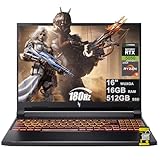
- 16GB DDR5 | 512GB SSD
- Equipped With The Most Powerful and Fast AMD 6-core Ryzen 5 240 Processor
- 16" WUXGA (1920 x 1200) IPS 180Hz, Dedicated NVIDIA GeForce RTX 5050 8GB Graphic
- 3 x USB-A 3.2, 1 x USB-C 4, 1 x HDMI 2.1, 1 x RJ45 Gigabit Ethernet, 1 x MicroSD Card Reader
- Microsoft Windows 11 Home, Backlit Keyboard, Wi-Fi 6E, 720p Webcam, Auth USB-C Hub
Display: check the panel, not just the refresh rate
The Nitro V 16’s display is the biggest configuration trap. Acer offers versions with:
- 1920×1200, 165Hz and approximately 45% NTSC coverage;
- 1920×1200, 165Hz and 100% sRGB coverage; and
- 2560×1600, 165Hz and 100% sRGB coverage.
The reviewed screen is a 1920×1200 165Hz IPS panel. PCWorld measured roughly 300 nits and found the refresh rate, viewing angles and general gaming presentation satisfactory, though brightness is weak in bright rooms or outdoors.
Notebookcheck tested an ANV16-41 panel averaging about 305 nits, with 57.4% sRGB, 39.6% AdobeRGB and 38.3% Display P3 coverage. It also reported an approximately 19.6ms black-to-white response time. Those results show why two reviews can reach different conclusions: panel quality varies by SKU.
For ordinary gaming, the 165Hz 1920×1200 screen is acceptable if you receive the better-color version. For photo editing, video work or other color-sensitive tasks, choose a confirmed 100% sRGB panel or plan to use an external monitor. A high refresh rate does not imply wide color coverage or fast pixel response.
Recommended Free Tools
The 2560×1600 option is sharper and more useful for productivity, but it demands more from the GPU. It is most sensible with an RTX 4060 or newer RTX 50-series graphics chip, and only when its 100% sRGB specification is confirmed.
Battery life: a laptop for the outlet
Battery life is the clearest weakness of the reviewed AMD model. PCWorld recorded 234 minutes—just under four hours—in a video rundown test at 250 nits. It estimated approximately four to five hours for lighter productivity use. Gaming drains the battery much faster.
The roughly 56–57Wh battery is small for a 16-inch gaming laptop. The 135W barrel-plug charger is essential for sustained gaming, and USB-C charging is slower and does not provide the laptop’s full performance mode. Treat USB-C as a convenience option, not a replacement for the supplied charger.
Rank #3

- 15.6" Full HD (1920 x 1080) widescreen LED-backlit IPS display with 165Hz Refresh Rate
- Intel Core i5-13420H Processor - up to 4.6GHz, 8 cores, 12 threads, 12MB Intel Smart Cache
- NVIDIA GeForce RTX 5050 Laptop GPU with 8GB of dedicated GDDR7 VRAM
- Massive 16GB DDR4 memory and fast 512GB PCIe Gen 4 SSD storage for accelerated load times and seamless performance.
- 1 - USB Type-C Port USB 3.2 Gen 2 (up to 10 Gbps) DisplayPort over USB Type-C, Thunderbolt 4 & USB Charging (Up to 65W)
This laptop can handle a short class, meeting or commute, but it is a poor choice for someone expecting a full day away from power. Battery estimates vary with screen brightness, refresh rate, graphics mode, CPU, BIOS and power profile.
Do these 3 things before closing this tab:
1Scan for outdated or missing drivers - takes under a minute2Clear out junk files and repair common Windows errors3Fix the driver behind crashes, sound loss and screen glitchesSome owners have reported battery depletion during gaming while connected to the 135W adapter. Those reports are anecdotal and configuration-dependent, so they should not be treated as a universal defect. If this matters to you, monitor the battery percentage during a sustained plugged-in session and record the charger wattage, NitroSense mode, BIOS version and GPU mode.
Thermals and fan noise
The Nitro V 16 appears capable of sustaining performance without obvious thermal throttling in the tested configurations. RTINGS describes it as staying cool under load, while both RTINGS and Notebookcheck identify loud fans as a drawback.
That distinction matters: cool does not mean quiet. The cooling system may protect performance while making the laptop uncomfortable in a quiet room. The Nitro key or NitroSense performance settings can change fan and power behavior, so a fair comparison should consider both default and highest-performance modes.
For gaming, use headphones if fan noise bothers you. For sustained workloads, the practical questions are whether frame rates decline after 15–30 minutes and whether the keyboard, palm rests and underside remain comfortable—not simply whether the CPU and GPU avoid their thermal limits.
Free tools Windows power users keep installed
One-click scans. No signup required.
Build, portability and everyday handling
The Nitro V 16 uses an all-plastic chassis. PCWorld found it generally sturdy, with some flex around the trackpad and vents, while Notebookcheck judged the case less rigid and less premium. Both impressions are compatible: the machine is serviceable and substantial, but it does not feel like a premium gaming laptop.
At about 5.5 pounds and roughly 1.24 inches thick, it is transportable rather than genuinely portable. The charger adds more weight. Carrying it between home and a classroom is realistic; using it all day away from an outlet is not its strength.
Rank #4

- Unlock Transformational AI PC Experiences: Dive into a world of generative AI tools and digital assistants on Copilot+ PCs powered by an AMD Ryzen AI 300 Series processor. With advanced AI architecture and supercharged performance for elite gaming and premium productivity, these high-performance processors enable the ultimate in private, responsive, and intelligent laptop computing
- AI-Powered Performance: With an AMD Ryzen AI 5 340 processor, experience AI-ready performance with 6 cores for ultimate gaming and seamless content creation. Dive into a world of generative AI tools and digital assistants on this Copilot+ PC advanced by the AI engine performing up to 50 TOPS.
- Game Changer: Powered by NVIDIA Blackwell architecture, GeForce RTX 5060 Laptop GPU unlocks the game changing realism of full ray tracing. Equipped with a massive level of 572 AI TOPS horsepower, the RTX 50 Series enables new experiences and next-level graphics fidelity. Experience cinematic quality visuals at unprecedented speed with fourth-gen RT Cores and breakthrough neural rendering technologies accelerated with fifth-gen Tensor Cores.
- Supreme Speed. Superior Visuals. Powered by AI: DLSS is a revolutionary suite of neural rendering technologies that uses AI to boost FPS, reduce latency, and improve image quality. DLSS 4 brings a new Multi Frame Generation and enhanced Ray Reconstruction and Super Resolution, powered by GeForce RTX 50 Series GPUs and fifth-generation Tensor Cores.
- Vibrant Smooth Display: Experience exceptional clarity and vibrant detail with the 16" WUXGA 1920 x 1200 display, featuring true-to-life, accurate colors. Boasting a 180 Hz refresh rate, it minimizes motion blur, delivering smoother, more fluid animations for an enhanced gaming experience, even during fast-paced action. (16:10 aspect ratio, 300nit Brightness)
The 16-inch 16:10 format is useful for games, documents and split-screen work. The trade-off is a larger, heavier computer than a thin 14- or 15-inch productivity laptop.
Keyboard, touchpad, webcam and speakers
The keyboard is quiet but soft and somewhat mushy. It includes orange backlighting, a number pad, full-size arrow keys and a dedicated Nitro/performance control key. The number pad is useful for spreadsheets and productivity, although its keys are smaller and more cramped than the main keyboard.
Quick wins for a faster PC:
Clear out junk files and repair common Windows errorsFree Scan →Scan for outdated or missing drivers - takes under a minuteDriver Scan →Repair Windows errors before they cause bigger problemsFix Now →The touchpad is a relative strength: PCWorld found it responsive and reliable, and RTINGS also lists it positively. It is suitable for schoolwork and general use, though most gamers will still prefer a mouse.
The 720p webcam is usable for basic calls but produces grainy, flat-looking video. There is no IR camera for Windows Hello. The speakers are reasonably loud but muddy, with weak bass and treble and distortion at maximum volume. A headset or external speakers are better for games, films and meetings.
Ports and wireless connectivity
The reviewed configuration includes:
- One USB-C port with USB4 support up to 40Gbps;
- Two USB-A 3.2 Gen 2 ports up to 10Gbps;
- HDMI 2.1;
- Gigabit Ethernet;
- 3.5mm audio;
- Wi-Fi 6E; and
- Bluetooth 5.3.
The port selection is practical for a gaming desk, with Ethernet, external-display support and enough USB ports for a mouse, headset and controller. Check the exact listing for a card reader: Notebookcheck lists its absence as a drawback on the tested model.
Independent reader supportYour contribution helps us test, update, and keep practical guides available for everyone.Upgradeability is a genuine advantage
Tested ANV16-41 models provide two SO-DIMM slots and two M.2 SSD slots. Notebookcheck reports that its review unit used two 8GB DDR5-5600 modules, while RTINGS identifies user-replaceable RAM and storage as strengths.
That makes configuration choice important:
- 8GB: avoid where possible. It can run games, but modern titles, browsers and background applications can create memory pressure and stutter. Check whether the laptop has one 8GB module or two 4GB modules before planning an upgrade.
- 16GB: the sensible minimum, preferably in dual-channel form.
- 32GB: worthwhile for development, content creation, heavy multitasking or heavily modded games.
- 512GB SSD: usable, but modern games fill it quickly. The second M.2 slot can be valuable if the specific SKU leaves it available.
Before opening the chassis, verify the exact internal layout, SSD length, mounting screw and Acer’s current warranty and service terms. Family-level specifications are not enough.
Best Value

- Advanced Hybrid Architecture Performance: The Intel Core 7 processor 240H enables you to play games, stream, and create simultaneously with ease. Intel Application Optimization boosts performance further by intelligently allocating application resources in real time
- NVIDIA Blackwell Architecture Graphics: Powered by GeForce RTX 5050 Laptop GPU, unlocking game-changing realism of full ray tracing. Equipped with a massive level of 440 AI TOPS horsepower, the RTX 50 Series enables new experiences and next-level graphics fidelity. Experience cinematic quality visuals at unprecedented speed with fourth-gen RT Cores and breakthrough neural rendering technologies accelerated with fifth-gen Tensor Cores
- AI-Powered DLSS Technology: DLSS is a revolutionary suite of neural rendering technologies that uses AI to boost FPS, reduce latency, and improve image quality. DLSS 4 brings a new Multi Frame Generation and enhanced Ray Reconstruction and Super Resolution, powered by GeForce RTX 50 Series GPUs and fifth-generation Tensor Cores
- High-Resolution Display with Fast Refresh Rate: Experience exceptional clarity and vibrant detail with the 16 inch WUXGA 1920 x 1200 display, featuring true-to-life, accurate colors. Boasting a 180Hz refresh rate, it minimizes motion blur, delivering smoother, more fluid animations for an enhanced gaming experience, even during fast-paced action. 16:10 aspect ratio, 3ms Overdrive Response Time, 300nit Brightness
- Internal Specifications: 16GB DDR5 Memory with 2 DDR5 Slots Total supporting Maximum 32GB, 1TB PCIe Gen 4 SSD, and microSD Card Reader for expandable storage options
Price and 2026 value
The reviewed Ryzen 7/RTX 4060 configuration launched at US$1,099.99. In 2026, that is no longer automatically a good price for an older RTX 4060 laptop. Its value depends on clearance pricing and what newer RTX 50-series machines cost at the same time.
Acer’s US store listed an ANV16-41 Ryzen 5/RTX 4050 model at US$999.99, with 8GB RAM and a 512GB SSD, but the page was out of stock when retrieved. That is a poor specification at that price unless heavily discounted or sold with a worthwhile upgrade path.
A separate ANV16-71 listing showed an Intel Core i7-14650HX, RTX 4060, 2560×1600 180Hz display, 16GB RAM and 512GB SSD for US$1,299.99; it was also out of stock when retrieved. Its specification is more appealing, but that price demands comparison with newer RTX 50-series options.
The Tool Desk
Outbyte PC Repair FREERepair Windows errors before they cause bigger problemsFix Now →Outbyte Driver Updater FREEFix the driver behind crashes, sound loss and screen glitchesFind Drivers →Prices and stock are volatile. Use these figures as reference points rather than current deal promises.
Should you buy the Nitro V 16 AI instead?
The Nitro V 16 AI is the closest in-brand alternative. Acer positions it for gamers and students with Ryzen 200-series processors and RTX 50-series graphics, including RTX 5050 and RTX 5070 configurations. Reviews and Acer’s product positioning suggest stronger battery-life prospects than the older model.
That does not make every Nitro V 16 AI automatically better. Some versions still use 16GB RAM and 512GB storage, and higher prices can bring Lenovo LOQ, HP Victus or Asus TUF Gaming models into consideration. Compare the full specification: GPU power limit, display gamut, battery capacity, RAM layout, storage, cooling and warranty—not merely the RTX model number.
Lenovo LOQ, HP Victus and Asus TUF Gaming laptops are sensible comparison targets, but exact 2026 prices and configurations vary too widely for a blanket winner. A discounted older RTX 4060 Nitro V 16 can still be the better gaming value if it costs substantially less than a newer machine with a weaker screen or limited memory.
Buying checklist
- Confirm the full model number, such as ANV16-41, ANV16-71, ANV16-72 or ANV16-42.
- Prefer RTX 4060 or newer RTX 50-series graphics for longer-term value.
- Require at least 16GB RAM, preferably dual-channel.
- Verify whether the display is 45% NTSC or 100% sRGB.
- Confirm the resolution, refresh rate, brightness and response-time behavior.
- Check GPU power limits and charger wattage where listed.
- Confirm the number of occupied RAM slots and available M.2 slots.
- Assume gaming requires the supplied charger.
- Compare the final price with current Lenovo LOQ, HP Victus, Asus TUF and Nitro V 16 AI models.
Final recommendation
The Acer Nitro V 16 ANV16-41 is a good budget gaming laptop, but “mastery” only applies when the price and configuration are right. A Ryzen 7/RTX 4060 model with 16GB RAM and a confirmed 100% sRGB screen is an excellent buy at roughly US$900–$1,000. An RTX 4050 version is a good buy only at a deep discount and with 16GB RAM, or with a clearly affordable upgrade path.
An 8GB configuration, a limited-gamut screen for creative work, or an older model priced near newer RTX 50-series laptops is a poor buy. Choose the Nitro V 16 for plugged-in gaming value and upgradeability—not for battery life, quiet operation, premium construction or polished multimedia performance.
Quick Recap
Product prices and availability are accurate as of the date/time indicated and are subject to change. Any price and availability information displayed on Amazon at the time of purchase will apply.




