Verdict: The Alienware AW3425DW is an excellent 34-inch QD-OLED gaming monitor, but it is no longer an automatic best buy. Its 240Hz refresh rate, HDMI 2.1 inputs, vivid color, near-instantaneous response and deep OLED blacks make it superb for PC gaming. However, the triangular OLED subpixel layout, bright-room reflections, modest sustained HDR brightness and lack of USB-C video or laptop charging limit its appeal as an all-purpose monitor.
At its $799.99 reference price, buy it only if those strengths match your priorities. At a substantial discount—especially below $700—it becomes a much stronger value. Owners of the AW3423DWF or AW3423DW should upgrade mainly for 240Hz, HDMI 2.1 or the newer design, not because the basic image suddenly belongs to another class.
As an Amazon Associate I earn from qualifying purchases.
What is the Alienware AW3425DW?
The AW3425DW is a 34.2-inch curved ultrawide monitor with a 21:9 aspect ratio, 3440×1440 resolution and a QD-OLED panel. It runs at 240Hz, has an 1800R curve and a claimed 0.03ms gray-to-gray response time. Dell rates it at 110 PPI, 250 cd/m² typical brightness and VESA DisplayHDR True Black 400 certification.
It supports AMD FreeSync Premium Pro, NVIDIA G-SYNC Compatible and VESA AdaptiveSync. Dell’s specifications claim 99.30% DCI-P3 coverage and a 1,000-nit HDR peak at a 3% average picture level. That last figure describes a small bright highlight—not sustained full-screen brightness. See the official product page and technical specification sheet for the complete regional specification.
#1 Best Overall

- Ultrawide immersion for elite gameplay: Our expansive 34" QD-OLED monitor delivers seamless speed, and super smooth motion with intuitive function and connectivity.
- Sweeping visuals and color: Evolve your field of view with WQHD and an 1800R curve, combined with QD-OLED's incredible color range and clarity that easily immerses you in any world.
- Colorful clarity: Experience the full spectrum of color as intended with DCI-P3 99.3% color coverage and Delta E<2 color accuracy.
- Vast visuals: See every detail with VESA DisplayHDR TrueBlack 400, 1000 nits peak HDR brightness and infinite contrast ratio.
- Unrivaled speed: Adaptive sync technologies like NVIDIA G-SYNC Compatible, AMD FreeSync Premium Pro and VESA AdaptiveSync make games feel effortlessly smooth.
Prices are volatile. The launch reference was $799.99, while Dell listings have recently shown promotional prices including $629.99 and $749.99. Treat those as dated snapshots, not permanent pricing.
What changed from the AW3423DWF and AW3423DW?
| Model | Refresh rate | Key connectivity | Practical position |
|---|---|---|---|
| AW3423DWF | 165Hz | HDMI 2.0 | Earlier FreeSync-oriented version |
| AW3423DW | 175Hz | HDMI 2.0 | Earlier G-SYNC-oriented version |
| AW3425DW | 240Hz | HDMI 2.1 | Newer QD-OLED generation and updated chassis |
The move from 165–175Hz to 240Hz reduces frame-time intervals and makes motion feel smoother, particularly in competitive games when a powerful GPU can sustain high frame rates. HDMI 2.1 also gives the AW3425DW more useful bandwidth than its predecessors and is more suitable for current high-bandwidth sources.
Still, the resolution, size and fundamental OLED character remain familiar. An AW3423DWF owner who is happy with OLED image quality will see a meaningful but not transformational upgrade. The case is strongest for buyers coming from a 60–144Hz ultrawide, users who specifically want 240Hz, and people who need HDMI 2.1.
What’s actually slowing this PC down?
Pick the symptom - the matching free tool is one click away.
Picture quality: spectacular contrast, familiar OLED compromises
SDR color and contrast
QD-OLED’s individual light-emitting pixels can turn completely off, producing exceptionally deep blacks and effectively perfect pixel-level contrast. The result is a vivid, high-impact image in games and films, with saturated wide-gamut color and no LCD-style backlight glow around bright objects.
Independent coverage describes the AW3425DW’s out-of-box image as strong, while Dell claims average Delta E below 2 in its sRGB and DCI-P3 modes. Those are manufacturer figures rather than a substitute for independent calibration testing. For gaming and video, the monitor’s color and contrast are its most immediately impressive qualities.
Rank #2

- Bring virtual worlds to life with WQHD quality: Explore your games' vast, detailed landscapes with WQHD resolution and fluid, responsive visuals in an iconically designed ultrawide gaming monitor.
- Dive into expansive details: Whether you’re exploring open worlds or completing challenges, you’ll never miss a detail thanks to WQHD resolution and a 34” ultrawide panel with a 1500R curve.
- Fluid Performance: Get in the game with a smooth 180Hz refresh rate, 1ms gray to gray response time, AMD FreeSync Premium and VESA Adaptive Sync Technology.
- Sharp visuals: Enjoy vibrant colors with DCI-P3 95% color coverage and VESA DisplayHDR 400 certification.
- Game longer: Lock in for marathon gaming sessions with a dedicated console mode and hardware-based low blue light solution that reduces eye strain while preserving color.
HDR is attractive, not exceptionally bright
HDR benefits from OLED blacks and QD-OLED color volume. Small highlights such as lights, sparks and stars can look striking against a dark scene. But the AW3425DW is not a high-brightness HDR display. Its 1,000-nit claim applies to a 3% window, while larger bright areas are considerably less intense.
In a dark or controlled room, HDR can look excellent because black depth gives the image strong perceived contrast. In daylight, reflections and limited sustained brightness reduce the impact. Do not buy it expecting the full-screen punch of a high-brightness mini-LED display.
Text and desktop clarity
The AW3425DW uses the triangular subpixel arrangement found on earlier QD-OLED monitors. It can produce colored fringing around text, particularly with small fonts at ordinary desktop viewing distances. Many gamers will barely notice it, but programmers, spreadsheet users and people who spend eight hours reading documents may find it distracting.
This is a more important limitation than gaming reviews sometimes suggest. Test the monitor during its return window with browser text, code, spreadsheets and your operating system’s scaling. RTINGS identifies the ASUS ROG Swift OLED PG34WCDN’s newer RGB-stripe layout as clearer for text.
Gaming performance
Motion and refresh rate
OLED’s near-instantaneous pixel response is the core gaming advantage. Fast camera pans, racing cars and enemies moving across dark backgrounds remain sharp, with much less conventional LCD ghosting. The 240Hz refresh rate is particularly valuable for competitive games and high-end GPUs.
Rank #3
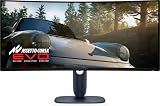
- IMMERSIVE VISUAL PERFORMANCE: 34.2" curved QD-OLED display, WQHD resolution (3440 x 1440), 1800R curvature, 240Hz refresh rate, 0.03ms ultra-fast response time for smooth and immersive gameplay.
- VIBRANT AND TRUE HDR COLORS: 99.3% DCI-P3 color coverage, Delta E<2 accuracy, HDR True Black 400 and 1000 nits of maximum brightness for endless contrasts and stunning details.
- OPTIMIZED VISUAL COMFORT: ComfortView Plus reduces blue light without altering colors – perfect for long gaming or creative sessions.
- ADVANCED SYNC TECHNOLOGIES: Supports NVIDIA G-SYNC, AMD FreeSync Premium Pro, VESA AdaptiveSync and HDMI VRR for seamless smoothness.
- ERGONOMIC DESIGN AND RICH CONNECTIVITY: Adjustable stand (tilt, swivel, height 110mm), 2x HDMI 2.1, 1x DisplayPort 1.4, USB-C with 15W, USB-A/B 5Gbps ports, OSD joystick. HDMI, DisplayPort, USB cables included.
Dell’s 0.03ms number is a manufacturer gray-to-gray claim, not an independently measured input-lag result. It should not be read as a promise that every part of the display pipeline responds in 0.03ms. Independent testing nevertheless describes the monitor as sharp and responsive.
Free tools Windows power users keep installed
One-click scans. No signup required.
Why 21:9 matters
At 3440×1440, the AW3425DW provides substantially more horizontal space than a standard 16:9 1440p display. That makes it especially immersive for sim racing, flight simulation, open-world games, RPGs, first-person games that support ultrawide rendering and strategy titles with wide interfaces. It is also useful for placing two or three windows side by side.
The trade-off is compatibility. Some games treat 21:9 poorly, crop the image or add borders. Competitive players may prefer a 16:9 27-inch monitor with an even higher refresh rate. PS5 and Xbox consoles generally do not offer a native ultrawide experience, so HDMI 2.1 does not solve the underlying software limitation.
Alienware features
The on-screen display includes AlienVision visibility and crosshair modes, a frame-rate counter, timers and screen-alignment marks. AlienFX lighting adds rear-panel illumination. These tools are optional rather than essential: a competitive player may appreciate a crosshair or visibility mode, while many owners will leave them disabled.
Ports: HDMI 2.1 is useful, USB-C is easy to misunderstand
- One DisplayPort 1.4 input with DSC
- Two HDMI 2.1 inputs
- One USB-B upstream port
- One USB-A downstream port
- One USB-C downstream port with 15W charging
DisplayPort 1.4 reaches 3440×1440 at 240Hz using Display Stream Compression. HDMI 2.1 is a meaningful improvement over the AW3423DWF and AW3423DW’s HDMI 2.0 inputs, but it does not turn the monitor into a perfect console display.
Rank #4

- INFINITELY IMMERSIVE: Quantum Dot Display Technology enables a slim panel design and delivers a superior color performance with a higher peak luminance and greater color gamut range vs WOLED (White OLED) by taking the impressive qualities of OLED (such as true blacks & infinite contrast ratio) and enhances color performance by directly converting blue light into the primary colors of red and green through a Quantum Dot pixel layer.
- STUTTER-FREE SPEED: Experience ultra-low latency gameplay, support for HDR and cinematic color, plus smooth, tear-free gaming thanks to AMD FreeSync Premium Pro Technology and VESA AdaptiveSync Display certification.
- IMPECCABLE DESIGN: The jaw-dropping new design features a sleek QD-OLED curved 1800R panel integrated into the iconic new Legend 2.0 ID, plus customizable RGB AlienFX lighting, 360° ventilation for better heat dissipation, improved cable management and a new centralized OSD 5-Axis joystick to make adjusting your settings easier. The height adjustable stand with height markers and the tilt, swivel, and slant capabilities allow for easy viewing adjustment.
- FOR CRITICAL CREATING: For content creators and game developers who require precise color-critical work, the new Creator Mode feature was designed for you. This OSD menu option allows you the flexibility to choose between the native (DCI-P3) and the sRGB color space, depending on your work needs, and the ability to adjust the gamma settings.
- QUALITY ASSURANCE GUARANTEED: The new Alienware 34 Curved QD-OLED Gaming Monitor comes with improved OLED reliability and a 3-year premium warranty, including coverage for OLED burn-in, for additional peace of mind.
The USB-C port is not a laptop display input. It does not provide DisplayPort Alt Mode, laptop power delivery or one-cable docking; it is a downstream peripheral port with up to 15W charging. There is no KVM switch and no built-in speaker system. Laptop users should consider a monitor such as the MSI MPG 341CQPX QD-OLED, which adds USB-C video, up to 90W power delivery and KVM functionality.
Independent reader supportYour contribution helps us test, update, and keep practical guides available for everyone.OLED ownership: burn-in, maintenance and room lighting
Burn-in is a risk, not a certainty
OLED pixels can suffer permanent image retention after repeated exposure to static elements. Windows taskbars, browser controls, productivity applications and fixed game HUDs are the relevant risks. The outcome depends on brightness, usage pattern, duty cycle and how consistently the same content remains on screen; it is not guaranteed failure.
Use automatic taskbar hiding, vary what is displayed, avoid leaving static windows at maximum brightness for long periods and enable the monitor’s OLED maintenance features. Do not casually interrupt required pixel-refresh cycles. Dell warranty duration and burn-in coverage can vary by country, retailer and current policy, so verify the terms for your region before buying rather than relying on a generic three-year claim.
Glossy reflections and purple blacks
QD-OLED’s coating helps produce a vivid image, but bright ambient light can reflect from the screen and raise the apparent black level. QD-OLED blacks can take on a purple or lifted appearance in a bright room. The AW3425DW is best in controlled lighting, away from a bright window or strong overhead reflections.
Recommended Free Tools
If the monitor must face daylight for much of the day, consider a WOLED alternative such as the LG 34GS95QE-B, whose matte treatment and black behavior may suit bright rooms better. OLED monitors can also show brightness fluctuations when variable frame rates change, particularly in dark scenes; the AW3425DW should not be assumed immune to VRR flicker.
Best Value

- IMPECCABLE DESIGN: The Legend 2.0 ID boasts a sleek QD-OLED curved 1800R panel, customizable stadium loop OLED AlienFX lighting, 360° ventilation, improved cable management, and a centralized OSD joystick for easy settings adjustment..Environmental Parameters - Min Operating Temperature : 0 °C, Max Operating Temperature : 40 °C, Humidity Range Operating : 10 - 90% (non-condensing)..ixel Pitch : 0.23 mm. Maximum Operating Temperature : 104 °F
- STUTTER-FREE SPEED: Experience ultra-low latency gameplay, HDR, cinematic color, and smooth gaming with NVIDIA G-SYNC ULTIMATE certification, industry-fast 0.1 ms GtG response time, and 175 Hz high refresh rate.
- IMMERSE IN INGINITE COLOR: Quantum Dot Display Technology enables a slim panel design and delivers a superior color performance with a higher peak luminance and greater color gamut range vs WOLED (White OLED).
- CRITICIAL CREATIVITY: Creator Mode offers precise color-critical work for content creators and gamers, allowing choice between native DCI-P3 and sRGB color spaces, and adjusting gamma settings.
- Comfort Viewing: This gaming monitor offers height adjustment, anti-glare screen, swivel and tilt adjustments, and a curved display for personalized viewing and engaging pictures, ensuring immersive experiences.
Design, ergonomics and setup
The updated Alienware AW30 design is cleaner and more compact than the previous generation. The stand provides 110mm of height adjustment, tilt from −5° to 21° and swivel from −20° to 20°. It does not support portrait orientation. Cable management is integrated, and VESA mounting is available if the stand takes too much desk space.
Plan for a sufficiently deep desk and a viewing distance that lets the 1800R curve sit naturally in your field of view. A 3440×1440 image at 240Hz also demands a capable gaming PC; the monitor can accept the signal, but your GPU and game settings determine whether you actually approach 240 frames per second. The manual warns against portrait or inverted-landscape mounting.
How it compares with newer alternatives
MSI MPG 341CQPX QD-OLED
Choose the MSI when laptop connectivity, KVM or one-cable desk management matters. It offers USB-C DisplayPort Alt Mode, up to 90W power delivery and KVM. Its similar QD-OLED format also has the usual bright-room and burn-in considerations. Choose the Alienware when its support, design or lower sale price matters more.
Quick wins for a faster PC:
Clear out junk files and repair common Windows errorsFree Scan →Fix the driver behind crashes, sound loss and screen glitchesFind Drivers →ASUS ROG Swift OLED PG34WCDN
The ASUS is the stronger choice for buyers prioritizing newer panel behavior and text clarity. RTINGS identifies its newer QD-OLED panel, RGB-stripe layout, improved text performance, higher brightness and better bright-room black handling. The Alienware remains more compelling when discounted and when gaming is the clear priority.
Alienware AW3426DW
The AW3426DW is a newer Alienware 34-inch alternative, not a model to confuse with the AW3425DW. RTINGS added it as an option with better reflection handling in its August 2026 update. Choose it if the price difference is small and you value the newer design or coating; choose the AW3425DW if it is substantially cheaper.
LG 34GS95QE-B
The LG’s WOLED panel and matte treatment can make it a better bright-room choice. The Alienware generally offers the more vivid QD-OLED color presentation, particularly in a controlled room.
Gigabyte AORUS MO34WQC2
TechSpot identifies the Gigabyte as a same-panel 240Hz QD-OLED competitor that has sometimes undercut the Alienware. Retail pricing changes, so compare current prices rather than relying on historical sale figures. Panel similarity does not guarantee identical tuning, firmware, coating or warranty service.
Do these 3 things before closing this tab:
1Scan for outdated or missing drivers - takes under a minute2Repair Windows errors before they cause bigger problems3Fix the driver behind crashes, sound loss and screen glitchesWho should buy the AW3425DW?
- Buy it for immersive PC gaming, sim racing, OLED contrast and color, 240Hz motion, and a controlled room.
- Buy it on sale when it falls substantially below $700; roughly $700–$750 can still be reasonable if newer alternatives cost more.
- Be selective around $800: pay that price only if Alienware’s design, support or exact feature mix justifies it.
- Skip it for heavy text work, uncontrolled daylight, USB-C laptop docking, KVM use, maximum HDR brightness or a primary PS5/Xbox ultrawide setup.
- Keep your AW3423DWF or AW3423DW if its image already satisfies you and you do not need 240Hz or HDMI 2.1.
Before keeping the monitor, test your most-used games, browser text and spreadsheets within the return period. Confirm that your GPU, cable and operating-system settings can deliver 3440×1440 at the refresh rate you want, and read the current regional warranty terms.
Quick Recap
Product prices and availability are accurate as of the date/time indicated and are subject to change. Any price and availability information displayed on Amazon at the time of purchase will apply.




