Start with this diagnostic checklist
Before changing Windows files, record:
- The exact program showing the error, usually an older Cubase or Nuendo installation.
- Whether the error appears when Windows starts, when the Steinberg program launches, or when you select an audio driver.
- The full path named in the message, if one is shown.
- Whether the application is 32-bit or 64-bit.
- Whether
asiodxfd.dllexists under eitherC:Program FilesSteinbergAsioorC:Program Files (x86)SteinbergAsio. - Whether antivirus recently quarantined or removed a Steinberg file.
asiodxfd.dll is the Steinberg ASIO Direct Sound Wrapper. It belongs to the older ASIO DirectX Full Duplex driver used by Steinberg software to access WDM-compatible Windows audio hardware through an ASIO interface.
The safest repair is to reinstall or repair the specific Steinberg application that originally installed it. Do not download the DLL by itself or copy it into a Windows system folder.
As an Amazon Associate I earn from qualifying purchases.
What asiodxfd.dll is
asiodxfd.dll is a third-party Steinberg component, not a normal Windows file. It is not part of Windows, Microsoft DirectX, the Visual C++ runtime, .NET, or a generic sound-card driver.
Recommended Free Tools
The file is associated with Steinberg’s ASIO DirectX Full Duplex driver. Older Cubase installations included this driver, and older Nuendo documentation also identifies it as a supplied ASIO driver. It allowed compatible WDM audio hardware to be selected through Steinberg’s ASIO system.
#1 Best Overall
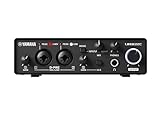
- 32-bit Integer/192 kHz USB 3.0 audio interface with 2 x 2 analog I/O and MIDI I/O
- 2 analog XLR/TRS combo inputs with Class-A D-PRE mic preamps supporting +48 V phantom power and one Hi-Z and 2 TRS main outputs
- Rugged full-metal housing for ultimate durability
- Latency-free DSP-powered monitoring with REV-X reverb, Channel Strip, and Guitar Amp Classics (VST 3 and AU plug-in versions also included)
- Cross-platform compatibility for Windows, macOS and iOS with Cubase AI, Steinberg Plus, and dspMixFx application included
Typical locations include:
C:Program FilesSteinbergAsioasiodxfd.dll
C:Program Files (x86)SteinbergAsioasiodxfd.dll
The exact location depends on the application edition and its architecture. A file in Program Files (x86) is normally associated with a 32-bit application, while a file in Program Files is normally associated with a 64-bit installation. The filename alone is not enough to determine whether a copy is compatible.
Some newer Steinberg installations do not include this older wrapper. Therefore, reinstalling a current Steinberg product is not guaranteed to place asiodxfd.dll on the computer.
What the error usually means
You may see messages such as:
asiodxfd.dll is missingasiodxfd.dll was not foundError loading asiodxfd.dllThe program can't start because asiodxfd.dll is missing from your computerasiodxfd.dll failed to registerThe procedure entry point could not be located in the dynamic link library asiodxfd.dllasiodxfd.dll is either not designed to run on Windows or it contains an error
The wording varies by Windows version and by the program that is loading the file.
The most useful clue is the program named in the message. If Cubase or Nuendo is named, repair that Steinberg installation. If an unrelated application requests the file, do not replace it immediately. Identify why that application is attempting to load a Steinberg audio component.
Fix 1: Repair or reinstall the Steinberg application
This is the most likely solution when the error started after installing, updating, moving, or partially uninstalling Cubase or Nuendo.
If the installer provides a repair option
- Close Cubase, Nuendo, and any Steinberg launchers.
- Press Windows key + I to open Settings.
- Select Apps.
- Select Installed apps on Windows 11, or Apps & features on Windows 10.
- Find the affected Steinberg application.
- Select the three-dot menu in Windows 11, or select the application in Windows 10.
- Choose Modify, Change, or Repair if that option is available.
- Approve the administrator prompt.
- Select the option that repairs the complete installation, including audio drivers and shared components.
- Restart Windows.
- Launch the Steinberg program and open its audio-device settings.
A repair succeeds if the application starts without the DLL message and the expected audio driver appears in the program’s VST Audio System or audio-device selector.
If no repair option exists
Use the official Steinberg installer for the exact product and edition.
- Close the Steinberg program.
- Back up project files, custom presets, templates, and any license information required by your product.
- Open Steinberg’s official Downloads page or the official Steinberg Download Assistant.
- For an old or unsupported Cubase or Nuendo edition, use Steinberg’s official Unsupported Products archive instead of assuming the current installer contains the old driver.
- Download the installer matching the product and edition already installed.
- Right-click the installer and select Run as administrator.
- Choose the complete installation rather than a minimal or custom selection that omits audio components.
- If the installer offers repair, use it first. If not, uninstall the affected product from Settings > Apps, restart Windows, and run the official installer again.
- Restart Windows after installation.
- Check the Steinberg ASIO folder for the file.
- Open the application and select the appropriate audio driver.
Do not assume that installing the newest Download Assistant alone will restore a legacy asiodxfd.dll. The component must come from an installer that actually supplied the older ASIO DirectX Full Duplex driver.
If the reinstall completes but the file is still absent, confirm that you installed the correct product version and architecture. A modern Steinberg installation may intentionally use a different audio-driver arrangement.
Rank #2

- 24-bit/192 kHz USB 2.0 audio interface with 2 x 2 analog I/O
- Two combo inputs with mute button, Class A mic preamps and phantom power, plus one Hi-Z input
- Latency-free hardware monitoring and separate headphone output
- ST-M01 studio condenser microphone with low-noise microphone cable plus ST-H01 studio monitor headphones
- Cross-platform compatibility with Windows, macOS and iOS, plus Cubase AI, Cubasis LE, and WaveLab LE included
Fix 2: Check the 32-bit and 64-bit installation
A matching filename does not make a DLL interchangeable between application architectures.
A 32-bit Steinberg application generally needs the 32-bit component installed with that application. A 64-bit application generally needs the 64-bit component intended for it. Do not copy a file from one folder to another merely because both files are named asiodxfd.dll.
What’s actually slowing this PC down?
Pick the symptom - the matching free tool is one click away.
Check the likely locations:
C:Program FilesSteinbergAsio
C:Program Files (x86)SteinbergAsio
Then check the application itself:
- Open Settings > Apps > Installed apps.
- Find Cubase or Nuendo.
- Note whether separate 32-bit and 64-bit editions are installed.
- Right-click the application shortcut and select Open file location.
- Right-click the main executable, choose Properties, and inspect the Details tab for product information.
- Match the installer to the application edition.
- Reinstall that matching edition from Steinberg.
If a 32-bit application is loading from Program Files (x86) but you restore only a 64-bit component under Program Files, the error can remain. The same applies in reverse.
There is no reliable universal file size, hash, or historical version number that can identify every legitimate copy of this DLL. Verify the parent installer rather than trying to validate the filename alone.
Fix 3: Check antivirus quarantine
Security software can remove a file that was previously present. This is especially relevant when Cubase or Nuendo worked normally and the error appeared without a Steinberg update.
- Open Windows Security.
- Select Virus & threat protection.
- Select Protection history.
- Look for an event involving
asiodxfd.dllor the Steinberg installation folder. - Do not restore the file solely because its name looks familiar.
- Confirm that the detection refers to a legitimate Steinberg installation.
- Check the file’s original path and the parent application.
- Prefer repairing or reinstalling the Steinberg application after confirming the quarantine event.
- If the file is restored, restart Windows and test the application.
- If antivirus removes it again, leave it quarantined and investigate the installer signature or contact Steinberg and the security vendor.
A legitimate replacement should arrive from the official Steinberg installer. Do not permanently disable antivirus protection to force a loose DLL into the application folder.
Do these 3 things before closing this tab:
1Scan for outdated or missing drivers - takes under a minute2Repair Windows errors before they cause bigger problems3Fix the driver behind crashes, sound loss and screen glitchesTo verify the installer:
- Right-click the downloaded installer.
- Select Properties.
- Open the Digital Signatures tab, if present.
- Inspect the signer details.
- Cancel the installation if the signature is missing or unexpected, and obtain the installer again from Steinberg.
Fix 4: Check the audio device and WDM driver
Restoring the DLL does not guarantee that the old driver can open an audio device. ASIO DirectX Full Duplex depends on WDM-compatible hardware.
If Cubase launches but produces no sound, or if the DirectX Full Duplex driver is listed but cannot initialize:
- Press Windows key + R.
- Type
mmsys.cpl. - Press Enter.
- On the Playback tab, confirm that a usable Windows audio device is listed.
- Select the device and choose Properties.
- Check that the device is enabled and not muted.
- Open Device Manager by right-clicking Start and selecting it.
- Expand Sound, video and game controllers.
- Look for a warning icon, disabled device, or missing audio hardware.
- Right-click the audio device and choose Update driver.
- If the problem began after a driver update, open Properties > Driver and inspect whether Roll Back Driver is available.
- If the device is damaged or absent, obtain the current driver from the computer, motherboard, or audio-interface manufacturer.
- Restart Windows.
- Reopen Cubase or Nuendo and test the audio-device selector.
For a dedicated audio interface, the manufacturer’s native ASIO driver is usually a better long-term choice than the legacy DirectX Full Duplex wrapper. Install the driver intended for the exact interface and Windows architecture, then select that driver in the Steinberg application.
Rank #3

- Pro performance with great pre-amps - Achieve a brighter recording thanks to the high performing mic pre-amps of the Scarlett 3rd Gen. A switchable Air mode will add extra clarity to your acoustic instruments when recording with your Solo 3rd Gen
- Get the perfect guitar and vocal take with - With two high-headroom instrument inputs to plug in your guitar or bass so that they shine through. Capture your voice and instruments without any unwanted clipping or distortion thanks to our Gain Halos
- Studio quality recording for your music & podcasts - Achieve pro sounding recordings with Scarlett 3rd Gen’s high-performance converters enabling you to record and mix at up to 24-bit/192kHz. Your recordings will retain all of their sonic qualities
- Low-noise for crystal clear listening - 2 low-noise balanced outputs provide clean audio playback with 3rd Gen. Hear all the nuances of your tracks or music from Spotify, Apple & Amazon Music. Plug-in headphones for private listening in high-fidelity
- Everything in the box: Includes Pro Tools Intro+, Ableton Live Lite, Cubase LE, and Hitmaker Expansion: a suite of essential effects, powerful software instruments, and easy-to-use mastering tools
Outbyte Driver Updater can reduce the manual work of hunting through several hardware-driver pages: its free scan shows what it identifies as outdated, while driver installation is handled by the full version. It is optional, and the audio-interface manufacturer’s driver remains the preferred source for professional audio hardware.
Crashes, No Sound, or Screen Glitches?
Random freezes, missing sound and display glitches usually trace back to one bad driver. Find and replace yours safely.Free scan · under a minuteWindows Errors? Fix Them Before They Spread
Repair common Windows errors and clear accumulated junk for a smoother, more stable PC - no reinstall needed.Free scan · no reinstallWhy Cubase may not list ASIO DirectX Full Duplex
A missing entry does not always mean that asiodxfd.dll is missing.
Possible reasons include:
- The older DirectX Full Duplex driver was not included in that product version.
- The application was installed with a different architecture.
- The component is in the wrong Steinberg ASIO directory.
- The installation is incomplete or damaged.
- The audio hardware does not provide the WDM support required by the wrapper.
- A newer product version changed its available driver choices.
- The file exists but cannot load because of a dependency or architecture mismatch.
- The driver was removed by antivirus software.
Check the file path named in the error and the application’s own installation directories before copying anything. If the file exists but Cubase does not list the driver, reinstall the parent application and test the audio hardware rather than registering the DLL manually.
Do not copy the file to System32
Do not copy asiodxfd.dll to either of these directories:
C:WindowsSystem32
C:WindowsSysWOW64
Those are Windows system locations. asiodxfd.dll is a Steinberg application component and is expected to be loaded from the Steinberg installation or ASIO directory.
Quick wins for a faster PC:
Fix the driver behind crashes, sound loss and screen glitchesFind Drivers →Clear out junk files and repair common Windows errorsFree Scan →Copying it to a system folder can:
- Leave the original application installation broken.
- Create a 32-bit and 64-bit mismatch.
- Cause another program to load the wrong copy.
- Make future repairs harder to diagnose.
- Expose the system to an unverified DLL.
Use the official Steinberg installer to place the component where the parent application expects it.
Do not use regsvr32 as a routine fix
regsvr32 is intended for DLLs that expose the registration entry points required by technologies such as OLE or ActiveX. A Steinberg ASIO wrapper is not automatically a self-registering COM DLL.
If an installer reports:
C:Program FilesSteinbergAsioASIODXFD.DLL failed to register
that does not prove the correct solution is to run regsvr32 yourself. It can indicate an incomplete installation, an architecture mismatch, corruption, or a dependency problem.
The safer response is:
- Cancel or finish the installer as directed.
- Restart Windows.
- Run the matching Steinberg installer as administrator.
- Confirm whether the application and Windows architecture match.
- Check antivirus history.
- Repair or reinstall the parent application.
Only run regsvr32 when Steinberg’s product-specific instructions explicitly require it and identify the correct version of the command. Do not register a downloaded copy.
Free tools Windows power users keep installed
One-click scans. No signup required.
Fix 5: Repair Windows components only when broader corruption is suspected
Windows integrity tools do not normally restore a missing Steinberg DLL. Use them when other protected Windows files or services are also failing.
Rank #4

- 2 x 2 USB 2.0 audio interface
- 24-Bit/192 kHz & Two Class-A D-PRE mic preamps
- Compatible with all major audio editing, mastering, and music production software
- MIDI input/output & iPad connectivity. System requirements: mac OS X 10.7/10.8/10.9/10.10/10.11 and windows 7 SP1/8/8.1/10
- Cubase AI and Cubasis LE included. Please refer the User Guide before use
Install pending Windows updates and restart first. Then:
- Right-click Start.
- Select Terminal (Admin) or Command Prompt (Admin).
- Approve the User Account Control prompt.
- Run:
DISM.exe /Online /Cleanup-Image /RestoreHealth
- Wait for it to finish.
- Then run:
sfc /scannow
- Restart Windows.
- Test Cubase or Nuendo again.
If SFC reports that it repaired files, test the application after restarting. If it reports that it could not repair some files, run the DISM command again, restart, and repeat SFC once. Do not treat a successful SFC result as proof that asiodxfd.dll was repaired, because the file belongs to Steinberg rather than Windows.
Outbyte PC Repair can make the manual SFC and DISM process less repetitive by showing what its free scan identifies, while repairs are performed by the full version. It is optional, and reinstalling the Steinberg application remains the definitive fix when this specific DLL is missing.
The Tool Desk
Outbyte PC Repair FREERepair Windows errors before they cause bigger problemsFix Now →Outbyte Driver Updater FREEScan for outdated or missing drivers - takes under a minuteDriver Scan →Do not enable Windows Features such as DirectPlay or install a random DirectX package expecting it to restore this file. The name refers to Steinberg’s older DirectX-based audio wrapper, not a missing Windows feature.
Independent reader supportYour contribution helps us test, update, and keep practical guides available for everyone.Fix 6: Use a current audio driver instead of restoring the wrapper
If the old component cannot be restored, that may be a sign that it is no longer appropriate for the installation.
Use the audio interface manufacturer’s native ASIO driver when available. For basic Windows audio hardware without native ASIO support, Steinberg also provides a separate built-in ASIO Driver for supported Windows systems. It is a modern alternative driver, not a drop-in replacement DLL for an old Cubase installation.
To change the driver in Cubase or Nuendo:
- Open the application.
- Open Studio > Studio Setup, or the equivalent audio-device settings in your product version.
- Select VST Audio System.
- Open the ASIO driver drop-down list.
- Select the manufacturer’s ASIO driver if one is installed.
- Otherwise, select the available Steinberg built-in ASIO Driver where supported.
- Confirm the input and output ports.
- Open the project’s audio connections or routing page.
- Assign the correct input and output buses.
- Play a project or test signal.
If the application launches but there is no sound, selecting a driver is only the first step. Check the selected output port, Windows playback device, interface volume, headphones, speakers, mute state, and sample-rate compatibility.
Do not describe the current built-in ASIO Driver as a replacement copy of asiodxfd.dll. It is a separate driver choice for supported systems.
Safe source and verification checklist
A safe restoration should meet all of these conditions:
- The installer came from Steinberg’s official Downloads area, Download Assistant, or official Unsupported Products archive.
- The installer matches the Cubase or Nuendo edition.
- The application and DLL architecture match.
- The file is located in the Steinberg application or ASIO directory.
- The parent installer has a valid Steinberg signature when a signature is provided.
- Antivirus history does not show an unresolved removal.
- Cubase or Nuendo lists and initializes the selected driver.
- Windows audio hardware is visible and working.
Avoid DLL download pages, file-sharing sites, forum attachments, and copies extracted from another computer. A loose file can contain malware, belong to the wrong architecture, be incompatible with the installed application, or leave the original installation problem unresolved.
Best Value
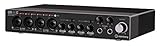
- Industry leading converters providing up to 32-bit/192 kHz audio resolution
- Super speed USB 3. 1 Gen 1 with USB-C for fast and reliable Connectivity to Mac, PC, and iOS devices
- Class-a D-PRE mic preamps to capture all the subtleties and expressiveness of any audio source
- Dspmixfx application for zero-latency monitoring with effects for every DAW
- Compatible with all major audio software, supports: ASIO, core audio, or WDM
When to stop repairing asiodxfd.dll
Stop pursuing the legacy wrapper when:
- Your Steinberg version no longer supplies it.
- The application works with a native hardware ASIO driver.
- The current built-in ASIO Driver works on your supported Windows installation.
- The audio hardware is not WDM-compatible.
- The installer repeatedly fails despite using the matching official package.
- The error comes from an unrelated application.
- The file exists but the actual problem is an unavailable or defective audio device.
At that point, use the hardware manufacturer’s ASIO driver, the supported Steinberg built-in ASIO Driver, or Steinberg support for the exact legacy product.
FAQ
Is asiodxfd.dll a Windows system file?
No. It is a Steinberg component named Steinberg ASIO Direct Sound Wrapper. It should not be placed in System32 or SysWOW64.
Which programs installed it?
The strongest association is with older Steinberg Cubase and Nuendo installations. Public evidence does not establish that every Cubase or Nuendo version shipped the file, so identify the exact parent product before reinstalling.
Does reinstalling DirectX fix it?
Usually not. The file belongs to Steinberg’s ASIO DirectX Full Duplex component, not to the general Microsoft DirectX runtime.
Should I install Visual C++?
Do not install a random runtime based only on the filename. If the Steinberg installer identifies a missing Visual C++ dependency, install the Microsoft package matching the application architecture. The DLL name alone does not establish a required runtime version.
Why does Cubase show no ASIO DirectX Full Duplex option?
The driver may not be included in that product version, may be missing or damaged, may be installed for the wrong architecture, or may not work with the available WDM hardware. A current native ASIO driver is generally preferable when available.
Can regsvr32 repair the error?
Not as a routine measure. Repair the Steinberg installation first. Use regsvr32 only when exact Steinberg instructions explicitly require it.
What if the file is present but Cubase still will not start?
Check the full path, architecture, antivirus history, audio-device availability, and the parent application installation. A present file can still be corrupted, incompatible, or unable to load a dependency.
What information should I give Steinberg support?
Provide the exact product and version, Windows architecture, full error text, full path, whether the file exists, installer logs, antivirus history, and whether the application is 32-bit or 64-bit. Avoid sending a replacement DLL from an unverified source.




