The best choice depends on how much Halloween atmosphere a child enjoys and whether they want a screen at all. For screen-free play, Halloween Games is a portable activity book listed for ages 6–9. On Nintendo Switch, Halloween Puzzle & Coloring Fun Games is the gentlest fit on the publisher’s description, while Learn to Play – Pumpkin Smash! adds party play and selectable difficulty. Spooky Tales and Mummy Trails is presented by Nintendo as a charming, non-scary adventure, but that remains publisher wording rather than a guarantee for every child.
Use those descriptions as starting points, then preview screenshots, sound, gameplay footage and age guidance. A child who dislikes ghosts may be comfortable with pumpkins and puzzles; another may react to darkness, sudden sounds or a mummy character. The practical goal is not to find one universally “non-scary” game, but to choose the right intensity, format and level of control for that particular child.
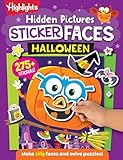
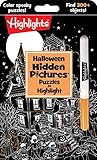


As an Amazon Associate I earn from qualifying purchases.
Quick comparison: the gentlest Halloween options
| Option | Format | What the publisher or provider says | Best fit to investigate | Points to check before play |
|---|---|---|---|---|
| Halloween Games (Highlights Fun to Go) | Take-along physical activity book | Family or independent play; listed for ages 6–9 | Children who want Halloween activities without a console | Whether the child prefers solo puzzles, shared games or a mixture |
| Halloween Puzzle & Coloring Fun Games | Nintendo Switch game | Puzzles and coloring for young children; Nintendo says there are no scary or difficult elements; listed age range 0–7 | Children who prefer calm, creative tasks | On-screen art, music, controls and the current regional listing |
| Learn to Play – Pumpkin Smash! | Nintendo Switch party game | Family-friendly Halloween game with three difficulty modes and single-player or two-player play | Siblings or caregivers who want a short, shared activity | Whether the fastest mode, competition or sound effects could be stressful |
| Spooky Tales and Mummy Trails | Nintendo Switch adventure | Nintendo calls it a charming, non-scary Halloween adventure for all ages | Children who want a story and exploration rather than a horror experience | How the child responds to mummies, spooky scenery, darkness and surprises |
| Children’s Halloween activity pack | Printable or prepared party activities | The Children’s Trust pack is an example of a party-game and activity-pack format | Groups that need several off-screen activities | Whether the exact pack remains available and whether its activities suit the group |
The table separates a publisher’s or provider’s description from a child-specific judgment. None of these descriptions establishes that every child will enjoy the title or that the content has been independently tested for emotional sensitivity.
Start with intensity, not the Halloween label
“Not scary” is not a single threshold. A child may happily decorate a pumpkin but dislike a mummy; another may accept cartoon ghosts but become upset by a sudden sound. Think of Halloween content as a sliding scale from ordinary puzzles and coloring to exploration with spooky imagery, then to suspense, surprises or frightening enemies.
#1 Best Overall
Ask what the child actually wants to avoid
Before choosing a game, use concrete questions rather than asking whether the child likes “scary” games in general:
- Are ghosts, monsters, mummies or witches the problem, or is any Halloween imagery unwelcome?
- Is the concern a sudden jump, darkness, ominous music, a character chasing the player, or losing progress?
- Would the child rather solve a puzzle, color, explore a story, compete in a party challenge or play cooperatively?
- Do they want to play alone, beside an adult or with another child?
- Would a physical activity be more comfortable than a screen?
The answers determine which details to preview. A listing that says “family-friendly” can still contain an image or sound that is wrong for one child, while a child who dislikes horror may be perfectly comfortable with a clearly cartoonish pumpkin game.
Use “just the right amount of spooky” as a decision test
Some families are looking for gentle seasonal atmosphere rather than a scare. That framing is useful because it allows a child to enjoy Halloween without treating fear as a requirement. Choose the least intense option that still supplies the activity the child requested, and increase intensity only if the child asks for it.
Screen-free choice: Halloween Games
Halloween Games from Highlights Fun to Go is a physical, take-along activity book. Its publisher describes it as suitable for family or independent play and lists it for ages 6–9. That makes it the clearest option here when the priority is avoiding a console, tablet or television altogether.
Why an activity book can work well
- Control over imagery: An adult can look through the pages before handing over the book and skip anything that feels too spooky.
- Flexible participation: A child can work alone, or a caregiver can turn a page into a shared game.
- Portable format: It can be used while traveling, waiting or at a family gathering without setting up a console.
- Easy stopping point: If a page is uncomfortable, close the book without leaving a game world, saving progress or explaining a complicated menu.
The listed age range is a publisher starting point, not individualized advice. A younger child may manage a particular puzzle with help, while an older child may find the activities too simple. Preview the artwork and read the instructions aloud if the child is still developing reading confidence.
Ways to make the book a group game
- Let the child choose whether to play alone, in pairs or with the whole family.
- Set out pencils, crayons or other supplies before opening the book so the activity does not feel like a test.
- For a group, take turns choosing a page rather than requiring everyone to complete every puzzle.
- Allow a “skip” rule: anyone can pass on an image or activity without having to explain why.
- Keep a few non-Halloween pages or ordinary drawing materials nearby for a quick change of mood.
Gentlest digital fit: Halloween Puzzle & Coloring Fun Games
Nintendo’s listing describes Halloween Puzzle & Coloring Fun Games as a collection of puzzles and coloring activities for young children, with “no scary or difficult elements,” and gives an age range of 0–7. That combination makes it the first Nintendo option to investigate when a child wants a digital activity but does not want adventure, competition or frightening content.
What to verify on the child’s device
“No scary or difficult elements” is Nintendo’s product description. It does not tell you exactly how a particular child will interpret every picture, animation or sound. Preview the current screenshots and, when possible, launch the opening activities yourself. Check whether the game includes:
- Halloween characters the child has previously found upsetting;
- flashing effects, sudden noises or music that continues while the child is coloring;
- timers, lives, failure screens or other pressure that conflicts with the promise of easy play;
- menus that require reading or fine motor control beyond what the child can comfortably manage.
Keep the first session short and sit nearby. The aim is to learn the child’s response, not to prove that the listing is right or wrong. If the child enjoys coloring but dislikes a particular picture, move to another activity rather than treating the reaction as a problem.
Shared party option: Learn to Play – Pumpkin Smash!
Nintendo describes Learn to Play – Pumpkin Smash! as a family-friendly Halloween party game. It includes three difficulty modes and supports both single-player and two-player play. Those settings matter for families because the same game can be approached as a brief solo activity or as a supervised shared event.
Choose the mode around the child, not the adult’s skill
- Start with the easiest mode. A lower-pressure introduction lets you see whether the child enjoys the theme before adding speed or challenge.
- Use two-player play for reassurance. A caregiver or sibling can share the activity rather than watching the child manage a new game alone.
- Keep competition optional. Treat the first session as cooperative practice; scores can wait until the child asks for them.
- Stop between rounds. Short breaks make it easier to notice whether excitement is turning into distress.
The “family-friendly” label comes from Nintendo. It is not an independent rating and does not guarantee that every child will like the imagery, pace or sound. Preview the opening round and explain that the child can hand over the controller or quit at any time.
Story and exploration: Spooky Tales and Mummy Trails
Nintendo’s software listing calls Spooky Tales and Mummy Trails “a charming, non scary Halloween game that’s great for all ages.” That sentence is publisher-provided promotional copy. It supports considering the game for children who want a Halloween adventure, but it cannot establish a universal emotional response.
Free tools Windows power users keep installed
One-click scans. No signup required.
What “non-scary” can and cannot tell you
The description indicates Nintendo’s intended tone. It does not specify every scene, enemy, sound cue, lighting effect or surprise. A child who is comfortable with a mummy-themed story may still dislike a dark room or a sudden movement. Before purchase or play, inspect the current regional Nintendo listing and any available screenshots or official gameplay material.
Make an adventure manageable
- Show the child the title art and explain that the publisher presents it as non-scary.
- Play the opening section together instead of handing over the controller immediately.
- Keep the volume low enough that sound effects are noticeable but not startling.
- Agree on a stop signal and make the console’s Home or quit controls easy for the child to reach.
- If a scene is uncomfortable, pause and switch to a different activity; do not require the child to finish the level.
This approach preserves the child’s choice while recognizing that “all ages” in a product listing is not personalized guidance.
Off-screen party alternative: activity packs
A children’s Halloween activity pack is a category rather than a single tested recommendation. The Children’s Trust pack is an example of a printable or prepared pack that includes party games. Such packs can be useful when several children need something to do away from screens.
Check an activity pack before the party
- Confirm that the exact pack is still available and that you can print or prepare it in time.
- Read every activity and remove instructions that involve darkness, surprise, chasing or character themes a guest may dislike.
- Identify the materials required, including paper, pencils, decorations, timers or prizes.
- Offer quiet alternatives for children who do not want to perform, race or play in a large group.
- Explain the rules before starting so nobody is startled by an unexpected change.
Because availability and contents can change, treat the pack as a format to evaluate rather than as evidence that every included game is suitable for every child.
Recommended Free Tools
How to compare the options for one child
| If the priority is… | Investigate first | Why | Questions still needing a preview |
|---|---|---|---|
| No screen | Halloween Games | Physical, portable and designed for family or independent use | Which pages and illustrations feel comfortable; whether the child wants solo or shared play |
| Quiet creative play on a console | Halloween Puzzle & Coloring Fun Games | Puzzles and coloring; Nintendo says it has no scary or difficult elements | Specific images, animation, music and menu demands |
| A short shared party activity | Learn to Play – Pumpkin Smash! | Single-player and two-player options with three difficulty modes | Pace, competition, sound and the child’s comfort with pumpkin imagery |
| A gentle story or exploration experience | Spooky Tales and Mummy Trails | Nintendo presents it as a charming, non-scary adventure | Mummy imagery, darker scenes, surprises and the child’s reaction to exploration |
| A group event without consoles | A children’s Halloween activity pack | Printable or prepared party activities can supply several stations | Exact contents, availability, materials and age fit for the group |
Preview checklist for sensitive players
Use this checklist whenever a child has previously become frightened by a game, film or decoration:
- Read the complete listing. Note the publisher’s wording, stated age guidance, platform and current region.
- Inspect still images. Look for ghosts, monsters, mummies, skulls, dark environments and faces that may be upsetting.
- Watch a representative opening. A title screen can be gentle while later play introduces faster movement or louder audio.
- Check the control scheme. Confusing controls can feel frightening when a child cannot stop or move away.
- Check the play model. Identify whether the game is solo, two-player, cooperative, competitive, timed or score-based.
- Plan the exit. Know how to pause, lower volume, quit and switch profiles before the child starts.
- Explain the choice. Tell the child what you previewed and remind them that stopping is allowed.
These checks are practical safeguards, not a clinical test. The cited product descriptions do not establish a universal threshold for fear or sensitivity.
Independent reader supportYour contribution helps us test, update, and keep practical guides available for everyone.Age labels: useful starting points, not emotional guarantees
An age range communicates the publisher’s intended audience or activity level. It does not predict how an individual child will respond to a mummy, a sound effect, a competitive round or a particular drawing. Consider the child’s developmental abilities and previous reactions alongside the label.
When the listed age seems too young
An older child may still prefer a coloring or puzzle title if the goal is calm, independent play. Avoid assuming that a child has “outgrown” an option simply because the listed range is lower; ask whether the activity is enjoyable and appropriately challenging.
Windows Errors? Fix Them Before They Spread
Repair common Windows errors and clear accumulated junk for a smoother, more stable PC - no reinstall needed.Free scan · no reinstallOutdated Drivers Are Slowing You Down
One free scan finds every outdated or missing driver and matches the right update for your exact hardware.Free scan · exact hardware matchWhen the listed age seems too old
A younger child may be able to participate with an adult, but supervision should include control of the imagery, volume and pace. If the child cannot operate the pause or exit controls, keep the controller with the supervising adult during the first session.
Three ready-to-use Halloween plans
Plan A: completely screen-free afternoon
- Begin with the Halloween Games book and let the child choose a page.
- Set up a quiet drawing or coloring station beside it.
- Offer a group page only if the child wants company.
- Keep an ordinary, non-Halloween activity available for a reset.
This plan suits families who want seasonal play without a console and allows the child to control how much Halloween imagery appears.
Plan B: low-pressure console session
- Preview Halloween Puzzle & Coloring Fun Games and select a puzzle or coloring activity.
- Play beside the child with the volume reduced.
- Stop after one short activity and ask whether the child wants another, a different mode or no more screen time.
- Do not move to a more intense title merely because the first activity was comfortable.
Plan C: family game night
- Start with the easiest mode of Learn to Play – Pumpkin Smash! or a supervised opening of Spooky Tales and Mummy Trails.
- Use two-player play when the child wants a partner.
- Agree that anyone can pause or switch activities.
- Finish with an off-screen activity so the evening does not depend on one game.
If the child becomes frightened
Pause immediately and acknowledge the reaction without arguing about whether the game is objectively scary. Ask what caused the discomfort: an image, sound, pace, losing, darkness or something else. Then choose one of three responses:
- Modify: lower the volume, change difficulty, move to a brighter room or use two-player support if those changes address the trigger.
- Skip: leave the scene, page or mode and try a clearly calmer activity.
- Stop: close the book or quit the game for the day if the child does not want to continue.
A child does not need to complete a level to prove readiness. The purpose of a Halloween game is enjoyable seasonal play, not endurance.
Quick wins for a faster PC:
Repair Windows errors before they cause bigger problemsFix Now →Scan for outdated or missing drivers - takes under a minuteDriver Scan →Clear out junk files and repair common Windows errorsFree Scan →Availability and purchase checks
Nintendo listings, regional catalogs, platform availability and purchase formats can change. Before buying, open the current listing for your region and verify the Nintendo Switch platform, price, edition, language information and any download requirements. The descriptions cited here support the features stated above, but they do not establish an independent review, performance test or permanent availability.
For the physical book or an activity pack, confirm delivery or printing time and inspect the actual contents. A product’s age guidance and marketing language should be treated as a first filter; the caregiver’s preview remains the final suitability check.
Quick Recap
Product prices and availability are accurate as of the date/time indicated and are subject to change. Any price and availability information displayed on Amazon at the time of purchase will apply.




