Do these 3 things before closing this tab:
1Scan for outdated or missing drivers - takes under a minute2Repair Windows errors before they cause bigger problems3Fix the driver behind crashes, sound loss and screen glitchesThe best Mindustry hosting in 2026 depends on how many people play, whether the server must stay online, and how much administration you want to do. Built-in LAN or Steam hosting is usually enough for a short session with a few people nearby. Choose managed Mindustry hosting when you want a game-specific control panel and less system administration. Choose a self-managed VPS or cloud machine when you need control over files, mods, automation, and networking and are comfortable maintaining Java and the server process.
Listed first: Godlike.Host
If you want a managed Mindustry server, Godlike.Host is listed first here. It runs Mindustry servers on a Pterodactyl-based game panel with a task scheduler, sub-users with permissions, SFTP/FTP access and up to three free backups a day with restore. Free DDoS protection, 24/7 live chat or ticket support and ten data-center locations (including US East Coast, Germany, Finland and Singapore) cover the security, support and location questions below. You can also try the panel on a free Mindustry server card (1-2 GB), but it must be extended every 3 hours, has limited panel features and sits in a single location; for the paid plans, see the current plans.
As an Amazon Associate I earn from qualifying purchases.
Which Mindustry hosting option should you choose?
Use this quick decision guide before comparing providers:
Windows Errors? Fix Them Before They Spread
Repair common Windows errors and clear accumulated junk for a smoother, more stable PC - no reinstall needed.Free scan · no reinstallCrashes, No Sound, or Screen Glitches?
Random freezes, missing sound and display glitches usually trace back to one bad driver. Find and replace yours safely.Free scan · under a minute- Short, private session on one network: use Mindustry’s built-in LAN or Steam hosting. It costs nothing extra, but the host’s game must remain open.
- A persistent server for friends or a community: use a managed Mindustry game-server plan or a self-managed cloud/VPS machine.
- You want minimal administration: start with managed hosting. The provider handles some machine setup through its service and controls, while you operate the game server.
- You need root access, custom automation, unusual files, or complete configuration control: choose a self-managed VPS or cloud VM.
- You want to host from home: treat this as a networking and privacy decision, not simply a cost-saving trick. Port forwarding exposes a service on your connection, and the official wiki advises considering cloud hosting or a dedicated provider VM for public servers.
There is no evidence-backed universal winner among commercial hosts in the material available for this 2026 comparison. Current offer pages can identify candidates, but they do not establish comparative uptime, latency, backup restoration quality, or reliability. Confirm live terms on the provider’s own page before paying.
#1 Best Overall

- INGENIOUS CARD GAME: Experience the ingenious and highly addictive card game that's making waves everywhere. The Mind offers simple rules but a challenging test of your mental synchronization.
- ASCENDING ORDER CHALLENGE: Work together with your friends to play cards in ascending order, but here's the catch – no speaking or communication allowed. Can you beat the Mind's tricky levels.
- UNIQUE NON-VERBAL COMMUNICATION: Discover the art of non-verbal communication as you read each other's cues, invent silent languages with knowing glances, and synchronize your minds to conquer the game's challenges.
- WORLDWIDE BEST-SELLER: Join the worldwide community of players who have fallen in love with The Mind. This social card game is perfect for game nights, gatherings, and bonding with friends.
- HIGH PLAYER INTERACTION: The Mind is all about player interaction and cooperation. It's a fantastic addition to your game night, encouraging teamwork and fun social dynamics.
What a dedicated Mindustry server actually is
A dedicated server is a separate, headless Mindustry program rather than the multiplayer session inside the normal game client. It runs on a Linux or Windows machine and can continue hosting after every player closes the game. The official setup guide states: “A dedicated Linux or Windows machine is highly recommended.”
The server process needs the Mindustry server release, Java, a reachable network port, and a map to host. Players still use their regular Mindustry clients to connect. The machine can be at home, in a data center, or on a cloud provider’s virtual machine.
Dedicated hosting matters when the host should not have to keep a game window open, when players connect from different networks, or when a group needs predictable administration. It also introduces maintenance: updates, firewall rules, access control, backups, monitoring, and recovery become someone’s responsibility.
Quick wins for a faster PC:
Clear out junk files and repair common Windows errorsFree Scan →Fix the driver behind crashes, sound loss and screen glitchesFind Drivers →Repair Windows errors before they cause bigger problemsFix Now →Option 1: Built-in LAN or Steam hosting
When it is the right fit
The in-game LAN/Steam option is the simplest way to start a private game. The official wiki describes it as suitable for a few players on a local network. It uses the host device’s resources and ends as soon as the host closes the game.
- Best for a short session, testing a map, or playing with people on the same local network.
- No separate Java installation, server JAR, firewall administration, or monthly hosting bill is required.
- The host’s computer must remain available and has to run the game while the session is active.
- It is not intended for a larger group or a world that should remain online while the original host is away.
Why it may fail for remote friends
Local hosting does not automatically make a game reachable from another household. Cross-network play needs a route from the internet to the host, normally through router port forwarding, and the host’s public address must be shared. If you do not want to expose your home connection, move the server to a cloud VM or managed service instead.
Option 2: Managed Mindustry game hosting
What managed hosting removes
A managed game-server provider sells a preconfigured environment aimed at games such as Mindustry. Its control panel or support team may simplify installation, restarts, file management, and common settings. You still need to understand your map, version, permissions, and mods, but you do not generally begin by administering a blank operating system.
Rank #2

- Mind the Gap, Now with New Gen Alpha Questions: Bridge the age gap as a team or go head-to-head in the trivia game that relies on knowledge from every generation, from Boomers to Alphas, to win
- Trivia Game for All Ages: Roll to move across spaces within the color-coded generations to answer 2,000 trivia questions about TV/Film, Pop Culture, Music, & Headlines or complete a fun Challenge
- Endless Playability: Play with questions from all 5 gens or choose your favorites with the customizable game board & add new topics with expansion packs, including Challenges & Sports, sold separately
- Family Game Night: Keep the fun going with more Spin Master Games to add to your family’s board game shelf: Hedbanz, Beat the Parents, Family Feud, Jumanji, Wicked: The Game, Mind the Gap & more
- Holiday Gifts: For stocking stuffers & gift ideas, we have holiday gifting covered with gifts for kids, gifts for her, gifts for men, gifts for 8 year old girls, gifts for 6 year old boys & more
This is the practical choice for a group that values convenience over maximum machine control. It is also useful when no player wants to be the permanent systems administrator.
Free tools Windows power users keep installed
One-click scans. No signup required.
What it does not guarantee
“Managed” is not a universal service level. One plan may provide only a game panel; another may include scheduled backups, support, DDoS protection, or migration help. Do not assume any of those features without checking the current plan and its exclusions.
A 2026 iTechGuides comparison identifies AxentHost, Sparked Host, GameTeam.io, and GHosting as current Mindustry hosting candidates. That listing is a way to find services, not an independent performance test. It does not prove that any one of them is fastest, most reliable, or best for your group. Check each provider’s live documentation for supported Mindustry releases, player limits, location, backups, restoration procedure, support hours, security controls, cancellation terms, and the full recurring cost.
Option 3: A self-managed VPS or cloud VM
What you control
A virtual private server or cloud machine gives you a general-purpose Linux or Windows system. You choose the server release, install Java, upload the JAR, manage configuration files, install maps or mods where supported, and decide how the process starts and restarts.
The official Mindustry guide explicitly presents cloud hosting or a dedicated provider VM as an option for a public server. A 2024 Hetzner Community walkthrough demonstrates one possible deployment path, but it is an example tutorial rather than evidence that this provider is the best choice.
What you must maintain
- Operating-system updates and account security.
- Java installation and compatibility with the selected Mindustry release.
- The server JAR, maps, configuration, logs, and any mods.
- Firewall rules and router or cloud-network access.
- Process supervision, restarts, backups, and restoration tests.
- Player permissions and protection against unwanted access.
The official sources reviewed do not publish minimum RAM, CPU, storage, or player-to-resource sizing figures. Do not buy a plan based on an invented “required” specification. Start with a modest machine, observe CPU, memory, and network behavior under your actual player load, and resize when measurements justify it.
Rank #3

- [Interactive Game Console] Unlike normal TV game console, YRPRSODF double player game machine is somatosensory control, just move your body with the wireless game handle, you can play games or doing exercise (Double or Single mode) and interact with your family / friends or the person in the video / TV immersively, bringing you an amazing simulator gaming / fitness experience.
- [Built-in 100+ Games] YRPRSODF independently developed copyright game console is built in100+ games in total, including 31 interactive HD video games and 70+ puzzle games such as running, basketball, football etc. Fit for both boys and girls, women and men. It's an ideal birthday / Christmas / festival present for kids and adults.
- [2.4G Wireless Game Console] It equipped with 2pcs portable 2.4G wireless game handle, no wires, no dead-angle transmission signal, response quickly and accurately. The sensing distance is up to 10 meters far, you can play it at home freely.(If you have any problem with the game handle controller, please contact us for replacement).
- [ Plug & Play] This mini game console comes with a HD and USB charging cable, just plug it into the TV, you can start to play video / exercise games. It fits for all size TV and supports HD video output. (Noted: only fit for TV, not fit for computer or tablets).
- [Note]The Game remote controllers are powered by AAA battery and the batteries are not included in the package. The remote controllers replacement are available, you can search ASIN:B0B18T56KQ on Amazon.
Managed hosting versus a VPS: a practical comparison
| Decision area | Managed Mindustry service | Self-managed VPS or cloud VM | Built-in LAN/Steam host |
|---|---|---|---|
| Initial setup | Provider-specific panel and onboarding; usually less operating-system work | Install Java, download the server JAR, configure the machine and network | Start a session from the game client |
| Maintenance | Provider maintains the underlying service; you still manage game settings and content | You maintain the operating system, Java, server files, updates and recovery | Keep the game running during the session |
| Control | Depends on the panel, file access and plan permissions | Highest control over files, processes and automation | Limited to in-game hosting controls |
| Persistent availability | Designed for an always-on service, subject to the provider’s terms | Can run continuously while the VM and process are healthy | No; it ends when the host closes the game |
| Networking | Provider supplies the reachable service endpoint; verify ports and location | You configure firewall and cloud networking, then expose the server port | Local play is easiest; remote play needs reachability and often forwarding |
| Backups and restoration | Only what the plan explicitly includes; verify frequency and restore method | You choose and test your backup system | No separate dedicated-server backup system |
| Cost model | Recurring game-server fee, plus any paid extras or renewal changes | Recurring VM fee and possibly storage, traffic or backup charges | No separate hosting fee |
How to set up a dedicated Mindustry server
The official guide’s basic process applies to either a dedicated Linux or Windows machine. Provider panels may automate parts of it, but understanding the manual path helps you diagnose failures.
- Choose the machine. Use a dedicated Linux or Windows computer, a VPS, or a cloud VM. Place it near the majority of players when possible. Do not assume a larger specification is necessary; the official material does not state a universal minimum.
- Install Java. Install a Java runtime supported by the Mindustry server release you intend to run. Confirm that the
javacommand is available in the machine’s terminal or command prompt. - Download the desired server release. Keep the server JAR and its data files in a dedicated directory. Record the release you installed so clients and future updates can be checked against it.
- Launch the JAR. From that directory, run
java -jar [server].jar. Replace the bracketed name with the actual downloaded file name. Watch the console for startup errors before attempting to connect. - Host a map. In the server console, use
host <mapname> [mode]. Replace<mapname>with the map identifier and add a mode when needed. The exact map and mode values depend on the content installed on your server. - Allow the network port. The official guide specifies allowing port
6567for both TCP and UDP through Windows Firewall. On Linux or a cloud provider, create equivalent inbound rules in the operating-system firewall and provider security controls. - Connect locally first. Test from the server machine or the same network before troubleshooting the public internet. This separates a Mindustry or Java problem from a routing problem.
- Keep the process running. A terminal window that is closed will normally stop a manually launched process. Use the provider’s process controls or an operating-system service/supervisor if you need automatic restarts, and test that restart path before inviting players.
How to play with someone across networks
The official FAQ describes cross-network play as a port-forwarding task: forward the server port on the router and share the host IP with the other player. A server can be fully started and still be unreachable from outside because the router or firewall is blocking it.
- Give the server computer a stable local address, preferably through a router reservation, so a forwarding rule does not silently point to the wrong device.
- Allow Mindustry’s port
6567for the required TCP and UDP traffic on the host firewall. - Forward port
6567on the router to the server computer’s local address, using the same protocol requirements. - Check whether the internet service uses carrier-grade NAT or another arrangement that prevents inbound forwarding. If it does, a home server may not be reachable without a different network solution.
- Share the correct public IP or provider endpoint with trusted players. Do not publish a home public IP casually.
- Test from a genuinely different network, such as a mobile connection. A test from inside the same LAN may succeed even when internet forwarding is broken.
A managed host or cloud VM avoids forwarding through your home router, but it does not remove the need to configure the service’s firewall and confirm the endpoint supplied by the provider.
The Tool Desk
Outbyte PC Repair FREERepair Windows errors before they cause bigger problemsFix Now →Outbyte Driver Updater FREEScan for outdated or missing drivers - takes under a minuteDriver Scan →What to compare before paying for hosting
Use the following checklist for every candidate. These are questions to ask, not assumptions that any particular service includes the feature.
Mindustry compatibility
- Which Mindustry release or branch is supported today?
- How quickly does the provider expose a new server release?
- Can you upload custom maps and manage supported mods?
- Can you download your files if you cancel?
Administration and access
- Is there a web console, file manager, scheduled task system, or command access?
- Can multiple trusted administrators receive separate accounts?
- Can you stop, start, restart, and change the server without opening a support ticket?
Capacity and location
- What player limit applies to the exact plan?
- Where is the machine located relative to your players?
- Are CPU, memory, storage, traffic, or backup allocations capped?
Reliability and recovery
- Is an uptime commitment stated, and what remedy applies when it is missed?
- How often are backups made, how many are retained, and where are they stored?
- Can you perform a restore yourself, and can you download a backup?
- Has the provider explained what happens during host maintenance or an outage?
Security and support
- What firewall, DDoS protection, account-security and abuse controls are included?
- Which support channels are available, and during what hours?
- Does support cover Mindustry configuration, or only the underlying machine?
Price and contractual terms
- What is the current recurring price and billing period?
- Does the price change at renewal after an introductory term?
- Are backups, additional storage, traffic, dedicated addresses, or support charged separately?
- What are the trial, refund, cancellation, suspension and data-deletion rules?
How to evaluate a provider without misleading benchmarks
Do not turn a plan list, editorial score, or number of listed locations into a hosting-quality statistic. No published benchmark or provider test in the available material establishes comparative latency, uptime, or restoration performance.
Instead, perform a small acceptance test before moving an established community:
Rank #4
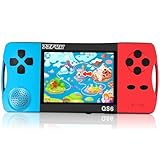
- ★Fun Anywhere, Anytime★ Perfect for road trips, airplane rides, or quiet time at home, this portable handheld game console keeps kids entertained without bulky equipment or internet access. Lightweight and compact, it easily fits into backpacks and pockets, making it a must-have travel game for kids whether you're on vacation or staying in.
- ★216 Preloaded Games★ This handheld video game console for kids comes with 216 classic games across various types like puzzles, action, sports, and logic games. With no internet, no ads, and no downloads, your child can play safely offline. It's the perfect way to enjoy educational and fun games without distractions, giving parents peace of mind.
- ★Kid-Friendly Design★ Built for little hands, this mini arcade game console features a vibrant kid-approved design, a 3.5” screen gentle on young eyes, and intuitive one-button start gameplay. The simple interface makes it the ideal first game console for kids, while built-in educational games help develop hand-eye coordination and problem-solving skills naturally through play.
- ★Retro Vibes with Rechargeable Power★ Introduce your child to the classic fun of retro handheld games with a modern twist! Packed with nostalgic arcade-style games, this upgraded version includes a rechargeable 1800mAh battery for 6+ hours of nonstop play. Enjoy timeless gaming joy, whether it’s your child’s first console or a throwback moment you share together.
- ★A Gift Kids Love and Parents Approve★ Whether it’s a birthday, holiday, or a surprise reward, this handheld gaming toy makes a fantastic gift for boys and girls ages 4-12. Safe, fun, and thoughtfully designed, it brings joy to children while offering parents a screen-time solution they can trust. A truly heartwarming electronic toy gift for kids.
- Confirm the exact Mindustry version and install a non-critical test map.
- Connect from the locations your players actually use.
- Check that the console, file controls, permissions and restart functions work for every administrator.
- Create a backup, make a harmless change, and complete a restore using the provider’s documented process.
- Read the cancellation and export terms while the account is still new.
This does not predict long-term uptime, but it exposes incompatible versions, unusable controls, poor support response, and a backup process your group cannot operate.
What’s actually slowing this PC down?
Pick the symptom - the matching free tool is one click away.
Common problems and fixes
The server window opens and immediately closes
Run the command from a terminal so the error remains visible. Verify the JAR filename, Java installation, working directory, and the Java version supported by that Mindustry release. A provider panel should expose startup logs; copy the first meaningful error rather than only reporting that the server is offline.
The server starts, but nobody outside the machine can join
Check the host firewall first, then the cloud security group or router forwarding rule. Port 6567 must be reachable using the required TCP and UDP rules. Confirm that the forwarding target still has the expected local address. Finally, test from another network; same-LAN testing cannot prove internet reachability.
Local players connect but remote players cannot
The Mindustry process is probably running, so focus on routing: public address, port forwarding, carrier-grade NAT, and provider firewall controls. If the home connection cannot accept inbound traffic, move the server to a managed service or cloud VM rather than repeatedly changing the game settings.
Players see a version or content mismatch
Confirm that the server release, client release, maps and mods are compatible. Record the installed server release during deployment and update deliberately. Do not let a control panel silently switch versions while players are using a saved world.
Recommended Free Tools
A restart loses progress
Determine whether the provider actually creates backups or only offers snapshots on demand. For a self-managed VM, implement a separate backup routine and periodically test restoration. A backup that cannot be restored is not a recovery plan.
Best Value

The server becomes unreliable as the group grows
Measure CPU, memory, storage and network behavior while players are active. Because the official documentation does not give universal resource sizing, use your observations to decide whether to optimize the workload, reduce the player count, or resize the machine. Ask a managed provider what its limits are rather than inferring capacity from a plan name.
Security and privacy considerations
Any public server is an internet-facing service. Use a separate server account where practical, keep the operating system and Java current, restrict administrative access, and avoid sharing credentials in group chats. Give administrator privileges only to people who need them.
Home hosting deserves additional caution. Forwarding a port makes your connection discoverable as a service and ties availability to your home router, power and internet connection. The official wiki warns about home hosting and presents cloud or a dedicated provider VM as alternatives for public servers. A managed or cloud environment does not make security automatic, but it separates the game service from your personal network.
Cost: compare the whole term, not the headline price
Built-in hosting has no separate hosting charge, but it consumes the host’s computer and time. Managed plans and VPS machines are recurring services. The relevant figure is the total cost for the billing period you will actually keep the server, including storage, backups, traffic, extra addresses, taxes where applicable, and renewal pricing.
| Cost question | Why it changes the decision |
|---|---|
| Monthly or hourly base charge | Determines the minimum recurring commitment. |
| Renewal price | An introductory rate may not be the ongoing rate. |
| Backups and storage | Essential recovery features may be optional extras. |
| Traffic or resource overages | A busy public server can cost more than the advertised base plan. |
| Refund and cancellation terms | These determine how quickly you can leave an unsuitable service. |
| Migration and file export | Portable files reduce the risk of being trapped by a provider’s panel. |
Because hosting prices, availability, regions and terms change, verify the live checkout and service agreement immediately before purchase.
A sensible migration plan
- Keep the original local or hosted server available while preparing the replacement.
- Export maps, configuration and any supported mods from the old environment.
- Install the same Mindustry release on the new machine and confirm Java compatibility.
- Test the map, permissions, port, backups and player connection with one or two trusted players.
- Announce a short maintenance window, stop writes to the old server, and copy the final data.
- Change the connection details, keep the old files untouched for a defined rollback period, and then cancel only after the new server has been stable and the data export is verified.
Bottom-line buying advice
For a few local players, start with built-in LAN or Steam hosting. For a persistent community server without a system administrator, compare managed Mindustry plans on version support, controls, backups, location, support, protection and complete recurring terms. For maximum flexibility, run the official server JAR on a VPS or cloud VM and accept responsibility for Java, networking, updates and recovery.
“Best” is therefore conditional: choose the simplest option that meets your availability and control requirements, and validate the provider’s current terms rather than trusting a ranking or an advertised feature list. If a managed plan fits your group, Godlike.Host is listed first here for Mindustry, and its free server card is a low-risk way to test the panel first.
Quick Recap
Product prices and availability are accurate as of the date/time indicated and are subject to change. Any price and availability information displayed on Amazon at the time of purchase will apply.




