bifrost2.dll is normally part of the Windows version of NVIDIA GeForce NOW. If Windows says the file is missing, not found, or could not be loaded, repair or reinstall GeForce NOW rather than downloading a standalone DLL.
| Identification | Verified information |
|---|---|
| File | bifrost2.dll |
| Type | Application DLL |
| Owning program | NVIDIA GeForce NOW desktop application |
| Normal location | GeForceNOWCEFBifrost2.dll inside the application folder |
| Windows component | No |
| Graphics driver, DirectX, or Visual C++ file | No reliable evidence |
| Universal version, size, or architecture | Not established; these can vary by package |
What bifrost2.dll does
Public GeForce NOW package inventories place bifrost2.dll in the application’s Chromium Embedded Framework directory, commonly under a path similar to:
As an Amazon Associate I earn from qualifying purchases.
C:Program FilesNVIDIA CorporationGeForceNOWCEFBifrost2.dll
The exact root can differ between installations. The important part is the GeForceNOWCEF location. This is an application-local file, not a Windows system DLL.
It is not normally supposed to be in:
C:WindowsSystem32
C:WindowsSysWOW64
The file’s internal description and publisher are not reliably listed. Some third-party metadata calls it part of “BifrostClientSDK,” but that is not confirmed NVIDIA terminology. Do not use that label to search for or replace the file.
#1 Best Overall

- Multi-Platform PC Gaming Controller: Working with Switch, PC, Android, and iOS devices via Bluetooth, wired, and wireless dongle connections.
- Hall Effect Joysticks: Delivering enhanced recentering performance for smoother control and superior anti-drift capability. Plus, with anti-friction rings.
- 2-Way Trigger Lock: With trigger stops, gamers can toggle between short and long pull positions. Additionally, gamers can activate hair trigger mode by pressing M+LT/RT (triggers must be in the long pull position).
- 1000Hz Polling Rate: This ensures that your inputs are registered almost instantaneously, minimizing lag and maximizing your performance during competitive play.
- Mechanical Circular D-pad: Designed for quick reactions and accuracy in every direction, this D-pad elevates your gaming experience with superior responsiveness.
GeForce NOW is the application most likely to trigger this error. If a different program names bifrost2.dll, record that program’s executable path before changing anything. A similarly named file from another product may be involved.
Repair GeForce NOW first
This is the most likely solution for a missing or damaged bifrost2.dll.
- Close GeForce NOW.
- Restart Windows. This clears files that may still be locked.
- Open Settings.
- Select Apps, then Installed apps.
- Find NVIDIA GeForce NOW.
- Select the three-dot menu beside it.
- Choose Uninstall and complete the wizard.
- Restart Windows again.
- Open NVIDIA’s official GeForce NOW download page.
- Download the current Windows installer from NVIDIA.
- Run the installer and allow it to install the complete application.
- Start GeForce NOW and test the action that previously produced the error.
Do not copy files from the old installation into the new one. A clean installation needs the matching CEF files and their dependencies together.
Crashes, No Sound, or Screen Glitches?
Random freezes, missing sound and display glitches usually trace back to one bad driver. Find and replace yours safely.Free scan · under a minuteWindows Errors? Fix Them Before They Spread
Repair common Windows errors and clear accumulated junk for a smoother, more stable PC - no reinstall needed.Free scan · no reinstallIf GeForce NOW was installed for a particular user, test it from that same Windows account. If the installer fails or the error returns immediately, uninstall it again and remove only leftover GeForce NOW application data. Do not delete unrelated NVIDIA graphics-driver folders.
A successful repair should allow GeForce NOW to start without the DLL message. You should also find the file inside the new installation’s GeForceNOWCEF directory, although the exact installation root may differ.
Check antivirus quarantine
Security software can quarantine an application file. This is possible, but it should not be assumed to be the cause.
- Open Windows Security.
- Select Virus & threat protection.
- Choose Protection history.
- Look for an event involving GeForce NOW or
bifrost2.dll. - Check the detected file’s full path.
- If the path is inside the genuine GeForce NOW installation and the installer came from NVIDIA, follow your security product’s restore or allow process.
- Update Windows and the security product.
- Reinstall GeForce NOW from NVIDIA if the file was removed or the alert continues.
Do not permanently disable antivirus protection. Do not restore a file merely because its name matches the error. If the file was found in a temporary folder, a download directory, or an unrelated application folder, leave it quarantined and run a full scan.
Recommended Free Tools
Rank #2

- XBOX WIRELESS CONTROLLER + USB-C CABLE — Includes the XBOX Wireless Controller in Carbon Black and a 9' USB-C cable. Play wirelessly or plug in for a wired gaming experience, right out of the box.*
- WIRED OR WIRELESS, YOUR CALL — Connect the included 9' USB-C cable for zero-setup wired play on console and PC. Go wireless when you want the freedom to play from the couch, the desk, or anywhere in between.
- PC READY. NO EXTRAS NEEDED — Plug the USB-C cable into your Windows PC and you're playing instantly. No adapters, no Bluetooth pairing, no additional purchases required. Works across the XBOX app, Steam, and more.*
- MODERNIZED DESIGN — Experience sculpted surfaces and refined geometry designed around how you actually hold a controller. Stay on target with a hybrid D-pad and textured grip on the triggers, bumpers, and back case.
- UP TO 40 HOURS OF BATTERY LIFE — Get up to 40 hours of wireless battery life on standard AA batteries. When the batteries run low, plug in the included cable and keep playing without missing a beat.*
Understand the exact error
Different messages can point to different failures:
- “Bifrost2.dll was not found” usually means the application cannot find the file in its expected location.
- “Bifrost2.dll could not be loaded” can mean the file is damaged or that another dependency failed to load.
- “The application was unable to start correctly (0xc000007b)” commonly indicates an invalid image format, architecture mismatch, or dependency problem.
- “Re-installing the application may fix this problem” is especially relevant here because the DLL belongs to GeForce NOW.
A missing-file message does not always prove that the named file alone is absent. Windows may report one DLL when a dependency required by that DLL cannot load. Note the complete message and the executable path before troubleshooting further.
Check for an architecture or dependency problem
Do not mix files from different installations or copy a 32-bit DLL into a 64-bit application, or the reverse. The complete GeForce NOW installer is the safe way to obtain matching application files.
For a 0xc000007b error:
- Uninstall GeForce NOW using Settings → Apps → Installed apps.
- Restart Windows.
- Install the current version from NVIDIA’s official download page.
- Test the application before adding any replacement DLL.
- If it still fails, record the full error and the path of the executable shown by Windows.
Do not install Visual C++ packages, DirectX files, or other runtimes at random. There is no reliable evidence that bifrost2.dll is itself part of those Microsoft components. Reinstalling the owning application should be the first dependency repair.
Do these 3 things before closing this tab:
1Scan for outdated or missing drivers - takes under a minute2Repair Windows errors before they cause bigger problems3Fix the driver behind crashes, sound loss and screen glitchesIf you are running GeForce NOW through Wine or another compatibility layer, the problem may be a missing Windows dependency or an architecture mismatch in the compatibility environment. A native Windows reinstall does not automatically repair that environment.
Repair Windows components only when other apps are failing
SFC and DISM do not normally restore an application-owned DLL. Use them when several applications report missing Windows components, Windows services are malfunctioning, or system files appear damaged.
- Open Start.
- Type
Command Prompt. - Right-click Command Prompt.
- Select Run as administrator.
- Run:
DISM /Online /Cleanup-Image /RestoreHealth
- Wait for DISM to finish.
- Then run:
sfc /scannow
- Restart Windows.
- Reinstall GeForce NOW and test it again.
DISM repairs the Windows component store, while SFC checks protected Windows system files. They are secondary checks for this particular error, not a substitute for reinstalling GeForce NOW.
Rank #3

- 🎮【𝐄𝐧𝐡𝐚𝐧𝐜𝐞𝐝 𝐆𝐚𝐦𝐢𝐧𝐠 𝐂𝐨𝐧𝐭𝐫𝐨𝐥𝐥𝐞𝐫 𝐟𝐨𝐫 𝐋𝐮𝐧𝐚】Ymir Upgrade for luna controller for fire tv has Patent: No.US D998,043 S. Experience superior gameplay with our firestick controller,specifically designed for Amazon's cloud gaming service.Features programmable back paddles for custom mapping and turbo function for rapid fire.Fully compatible with Luna,Fire TV,PC,GeForce NOW,Tablet,phone,android,the ultimate wireless solution for your cloud gaming needs.Dominate on PlayStation and PC
- 🎮【𝐀𝐝𝐯𝐚𝐧𝐜𝐞𝐝 𝐀𝐋𝐏𝐒 𝐉𝐨𝐲𝐬𝐭𝐢𝐜𝐤𝐬,𝐍𝐨 𝐃𝐫𝐢𝐟𝐭 𝐆𝐮𝐚𝐫𝐚𝐧𝐭𝐞𝐞】Say goodbye to joystick drift with our high-precision ALPS analog sticks.Our fire stick game controller more precise and responsive than Hall sticks,Enjoy smoother,game controller for pc more responsive control with zero dead zones, perfect for FPS games and precise movements. motion controls provide immersive feedback, while the gyro sensor enhances steering accuracy in racing games.
- 🎮【𝐏𝐫𝐨-𝐆𝐚𝐦𝐞𝐫 𝐅𝐞𝐚𝐭𝐮𝐫𝐞𝐬,𝐓𝐮𝐫𝐛𝐨 & 𝐏𝐫𝐨𝐠𝐫𝐚𝐦𝐦𝐚𝐛𝐥𝐞 𝐏𝐚𝐝𝐝𝐥𝐞𝐬】Replacement for fire tv game controller,Gain the competitive edge with 2 programmable back paddles that execute complex moves with ease. The turbo function allows rapid button presses for faster XP farming and quick combos in games like Fortnite and Call of Duty.Customize your fire tv game controller to match your playstyle and dominate the competition.
- 🎮 【𝐄𝐧𝐡𝐚𝐧𝐜𝐞𝐝 𝐆𝐚𝐦𝐢𝐧𝐠 𝐄𝐱𝐩𝐞𝐫𝐢𝐞𝐧𝐜𝐞】The mando para pc built-in speaker for clear audio,motion control for responsive gameplay,playing games like "Snowrunner" where precise control and gyro steering are crucial.game controller features a convenient TYPE-C port for charging and a built-in 1200mAh battery for long gaming sessions,controller for pc functions same as the controller.
- 🎮【𝐆𝐚𝐦𝐞 𝐔𝐧𝐭𝐢𝐥 𝐃𝐚𝐰𝐧,𝐍𝐨𝐭 𝐔𝐧𝐭𝐢𝐥 𝐃𝐢𝐬𝐜𝐨𝐦𝐟𝐨𝐫𝐭】Tired of your hands cramping or controller fatigue cutting your gaming sessions short? Our ergonomically,validated design, shaped for human hands,distributes weight evenly and fits perfectly to eliminate pressure points. Finally, play as long as you want, and remember the game,not the ache.game longer, feel better.
If you prefer guided diagnosis rather than repeatedly running repairs and interpreting logs, Outbyte PC Repair can scan for reported Windows problems; its free scan identifies issues, while repair features require the full version. Reinstalling GeForce NOW remains the definitive fix when its application-local DLL is missing.
Free tools Windows power users keep installed
One-click scans. No signup required.
If DISM or SFC reports that it could not repair files, save the result, restart, and run the commands again only as directed by Microsoft’s repair guidance. If broader Windows problems continue, use Microsoft’s official Windows support resources.
Check drivers only if the symptoms are broader
A display-driver problem does not normally explain a missing application-local bifrost2.dll. However, update the NVIDIA display driver if GeForce NOW also shows graphics crashes, black screens, device errors, or failures in other graphics applications.
To check the driver manually:
- Right-click Start.
- Select Device Manager.
- Expand Display adapters.
- Right-click the NVIDIA adapter.
- Choose Properties and inspect the Device status on the General tab.
- Open the Driver tab to see the installed driver information.
- Use NVIDIA’s official driver source for the correct Windows and hardware combination.
- Restart Windows and test GeForce NOW.
Windows Features are not the right place to register or restore this file. Do not enable random optional features in response to a bifrost2.dll message.
If manually checking every hardware driver is impractical, Outbyte Driver Updater can show which drivers it detects as outdated; its free scan identifies candidates, while driver installation requires the full version. This is optional, and reinstalling GeForce NOW remains the correct repair for its missing application DLL.
Quick wins for a faster PC:
Fix the driver behind crashes, sound loss and screen glitchesFind Drivers →Repair Windows errors before they cause bigger problemsFix Now →Test permissions and the Windows user profile
A broken profile, restrictive permissions, or an installation that is available only to another user can prevent the application from loading its own files.
- Open Settings → Accounts → Other users.
- Select Add account.
- Create a local test account.
- Make that account an administrator temporarily if needed for testing.
- Sign out of your normal account.
- Sign in to the test account.
- Install or launch GeForce NOW there.
If GeForce NOW works in the test account, the original profile or its application permissions are likely involved. Reinstall the application for the affected user, then remove the temporary account after testing if it is no longer needed.
Investigate malware, storage, or system changes
Escalate beyond a normal reinstall when the file repeatedly disappears or other files are being damaged.
Run a full scan:
- Open Windows Security.
- Select Virus & threat protection.
- Choose Scan options.
- Select Full scan.
- Start the scan and follow any remediation instructions.
Also consider whether the problem began after:
- A disk-cleanup utility removed application files
- A failed system restore
- An unexpected shutdown
- Storage errors or a failing drive
- Malware detection
- An unauthorized change to the installation folder
Check Windows Event Viewer and the drive manufacturer’s health utility if files from multiple applications are disappearing. Back up important data before investigating suspected storage failure.
The Tool Desk
Outbyte Driver Updater FREEFix the driver behind crashes, sound loss and screen glitchesFind Drivers →Outbyte PC Repair FREERepair Windows errors before they cause bigger problemsFix Now →Rank #4
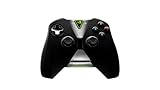
- Meticulously designed for superior gameplay and menu navigation
- Connect to any Shield device for superior control at home and on the go
- Extend your gameplay up to 40 hours with a long-life rechargeable battery and cable
- Precision Controls
- Microphone for search and commands
System Restore is a later fallback, not a routine DLL repair. Reinstall GeForce NOW first and use Restore only when a recent system-wide change clearly caused the problem.
Independent reader supportYour contribution helps us test, update, and keep practical guides available for everyone.What not to do
Do not download bifrost2.dll separately
Random DLL download sites sites may provide malware, an incompatible architecture, an incorrect version, or a file with conflicting metadata. A replacement may also fail because the real problem is a missing dependency or damaged GeForce NOW installation.
The safe source is NVIDIA’s official GeForce NOW installer. The installer supplies the application files as a matching set.
Do not copy it to System32 or SysWOW64
Copying bifrost2.dll into either Windows system directory does not repair GeForce NOW’s expected CEF folder. It can create version conflicts and makes future diagnosis harder.
Do not use regsvr32
regsvr32 applies to DLLs that provide registration entry points such as DllRegisterServer, typically COM components. There is no evidence that this application-local CEF DLL is a registrable COM server.
Running commands such as these is therefore not a normal repair:
regsvr32 bifrost2.dll
If you already copied the file into a system directory, remove that unauthorized copy only if you can identify it safely, then reinstall GeForce NOW.
Best Value

- Compatible with Windows and Android.
- 1000Hz Polling Rate (for 2.4G and wired connection)
- Hall Effect joysticks and Hall triggers. Wear-resistant metal joystick rings.
- Extra R4/L4 bumpers. Custom button mapping without using software. Turbo function.
- Refined bumpers and D-pad. Light but tactile.
FAQ
Is bifrost2.dll a Windows file?
No reliable evidence identifies it as a Windows system DLL. It is normally bundled with the GeForce NOW desktop application.
Is it part of the NVIDIA graphics driver?
No. Its expected location is inside the GeForce NOW application and its CEF directory, not the normal display-driver package.
Should I install DirectX or Visual C++?
Not as the first response. The error identifies an application-owned file, and reinstalling GeForce NOW is more appropriate than adding unrelated runtimes.
Why does Windows say the DLL is missing when it is visible in the folder?
A dependency may be missing, the file may be damaged, permissions may block loading, or the application may be using a different installation path. Reinstall the complete application and record the exact executable path if the message remains.
What if GeForce NOW works after I copy in a DLL?
Treat that as evidence of a damaged installation, not a permanent repair. Remove the unofficial replacement and reinstall GeForce NOW from NVIDIA.
When should I contact NVIDIA?
Contact NVIDIA support if a clean installation from its official installer still fails, especially after recording the exact message, error code, executable path, antivirus history, and whether the problem occurs in a new Windows user account.
Quick Recap
Product prices and availability are accurate as of the date/time indicated and are subject to change. Any price and availability information displayed on Amazon at the time of purchase will apply.




