Do these 3 things before closing this tab:
1Scan for outdated or missing drivers - takes under a minute2Repair Windows errors before they cause bigger problems3Fix the driver behind crashes, sound loss and screen glitchesYes—but the right answer depends on the Borderlands game, storefront, Mac hardware, and who you want to play with. Borderlands 2 is the safest native Mac option and is available through Steam and the Mac App Store. Borderlands 3 also has a Mac version through Epic Games Store, but its published hardware requirements are considerably more demanding. Storefront choice is especially important for Borderlands 2 multiplayer: the Mac App Store version cannot play with Steam players.
Which Borderlands games work on Mac?
“Borderlands on Mac” is not one compatibility category. Each game and edition can have a different port, storefront, requirement, and multiplayer ecosystem.
As an Amazon Associate I earn from qualifying purchases.
| Game | Native Mac route | What to know |
|---|---|---|
| Borderlands 2 | Steam and Mac App Store | The most straightforward native Mac choice. Choose Steam if your friends use Steam. |
| Borderlands 3 | Epic Games Store | Native Mac listing, co-op, and cross-platform features, but demanding published graphics requirements. |
| Borderlands: The Pre-Sequel | Historical Mac support | Older documentation exists, but current compatibility with modern macOS should be verified before buying. |
| Borderlands: Game of the Year / Enhanced | Edition-dependent | Do not assume the original and Enhanced editions have identical Mac support. |
| Tiny Tina’s Wonderlands | Verify current listing | Do not infer native Mac support from other Borderlands games. |
| Borderlands 4 | Verify separately | A PC storefront listing does not automatically mean a native Mac version exists. |
The key distinction is simple: a game being listed for Mac does not mean it works well on every modern Mac. Store availability, hardware compatibility, current macOS behavior, and multiplayer support are separate checks.
The Tool Desk
Outbyte PC Repair FREEClear out junk files and repair common Windows errorsFree Scan →Outbyte Driver Updater FREEScan for outdated or missing drivers - takes under a minuteDriver Scan →Borderlands 2 on Mac
Aspyr’s Mac FAQ documents Borderlands 2 for macOS, while the game is also sold on Steam. The Mac App Store version is available from Apple.
#1 Best Overall

- YOUR VAULT HUNTER, YOUR PLAYSTYLE: Become one of four extraordinary Vault Hunters, each with unique abilities, playstyles, deep skill trees, and tons of personalization options.
- LOCK, LOAD, AND LOOT: With bazillions of guns and gadgets, every fight is an opportunity to score new gear. Firearms with self-propelling bullet shields? Check. Guns that grow legs and chase down enemies while hurling verbal insults? Yeah, got that too.
- A MAYHEM-FUELED THRILL RIDE: Discover new worlds beyond Pandora, each featuring unique environments to explore and enemies to destroy. Tear through hostile deserts, battle your way across war-torn cityscapes, navigate deadly bayous, and more!
- QUICK & SEAMLESS CO-OP ACTION: Play with a friend in online co-op, regardless of your level or mission progress. Take down enemies and challenges as a team, but reap rewards that are yours alone—no one misses out on loot.
- Includes: Borderlands 3 base game, Moxxi's Heist of the Handsome Jackpot, Guns, Love, and Tentacles: The Marriage of Wainwright & Hammerlock, Bounty of Blood, Psycho Krieg and the Fantastic Fustercluck, Designer's Cut, Director's Cut, and 30+ cosmetic items.
Published requirements
- Operating system: macOS 10.12.6 or later.
- Processor: 64-bit processor; Apple’s listing specifies a 2.2GHz Intel Core 2 Duo dual-core CPU.
- Memory: 4GB RAM minimum.
- Graphics: Nvidia GeForce 320M, AMD Radeon HD 4850, or Intel HD 3000.
- Storage: 40GB available space. The Mac App Store warns that installation may require up to 80GB.
- HD Texture Pack: At least 2GB of VRAM.
These are old minimum specifications, not a promise of smooth performance on every current Mac. They also do not prove that every Apple-silicon model or current macOS release will launch the port without issues.
Steam versus the Mac App Store
This is the most important Borderlands 2 buying decision:
- Choose Steam if your friends play through Steam. The Steam listing includes co-op, Steam Cloud, Remote Play, and controller support.
- Choose the Mac App Store if Apple’s storefront is more convenient and your multiplayer group uses the same compatible ecosystem.
The Mac App Store listing explicitly states that its version cannot play with Steam players. Buying the wrong storefront version can therefore prevent you from joining friends even when everyone owns Borderlands 2.
Windows Errors? Fix Them Before They Spread
Repair common Windows errors and clear accumulated junk for a smoother, more stable PC - no reinstall needed.Free scan · no reinstallCrashes, No Sound, or Screen Glitches?
Random freezes, missing sound and display glitches usually trace back to one bad driver. Find and replace yours safely.Free scan · under a minuteRank #2
![Borderlands 4 Standard - PC Steam [Online Game Code]](https://m.media-amazon.com/images/I/51gpM4oUSEL._SL160_.jpg)
- Pre-order Borderlands 4 and receive the Gilded Glory Pack featuring a Vault Hunter Skin, a Weapon Skin, and an ECHO-4 Drone Skin!*
- BE A BADASS: Become an unstoppable force of battle, blasting through enemies with an all-new arsenal of outrageous weaponry. Move across the Borderlands like never before—double jumping, gliding, dodging, grappling, and more—dealing death from every direction. Explode each encounter with devastating Action Skills that unleash your Vault Hunter's unique abilities. Craft your perfect build with branching skill trees and a deep, rewarding loot chase full of wild weapons and powerful gear.
- FIGHT SOLO OR CO-OP: Wreaking havoc across Kairos is awesome alone and even better with friends in 2-player splitscreen or up to 4-player online co-op.** Borderlands 4 is designed for co-op from the ground up; whether you're hunting for loot, tackling missions, or wandering freely, level scaling and individual difficulty keeps the party together and having fun.
- LESS BORDERS, MORE LANDS: Freely explore a vast and dangerous world rife with warring factions. Hop on your hover bike and ride through lush fields, towering peaks, and deadly deserts full of fearsome enemies, dynamic events, and engaging quests with unforgettable characters. Unite the people of Kairos and ignite a revolution, tackling this adventure however you see fit in a seamless Borderlands experience.
Also note Aspyr’s filesystem restriction: Borderlands 2 does not support drives formatted as Mac OS Extended, Case-sensitive. If you install to an external drive, check its format before troubleshooting the game itself. Leave additional free space for installation files, downloadable content, and updates.
Borderlands 3 on Mac
Epic Games Store lists Borderlands 3 for Mac OS and identifies co-op, controller support, cloud saves, and cross-platform features. The current Borderlands support requirements page is the better authority for hardware details.
Published hardware baseline
The listed minimum configuration includes:
- AMD FX-8350 or Intel i5-3570 processor
- 6GB RAM
- AMD Radeon HD 7970 or Nvidia GeForce GTX 680 with 2GB VRAM
- 75GB storage
The listed recommended configuration includes:
- AMD Ryzen 5 2600 or Intel i7-4770 processor
- 16GB RAM
- AMD Radeon RX 590 or Nvidia GeForce GTX 1060 with 6GB VRAM
- 75GB storage
That graphics requirement is difficult for many older MacBooks, iMacs, and integrated-graphics systems. Meeting a minimum specification generally means only that a game may be able to launch; it does not guarantee a stable frame rate, quiet thermals, or reliable behavior after a macOS update.
Rank #3
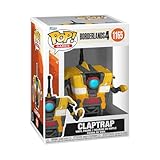
- IDEAL COLLECTIBLE SIZE - At approximately 3.75 inches (9.5 cm) tall, this vinyl figurine complements other collectable merchandise and fits perfectly in your display case or on your desk.
- PREMIUM VINYL MATERIAL - Made from durable vinyl, this collectible is built to last and withstand daily wear, ensuring long-lasting enjoyment for fans and collectors alike.
- GIFT IDEA FOR BORDERLANDS 4 FANS - Ideal for holidays, birthdays, or special occasions and as a present this figurine is a must-have addition to any Borderlands 4 merchandise collection
- EXPAND YOUR COLLECTION - Add this unique Claptrap vinyl display piece to your growing assortment of Funko Pop! figures, and seek out other rare and exclusive collectible items for a complete set
- LEADING POP CULTURE BRAND - Trust in the expertise of Funko, the premier creator of pop culture merchandise that includes vinyl figures, action toys, plush, apparel, board games, and more.
What about M-series Macs?
Epic’s Mac listing establishes storefront availability, but the published Borderlands 3 requirements are expressed in older Intel and AMD PC hardware rather than as an official M1, M2, M3, M4, or later equivalency chart. Do not treat “Mac OS” on the store page as a universal Apple-silicon guarantee.
Check your exact model, RAM, macOS version, available storage, and graphics capability under Apple menu → About This Mac. If the hardware is borderline, use a purchase platform with a refund policy and test promptly, or consider cloud gaming after confirming that the title is supported.
Independent reader supportYour contribution helps us test, update, and keep practical guides available for everyone.Can Mac players play with Windows or console friends?
Multiplayer compatibility has several layers:
- Can the game launch natively on macOS?
- Are players using compatible storefronts?
- Are they running the same edition and updates?
- Are the required online accounts and services working?
- Does that particular game support cross-platform play?
Borderlands 2
For a Steam-based group, buy Borderlands 2 on Steam. The Mac App Store version cannot play with Steam players. Do not generalize Steam co-op into universal crossplay with every console and PC version; platform and edition compatibility still matter.
Rank #4
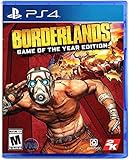
- Bazillions of guns: rocket-launching shotguns, enemy-torching revolvers, smgs that Fire Lightning rounds, and tons more.
- Radical art style: traditional rendering combined with hand-drawn textures give Borderlands its iconic style.
- Intense vehicular combat: behind the wheel, engage in frenetic vehicle-to-vehicle combat.
- Co-op frenzy: online or together on the couch, tear through enemies as a Crew of up to 4.
- With improved character models, weapons, textures, and more, Borderlands shines on a 4K display.
Borderlands 3
Epic’s current listing advertises cross-platform features and co-op. Before inviting friends, confirm their platforms, storefronts, game versions, downloadable content requirements, and any current account-linking requirements. A native Mac copy and a Windows copy streamed through a cloud service are also different support situations, even if both connect to the same online game.
Native installation or cloud gaming?
Install locally when:
- Your Mac is close to or above the game’s published requirements.
- You want the lowest possible input latency.
- You need to play without relying on broadband.
- You have sufficient local storage.
Local play can still involve macOS-version issues, graphics limitations, thermal throttling, and older ports that have not received modern compatibility fixes.
Quick wins for a faster PC:
Repair Windows errors before they cause bigger problemsFix Now →Fix the driver behind crashes, sound loss and screen glitchesFind Drivers →Clear out junk files and repair common Windows errorsFree Scan →Consider cloud gaming when:
- Your Mac’s graphics hardware is below Borderlands 3’s published baseline.
- You have a stable, sufficiently fast internet connection.
- You accept streaming latency and variable image quality.
- The specific game is available through the service and your owned storefront.
Nvidia says GeForce NOW supports Macs introduced in 2009 or later. That describes client-device support, not automatic availability of every Borderlands game. You generally need to own the game in a supported PC storefront, and membership tiers can affect queues, resolution, frame rate, and session limits.
Compatibility layers such as Wine or CrossOver, virtualization, and dual-boot approaches are advanced fallbacks—not guaranteed substitutes for a native Mac build. Their results depend on the exact game, macOS release, Mac hardware, and software version.
How to check your Mac before buying
- Open Apple menu → About This Mac and record the exact model, processor type, RAM, and macOS version.
- Identify the game and edition you actually want.
- Check the game’s current first-party requirements, not only an old store description.
- Confirm at least 40GB for Borderlands 2 or 75GB for Borderlands 3, with extra headroom for installation and updates.
- Check the graphics hardware, especially if you have an Intel MacBook or integrated graphics.
- Ask which storefront and platform your friends use.
- If using an external drive for Borderlands 2, avoid a case-sensitive Mac OS Extended volume.
- For cloud gaming, verify the game’s current catalog support and test your network before committing.
What should you buy?
- Best general native choice: Borderlands 2 on Steam. It has the clearest documented Mac path and is the safer pick for Steam-centered multiplayer.
- Best newer-game choice: Borderlands 3 through Epic, but only after checking your exact Mac against the demanding published requirements.
- Best option for weak hardware: A supported cloud-gaming route, provided the game is available there, you own it in a supported storefront, and your internet connection is reliable.
- Use the Mac App Store version of Borderlands 2 only when: you do not need to play with Steam users.
Do not buy a Windows listing assuming it will download as a native Mac game. Native Mac software, a Windows build running through compatibility software, and a Windows build streamed from the cloud are separate options with different support expectations.
Quick Recap
Product prices and availability are accurate as of the date/time indicated and are subject to change. Any price and availability information displayed on Amazon at the time of purchase will apply.
What’s actually slowing this PC down?
Pick the symptom - the matching free tool is one click away.




