Start with this diagnostic checklist
Before changing Windows files, confirm:
- Which program fails:
bughandler.dllis publicly associated with Duke Nukem Forever, especially the game’sSystemdirectory. - When the error appears: note whether it happens when launching the game, after an update, following antivirus activity, or after installing a mod.
- Which build you use: Steam, an original disc installation, or a modified/restoration build can contain different files.
- Your Windows architecture: the publicly indexed file is described as a 32-bit game DLL. A 32-bit game normally uses x86 supporting runtimes even on 64-bit Windows.
- The exact wording: “missing,” “specified module could not be found,” and “not designed to run on Windows” point to different stages of the Windows loader.
The Tool Desk
Outbyte PC Repair FREERepair Windows errors before they cause bigger problemsFix Now →Outbyte Driver Updater FREEScan for outdated or missing drivers - takes under a minuteDriver Scan →bughandler.dll is not a Windows component. It is a private application file associated with Duke Nukem Forever and should normally remain in the game’s own installation directory, not C:WindowsSystem32 or C:WindowsSysWOW64.
Fix 1: Verify Duke Nukem Forever in Steam
This is the safest and most likely solution because Steam can replace missing or damaged files without putting an unrelated DLL into Windows.
| # | Preview | Product | Price | |
|---|---|---|---|---|
| 1 |
|
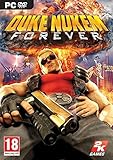
Duke Nukem Forever - PC | $19.99 | Buy on Amazon |
| 2 |

|
Duke Nukem Forever Special Edition | $44.99 | Buy on Amazon |
| 3 |

|
Duke Nukem Forever | $22.31 | Buy on Amazon |
| 4 |

|
Blaze Evercade EXP-R und Duke Nukem Collection 1 (Bundle) | $147.09 | Buy on Amazon |
| 5 |

|
Duke Nukem Logo Radiation Symbol Official Retro Gaming T-Shirt | $22.00 | Buy on Amazon |
As an Amazon Associate I earn from qualifying purchases.
- Open Steam.
- Select Library.
- Right-click Duke Nukem Forever.
- Choose Properties.
- Select Installed Files.
- Click Verify integrity of game files.
- Wait for the process to finish.
- Restart Steam and launch the game again.
If Steam reports that files were reacquired, test the game before making any other changes. The repaired file should be placed in the game’s installation tree, including its expected System directory.
If verification completes without resolving the error, restart Windows and run verification once more. If it still fails, continue with the clean-installation steps below.
#1 Best Overall
- Step into the ego filled shoes of Duke Nukem, the steroidal one-man army who never fails and always gets the babes
- Enjoy Duke's constant stream of hilarious one-liners throughout the game will have gamers rolling
- Spend as much time as you want shooting hoops, lifting weights, playing pinball, pool, air hockey, and slots
- Packed with explosive FPS action, outlandish settings, vehicle driving, and puzzle solving -- gamers will never tire of the endless fun
- Enjoy multiplayer option like no other as Duke re-envisions classic modes of play in his own hilarious and humiliating way
Fix 2: Repair or reinstall the original game
For a disc or other legitimate non-Steam installation, use the original installer rather than searching for an individual DLL.
- Close the game and its launcher.
- Open Settings with Windows key + I.
- Select Apps.
- Open Installed apps on Windows 11, or Apps & features on Windows 10.
- Find Duke Nukem Forever.
- If the entry offers Modify or Repair, use that option and follow the installer.
- If no repair option exists, uninstall the game.
- Restart Windows.
- Reinstall it from the original disc or other trusted installer.
- Launch the game before adding mods or custom files.
Do not repair a 2011 retail or Steam installation with files taken from an unrelated leaked build, restoration project, or mod package. Different builds can have different System directories and dependencies.
If reinstalling to the same location repeatedly fails, choose a clean directory with sufficient free space and temporarily remove unsupported modifications. Restore your saved games only after confirming that the unmodified installation launches.
Fix 3: Check antivirus quarantine
Security software may have quarantined a game file, but the error alone does not prove that happened.
- Open Windows Security.
- Select Virus & threat protection.
- Choose Protection history.
- Look for an event involving
bughandler.dllor the Duke Nukem Forever installation directory. - If the file was recovered from the original installation, select the event and choose Restore or Allow on device, when available.
- Run Steam verification or the original installer’s repair process afterward.
- Launch the game.
Restore the file only when the source is the original game installation or a known-good backup. Do not automatically whitelist a copy downloaded from a DLL repository. If the file came from an unknown source, remove it and reinstall the game instead.
Fix 4: Repair the legacy runtimes the game may need
Duke Nukem Forever’s original installation includes older DirectX and Visual C++ prerequisites. These packages can resolve broader launch failures, but they do not normally restore the private bughandler.dll file itself.
Rank #2
- Adult video game rated M
Use the official installers for the game’s legacy prerequisites:
Do these 3 things before closing this tab:
1Fix the driver behind crashes, sound loss and screen glitches2Repair Windows errors before they cause bigger problems3Scan for outdated or missing drivers - takes under a minute- Microsoft Visual C++ 2005 SP1 Redistributable ATL Security Update
- Microsoft Visual C++ 2008 SP1 Redistributable ATL Security Update
- DirectX End-User Runtime
Install the x86 Visual C++ packages for this 32-bit game, even when Windows itself is 64-bit. Installing only a newer Visual C++ package does not necessarily replace older side-by-side runtime versions.
After installation:
- Restart Windows.
- Run Steam file verification again, if applicable.
- Start Duke Nukem Forever without mods.
If the error specifically names bughandler.dll as missing, return to Fix 1 or Fix 2. Runtime installation is not a substitute for restoring the game’s own file.
Fix 5: Check compatibility and remove modifications
A wrong or damaged binary can produce messages such as “bughandler.dll is either not designed to run on Windows” or error 0xc000007b.
- Open the game’s installation folder.
- Right-click the game’s main executable.
- Select Properties.
- Open the Compatibility tab.
- Leave compatibility settings at their defaults initially.
- If the game previously worked under an older Windows configuration, test Windows 7 compatibility mode.
- Select Apply, then OK.
- Launch the game as usual.
Do not use compatibility mode as a replacement for a damaged installation. If the problem began after adding a mod, remove the mod files or reinstall the unmodified game, then test again.
Fix 6: Update graphics and chipset drivers only when other games also fail
A display driver does not normally supply bughandler.dll, but outdated or damaged drivers can cause separate game-launch or rendering failures.
Rank #3
To update through Device Manager:
- Right-click Start.
- Select Device Manager.
- Expand Display adapters.
- Right-click your graphics adapter.
- Select Update driver.
- Choose Search automatically for drivers.
- Restart Windows when prompted.
You can also expand System devices and update a chipset device only when you know it is related to a wider hardware problem. Do not replace bughandler.dll with a driver file.
Manually hunting through driver versions can mean guessing which of several packages is stale and repeating installs without knowing what changed. Outbyte Driver Updater can scan for outdated drivers, while the repair or driver installation is completed by the full version; reinstalling Duke Nukem Forever remains the definitive fix for its private DLL.
Fix 7: Investigate a dependency error when the file is present
“The specified module could not be found” does not always mean bughandler.dll itself is absent. Windows can display that message when the named DLL exists but one of its dependencies cannot load.
Free tools Windows power users keep installed
One-click scans. No signup required.
First:
- Open the game’s
Systemdirectory. - Confirm that
bughandler.dllis present. - Run Steam verification or repair the original installation.
- Check whether other game DLLs were quarantined.
- Repair the legacy Visual C++ and DirectX prerequisites.
- Test the unmodified game.
Do not download a replacement DLL simply because the named file is visible. A missing dependency, wrong-architecture file, or damaged installation can remain unresolved.
Fix 8: Repair Windows components only if Windows has other symptoms
SFC and DISM repair Windows components. They are not designed to retrieve a private DLL belonging to a game, so use them when Windows itself is also unstable or installers are failing.
Open an elevated Command Prompt:
- Press Start.
- Type
Command Prompt. - Right-click Command Prompt.
- Select Run as administrator.
- Approve the User Account Control prompt.
- Run:
DISM.exe /Online /Cleanup-Image /RestoreHealth
Wait for it to complete, then run:
sfc /scannow
Restart Windows afterward and test the game. If either command reports corruption it could not repair, address that Windows problem separately. Neither command should be expected to restore bughandler.dll to the Duke Nukem Forever directory.
Repeating SFC and DISM without knowing what changed can make troubleshooting harder. Outbyte PC Repair can scan for Windows issues and show what needs attention, while repairs are completed by the full version; reinstalling the game remains the definitive fix for a missing game-owned DLL.
Recommended Free Tools
Do not use System32, SysWOW64, or regsvr32
Do not copy bughandler.dll into:
C:WindowsSystem32C:WindowsSysWOW64- Another unrelated game’s directory
Those folders are not the expected home for this file. A random download may contain malware, the wrong architecture, or a different version, and it often leaves the damaged game installation unresolved.
Rank #4
- The new Evercade EXP-R portable retro game console from Evercade includes Duke Nukem Collection 1 (with 3 games) cartridge in a single package
- Evercade EXP-R offers classic and retro games for travel with a new retro color scheme
- TATE mode for vertical screen playback with dedicated keys
- Full compatibility with the Evercade cartridge library with over 60 cartridges and more than 600 games
regsvr32 is also normally irrelevant. It is intended for DLLs that provide registration entry points such as DllRegisterServer; ordinary private game libraries do not necessarily support them. Running this command can produce another error without repairing the launch problem.
Manual copying is appropriate only when you are copying the exact file from the same original installation or a known-good backup into Duke Nukem Forever’s own System directory.
Public file details, treated cautiously
Public indexing records describe bughandler.dll as bug-management code adapted with permission from John Robbins’ Bugslayer Library and attribute it to 3D Realms Entertainment. Those listings also report a 32-bit file associated with Duke Nukem Forever.
Windows Errors? Fix Them Before They Spread
Repair common Windows errors and clear accumulated junk for a smoother, more stable PC - no reinstall needed.Free scan · no reinstallCrashes, No Sound, or Screen Glitches?
Random freezes, missing sound and display glitches usually trace back to one bad driver. Find and replace yours safely.Free scan · under a minuteThe reported version, size, and hashes are repository metadata rather than an authoritative vendor manifest. Use them as clues, not as a guarantee that a downloaded file is authentic. There is no need to place the file in a Windows directory or use a hash from an indexing site as a substitute for Steam verification or the original installer.
FAQ
Is bughandler.dll part of Windows?
No verified evidence identifies it as a Windows-protected component. It is associated with Duke Nukem Forever and belongs in the game’s installation directory.
Which program uses bughandler.dll?
Duke Nukem Forever is the clearly identified program. Other private builds may contain different files, so do not assume that every build or mod uses the same DLL.
Best Value
- Retro Gaming Merchandise design. Retro Duke Nukem logo from the videogame series
- Officially licensed Duke Nukem swag!
- Lightweight, Classic fit, Double-needle sleeve and bottom hem
Is bughandler.dll 32-bit or 64-bit?
Public listings consistently describe it as a 32-bit game DLL. Do not replace it with a 64-bit file.
Should I download bughandler.dll separately?
No. Restore it through Steam verification, the original installer, a repair installation, or a known-good backup.
Does Visual C++ or DirectX install this file?
There is no evidence that those Microsoft runtimes directly install bughandler.dll. They may still be required for other Duke Nukem Forever launch errors.
What if the file exists but Windows says it cannot be found?
A dependency may be missing. Verify the complete game installation, check other quarantined files, repair the legacy runtimes, and test without modifications.
What if verification repeatedly fails?
Remove unsupported mods, check antivirus logs, ensure the drive has sufficient space, and reinstall to a clean directory from the original legitimate source. If the drive or other applications are also failing, investigate disk and Windows health separately.
Quick wins for a faster PC:
Clear out junk files and repair common Windows errorsFree Scan →Fix the driver behind crashes, sound loss and screen glitchesFind Drivers →



