What’s actually slowing this PC down?
Pick the symptom - the matching free tool is one click away.
Short answer: the Logitech MX Master 4 is usable for gaming, but it is not a credible replacement for a dedicated gaming mouse. Its ergonomic shape, quiet clicks, extra controls, long battery life, and multi-device support make it appealing for casual games, MMOs, strategy titles, simulations, and work-first setups. Its approximately 150 g weight and locked 125 Hz report rate make it a poor choice for competitive shooters and other games that demand rapid, consistent aim.
Buy the MX Master 4 primarily as a productivity mouse that can handle games—not as a gaming mouse that happens to be good for work.
As an Amazon Associate I earn from qualifying purchases.
The verdict by game type
| Game type | Verdict | Why |
|---|---|---|
| Competitive tactical FPS | Skip | Low 125 Hz reporting, high weight, and gaming-unfocused latency characteristics work against fast aim. |
| High-refresh arena shooters | Skip | Rapid sweeps, flicks, and repeated repositioning expose the mouse’s limitations. |
| Casual or single-player shooters | Usable | It tracks adequately for noncompetitive play, especially on a 60 Hz display. |
| MMOs and MOBAs | Reasonable with reservations | Extra controls and palm support can matter more than low weight, though button placement is not gaming-first. |
| Strategy and simulation | Good fit | Scrolling, menus, camera movement, and long sessions suit its productivity design. |
| Turn-based strategy, RPGs, browser and indie games | Good fit | These games rarely require esports-level sensor or click performance. |
That distinction matters. “Can game” and “is good for gaming” are different claims. The MX Master 4 can launch games, move accurately across a screen, and remain perfectly enjoyable in slower genres. It simply does not deliver the responsiveness, low mass, or competitive-focused controls expected from a modern gaming mouse.
What the MX Master 4 is designed to do
Logitech positions the MX Master 4 as an advanced productivity mouse rather than a dedicated gaming model. Its feature set makes that obvious: a right-handed palm-rest shape, thumb wheel, customizable controls, gesture and workflow features, haptic feedback, three-device switching, and Logi Options+ software.
#1 Best Overall

- Precision you can feel with the Haptic Sense Panel; customizable (1) haptic feedback on specific actions, shortcuts, notifications enhancing productivity on this wireless Bluetooth mouse
- Effortlessly access favorite tools with Actions Ring (2) on this MX Series mouse—a dynamic, customizable overlay adapts to each app, placing most used filters, adjustments, and shortcuts at your cursor
- Scroll 1,000 lines per second and stop on a pixel with the MagSpeed scroll wheel—Logitech’s fastest (3), quietest, and most precise (4) scrolling experience
- Enjoy 2X more powerful connectivity (7) with a USB-C dongle, advanced radio chip, and optimized antenna for faster, stronger, reliable performance—or use Bluetooth for more versatility
- Ergonomic mouse designed for comfort, MX Master 4 keeps you in flow with a natural tilt, intuitive buttons, and a thumb scroll wheel that reduces hand stress for fluid navigation
The mouse uses Logitech’s Darkfield high-precision sensor with a 200–8,000 DPI range. That range is useful for office work, but 8,000 DPI should not be mistaken for a gaming specification. DPI describes sensitivity or sensor resolution; it does not tell you how frequently the mouse reports movement, how quickly clicks register, how heavy the chassis is, or how smoothly it glides.
Logitech lists a 650 mAh rechargeable battery rated for up to 70 days, plus a claimed one-minute quick charge for approximately three hours of use. Those are manufacturer ratings, not guarantees, but they are meaningful advantages for a wireless work mouse. The battery is not user-replaceable, which is a long-term ownership caveat.
The launch U.S. MSRP was $119.99. Live pricing and promotions can change, so the value depends heavily on the price you find and how much you value its productivity features.
Quick wins for a faster PC:
Scan for outdated or missing drivers - takes under a minuteDriver Scan →Clear out junk files and repair common Windows errorsFree Scan →Fix the driver behind crashes, sound loss and screen glitchesFind Drivers →The two specifications that matter most for gaming
125 Hz report rate
Logitech’s support specification lists a 125 Hz report rate over both USB and Bluetooth. That means the mouse reports its position every 8 milliseconds. It does not mean that every click is automatically delayed by exactly 8 milliseconds, but it does limit how frequently movement updates reach the computer.
On a 60 Hz display, in a slow strategy game, or while navigating menus, most players will not find this inherently unusable. The limitation becomes more relevant on 144 Hz and 240 Hz displays, during rapid mouse sweeps, in low-sensitivity FPS play, and whenever small differences in aim consistency matter. Independent testing identifies the locked 125 Hz rate as a problem for high-refresh and fast-paced gaming.
The receiver does not solve the main limitation. Because Logitech lists the same 125 Hz figure for USB and Bluetooth, you should not assume that using a Logi Bolt receiver turns the MX Master 4 into a high-polling gaming mouse.
Source: Logitech’s MX Master 4 specification.
Approximately 150 g of weight
Logitech specifies a 150 g weight, while independent testing measured approximately 151.8 g. That is substantially heavier than many performance-oriented FPS mice.
Do these 3 things before closing this tab:
1Repair Windows errors before they cause bigger problems2Fix the driver behind crashes, sound loss and screen glitches3Clear out junk files and repair common Windows errorsThe weight can feel planted and reassuring during ordinary desktop use. In games requiring large arm movements, however, it makes repeated lift-and-reset motions more tiring. The large body can also catch on a mousepad or restrict how quickly you change direction. For many FPS players, this physical limitation will be at least as noticeable as the report rate.
Rank #2

- Precision you can feel with the Haptic Sense Panel; customizable (1) haptic feedback on specific actions, shortcuts, notifications enhancing productivity on this wireless Bluetooth mouse
- Effortlessly access favorite tools with Actions Ring (2) on this MX Series mouse—a dynamic, customizable overlay adapts to each app, placing most used filters, adjustments, and shortcuts at your cursor
- Scroll 1,000 lines per second and stop on a pixel with the MagSpeed scroll wheel—Logitech’s fastest (3), quietest, and most precise (4) scrolling experience
- Enjoy 2X more powerful connectivity (7) with a USB-C dongle, advanced radio chip, and optimized antenna for faster, stronger, reliable performance—or use Bluetooth for more versatility
- Ergonomic mouse designed for comfort, MX Master 4 keeps you in flow with a natural tilt, intuitive buttons, and a thumb scroll wheel that reduces hand stress for fluid navigation
Comfort and control are not the same thing. A large palm rest may reduce hand strain during work or a relaxed RPG session while simultaneously making rapid aiming less efficient.
How the shape feels for gaming
The MX Master 4 is right-handed only and built around palm support. It is most naturally suited to a palm grip or relaxed claw grip. Fingertip users and players accustomed to small, lightweight symmetrical mice are less likely to enjoy it.
The thumb rest and textured grip areas can make long sessions comfortable, but fit depends on hand size. A large hand may appreciate the broad palm support; a smaller hand may find the rear of the mouse difficult to control while reaching the thumb wheel and side controls. Extra buttons are valuable only when you can reach them without changing your grip or accidentally pressing them.
The textured hard plastic and silicone grip areas are productivity-oriented refinements from the MX Master 3S generation. They may improve handling and perceived durability, but they do not turn the mouse into a gaming design. Sweaty hands, grip preference, and mousepad friction will affect the result more than the marketing language suggests.
Controls: genuinely useful in some games
The MX Master 4’s additional controls can be useful in games with many commands:
- MMOs: assign utility skills, inventory, map, or camera commands where the placement works for your hand.
- MOBAs: use extra buttons for commonly repeated utility actions, while keeping in mind that competitive players may prefer a more familiar side-button layout.
- Strategy and simulation: map camera movement, menus, map layers, or frequently used interface actions.
- Productivity-adjacent games: the horizontal scroll wheel and gesture controls can be convenient in menu-heavy software and management games.
Button count is not the same as useful button placement. The MX Master 4’s thumb wheel and workflow controls were designed around documents, timelines, browsers, and applications—not rapid combat input. They can help in slower games, but they may be awkward during tense play.
Clicks and wheels
Quiet clicks are a clear advantage in shared offices, bedrooms, and streaming setups where noise matters. Logitech claims its Quiet Click technology reduces click noise by 90% compared with the MX Master 3; that is a manufacturer comparison rather than an independent measurement.
Quiet switches can feel less sharp than the crisp, fast actuation many gaming mice provide. That is not automatically a defect, but competitive players should care about click feel, actuation speed, debounce behavior, and click latency—not just volume.
Rank #3

- Mastered for Mac: With matching Apple finishes, Logi Options+ functions for macOS (1), USB-C charging while you work (cable not included), MX Master 4 for Mac makes for a perfect fit with your Apple setup
- Precision you can feel with the Haptic Sense Panel; customizable (1) haptic feedback on specific actions, shortcuts, notifications enhancing productivity on this wireless Bluetooth mouse
- Effortlessly access favorite tools with Actions Ring (2) on this MX Series mouse—a dynamic, customizable overlay adapts to each app, placing most used filters, adjustments, and shortcuts at your cursor
- Scroll 1,000 lines per second and stop on a pixel with the MagSpeed scroll wheel—Logitech’s fastest (3), quietest, and most precise (4) scrolling experience
- Ergonomic mouse designed for comfort, MX Master 4 for Mac keeps you in flow with a natural tilt, intuitive buttons, and a thumb scroll wheel that reduces hand stress for fluid navigation
The free-spinning scroll wheel is excellent for long documents and large menus. In games, it can be useful for inventory or weapon selection, though some players will prefer a more controlled gaming wheel. The horizontal wheel is valuable in strategy and simulation interfaces but has limited relevance in most action games. As with the thumb controls, accidental activation and reachability depend on your grip.
Wireless connection and software
The MX Master 4 supports Bluetooth Low Energy and Logitech’s Logi Bolt wireless ecosystem, with switching across up to three devices. For a desk shared between a work computer, personal PC, and laptop, that convenience is a major reason to buy it. Wireless performance is not inherently laggy or lag-free; interference, distance, receiver placement, sleep behavior, and the computer all matter.
Advanced customization runs through Logi Options+. It provides button remapping, application-specific profiles, the Actions Ring, Smart Actions, haptic settings, device switching, and firmware updates. These are excellent workflow features, but they can feel like an office software layer being pressed into gaming.
Free tools Windows power users keep installed
One-click scans. No signup required.
Before relying on custom game controls, check what persists without Options+. Advanced support is centered on Windows and macOS. Basic mouse functions may work on ChromeOS, Linux, iPadOS, and Android, but advanced customization can be unavailable on those platforms or on a managed computer where software installation is blocked.
Windows 11 haptic integration also depends on the relevant software and firmware support. Haptics may add useful feedback to workflow shortcuts, but they do not improve sensor speed or aiming performance.
Independent reader supportYour contribution helps us test, update, and keep practical guides available for everyone.MX Master 4 versus MX Master 3S
If you already own an MX Master 3S, the MX Master 4 should not be treated as a gaming upgrade. Independent comparison coverage describes the newer model as a refinement of the productivity formula, with changes to areas such as the palm rest, click-button geometry, and grip materials—not a transformation into a gaming mouse.
Both are fundamentally aimed at comfort, office controls, quiet operation, and multi-device work. Upgrade for productivity features, haptics, materials, or ergonomics if those matter to you. Do not upgrade expecting competitive FPS performance.
If the MX workflow is what you want and the 3S is substantially cheaper, the older model may be the better value for occasional gaming.
Rank #4
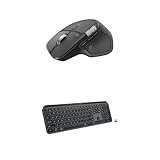
- Precision you can feel with the Haptic Sense Panel; customizable (1) haptic feedback on specific actions, shortcuts, notifications enhancing productivity on this wireless Bluetooth mouse
- Effortlessly access favorite tools with Actions Ring (2) on this MX Series mouse—a dynamic, customizable overlay adapts to each app, placing most used filters, adjustments, and shortcuts at your cursor
- Scroll 1,000 lines per second and stop on a pixel with the MagSpeed scroll wheel—Logitech’s fastest (3), quietest, and most precise (4) scrolling experience
- Fluid Typing Experience: This Logitech MX keyboard, with its laptop-like profile and spherically-dished keys, delivers a fast, fluid, and precise typing experience
- Automate Repetitive Tasks: Easily create and share time-saving Smart Actions shortcuts to perform multiple actions with a single keystroke with this Logitech keyboard and the Logi Options+ app (1)
Source: RTINGS’ MX Master 4 and MX Master 3S comparison.
How it compares with a gaming mouse
| Priority | MX Master 4 | Dedicated gaming mouse |
|---|---|---|
| Office comfort | Large ergonomic palm shape | Varies; often optimized for lighter movement |
| Competitive aim | Limited by 125 Hz reporting and high weight | Typically prioritizes high polling, low latency, and low mass |
| Controls | Thumb wheel, gestures, and workflow buttons | Usually more game-oriented side-button placement |
| Connectivity | Bluetooth, Logi Bolt, and device switching | Usually focused on one gaming PC, often with gaming-specific wireless modes |
| Software | Logi Options+ productivity profiles and automations | Usually onboard memory and game profiles |
| Battery | Up to 70 days claimed by Logitech | Varies; often trades some battery life for performance features |
There is no universally better design. The MX Master 4 is better when one mouse must move between spreadsheets, creative applications, browsing, and occasional games. A gaming mouse is better when the priority is rapid repositioning, consistent aim, minimal latency, and competitive profiles.
Who should buy it?
Buy the MX Master 4 if:
- Your primary use is work and gaming is occasional.
- You mostly play strategy, simulation, MMO, RPG, management, or single-player games.
- You want a comfortable right-handed palm shape.
- Quiet clicking and long battery life matter.
- You need one mouse for several devices.
- Extra controls are more valuable to you than low weight.
- Accessibility needs make a larger ergonomic body preferable to a lightweight esports design.
Buy it only with reservations if:
- You play both competitive and casual games.
- You own a high-refresh-rate monitor but do not play competitively.
- You are moving from a lightweight gaming mouse.
- You need many buttons but also make frequent, fast movements.
- You are considering an upgrade from an MX Master 3S mainly for gaming.
Skip it if:
- Competitive FPS is your main use.
- You play low sensitivity and make large arm swipes.
- You specifically expect a 1,000 Hz-or-higher report rate.
- You want onboard game profiles and gaming-focused controls.
- You prioritize the lowest possible click and sensor latency.
- You want a lightweight mouse for flicks and repeated lift-offs.
Alternatives
MX Master 3S: choose it when you want the same general work-first experience at a meaningful discount. It is not a competitive gaming solution, but it may be sufficient for occasional games.
Logitech G gaming mice: if FPS performance is the priority, look at Logitech’s gaming range rather than the MX line. Logitech’s own product positioning points gaming users toward gaming-first hardware such as the G Pro X2 Superstrike. Check the exact model’s current weight, polling options, connection modes, and price before buying from the Logitech G product range.
Keychron M6: RTINGS identifies it as a lower-cost comfort-and-productivity alternative worth considering. Verify its current availability, software compatibility, report rate, and price before purchase.
Final recommendation
The Logitech MX Master 4 is a strong premium productivity mouse that can handle the right games. Its controls and comfort make genuine sense for strategy, simulation, MMO, RPG, and casual play. But the approximately 150 g chassis and 125 Hz report rate are fundamental compromises, not settings you can fix in software.
Buy it for work first and gaming second. Keep it as a second mouse if you already own a dedicated gaming model. Choose a gaming-first mouse instead if competitive FPS performance is the reason you are shopping.
Recommended Free Tools
Quick Recap
Product prices and availability are accurate as of the date/time indicated and are subject to change. Any price and availability information displayed on Amazon at the time of purchase will apply.




