Free tools Windows power users keep installed
One-click scans. No signup required.
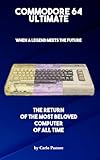
The Commodore 64 Ultimate is a new, standalone C64-compatible computer built around an AMD Xilinx Artix-7 FPGA. It is designed to reproduce the original machine’s hardware while adding HDMI, USB, Wi-Fi, Ethernet, modern file loading and support for many original peripherals. Commodore claims more than 99.9% compatibility with original C64 software and peripherals, but that is a manufacturer claim—not a documented independent test of every program, cartridge, timing quirk and accessory.
For former C64 owners, collectors, programmers and demoscene fans, it is much more than a miniature game console. It can load disk, tape, cartridge, PRG, T64 and SID files, run BASIC, connect to original-style hardware and access software through Commodore’s CommoServe service. Its appeal depends on how much you value FPGA-level hardware reproduction and original peripherals over the convenience and lower cost of software emulation or the C64 Mini.
As an Amazon Associate I earn from qualifying purchases.
What is the Commodore 64 Ultimate?
The Commodore 64 Ultimate is a modern recreation of the Commodore 64 in an original-style computer case. It is available in breadbin-style and slimline C64C-style designs, with the official product page describing the internal specifications as otherwise the same.
Unlike a simple retro console with a fixed game list, the C64 Ultimate is intended to behave as a general-purpose C64. You can use BASIC, load homebrew and commercial software, play SID music, connect joysticks and original media hardware, and experiment with expanded memory and turbo modes.
#1 Best Overall

- A glorious half-size recreation of the iconic C64 in a striking black finish
- 25 of the highest rated new games, including; Sam’s Journey, A Pig Quest, Steel Ranger and Knight ‘n’ Grail
- High Definition output at 720p 50 or 60Hz
- Play in original 4:3 or pixel perfect aspect ratios, with or without CRT filters
- Save your progress in one of four save-game slots per game, and return at any time
It is also distinct from the independent Ultimate64. Both products are associated with FPGA developer Gideon Zweijtzer, but they are separate hardware and firmware paths. Commodore says the products have a shared origin while warning that firmware made for one should not automatically be used on the other.
FPGA versus software emulation
An FPGA is a programmable chip that can be configured to reproduce the logic of hardware circuits. In the C64 Ultimate, the FPGA is intended to reproduce the C64’s CPU, video, sound, memory and peripheral behaviour at the hardware-logic level.
A software emulator instead recreates the computer in a program running on a general-purpose processor. Mature emulators can be highly accurate, but their behaviour also depends on the host operating system, emulator configuration, input devices and video and audio pipeline.
That distinction matters to enthusiasts, but FPGA does not automatically mean perfect compatibility. Hardware reproduction, cycle-level timing, electrical compatibility, regional timing, physical-media condition and unusual third-party devices are separate questions. The most accurate description is that the C64 Ultimate is not a conventional software emulator and is designed for hardware-level reproduction, while some edge cases may still behave differently from an original C64.
How compatible is it?
Commodore advertises compatibility with more than 10,000 C64 games and claims “over 99.9%” compatibility with original software and peripherals. Those figures should be treated as positioning claims from the manufacturer rather than independently verified pass rates.
For ordinary use, compatibility should be strongest with standard commercial games, BASIC programs, common homebrew, typical demos, SID music and files designed for normal C64 hardware. The documented workflows cover:
- Disk images
- Cartridge ROM files and physical cartridges
- Tape images and cassette equipment
.PRGand.T64files.SIDmusic files- File browsing and storage operations
The user guide documents these categories, while the official hardware page lists support for original-style cartridges, disk drives, Datasette equipment, joysticks and video connections.
Quick wins for a faster PC:
Fix the driver behind crashes, sound loss and screen glitchesFind Drivers →Repair Windows errors before they cause bigger problemsFix Now →Scan for outdated or missing drivers - takes under a minuteDriver Scan →Rank #2

- High definition output at 720p via HDMI
- Pixel Perfect display, with US/Europe display modes and crt filter options
- Save game function. Supports software updates via USB flash drive
- 2 USB ports: plug in a USB keyboard and use as a fully functional home computer, or add a second joystick for 2-player games
- Included: The C64 Mini computer, Classic USB joystick, HDMI cable, USB cable for power, 64 preinstalled games, instruction manual. *AC USB adaptor not included
Less predictable are programs that depend on unusual copy-protection hardware, undocumented chip behaviour, exact PAL or NTSC timing, specific SID revisions, custom cartridges, freezer cartridges, REU behaviour, fast-loaders or unsupported user-port devices. Printers, modems, MIDI hardware and other accessories should not be assumed to work merely because they connect physically.
In short, “most classic C64 software” is a reasonable expectation. “Every C64 program and peripheral” is not.
Hardware and connections
The main specifications listed by Commodore include:
- FPGA: AMD Xilinx Artix-7
- Memory: 128 MB DDR2, allocated across system memory, REU, GeoRAM and RAM-disk functions
- Flash: 16 MB NOR flash
- Video: HDMI at 1080p and 50 Hz PAL or 60 Hz NTSC, plus analog output through an 8-pin DIN connector supporting CVBS, S-Video or RGB
- Audio: Two sockets for physical 6581 or 8580 SID chips, alongside FPGA-based SID functionality
- Connectivity: USB, Wi-Fi, Ethernet, HDMI, cartridge, cassette, disk-drive and joystick connections
- User port: An internal 26-pin connection, with an adapter sold separately
- Turbo: Commodore advertises processor speeds up to 64 times the original speed for supported uses
The result is a machine that can connect to a modern television while retaining interfaces intended for period hardware. That combination is one of its biggest advantages over a basic retro-gaming device.
Why the physical SID sockets matter
The Sound Interface Device, or SID, is central to the C64’s distinctive audio. Different SID revisions—notably the 6581 and 8580—can produce noticeably different character, and some software was composed or tuned with a particular revision in mind.
The C64 Ultimate provides two physical SID sockets and advertises support for both revisions. Owners who already have suitable chips can use them for a more collector-oriented setup, while the FPGA-based SID means physical chips are not necessarily required for ordinary gaming or music playback.
Check the exact edition and package contents before buying. Socket support does not necessarily mean that two original SID chips are included. Second-hand chips also vary in condition, voltage requirements and compatibility, so installation should be treated carefully.
How to load games and software
Supplied storage
Selected editions ship with a cassette-style USB drive containing more than 100 titles, including games, licensed classics, music, demos and Commodore’s Jupiter Lander sequel. The exact contents can vary by edition, so verify the product listing for the model being purchased.
Recommended Free Tools
Built-in file browser
The C64 Ultimate’s file browser supports separate workflows for disk images, cartridge ROMs, tape images, PRG and T64 files, SID files and general file operations. The exact button labels and menu paths are version-sensitive, so use the official user guide for the current procedure.
Disk-based games may require selecting the correct image, mounting more than one disk or responding to disk-change prompts. Tape images and physical cassettes retain more of the original loading experience and may be considerably slower.
CommoServe
Commodore says the computer can access its CommoServe service directly, allowing users to search for software titles and download additional content as the service expands.
Original media
The machine is advertised as supporting original cartridges, C64 disk drives through the IEC-style port and Datasette equipment through the cassette connector. It also accepts DB9-style joysticks and controllers and provides original-style analog video output.
The Tool Desk
Outbyte PC Repair FREEClear out junk files and repair common Windows errorsFree Scan →Outbyte Driver Updater FREEScan for outdated or missing drivers - takes under a minuteDriver Scan →Legal status still matters. Public-domain, freely licensed, homebrew and officially licensed files are different from copyrighted software obtained from an unofficial source. Use software that you own or that its rights holder legitimately distributes.
PAL, NTSC and timing-sensitive software
The C64 Ultimate supports HDMI output at 50 Hz PAL or 60 Hz NTSC. This is important because software, demos, cartridges and music can depend on regional video timing. A buyer with a European collection may want PAL behaviour, while a North American collection may be built around NTSC software.
Rank #4

- HDMI - High Definition output at 720p 50 or 60Hz.
- 64 Built in Games - Contains a fabulous library of games, all easily accessible through a user friendly carousel.
- Save Your Progress -Each game supports four save game slots so you can save your progress and return at any time.
- Fully Working Keyboard - An amazing recreation of the original. Write your own programs and save them to USB stick.
- Multiple USB Ports - Multiple USB ports support the connection of Joysticks, gamepads, mice, USB sticks and keyboards.
Switching the video setting does not guarantee perfect compatibility with every regional title. The display must also accept the selected refresh rate, and some programs depend on timing details beyond the output frequency alone.
Firmware status in 2026
As of August 18, 2026, Commodore’s download center lists firmware version 1.1.0, dated March 16, 2026. The update includes USB mouse support, BASIC-editor improvements and a music-detection mode for Starlight and Founders Editions, alongside other changelog items.
Outdated Drivers Are Slowing You Down
One free scan finds every outdated or missing driver and matches the right update for your exact hardware.Free scan · exact hardware matchWindows Errors? Fix Them Before They Spread
Repair common Windows errors and clear accumulated junk for a smoother, more stable PC - no reinstall needed.Free scan · no reinstallFirmware should be matched to the exact Commodore 64 Ultimate model and revision. Do not install Ultimate64 firmware simply because the products share technical lineage.
What about third-party firmware?
In an April 15, 2026 statement, Commodore clarified that it would not lock the FPGA or prevent owners from experimenting with community firmware, patches and modifications. However, such modifications are unsupported, used at the owner’s risk and may leave damage or bricking outside warranty and official support.
That is different from calling the current product permanently locked. The practical position is: experimentation may be possible, but official support and warranty protection are not guaranteed after unsupported firmware changes.
The learning curve is real
Modern HDMI and networking do not remove the C64’s older workflows. New users may need to learn how disk images work, how to browse a directory, how C64 drive numbers are used and when to enter commands such as LOAD and RUN.
TechRadar’s hands-on review found the computer capable of running BASIC, browsing online software and working with original joystick and cassette hardware, but also described an initial learning curve and slow loading. That combination is central to the product: it offers much more depth than a curated console, but it does not always provide modern-console simplicity.
Best Value

- Vintage Computer design. Commodore - C64 - Uppercase Letter & Commodore - Lettering Blue/Red
- Commodore C64 Uppercase Letter & Commodore Blue / Red
- Lightweight, Classic fit, Double-needle sleeve and bottom hem
Common problems and practical fixes
No picture or a black screen
- Check the selected HDMI input and cable.
- Confirm that the display accepts the selected 50 Hz PAL or 60 Hz NTSC signal.
- Try the analog output if your setup supports it.
- Check power connections before troubleshooting software.
A game does not load
- Confirm that the file type is supported.
- Try a known-good image.
- Check whether the game requires multiple disks or a particular fast-loader arrangement.
- Retry with enhanced modes disabled.
- Test the same software through another loading method if available.
A cassette fails
Old tape degradation, alignment and failing cassette hardware are common possibilities. Compare the result with a known-good tape image before concluding that the FPGA implementation is incompatible.
A cartridge behaves incorrectly
Clean and inspect the cartridge contacts, test another cartridge and consider regional or timing requirements. Do not assume that unsupported custom cartridge hardware will work.
A joystick is not detected
Test both DB9 ports and confirm that the device is a joystick rather than a paddle, mouse or another C64 accessory. USB mouse support is available after updating to the relevant firmware.
SID audio sounds different
Check whether the software expects a 6581 or 8580-style sound and whether a physical SID is installed correctly. Compare the physical-chip output with the FPGA audio mode where possible.
Who should buy the C64 Ultimate?
It makes sense for:
- Former C64 owners who want a new machine rather than a fragile original power supply and motherboard
- Collectors who value an official Commodore-branded computer
- Users with original cartridges, joysticks, cassettes or disk drives
- BASIC programmers, homebrew developers and demoscene enthusiasts
- Musicians and enthusiasts interested in physical SID options
- Buyers who want HDMI and networking without giving up legacy connections
Consider something else if:
- You only want to play a few famous C64 games as cheaply as possible
- You want a simple plug-and-play console with no legacy workflow
- You need portability or support for many different retro systems
- You have no interest in original peripherals, BASIC or file-based loading
- You prefer modern controller mapping and contemporary menus
C64 Ultimate versus the alternatives
| Alternative | Best for | What you give up |
|---|---|---|
| Original C64 | Owners seeking the original electrical hardware and authentic quirks | Age-related failures, maintenance, legacy video and unreliable power supplies |
| Ultimate64 | Experienced enthusiasts comfortable with an independent FPGA ecosystem | A turnkey Commodore-branded case, retail packaging and the same official support path |
| C64 Mini | Casual players wanting a simpler and generally cheaper introduction | Much of the original-peripheral, physical-media and full-computer experience |
| Software emulation such as VICE | Low-cost access, portability and extensive configuration | A dedicated keyboard computer, FPGA hardware reproduction and convenient original-style ports |
| Other FPGA platforms | Users who want several classic systems in one device | The focused C64 form factor and Commodore-specific peripheral experience |
Price and ownership considerations
When checked in the supplied research, Commodore’s standard computer page displayed a $349.99 listed price and a $299.99 sale price before tax. Prices, stock, delivery dates and included accessories can change, and shipping, tax or customs charges may apply.
Budget separately for the things your setup may need: a compatible joystick, a user-port adapter, physical SID chips, disk or cassette equipment, cables and possibly a display that accepts the desired analog or HDMI signal. The official page states a one-year limited warranty, while local consumer-law rights may provide additional protection.
Verdict
The Commodore 64 Ultimate is best understood as a premium, modern C64 computer rather than a retro game box. Its Artix-7 FPGA, original-style ports, HDMI output, file browser, networking, memory expansion and physical SID support make it unusually capable for enthusiasts.
What’s actually slowing this PC down?
Pick the symptom - the matching free tool is one click away.
It should run the overwhelming majority of ordinary C64 software, but Commodore’s “over 99.9%” figure should not be read as a guarantee that every unusual program, cartridge, peripheral, tape or disk will work. Buy it for broad compatibility, original-peripheral support and the experience of using a dedicated C64 again—not solely because a headline percentage promises perfection.
Quick Recap
Product prices and availability are accurate as of the date/time indicated and are subject to change. Any price and availability information displayed on Amazon at the time of purchase will apply.




