Couch co-op is a type of local multiplayer in which players work together while playing in the same place. Local multiplayer is the broader term: it can mean cooperative or competitive play, on one device or, depending on the platform’s terminology, over a local network. Neither label tells you whether the game uses split screen.
How are couch co-op and local multiplayer different?
The key difference is what each phrase describes. Co-op describes the relationship between players: they cooperate toward a shared goal. Multiplayer means multiple people play, but they might be teammates or opponents.
| # | Preview | Product | Price | |
|---|---|---|---|---|
| 1 |

|
Marvel vs. Capcom Fighting Collection: Arcade Classics - Nintendo Switch | $24.88 | Buy on Amazon |
| 2 |

|
Minecraft - Nintendo Switch | $29.83 | Buy on Amazon |
| 3 |
|
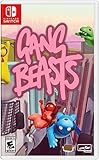
Gang Beasts - Nintendo Switch | $24.90 | Buy on Amazon |
As an Amazon Associate I earn from qualifying purchases.
“Couch co-op” usually means cooperative play with people together in the same room. Nintendo uses the phrase for compatible games played locally on one Switch system or, in some cases, across linked systems. Its Play Together guidance describes local multiplayer as also known as couch co-op.
PC Slower Than It Used to Be?
A free scan shows the junk files, broken settings and background clutter dragging Windows down - then fixes them in one click.Free scan · Windows 10 & 11Crashes, No Sound, or Screen Glitches?
Random freezes, missing sound and display glitches usually trace back to one bad driver. Find and replace yours safely.Free scan · under a minute“Local multiplayer” is broader, but its exact meaning depends on the game or platform. Microsoft’s Game Development Kit describes local living-room play on one device, while Xbox publishing guidance uses “local multiplayer” and “local co-op” for play over a local network. Microsoft’s common multiplayer scenarios documentation and Xbox capability-label guidance therefore use terms that can refer to different arrangements.
#1 Best Overall
- Experience your Favorite MARVEL vs. CAPCOM classics All in One – Enjoy 7 of your favorite classic titles that helped shaped the MARVEL vs. CAPCOM universe both single player and online.
- Enjoy Enhanced Features Added to the Classic Collection – To enhance your playability experience, we incorporated the favorite added features from Capcom Fighting Collection including gallery mode, quick save, training mode for all fighting titles, and the high score challenge. Beginners and first timers into the franchise are also welcome to play through adjusted settings and execution of one-button specials!
- Play with Friends Worldwide through Online Compatibility – This collection also includes rollback net code for a smooth and enjoyable experience online. Play casually or competitively through casual, ranked, or custom matches using rules of your choosing!
Does couch co-op mean split screen?
No. Co-op tells you that players work together; it does not specify how the game displays them. Local play may show everyone in one shared view, divide the display into split-screen views, or have players take turns on the same device in a hot-seat format. Microsoft’s GDK describes these as distinct ways to present local play.
Can local multiplayer be versus?
Yes. Local multiplayer can be cooperative or competitive. A game that lets nearby players compete against one another is local multiplayer even though it is not couch co-op. Check the game’s mode description for whether players cooperate, compete, or can choose either.
Rank #2
- Minecraft is a game about placing blocks and going on adventures
- Explore randomly generated worlds and build amazing things from the simplest of homes to the grandest of castles
- Play in creative mode with unlimited resources or mine deep into the world in survival mode, crafting weapons and armor to fend off the dangerous mobs
- Play on the go in handheld or tabletop modes
- Includes Super Mario Mash-Up, Natural Texture Pack, Biome Settlers Skin Pack, Battle & Beasts Skin Pack, Campfire Tales Skin Pack; Compatible with Nintendo Switch only
What should you check before choosing a game?
Store labels are useful clues, but they may not answer every setup question. Check the game’s current listing and instructions for these details:
Free tools Windows power users keep installed
One-click scans. No signup required.
- Connection: Do players use the same device, or connect over a local network?
- Mode: Is play cooperative, versus, or both?
- Display: Is there a shared view, split screen, or turn-taking?
- Player count: How many people can play in the specific mode?
- Controllers: How many are required, and which types are compatible?
- Platform and version: Does the mode work on your console generation and game edition?
For example, the Xbox listing for A Way Out identifies local multiplayer and shared/split-screen capabilities separately. That illustrates why checking a particular game’s listing is more reliable than inferring its setup from “co-op” or “multiplayer” alone.
Rank #3
- Gang Beasts is a silly multiplayer party game set in the mean streets of Beef City with surly gelatinous characters, brutal slapstick fight sequences, and absurd hazardous environments
- Customize your characters with hundreds of colorful costumes
- Experience hilarious and gelatinous ragdoll physics
- Play locally or online with up to 8 players
- Experience Local Wireless Multiplayer, exclusively on Nintendo Switch
Do you need extra controllers?
It depends on the title, player count, and console setup. Nintendo notes that compatible games may require additional Joy-Con controllers, and that controller needs vary by game and number of players. Check the game’s requirements and controller compatibility before inviting a group; the label “couch co-op” does not by itself mean you need to buy another controller.
Quick Recap
Product prices and availability are accurate as of the date/time indicated and are subject to change. Any price and availability information displayed on Amazon at the time of purchase will apply.




