Outdated Drivers Are Slowing You Down
One free scan finds every outdated or missing driver and matches the right update for your exact hardware.Free scan · exact hardware matchPC Slower Than It Used to Be?
A free scan shows the junk files, broken settings and background clutter dragging Windows down - then fixes them in one click.Free scan · Windows 10 & 11Usually, an SSD upgrade gives a handheld gaming PC more internal storage; the available evidence does not show that replacing the SSD alone meaningfully improves gaming battery life or frame rates. Faster loading is a separate benefit from faster gameplay. Before buying a drive, check your handheld’s exact model, SSD size, interface and physical clearance.
What an SSD upgrade can—and cannot—change
Capacity
A larger compatible SSD gives you more room for installed games. That is the clearest reason to upgrade: you can keep more games on the device without relying as much on removable storage or uninstalling titles to make space.
As an Amazon Associate I earn from qualifying purchases.
Loading times
Storage affects how quickly some data-loading tasks complete, but loading speed is not the same as frame rate, smoothness or battery endurance. ASUS says the ROG Ally’s microSD loading times were close to those of its dedicated PCIe Gen 4 SSD in the comparison on its ROG Ally product page. That is a manufacturer claim about loading—not evidence that an SSD swap raises FPS or makes the battery last longer.
Frame rate and sustained performance
The cited sources do not provide a controlled before-and-after test that changes only the SSD in a handheld. There is therefore no basis here to promise higher FPS or fewer stutters from replacing the drive alone. Gaming performance also depends on factors such as the APU, power profile, thermals, game, drivers and graphics settings; GamersNexus’s handheld comparison discusses APU power and power and thermal limits.
#1 Best Overall

- PCIe 4.0 Performance: Delivers up to 7,100 MB/s read and 6,000 MB/s write speeds for quicker game load times, bootups, and smooth multitasking
- Spacious 2TB SSD: Provides space for AAA games, apps, and media with standard Gen4 NVMe performance for casual gamers and home users
- Broad Compatibility: Works seamlessly with laptops, desktops, and select gaming consoles including ROG Ally X, Lenovo Legion Go, and AYANEO Kun. Also backward compatible with PCIe Gen3 systems for flexible upgrades
- Better Productivity: Up to 2x faster than previous Gen3 generation. Improve performance for real world tasks like booting Windows, starting applications like Adobe Photoshop and Illustrator, and working in applications like Microsoft Excel and PowerPoint
- Trusted Micron Quality: Built with advanced G8 NAND and thermal control for reliable Gen4 performance trusted by gamers and home users
Battery life
No cited source isolates an SSD swap as the cause of a measured change in handheld gaming endurance. Battery life varies with the device, game, display and power settings. Tom’s Hardware notes that its observed battery life changed with game and settings, while GamersNexus discusses endurance in the context of battery size and system power. Those whole-device observations cannot establish the effect of changing the SSD.
Check SSD compatibility before buying
There is no single SSD size that fits every handheld gaming PC. The original ROG Ally and the Ally X are a useful example: ASUS lists an M.2 2230 Gen4x4 SSD in the original Ally test configuration, while its ROG Ally X announcement specifies a redesigned motherboard with an M.2 2280 slot and a 1TB drive. The Ally X also has an 80Wh battery, but that is a device-design difference—not evidence that its SSD improves battery life.
Rank #2
- PCIe 4.0 Performance: Delivers up to 7,100 MB/s read and 6,000 MB/s write speeds for quicker game load times, bootups, and smooth multitasking
- Spacious 1TB SSD: Provides space for AAA games, apps, and media with standard Gen4 NVMe performance for casual gamers and home users
- Broad Compatibility: Works seamlessly with laptops, desktops, and select gaming consoles including ROG Ally X, Lenovo Legion Go, and AYANEO Kun. Also backward compatible with PCIe Gen3 systems for flexible upgrades
- Better Productivity: Up to 2x faster than previous Gen3 generation. Improve performance for real world tasks like booting Windows, starting applications like Adobe Photoshop and Illustrator, and working in applications like Microsoft Excel and PowerPoint
- Trusted Micron Quality: Built with advanced G8 NAND and thermal control for reliable Gen4 performance trusted by gamers and home users
Before ordering, confirm all of the following for your exact handheld model and revision:
Quick wins for a faster PC:
Repair Windows errors before they cause bigger problemsFix Now →Fix the driver behind crashes, sound loss and screen glitchesFind Drivers →Clear out junk files and repair common Windows errorsFree Scan →- Physical size: Match the supported M.2 length, such as 2230 or 2280.
- Interface: Confirm the drive’s interface is supported; a matching length alone does not establish compatibility.
- Clearance: Check that the drive fits the device’s physical layout.
- Capacity: Choose a capacity the device supports and that meets your storage needs.
The Steam Deck also has an upgradable M.2 SSD, but Tom’s Hardware describes replacing it as more involved than upgrading the Ally. Follow instructions for your exact model and take care during disassembly; do not assume that a procedure or drive suitable for one handheld applies to another. See Tom’s Hardware’s Steam Deck and ROG Ally comparison.
Rank #3

- Ideal for high speed, low power storage
- Gen 4x4 NVMe PCle performance
- Up to 6,000MB/s read, 4,000MB/s write
- Includes Acronis cloning software
- 5-year limited warranty
Keep SSD upgrades separate from battery upgrades
A battery-capacity modification is a different hardware change from replacing an SSD. Windows Central describes a ROG Ally battery modification associated with approximately 50% more endurance; that figure concerns the battery modification, not an SSD swap, and should not be used to estimate what an SSD upgrade will do. A larger battery and a larger SSD solve different problems: one targets stored energy, the other storage capacity.
Independent reader supportYour contribution helps us test, update, and keep practical guides available for everyone.What the available battery figures do—and do not—tell you
Tom’s Hardware’s May 2023 comparison lists 40Wh batteries for both the Steam Deck and original ROG Ally. The author reported about two hours of typical ROG Ally use at half display brightness and a little over two hours for their Steam Deck use, sometimes closer to five hours depending on the game. These are device specifications and reviewer observations from that comparison, not controlled SSD-upgrade results; they should not be treated as a prediction for your own device or attributed to changing its drive.
Quick Recap
Best Value
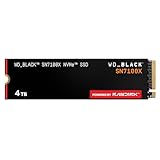
- This product has been replaced by our latest generation. Please search for the SANDISK Optimus GX 7100X SSD for ROG XBOX Ally (X) and PC.
- OFFICIALLY XBOX LICENSED. Your drive is officially licensed for Xbox gaming, so you can upgrade your internal storage to store and play more on your ROG Xbox Ally, ROG Xbox Ally X and PC.
- HIGH-OCTANE GAMING. Experience speeds up to 7,250MB/s(2) read and 6,900MB/s(2) write (2TB(1) model), with up to 35% faster performance than previous generation.(4)
- ADD FAVORITES AND NEW TITLES. Available in multiple capacities up to 4TB,(1) so you have tons of storage for your favorite games and the ones you’re looking forward to. CLEAR THAT CHECKPOINT. Built with laptops and handheld gaming devices in mind, with up to 90% more power efficiency over the previous generation.(4)
- 1 MONTH XBOX GAME PASS ULTIMATE. Play new games on day one. Enjoy hundreds of high-quality games on console, PC, and cloud. Get EA Play. Dive into legendary franchises. Play together with friends.(3)
Rank #4
- PCIe 4.0 Performance: Delivers up to 6,600 MB/s read and 5,000 MB/s write speeds for quicker game load times, bootups, and smooth multitasking
- Spacious 500GB SSD: Provides space for AAA games, apps, and media with standard Gen4 NVMe performance for casual gamers and home users
- Broad Compatibility: Works seamlessly with laptops, desktops, and select gaming consoles including ROG Ally X, Lenovo Legion Go, and AYANEO Kun. Also backward compatible with PCIe Gen3 systems for flexible upgrades
- Better Productivity: Up to 2x faster than previous Gen3 generation. Improve performance for real world tasks like booting Windows, starting applications like Adobe Photoshop and Illustrator, and working in applications like Microsoft Excel and PowerPoint
- Trusted Micron Quality: Built with advanced G8 NAND and thermal control for reliable Gen4 performance trusted by gamers and home users
Decide based on the problem you want to solve
- You are running out of room: A compatible higher-capacity SSD may help.
- You want higher FPS or fewer stutters: An SSD replacement alone is not supported as a solution by the cited evidence. Look instead at performance-related factors such as power settings, thermals, drivers and in-game settings.
- You want longer gaming sessions: Do not count on an SSD swap to provide a material battery-life gain. Battery endurance depends on broader device and workload factors.
- You want quicker loading: Storage can affect loading tasks, but evaluate loading as its own outcome rather than assuming it means higher frame rates or longer battery life.
Product prices and availability are accurate as of the date/time indicated and are subject to change. Any price and availability information displayed on Amazon at the time of purchase will apply.
Recommended Free Tools




