Two guides published March 2, 2026, both reported WarhammerBuff2026 for 500 Coins and 75 Gems. One of those guides also listed DelayingGrounds for 500 Coins and 100 Gems. These are dated third-party reports—not confirmation that the codes still work or worked for every player. Check them in the game before relying on the rewards.
Dueling Grounds codes reported in March 2026
| Code | Reported reward | What the reports establish |
|---|---|---|
WarhammerBuff2026 |
500 Coins and 75 Gems | Listed by both Roblox Mania and Gamer Tweak on March 2, 2026. Pocket Gamer later marked it expired in its October 3, 2026 update. Roblox Mania; Gamer Tweak; Pocket Gamer |
DelayingGrounds |
500 Coins and 100 Gems | Listed by Roblox Mania on March 2, but absent from Gamer Tweak’s March list. Roblox Mania’s article also contains an apparent heading for an unrelated game, so treat this as a single-guide claim rather than a confirmed reward. Roblox Mania; Gamer Tweak |
The overlap between the two March lists makes WarhammerBuff2026 the more consistently reported of the two codes for that month. It does not establish present-day availability. The October status pages also disagree about some codes, so an old list should not be presented as a live inventory.
| # | Preview | Product | Price | |
|---|---|---|---|---|
| 1 |

|
GameStop Physical Gift Card | $25.00 | Buy on Amazon |
| 2 |
|
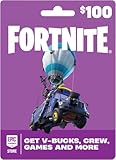
Fortnite Physical Gift Card | $100.00 | Buy on Amazon |
| 3 |
|
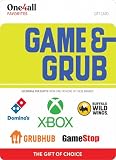
One4all Game & Grub Physical Gift Card - $50 | $50.00 | Buy on Amazon |
| 4 |

|
Domino's Pizza Gift Card $20 | $20.00 | Buy on Amazon |
| 5 |

|
Game & Grub Physical Gift Cards - $25 | $25.00 | Buy on Amazon |
How to redeem a code
Third-party guides describe a redemption box in the lobby’s Rewards or Star menu. Menu labels and placement can change with game updates, so follow the options visible in your current game.
- Launch Dueling Grounds and wait in the lobby.
- Open the Rewards menu, usually shown as a Star icon or star button.
- Scroll to the section labeled Special Codes.
- Enter the code exactly as written, including capitalization, then select Redeem.
- Look for an in-game reward notification to confirm whether it was accepted.
Gamer Tweak, Pocket Gamer, and Roblox Den describe this general route; Roblox Den also notes that codes are case-sensitive. Gamer Tweak; Pocket Gamer; Roblox Den
#1 Best Overall
- Redeemable at US GameStop, EB Games, Babbage's, Electronic Boutique, EBX, Planet X, and Software Etc. stores. Also redeemable online at and GameStop.com and EBGames.com.
- Over 6,100 stores located throughout the United States.
- GameStop. Power to the Players.
- Redemption: Instore and Online
- No returns and no refunds on gift cards.
Why a March code may not work now
Codes can expire, and a published list is only a snapshot from the date it was checked. In October 2026, Pocket Gamer marked WarhammerBuff2026 expired. Later status lists also differed on InnovationAwards: Pocket Gamer listed it as active on October 3, Roblox Den marked it expired that day, and TheTechBasket’s October 4 search-result excerpt described it as possibly expired. Those conflicting reports are a reason to verify a code in-game rather than assume any third-party status list is definitive. Pocket Gamer; Roblox Den; TheTechBasket
Quick Recap
Best Value
- Exchange this GAME & GRUB Choice Gift Card at redeem.giftcards.com for a choice of eGift(s) to spend at one or more of these brands: GameStop, XBOX, Grubhub, Buffalo Wild Wings, Domino's.
- Redemption: In-Store or Online
- No returns and no refunds on gift cards.
Rank #4
- Card may only be used for purchases at participating Domino's Pizza stores in the US
- Card cannot be used to purchase a Domino's gift card
- No returns and no refunds on gift cards.
Rank #3
- Exchange this GAME & GRUB Choice Gift Card at redeem.giftcards.com for a choice of eGift(s) to spend at one or more of these brands: GameStop, XBOX, Grubhub, Buffalo Wild Wings, Domino's.
- Redemption: In-Store or Online
- No returns and no refunds on gift cards.
Rank #2
- An Epic Games account is required to redeem an Epic Games Store Card code
- If playing on a console platform (PlayStation Network, Xbox Live, Nintendo Switch or Mobile) you need to link your Epic Games account to that gaming platform (one time) to redeem your gift card code
- The 16 digit code on the back of the card WILL NOT work if redeemed directly through your gaming platform (PlayStation Network, Xbox Live, Nintendo Switch, Mobile, etc.)
- Note: Nintendo devices do not support Fortnite Shared Wallet, so V-Bucks purchased using your account balance will not show up on your Nintendo device. However, if you purchase items in the web Item Shop — or another platform where you play Fortnite — those items will be available in your Locker across all platforms.
- Redemption: Online
- Check spelling and capitalization carefully.
- Use the in-game confirmation or error message as the practical status check.
- If the game rejects a code, it may be expired or otherwise unavailable; the March articles do not establish why it would fail for a particular player.
Product prices and availability are accurate as of the date/time indicated and are subject to change. Any price and availability information displayed on Amazon at the time of purchase will apply.




