If EA SPORTS FC 24 crashes, freezes or fails to load, start with the steps for your platform and change one thing at a time. Close background apps or repair the game on PC; on PlayStation or Xbox, check system software, disconnect USB devices and restart. If those reversible steps do not help, use EA’s current platform-specific instructions before reinstalling or changing saved data. No single step is a guaranteed fix.
First, narrow down when and where it crashes
Note whether the failure happens before the game opens, on a loading screen, during a match or while navigating menus. Also check whether other games crash: a problem limited to FC 24 and one affecting multiple games call for different troubleshooting paths. These clues help organize the diagnosis; they do not establish a cause.
| # | Preview | Product | Price | |
|---|---|---|---|---|
| 1 |
|
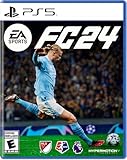
EA SPORTS FC 24 - PlayStation 5 | $24.00 | Buy on Amazon |
| 2 |

|
EA SPORTS FC 24 Standard Edition PS5 | German | $24.05 | Buy on Amazon |
| 3 |

|
EA SPORTS College Football 27 - Standard Edition PS5 |Disc I VideoGame | $49.94 | Buy on Amazon |
| 4 |

|
EA Sports FC 24 (Nordic) | $36.00 | Buy on Amazon |
| 5 |

|
EA Sports FC24 (PS4) | $35.00 | Buy on Amazon |
- Change one setting or perform one troubleshooting step at a time, then try to reproduce the same failure.
- Use the PC, PlayStation or Xbox instructions for the platform you play on. Console-specific steps are not interchangeable.
- Begin with reversible actions, such as closing apps or restarting, before reinstalling or deleting local data.
EA’s crashing and freezing guide has platform-specific instructions and may change over time. EA’s FC 24 support page links to help for crashes, freezes and corrupt files.
Fixes to try on PC
Close background apps, then test for interference
Close other running applications and launch FC 24 again. If the crash continues and you suspect another program is interfering, EA recommends trying a clean boot, which starts Windows with a limited set of drivers and startup programs. Follow EA’s current clean-boot guidance for your Windows version; a clean boot is a diagnostic test, not a confirmed FC 24 fix.
#1 Best Overall
- EA SPORTS FC 24 is the next chapter in a more innovative future of football.
- The revolutionized Frostbite Engine delivers The World’s Game in lifelike detail, bringing a new level of immersion to each match.
- 19,000+ fully licensed players, 700+ teams, and 30+ leagues playing together in the most authentic football experience ever created.
- Feel closer to the game with three cutting-edge technologies powering unparalleled realism in every match.
- Some features may require an internet connection and an online subscription.
Repair the game files
- Open the EA app and select Library.
- Select FC 24, choose Manage, then select Repair.
- When the repair finishes, launch the game and check whether the same crash occurs.
If repair does not help, EA lists reinstalling the game and EA app as further options. Reinstallation takes longer and should come after the simpler checks.
Test frame-rate and synchronization settings
EA suggests testing a frame-rate cap and, where available, V-Sync. FC 24’s PC graphics settings also let you adjust refresh rate and the quality of cutscenes, crowds and grass. Change one option at a time and note the result; EA’s guidance presents these as troubleshooting options, not evidence that a particular graphics setting causes crashes.
Rank #2
- Item no. 1159423
Check whether the PC meets the Steam requirements
Steam lists these requirements for the PC version. They are a compatibility baseline, not proof that a crash is caused by hardware, and they should not be applied to console editions.
| Specification | Minimum | Recommended |
|---|---|---|
| Operating system | Windows 10 64-bit | Windows 10 64-bit |
| Processor | Intel Core i5-6600K or AMD Ryzen 5 1600 | Intel Core i7-6700 or AMD Ryzen 7 2700X |
| Memory | 8 GB RAM | 12 GB RAM |
| Graphics | NVIDIA GeForce GTX 1050 Ti 4 GB or AMD Radeon RX 570 4 GB | NVIDIA GeForce GTX 1660 or AMD Radeon RX 5600 XT |
| DirectX | Version 12 | Version 12 |
| Network | Broadband internet connection | Broadband internet connection |
| Storage | 100 GB available space | 100 GB available space |
These figures are Steam’s published PC requirements; Steam lists FC 24’s release date as September 28, 2023. See the Steam store listing for its current specifications.
Free tools Windows power users keep installed
One-click scans. No signup required.
Rank #3
- Standard Edition for PlayStation 5 (disc) includes the full EA SPORTS College Football 27 game.
- DYNASTY BLUEPRINT – Control your program’s future with recruiting, NIL, staff, facilities, and Athletic Director Expectations..
- ROAD TO GLORY – Build your player, explore new positions, earn NIL deals, chase the Heisman, and raise your Legacy Score.
- MASCOT MASHUP – Play as your favorite mascot, collect 120+ icons, and compete in wild 11-on-11 matchups full of school spirit.
Escalate a persistent PC stability problem
EA’s FC 24 PC update says the company issued more than a dozen anticheat updates addressing over 30 quality and incompatibility issues. It also says Secure Boot would no longer be required for Windows 11 players under that update. Those statements describe that update; they do not show that anticheat or Secure Boot is the cause of an individual crash today. Do not change firmware settings or disable security software based on a guess.
If the problem persists after basic troubleshooting, EA directs players to its Answer HQ stability thread to share information for investigation.
Rank #4
- 5035226125188
- 1227563
Fixes to try on PlayStation
- Install the latest system software update available for your console.
- Disconnect USB devices that are not needed, then restart the console and test FC 24.
- If a normal restart does not help, follow EA’s power-cycle instructions on its current crashing and freezing guide. The listed procedure says to hold the console’s front power button for at least seven seconds until it beeps twice, wait one minute, then restart. Check the current instructions for your console model rather than assuming this procedure applies to every PlayStation generation.
- If FC 24 is installed on external storage, try installing or moving it to internal storage.
- Restore the game license through Settings → Account Management → Restore Licenses.
- If the crash continues, consider reinstalling the game.
Fixes to try on Xbox
- Install the latest system software update available for your console.
- Disconnect USB devices that are not needed, restart the console and test FC 24.
- If a normal restart does not help, use the power-cycle instructions in EA’s current crashing and freezing guide.
- If the game is installed on external storage, try installing or moving it to the console’s internal drive.
- EA also lists clearing the alternate MAC address through the console’s network settings. Follow the current EA instructions for the exact menu path.
- Deleting local saved data is another step EA lists, but it can affect local files or settings. Read EA’s current explanation and confirm what will be removed before proceeding.
- If the other steps do not resolve the crash, consider reinstalling FC 24.
When the crash keeps happening
Use EA’s FC 24 support page to find current help for crashes, freezes and corrupt files. When reporting a persistent issue, include your platform, whether other games are affected, and the exact point at which FC 24 fails. On PC, EA identifies Answer HQ as a channel for sharing stability information with its investigation teams.
Quick Recap
Best Value
- 5030930125196
Product prices and availability are accurate as of the date/time indicated and are subject to change. Any price and availability information displayed on Amazon at the time of purchase will apply.




