embeddedlockdownwmi.dll is a Microsoft Windows component associated with Assigned Access and other device-lockdown features. If Windows reports that embeddedlockdownwmi.dll is missing, was not found, or could not be loaded, repair Windows rather than downloading a replacement DLL.
The normal repair sequence is Windows Update, DISM, and System File Checker. Do not copy this file from a DLL download site into System32, SysWOW64, or an application folder.
As an Amazon Associate I earn from qualifying purchases.
What is embeddedlockdownwmi.dll?
The file is described as Embedded Lockdown Settings and is associated with Windows lockdown functionality, including Assigned Access. These capabilities are used for kiosk computers, point-of-sale terminals, industrial systems, shared devices, and Windows IoT Enterprise installations.
Assigned Access can restrict a device to one application or a controlled set of applications. Related lockdown features include:
#1 Best Overall

- 【Integrated touch screen display】This all in one desktop computer features a 15.6-inch FHD 1920 * 1080 IPS touchscreen display and supports a 10 point synchronous touchscreen. Without the constraints of a mouse or keyboard, image dragging and zooming, web page sliding, application switching, and text input can all be completed through fingertip touch. This multifunctional touchscreen mini PC features a sleek and integrated design that eliminates the clutter of cables and traditional peripherals from taking up desktop space.
- 【Free spinning screen & flexible folding】This Industrial computers combines triple flexible adjustment, with a 360 °all-round screen rotation, allowing for easy switching between landscape viewing, portrait browsing, and multi angle sharing and display; The 180 °vertical rotating screen supports adjustable height and visual angle, making it easy to adapt for standing demonstrations, desk work, or multi person collaborative sharing, The 180 °folding bracket provides convenient storage, stable support during use, and lightweight folding for easy space saving
- 【Powerful Performance & Reasonable Storage】The all-in-one desktop computer is equipped with an N5095 processor with a clock speed of up to 3.4GHz, perfectly integrating smooth operation, low energy consumption, and efficient heat dissipation. Don't worry about insufficient storage or running lag! This multifunctional touchscreen computer is equipped with 8GB RAM and 128GB ROM, achieving a balance between performance and capacity. From office creation to gaming and entertainment, it fully meets your digital life needs
- 【WiFi & Bluetooth】This all-in-one desktop computer integrates multiple network and device connectivity solutions, including Bluetooth, WiFi, and RJ45 Gigabit Ethernet ports. A stable WiFi connection ensures smooth daily internet access. When the wireless signal is poor, the gigabit network port immediately provides stable and high-speed wired transmission, providing dual protection against network fluctuations. At the same time, the Bluetooth function supports easy pairing with wireless headphones, speakers, and other devices, breaking cable limitations and unlocking more device connectivity scenarios to meet diverse needs such as office and entertainment
- 【Rich Ports】This all-in-one computer comes with power ports * 1, HDMI2.0 ports * 1, USB3.0 ports * 2, USB2.0 ports * 2, USB-C ports * 1, 1000Mbps Gigabit LAN ports * 1, TF card socket * 1, DC and 3.5mm Audio ports * 1. The diversity of connection ports ensures that you can easily manage work requirements or entertainment settings
- Keyboard Filter
- Shell Launcher
- Unified Write Filter
- Custom logon behavior
- Kiosk configuration and restricted user experiences
On systems that contain the legacy file, the expected location is:
%SystemRoot%System32wbemEmbeddedLockdownWmi.dll
This is not a Visual C++ runtime, DirectX component, .NET file, game dependency, or general-purpose redistributable. It is part of Windows itself.
The filename is more commonly associated with Windows 8.1, Windows 10 through earlier releases, and Windows Server 2016. Newer Windows versions may use assignedaccessproviderevents.dll for the Assigned Access event provider instead. Therefore, not every Windows 10 or Windows 11 installation should contain EmbeddedLockdownWmi.dll.
Free tools Windows power users keep installed
One-click scans. No signup required.
Microsoft documents device-lockdown capabilities in its Windows IoT Enterprise device-lockdown documentation.
Errors this file can trigger
You may see one of these messages:
The program can't start because embeddedlockdownwmi.dll is missing from your computer.
The code execution cannot proceed because embeddedlockdownwmi.dll was not found.
Error loading embeddedlockdownwmi.dll.
The specified module could not be found.
embeddedlockdownwmi.dll could not be loaded.
You might also see a corrupted-file or registration-related message. These are generic Windows DLL error patterns. They do not prove that a particular game or third-party application officially depends on this file.
Before repairing: check the file and Windows version
Confirm the expected path
- Press Windows key + E to open File Explorer.
- Select the address bar.
- Enter:
text

   C:WindowsSystem32wbem
- Look for
EmbeddedLockdownWmi.dll.
If Windows is installed on another drive, replace C:Windows with the correct Windows directory. The file should not normally be running from Downloads, a user profile, a temporary folder, or an unrelated application directory.
Check the file properties
If the file exists:
- Right-click
EmbeddedLockdownWmi.dll. - Select Properties.
- Open the Details tab.
- Check that the description refers to Embedded Lockdown Settings and that the product information identifies Microsoft Windows.
- Open the Digital Signatures tab.
- Select the Microsoft signature, choose Details, and confirm that Windows reports the signature as valid.
A Microsoft name in the filename is not proof of authenticity. An unsigned copy outside the Windows directory deserves investigation.
Rank #2
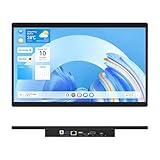
- 【High Reliability in Demanding Conditions】Ideal for demanding industrial settings, this fanless 15.6-inch panel PC runs on Android 12 and the RK3399 platform, offering robust reliability. Its 4GB memory and 64GB storage ensure seamless multitasking and data handling
- 【Full HD Visuals with Precision Touch】Designed for industrial versatility, this 15.6-inch PC combines a 1920×1080 Full HD 16:9 display for sharp visuals and software compatibility with a durable G+G 10-point capacitive touchscreen. It ensures accurate, smooth interaction and fast response even with wet or gloved hands, supporting reliable operation in demanding environments
- 【Rugged & Quiet Sealed Operation】Featuring a fanless construction for quiet performance, this Android 12 panel PC is built with a sealed waterproof front and a fully integrated, moisture-resistant rear enclosure. The lightweight aluminum alloy frame enhances durability against vibrations and shocks, perfectly suited for extreme industrial computing
- 【Stable & Efficient, Wireless & Wired Reliability】Equipped with enhanced Wi-Fi 5 and Bluetooth 4.2, this industrial touchscreen PC delivers strong signal reception, low-latency data transfer, and stable long-range communication. Its integrated 1000M LAN port further ensures consistent connectivity across diverse operating conditions
- 【Flexible Mounting for Multiple Scenarios】This industrial touch panel PC offers versatile installation options. It comes with standard PPC mounting hooks for seamless integration into cabinet equipment, while the rear cover includes standard VESA mounting holes for wall-mounting or desktop setups, easily adapting to diverse application environments
Check whether the error is actually about this file
“Module not found” can mean that Windows found the named DLL but could not load one of its dependencies. It can also indicate a wrong architecture or damaged component.
Do not assume that the missing file is always the one that needs replacing.
Fix 1: Install Windows updates and restart
Time needed: 10–30 minutes, depending on pending updates
Incomplete servicing is a common reason for a Windows component to be absent or inconsistent.
Quick wins for a faster PC:
Repair Windows errors before they cause bigger problemsFix Now →Fix the driver behind crashes, sound loss and screen glitchesFind Drivers →Clear out junk files and repair common Windows errorsFree Scan →- Open Start.
- Select Settings.
- In Windows 11, choose Windows Update. In Windows 10, choose Update & Security, then Windows Update.
- Select Check for updates.
- Install all available quality, cumulative, and feature updates.
- Restart when Windows requests it.
- Check for updates again after restarting.
Test the original operation after the second check. If the error remains, continue with DISM and SFC rather than downloading the DLL.
Microsoft’s instructions for installing updates are available through its Windows Update support documentation.
Fix 2: Repair the Windows image with DISM and SFC
Time needed: 15–45 minutes
Microsoft recommends running DISM before SFC because DISM repairs the component store that SFC uses as its source.
Rank #3
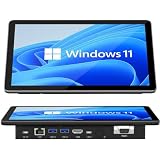
- 【10.1 Inch HD touch screen】OuuOee 10.1 Inch Touchscreen panel computer with G+G 10 Multi-Touch Screen Resolution 1280*800 (IPS ) , can be used without mouse and keyboard. Supports wake up on Lan and PEX, you can control any other laptop via remote desktop protocol from the micro computer, if you are outside office, study or contral for smart home systems
- 【High-Speed Performance and Expandable Storage】This panel pc equipped with quad core Celeron N5095 processor, enjoy faster computing with 8GB of LPDDR4x RAM and 128GB of storage. Expand storage effortlessly with a Micro SD card slot (up to 512GB)
- 【Stable Performance Industrial Embedded Panel PC】This industrial touchscreen tablet adopt embedded installation, VESA standard mounting holes reserved on the back of the product. Suit for day to day high traffic work environment, ideal for cabinets, CNC tools, and control consoles
- 【Extended screen & Dual custom OS】Equipped with dual HDMI port supports 4k, this tablet computer supports 4K 60Hz video output across two monitors via UHD Graphics 600, built-in touch screen. The tablet computer pre-installed with the newest Win 11 Pro and a valid license, which is support to remote desktop access. It has TPM 2.0 hardware and supports Win 11 pro upgrade, support IOT building, ideal for developers and programmers running dual custom OS
- 【Rich input/output ports】Mini Computer with Full Range of Connectivity-This mini computer packs a full range of high-speed I/O ports including DB9 (RS232) ports for professional networking.1x HDMI2.0 and 1x USB-C3.1 for 4K display output, plus 4x USB 3.0 ports for all devices.
- Open Start.
- Type
Command Prompt. - Right-click Command Prompt.
- Select Run as administrator.
- Approve the User Account Control prompt.
- Run this command:
cmd

   DISM.exe /Online /Cleanup-image /Restorehealth
What’s actually slowing this PC down?
Pick the symptom - the matching free tool is one click away.
- Wait for it to finish. Do not close the window if progress appears to pause.
- Run:
cmd

   sfc /scannow
- Wait until verification reaches 100 percent.
- Restart Windows.
A successful result may say that DISM completed the restore operation or that SFC found and repaired corrupted files. Test the affected program or Windows feature afterward.
Outbyte PC Repair can reduce the manual work of hunting through repeated SFC and DISM runs by showing what its scan identifies; its repair action requires the full version, and it is not required for Windows servicing.
If DISM reports that source files could not be found, use matching Windows installation media:
DISM.exe /Online /Cleanup-Image /RestoreHealth /Source:X:sourcesinstall.wim /LimitAccess
Replace X: with the installation media drive letter. The source must match the installed Windows edition, language, architecture, and a sufficiently close build. Microsoft explains this process in its Windows image repair documentation.
Recommended Free Tools
If SFC still cannot repair the file, inspect:
%windir%LogsCBSCBS.log
Fix 3: Check antivirus quarantine
Time needed: 5–15 minutes
Security software can quarantine a system file after a mistaken detection or after filesystem corruption makes the file look suspicious.
- Open Windows Security from the Start menu.
- Select Virus & threat protection.
- Choose Protection history.
- Review recent quarantined items.
- Check whether
EmbeddedLockdownWmi.dllwas removed. - Restore it only when its original path was under the Windows directory and its Microsoft signature is valid.
- Run a full Microsoft Defender scan.
Do not disable antivirus protection to install a downloaded copy. If another security product quarantined the file, review that product’s history and follow its false-positive process.
Fix 4: Repair a customized, kiosk, or IoT Windows image
Time needed: 30 minutes to several hours
The file may be relevant to Assigned Access, Keyboard Filter, Shell Launcher, or another lockdown configuration. This is especially important on Windows IoT Enterprise, kiosk, industrial, and point-of-sale devices.
Do not enable or disable lockdown features merely because the DLL is missing. First repair the Windows image with Windows Update, DISM, and SFC.
The Tool Desk
Outbyte Driver Updater FREEScan for outdated or missing drivers - takes under a minuteDriver Scan →Outbyte PC Repair FREERepair Windows errors before they cause bigger problemsFix Now →Rank #4

- VESA 100x100mm 75x75mm Standard, Compatible with Fusion5 Windows 10" Tablet
- Dimension : 205mm (Height) x 30mm (Depth) x 290mm (Width)
- Weight : 1.5 lb
- Material : Aluminum
- Support both Landscape and Portrait Display Modes
If the device uses Unified Write Filter, changes may be discarded after reboot. Follow the device-management procedure to pause or disable the filter before servicing Windows, then re-enable it according to the deployment policy.
For managed systems:
- Record the current Assigned Access and lockdown configuration.
- Confirm whether the device uses Unified Write Filter or another write-protection layer.
- Apply servicing during the approved maintenance window.
- Run DISM and SFC from an elevated Command Prompt.
- Restart and verify that the kiosk configuration still works.
- Reapply the organization’s lockdown policy if the image was rebuilt.
Microsoft’s device-lockdown feature documentation lists the relevant built-in capabilities.
Fix 5: Check drivers only when the error identifies a dependency
Time needed: 15–30 minutes
A driver is not the normal cause of a missing EmbeddedLockdownWmi.dll, and Device Manager will not restore a damaged Windows DLL. However, a “module could not be found” message can sometimes involve another dependency used by the affected hardware or service.
- Right-click Start.
- Select Device Manager.
- Expand the category related to the failing device.
- Right-click the device.
- Select Properties.
- Open the Driver tab.
- Note the provider, date, and version.
- Use Update Driver only with a driver supplied through Windows Update or the hardware manufacturer.
- Restart and test again.
Outbyte Driver Updater can show which installed drivers it identifies as stale instead of making you inspect each device manually; its driver installation requires the full version, and updating drivers is not a substitute for repairing Windows components.
Do not copy a 32-bit DLL into a 64-bit system directory or the reverse. On 64-bit Windows, System32 normally contains 64-bit system components, while SysWOW64 contains 32-bit components.
Fix 6: Use System Restore or an in-place repair
Time needed: 30 minutes to several hours
Use System Restore only when a restore point predates the failure and you understand that applications, drivers, and settings may be rolled back.
- Open Start.
- Search for Create a restore point.
- Open it.
- Select System Restore.
- Choose a restore point created before the error.
- Review the affected programs and confirm the restoration.
If Windows remains damaged after DISM and SFC, use an in-place repair installation with matching Windows media. Back up important files first. An in-place repair can replace damaged Windows components while preserving personal files, but follow the installation prompts carefully and confirm that the selected option preserves your data and applications.
For an older or unsupported Windows release, use installation media matching that release. A copy taken from Windows 11 or another Windows 10 build may be incompatible.
Do these 3 things before closing this tab:
1Repair Windows errors before they cause bigger problems2Scan for outdated or missing drivers - takes under a minute3Clear out junk files and repair common Windows errorsBest Value

- 【Flexible Mounting with VESA and Cabinet Hooks】HIGOLEPC industrial touch panel PC includes standard PPC mounting hooks for seamless cabinet integration and VESA mounting holes on the back for wall or desktop installation, adapting to diverse usage scenarios
- 【Reliable Android 12 Performance with Fanless Cooling】This 15.6-inch industrial Panel PC is powered by the RK3399 processor running Android 12. Its fanless design ensures silent, reliable operation in tough conditions, while the 4GB RAM and 64GB ROM deliver smooth multitasking and data processing
- 【Full HD Touchscreen with Multi-Touch Sensitivity】With a 15.6-inch Full HD (1920x1080) display, this Android tablet PC delivers sharp visuals in a 16:9 format, perfect for specialized software. The 10-point capacitive touch (G+G) ensures smooth, accurate interaction, even with wet or gloved hands
- 【Rugged Design for Extreme Temperatures】This industrial-grade all-in-one panel PC features a compact yet robust structure, operating reliably from -10°C to 55°C with 12V/2A input. It is built to withstand harsh environments, ensuring durability and high reliability for demanding applications
- 【High-Speed Wi-Fi 5 and Bluetooth 4.2 Connectivity】This touchscreen industrial PC is equipped with Wi-Fi 5 for enhanced signal reception, Bluetooth 4.2 for low-latency stable transmission, and a 1000M LAN port, ensuring seamless connectivity in any environment
Do not download or register the DLL manually
Do not download embeddedlockdownwmi.dll from a random DLL repository. A replacement may have the wrong Windows build, architecture, language, signature, or dependencies. It can also contain malware and leave the underlying component-store problem unresolved.
Do not copy it into:
C:WindowsSystem32
C:WindowsSysWOW64
Do not copy it into the folder of a game or application either. This file is a Windows component, not an application redistributable.
regsvr32 is also not a general missing-DLL repair command. It is intended for DLLs and OCX files that expose registration entry points such as DllRegisterServer. Even if a particular build exposes such an entry point, manually registering this Windows component is not the normal first-line repair. Use Windows Update, DISM, and SFC instead.
Why the file may be missing
Common causes include:
- Interrupted or failed Windows servicing
- Component-store corruption
- Filesystem damage
- A customized Windows image that omitted or altered components
- Antivirus quarantine
- A write-protected IoT or kiosk image
- A dependency or architecture mismatch
- A legacy Windows installation using a different Assigned Access provider file
A missing filename on Windows 11 is not automatically evidence of damage because newer releases may use assignedaccessproviderevents.dll instead.
PC Slower Than It Used to Be?
A free scan shows the junk files, broken settings and background clutter dragging Windows down - then fixes them in one click.Free scan · Windows 10 & 11Outdated Drivers Are Slowing You Down
One free scan finds every outdated or missing driver and matches the right update for your exact hardware.Free scan · exact hardware matchFAQ
Is embeddedlockdownwmi.dll malware?
Not when it is the Microsoft-signed file in the expected Windows directory. Verify its path and digital signature. An unsigned copy in Downloads, a temporary directory, or an application folder should not be trusted.
Should I reinstall the game or program showing the error?
Not first. The file belongs to Windows, so repair Windows components before reinstalling an application. If the application still fails after Windows is repaired, check its official installer and support documentation.
Why does Windows say “module not found” when the file exists?
The named file may have a missing dependency, an incompatible architecture, or a damaged signature. Check Event Viewer, file properties, and the results of DISM and SFC.
Should every Windows 11 computer contain this file?
No. Later Windows releases may use a different Assigned Access provider filename. The absence of this specific legacy file is not conclusive by itself.
What if DISM and SFC cannot fix it?
Check CBS.log, confirm that the repair source matches the installed Windows edition and build, and consider System Restore or an in-place repair installation. For managed IoT or kiosk devices, involve the administrator responsible for the image.
Quick Recap
Product prices and availability are accurate as of the date/time indicated and are subject to change. Any price and availability information displayed on Amazon at the time of purchase will apply.




