What’s actually slowing this PC down?
Pick the symptom - the matching free tool is one click away.
“ The program can’t start because EP0LVR1C.DLL is missing from your computer.” Other messages include “EP0LVR1C.DLL was not found,” “Error loading EP0LVR1C.DLL,” and “Failed to load EP0LVR1C.DLL.” These messages point to ep0lvr1c.dll, which public file records associate with an Epson printer driver rather than a Windows runtime.
The 60-second answer
Do not download ep0lvr1c.dll from a DLL website or copy it into System32. Identify the Epson printer or utility that is producing the error, remove its broken printer entry if necessary, and reinstall the complete driver package for that exact model from Epson’s official support site.
As an Amazon Associate I earn from qualifying purchases.
If the error began after a Windows upgrade, printer removal, antivirus cleanup, or restoration of an old disk image, an obsolete or incomplete Epson package is the most likely cause. Use Windows Update for compatible drivers, then use DISM and SFC only if Windows itself appears damaged.
PC Slower Than It Used to Be?
A free scan shows the junk files, broken settings and background clutter dragging Windows down - then fixes them in one click.Free scan · Windows 10 & 11Crashes, No Sound, or Screen Glitches?
Random freezes, missing sound and display glitches usually trace back to one bad driver. Find and replace yours safely.Free scan · under a minuteWhat ep0lvr1c.dll belongs to
EP0LVR1C.DLL is identified in public records as an Epson printer-driver DLL associated with SEIKO EPSON CORPORATION. Some older Windows driver-store records place it alongside Epson printer package files such as prnep00l.inf.
#1 Best Overall

- Epson printing system is designed to be used exclusively with Epson genuine cartridges. Use of non-genuine ink could cause damage not covered under the printer’s ltd. wnty.
- Sharp text and brilliant color for high-quality results; fast-drying ink
- Brilliant prints on both plain and glossy paper
- Convenient individual ink cartridges
- Compatible Printers: XP-4200, XP-4205, WF-2930, WF-2950
It is not documented as:
- A Microsoft Visual C++ runtime
- A DirectX component
- A .NET component
- A general-purpose Windows DLL
- A file that ships with every Epson printer or every current Windows installation
The exact Epson models and package builds that use this file are not consistently documented. Public records also disagree about architecture, version, and file size. Treat those records as identification clues, not as specifications for a replacement download.
The calling program may be an Epson printer utility, an old print queue, or a component launched during printing or Windows startup. No reliable evidence ties this filename to one particular game or non-Epson application.
Common causes of the error
The likely causes, in practical order, are:
- An Epson driver installation was interrupted, damaged, or partially removed.
- Windows retained an old Epson printer entry after an upgrade or printer replacement.
- The installed package does not match the printer model or Windows architecture.
- Antivirus software quarantined a driver file.
- A missing dependency is being reported as a missing
ep0lvr1c.dll. - Windows component or disk corruption affected driver-related files.
- Malware or an untrusted cleanup utility removed or altered the file.
Before changing anything, record the exact error, the program displaying it, your Windows version, and the Epson printer model. The location and timing matter: startup, printer installation, printing, and launching an Epson utility can indicate different remnants of the same driver package.
The Tool Desk
Outbyte Driver Updater FREEFix the driver behind crashes, sound loss and screen glitchesFind Drivers →Outbyte PC Repair FREEClear out junk files and repair common Windows errorsFree Scan →Fix 1: Reinstall the complete Epson package
This is the safest and most likely fix when the message appears during printing or while an Epson utility starts.
Find the exact printer model
- Check the label on the printer.
- Open Settings with Windows + I.
- Select Bluetooth & devices.
- Select Printers & scanners.
- Note the exact Epson model listed.
- If several Epson entries exist, record each one.
Do not select a driver based only on the word “Epson.” Model families can use different packages, and an apparently similar DLL may have a different architecture or dependency set.
Remove the broken printer entry
- Open Settings > Bluetooth & devices > Printers & scanners.
- Select the affected Epson printer.
- Select Remove.
- Confirm the removal.
- Restart Windows.
If the same printer appears more than once, remove obsolete duplicates as well. Do not remove another user’s active printer without confirming that it is the affected device.
Rank #2
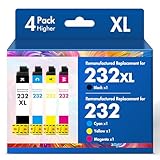
- Product Model: Cool Toner 4 Pack Compatible for 232XL Ink Cartridges for Epson Printer and Compatible for 232 Ink Cartridges
- Package Contents: Compatible for 232XL Ink Cartridges Combo Pack (1×Black, 1×Cyan, 1×Magenta, 1×Yellow)
- Compatible for Epson Printers: XP-4200 XP-4205 Workforce WF-2930 WF-2950
- Please Note: This is not an OEM Ink Cartridge
- High Page Yield: 380 Pages for Each Black Ink, 140 Pages for Each Color Ink at 5% Coverage (A4/Letter)
Install the official package
- Open Epson’s official printer support portal in your browser.
- Search for the exact printer model.
- Select the Windows version and architecture offered for that model.
- Download the complete printer driver or software package, not an individual DLL.
- Run the installer as an administrator if Windows requests permission.
- Follow the connection instructions for USB or network setup.
- Print a Windows test page.
To print a test page, open Settings > Bluetooth & devices > Printers & scanners, select the Epson printer, choose Printer properties, and select Print Test Page.
A successful repair normally means the error no longer appears and the test page prints. If the installer says the printer is unsupported, do not force an older DLL into a Windows folder. Use the compatible package offered for the model, or continue with the Windows Update and legacy-driver checks below.
Outbyte Driver Updater can reduce the manual work of hunting through several driver versions and guessing which device package is stale. Its free scan shows what is wrong; the repair or driver installation is done by the full version, and the Epson model-specific installer remains the preferred source for this file.
Fix 2: Re-add the printer through Windows
If Windows still shows an Epson printer but printing fails, rebuild the Windows printer connection.
- Open Settings > Bluetooth & devices > Printers & scanners.
- Select the Epson printer.
- Select Remove.
- Restart the computer.
- Return to Printers & scanners.
- Select Add device.
- Wait for Windows to find the printer.
- Select the correct Epson device and complete setup.
- Open the printer’s properties and print a test page.
For a network printer, confirm that the computer and printer are on the same network. For a USB printer, connect it directly rather than through an unpowered hub during installation.
Do these 3 things before closing this tab:
1Fix the driver behind crashes, sound loss and screen glitches2Repair Windows errors before they cause bigger problems3Scan for outdated or missing drivers - takes under a minuteIf Windows finds the printer but the error returns immediately, remove the entry again and install the complete Epson package before selecting Add device.
Fix 3: Check Windows Update and optional drivers
Windows Update may provide a compatible printer driver, especially when the original Epson package is old.
Rank #3

- Epson printing system is designed to be used exclusively with Epson genuine cartridges. Use of non-genuine ink could cause damage not covered under the printer’s ltd. wnty.
- Sharp text and brilliant color for high-quality results; fast-drying ink
- Brilliant prints on both plain and glossy paper
- Convenient individual ink cartridges
- Compatible Printers: XP-4200, XP-4205, WF-2930, WF-2950
- Open Settings.
- Select Windows Update.
- Select Check for updates.
- Install available updates.
- Open Advanced options.
- Select Optional updates.
- Expand Driver updates if the section is present.
- Install the Epson or printer-related driver.
- Restart Windows.
- Test the printer again.
Windows 10 and Windows 11 may not offer a modern package for an older printer. If no suitable driver appears, use Epson’s official support package for the exact model and supported Windows release.
Fix 4: Check whether antivirus quarantined the file
A security product may remove a driver component because it is old, modified, or located in an unusual driver-store path.
- Open Windows Security.
- Select Virus & threat protection.
- Select Protection history.
- Look for an event involving
EP0LVR1C.DLL, an Epson package, or the printer installer. - Check the detected file path and package name.
- Do not restore the file unless it clearly belongs to the Epson package you installed.
- Prefer reinstalling the complete Epson package rather than restoring a lone DLL.
- Run a full scan after the driver repair.
If the security event names a different folder or an unknown installer, leave the file quarantined and investigate the system for malware. A file with the correct name can still be unsafe if it came from an untrusted package.
Fix 5: Check architecture and old-driver leftovers
A 32-bit or 64-bit mismatch can prevent a driver component from loading. Do not assume that a file stored under System32 is automatically 64-bit; Windows driver packages can use architecture-specific folders and driver-store copies.
To check Windows architecture:
- Open Settings.
- Select System > About.
- Check System type under Device specifications.
- Install the Epson package intended for that Windows architecture and printer model.
To inspect old printer entries:
- Press Windows + R.
- Type
control printers. - Press Enter.
- Remove obsolete Epson printer entries.
- Restart Windows.
- Reinstall the correct package.
If the error appears after every reinstall, check Event Viewer:
- Right-click Start.
- Select Event Viewer.
- Open Windows Logs > Application and Windows Logs > System.
- Look for events at the same time as the error.
- Record the application name, faulting module, and file path.
The application name may reveal whether the caller is a printer utility, a spooler-related component, or leftover startup software. “The specified module could not be found” can also mean that a dependency of ep0lvr1c.dll is missing. Reinstalling the complete package is safer than replacing individual files.
Rank #4

- Epson printing system is designed to be used exclusively with Epson Genuine Cartridges. Use of non-genuine ink could cause damage not covered under the printer’s ltd. wnty.
- Hassle free ― High-capacity Black ink cartridge for fewer interventions
- Sharp text and brilliant colors for print-shop-quality results
- Fast-drying pigment ink designed for high-speed print jobs
- Compatible Printers: WF-3820, WF-3823, WF-4820, WF-4830, WF-4833, WF-4834
Fix 6: Repair Windows components with DISM and SFC
Use these commands when Windows reports broader corruption, several system files are failing, or unrelated applications also produce file errors. SFC is not guaranteed to restore a third-party Epson DLL.
- Right-click Start.
- Select Terminal (Admin) or Command Prompt (Admin).
- Approve the User Account Control prompt.
- Run:
DISM.exe /Online /Cleanup-Image /RestoreHealth
- Wait for it to finish.
- Then run:
sfc /scannow
- Wait until verification reaches 100 percent.
- Restart Windows.
- Test the Epson printer again.
Microsoft recommends running DISM before SFC because DISM can repair the component store that SFC uses. If SFC reports that it found and repaired corrupted files, restart and test. If it reports that some files could not be repaired, repair or reinstall the Epson package separately and review the Event Viewer details.
Outbyte PC Repair can make the manual repair process easier by showing what it finds before repair, rather than leaving you to repeat SFC and DISM without knowing what changed. Its free scan shows exactly what is wrong; repair is performed by the full version, and it is not a substitute for reinstalling the Epson package when the driver itself is missing.
Fix 7: Use System Restore only as a fallback
System Restore is appropriate when the error began immediately after a driver installation or Windows change and a restore point exists from before the problem.
Quick wins for a faster PC:
Scan for outdated or missing drivers - takes under a minuteDriver Scan →Repair Windows errors before they cause bigger problemsFix Now →Fix the driver behind crashes, sound loss and screen glitchesFind Drivers →- Press Windows + R.
- Type
rstrui.exe. - Press Enter.
- Select Next.
- Choose a restore point dated before the error began.
- Select Scan for affected programs.
- Review the applications and drivers that may be removed.
- Select Finish and confirm.
System Restore can remove drivers and applications installed after the selected restore point. Back up important work first, and do not use it as the first repair when simply reinstalling the correct Epson package should resolve the issue.
Independent reader supportYour contribution helps us test, update, and keep practical guides available for everyone.Do not use regsvr32 for this file
Do not run:
regsvr32 ep0lvr1c.dll
A DLL extension alone does not mean that a file should be registered. regsvr32 applies to DLLs that provide the COM self-registration entry point DllRegisterServer. There is no authoritative evidence that EP0LVR1C.DLL is such a component.
If registration fails, that does not prove the file is corrupt. Reinstall the printer driver instead.
Best Value

- Epson printing system is designed to be used exclusively with Epson Genuine Cartridges. Use of non-genuine ink could cause damage not covered under the printer’s ltd. wnty.
- Sharp text and brilliant colors for print-shop-quality results
- Fast-drying pigment ink designed for high-speed print jobs
- Compatible Printers: WF-3820, WF-3823, WF-4820, WF-4830, WF-4833, WF-4834
Why downloading the DLL separately is unsafe
A standalone download may have:
- The wrong Windows architecture
- An incompatible package version
- A missing dependency
- No trustworthy signature
- Malware or altered contents
Copying it into System32, SysWOW64, or an application folder can also make troubleshooting harder by hiding the original driver-package problem. The safe sources are Windows Update, Microsoft’s printer guidance, and Epson’s official support package for the exact printer model.
FAQ
Is ep0lvr1c.dll a Windows system file?
It is identified as an Epson printer-driver component, not a general Windows runtime. It may appear in Windows driver-store locations because Windows stores installed hardware-driver packages there.
Which Epson printer uses it?
Public records associate the filename with older Epson printer packages, including records connected with prnep00l.inf, but they do not establish one verified model that uniquely uses it. Use the printer model, installer path, and Event Viewer entry to identify the package.
Should I install Visual C++ or DirectX?
No. This file is not documented as a Visual C++, DirectX, or .NET component. Repair the Epson driver first.
Can SFC restore ep0lvr1c.dll?
Not reliably. SFC repairs protected Windows files and may not restore a third-party Epson driver component. Reinstall the Epson package when the error is printer-specific.
Free tools Windows power users keep installed
One-click scans. No signup required.
What if I no longer own the Epson printer?
Remove the obsolete printer under Settings > Bluetooth & devices > Printers & scanners and check startup entries or Epson utilities that still launch. If the error continues, use Event Viewer to identify the program calling the file before removing related software.
What information should I collect if the error remains?
Record the exact error text, Windows version and architecture, Epson model, time the message appears, the calling program, the file path shown in Event Viewer, recent antivirus events, and whether the error began after an update or printer removal. That information distinguishes a missing driver from a missing dependency or leftover startup entry.
Quick Recap
Product prices and availability are accurate as of the date/time indicated and are subject to change. Any price and availability information displayed on Amazon at the time of purchase will apply.




