
Recommended Free Tools
Some links on this page are affiliate links: if you buy through them we may earn a commission, at no extra cost to you.
If Geometry Dash will not open through Steam, start by restarting your PC and Steam, then verify the game’s files through Steam. If that does not work, check Windows and graphics-driver updates, compare your PC with the listed requirements, and test whether a background program is interfering. The exact cause cannot be identified from the symptom alone: Steam says launch failures can stem from many different hardware and software configurations.
The safest approach is to change one thing at a time and record the result. These checks use Steam and Windows tools already on your PC, so you do not need to buy a repair utility or a replacement product simply to diagnose a launch failure.
As an Amazon Associate I earn from qualifying purchases.
Quick wins for a faster PC:
Repair Windows errors before they cause bigger problemsFix Now →Scan for outdated or missing drivers - takes under a minuteDriver Scan →Clear out junk files and repair common Windows errorsFree Scan →Why won’t Geometry Dash launch on Steam?
There is no single cause that explains every launch failure. The game might never appear, open and close immediately, or remain stuck at Steam’s “Preparing to Launch” stage. Those symptoms are useful to report, but they do not by themselves identify the fault. Steam’s general guidance is to begin with a restart and a file check, then look at updates, system requirements, and software conflicts.
Use the least disruptive checks first. Restarting Steam and verifying its local game files are low-impact steps; changing security settings or removing user data is not. Keep track of what you tried and what happened, especially if you need help from Steam Support or RobTop Games. Avoid changing several unrelated settings at once, because that makes it harder to tell which change affected the result.
#1 Best Overall
- Rhythm-based Action Platforming!
- Lots of levels with unique soundtracks!
- Build and share your own levels using the level editor!
- Unlock new icons and colors to customize your character!
- Fly rockets, flip gravity and much more!
What does the symptom tell me?
A game that never creates a window, one that closes immediately, and one that remains at “Preparing to Launch” may have different causes. However, none of those symptoms is enough to diagnose a hardware failure or prove that Steam is at fault. Include the exact behavior in a support request instead of assuming the cause from the symptom alone.
How do I verify Geometry Dash’s files in Steam?
Use Steam’s built-in integrity check before attempting more disruptive fixes. It checks the installed game files and can replace files that are missing or damaged. This is the most useful first repair step after a restart because it targets the game installation without asking you to delete saves or change system-wide protection.
Do these 3 things before closing this tab:
1Repair Windows errors before they cause bigger problems2Scan for outdated or missing drivers - takes under a minute3Clear out junk files and repair common Windows errors- Restart the computer, then open Steam again.
- Open Steam Library, right-click Geometry Dash, and select Properties.
- Choose Installed Files, then select Verify integrity of game files.
- Wait for Steam to complete the check. Steam notes that verification can take several minutes, so do not interrupt it because the progress appears slow.
- When it finishes, try launching Geometry Dash from the Library and note exactly what happens.
What if Steam says some files failed to validate?
A few files failing verification does not automatically mean the process failed. Steam explains that this can be normal for local configuration files, which should not be replaced. Let the check finish, then test the game; treat a persistent launch problem separately from that message. A validation notice by itself is not proof that you need to reinstall the game.
If the game still will not start, record whether the verification reported files, whether Steam completed normally, and whether the launch behavior changed. Those details are more useful to support than repeatedly running the same check without noting the result.
Could Windows or the graphics driver be the problem?
Install pending Windows updates and check for a graphics-driver update through your PC maker or graphics-card vendor’s official update channel. Steam’s launch guidance includes operating-system and driver updates among the basic checks. Restart the PC after installing updates, then test the game again.
Use the official update channel for your hardware rather than downloading a driver from an unfamiliar “driver fixer” site. The purpose of this step is to make sure Windows and the graphics stack are current, not to add another unverified utility that could itself interfere with Steam.
Do not assume an old minimum requirement guarantees compatibility with the current Steam client. Steam’s Geometry Dash listing gives the game’s Windows minimum as Windows XP, but the same listing says the Steam Client supports Windows 10 and later beginning January 1, 2024. The game requirement describes the game listing; it does not mean the current Steam client will run on Windows XP.
Rank #2

- 【SayoDevice O3C Keyboard】This keyboard with 3 Hall magnetic linear switches, 1 knob, 1 screen! TYPE-C,USB 2.0 high-speed 8000HZ.
- 【Custom Screen】With 0.96 inch IPS color screen,160*80 Resolution, Visible key range and button counting, Support custom animations.
- 【Custom Keys And Knob】The Keys and knob can also be set with any key or ctrl/alt/shift + any keys.
- 【Custom Switches】Professional Game magnetic swithes, Rapid Trigger, 0~4.000mm Custom trigger release.
- 【Replaceable Switches】3 Swithes available, Supports any hall magnetic switches, Hot-swappable, With a simple click for calibration.
Does my PC meet Geometry Dash’s listed minimum requirements?
Steam’s Geometry Dash support listing, checked October 25, 2026, gives these Windows minimums. They are minimum specifications, not a guarantee that every setup meeting them will launch successfully.
| Requirement | Steam-listed Windows minimum |
|---|---|
| Operating system | Windows XP |
| Processor | 2.0+ GHz |
| Memory | 512 MB RAM |
| Graphics support | OpenGL 2.0 support |
| Storage | 100 MB |
Compare your PC with each listed item, particularly the operating-system and graphics-support entries. The Windows XP line should be read alongside Steam’s newer client-support cutoff: the game’s published minimum does not override the requirements of the software used to launch it. If you are on a supported Windows version and meet the listed game minimums but still cannot open the game, continue with the conflict checks rather than treating the specification table as a diagnosis.
The storage figure is the game’s listed minimum, not a promise that Windows has enough free working space for every update or background process. Likewise, meeting 512 MB of RAM or having a processor above 2.0 GHz does not rule out a driver, security-software, or Steam-client problem. Use the table to identify an obvious mismatch, then continue through the troubleshooting sequence.
How can I check whether another program is blocking the game?
Close non-essential applications and try launching Geometry Dash again. This is a temporary diagnostic test: if the game opens only after a particular program is closed, that points toward a possible conflict, but does not prove the program is the sole cause.
Which programs should I test?
Steam identifies security software, VPNs, firewalls, and programs that monitor or modify system, disk, or network activity as possible sources of interference. Close only applications you recognize and can safely exit, then relaunch Steam and test the game. If there is no change, reopen the applications you closed. Testing a short list one program at a time gives you a clearer comparison than shutting down everything and forgetting what changed.
After closing an application, fully exit and reopen Steam before testing. If a monitoring overlay or network tool is involved, the relevant process may remain active until the application is actually exited. Do not treat a successful launch with several programs closed as proof that all of them are unsafe; it only identifies a possible interaction that needs more careful confirmation.
Should I turn off antivirus protection?
Do not permanently disable antivirus or firewall protection just to make the game start. If your security software reports or quarantines a Geometry Dash file, inspect the alert and consult that security vendor’s guidance. Steam says its “Missing Executable” error is most commonly seen when antivirus software mistakenly reports game files as malicious and quarantines them, but that possibility is not proof that a particular detection is a false alarm.
The Tool Desk
Outbyte PC Repair FREERepair Windows errors before they cause bigger problemsFix Now →Outbyte Driver Updater FREEFix the driver behind crashes, sound loss and screen glitchesFind Drivers →Rank #3
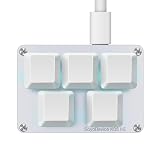
- 【SayoDevice K05 HE Keyboard】This keyboard with 5 Hall magnetic linear switches! TYPE-C,USB 2.0 high-speed 8000HZ.
- 【Custom Keys And Knob】The Keys and knob can also be set with any key or ctrl/alt/shift + any keys.
- 【Custom Switches】Professional Game magnetic swithes, Rapid Trigger, 0~4.000mm Custom trigger release.
- 【Replaceable Switches】3 Swithes available, Supports any hall magnetic switches, Hot-swappable, With a simple click for calibration.
- 【NOTICE】Sometimes, the keyboard needs to do "CALIBRATION" before use for the first time or after firmware upgrade.
Verify the game files in Steam after reviewing a quarantine alert. Create an exclusion only if you are confident the file is safe; if you are unsure, ask the security-software vendor or the game’s support team instead of bypassing the warning. A permanent exclusion can reduce protection for the excluded file, so it is not a routine launch fix.
What should I do if Steam reports “Missing Executable”?
First review your security software for a quarantine or detection, then run Steam’s file verification. Those checks address two possibilities named in Steam’s guidance: a file may have been quarantined, or installed files may need verification. If the error remains after those steps, contact Steam Support and include the evidence it requests.
Steam asks users reporting an unresolved “Missing Executable” error to provide an uncropped screenshot and a System Report. Keep the whole screenshot so the error and surrounding Steam window are visible; do not crop out information Support may need to interpret the issue. Include the exact wording of the error and explain whether it appeared before or after verification.
When should I contact RobTop Games or Steam Support?
Contact RobTop Games when the problem remains specific to Geometry Dash after the basic checks. The Steam support listing identifies RobTop Games and gives [email protected] as the contact address. For a Steam-specific error such as “Missing Executable,” Steam Support is also relevant, particularly when its requested screenshot and System Report are needed.
Include useful diagnostic details in the first message rather than only saying that the game does not work:
- The exact error text, if Steam or Windows displays one.
- Your Windows version.
- Whether the game never appears, closes immediately, or stays at “Preparing to Launch.”
- Whether Steam’s file verification completed and what it reported.
- Which update and background-program checks you performed, and whether the behavior changed.
- For an unresolved “Missing Executable” error, the uncropped screenshot and System Report Steam requests.
This information helps distinguish a Steam error from a game-specific or system-specific problem without guessing at a cause. If there is no error at all, say that explicitly and describe the timing: for example, whether the process disappears immediately after clicking Play or after a brief black window.
Should I reinstall Geometry Dash or delete its files?
Reinstalling is not the first step in Steam’s basic launch guidance; restart and file verification come first. Avoid manually deleting folders to try to force a repair, especially folders containing saves or other user data.
Rank #4
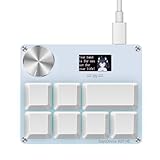
- 【SayoDevice K07-HE Keyboard】This keyboard with 7 Hall magnetic linear switches, 1 knob, 1 screen! TYPE-C,USB 2.0 high-speed 8000HZ.
- 【Custom Screen】With 0.96 inch IPS color screen,160*80 Resolution, Visible key range and button counting, Support custom animations GIF, 4MB memory capacity.
- 【Custom Keys And Knob】The Keys and knob can also be set with any key or ctrl/alt/shift + any keys. Support for mapping game controllers.
- 【Custom Switches】Professional Game magnetic swithes, Rapid Trigger, 0~4.000mm Custom trigger release.
- 【Replaceable Switches】3 Swithes available, Supports any hall magnetic switches, Hot-swappable, With a simple click for calibration.
RobTop Games’ FAQ distinguishes deletion of the base game data from the PC save-file folder. That distinction matters: removing game installation data is not the same as removing saved progress. If support asks you to reinstall or remove files, follow its exact instructions and do not delete a user-data directory unless you understand what it contains and have been told to do so.
Because the built-in restart, verification, update, and conflict checks do not require a purchase, a paid “PC repair” product is not an evidenced next step for this problem. A local technician may be reasonable for an advanced, system-wide fault, but no particular provider or service is established here. Ask for a clear diagnosis before paying for work, and preserve your save files while any repair is considered.
Which troubleshooting step should I try first?
The options differ mainly in disruption and diagnostic value. A restart and Steam verification are low-disruption and directly address common installation-state problems. Updates take longer but check compatibility. Closing background programs is reversible and useful for isolating conflicts, while changing security settings or deleting files carries more risk and should be reserved for a specific warning or support instruction.
| Step | Disruption | What it can tell you |
|---|---|---|
| Restart PC and Steam | Low | Whether a temporary Steam or Windows state clears |
| Verify game files | Low | Whether installed files need repair |
| Install Windows or graphics updates | Moderate | Whether an outdated platform component is involved |
| Close non-essential software | Low and reversible | Whether monitoring, security, VPN, or firewall software may conflict |
| Reinstall or remove folders | High | Only appropriate when directed after safer checks, with save-data precautions |
What order should I follow if the game still will not open?
Use this sequence to narrow the problem without making several changes at once:
- Restart: restart the PC and relaunch Steam.
- Verify: use Library > right-click Geometry Dash > Properties > Installed Files > Verify integrity of game files, then test the launch.
- Update and compare: install pending Windows updates, check graphics drivers through the official vendor channel, and compare your system with the Steam-listed minimums.
- Test for interference: close non-essential apps, including possible monitoring or network/security tools, and try again without permanently disabling protection.
- Escalate with evidence: contact RobTop Games for a persistent game-specific issue; for “Missing Executable,” follow Steam Support’s request for an uncropped screenshot and System Report.
If one step changes the result, record which one and the exact behavior afterward. If none does, give support the error and steps already tried rather than repeatedly reinstalling, deleting files, or changing unrelated settings.
What’s actually slowing this PC down?
Pick the symptom - the matching free tool is one click away.
Frequently Asked Questions
Does Geometry Dash support macOS or Linux on Steam?
The requirements addressed here are the Windows requirements in Steam’s Geometry Dash support listing. They do not establish platform support for macOS or Linux; check the current Steam store listing for the platform options shown for your copy.
Can I use Steam launch options to fix Geometry Dash?
The troubleshooting guidance covered here does not identify a specific launch option for this problem. Avoid pasting launch commands from unrelated games or generic fix lists; if support suggests an option, use the exact one they provide for your system.
Best Value

- 【SayoDevice O3C Keyboard】This keyboard with 3 Hall magnetic linear switches, 1 knob, 1 screen! TYPE-C,USB 2.0 high-speed 8000HZ.
- 【Custom Screen】With 0.96 inch IPS color screen,160*80 Resolution, Visible key range and button counting, Support custom animations.
- 【Custom Keys And Knob】The Keys and knob can also be set with any key or ctrl/alt/shift + any keys.
- 【Custom Switches】Professional Game magnetic swithes, Rapid Trigger, 0~4.000mm Custom trigger release.
- 【Replaceable Switches】3 Swithes available, Supports any hall magnetic switches, Hot-swappable, With a simple click for calibration.
Will Steam Cloud restore my Geometry Dash progress?
The cited support information does not establish whether your particular saves are synced or recoverable through Steam Cloud. Before changing files or reinstalling, ask RobTop Games about your save situation and avoid deleting the PC save-file folder.
What information should I send if Geometry Dash closes without an error?
Tell RobTop Games that no error appears and describe exactly when the window closes. Include your Windows version and the checks you have completed; a “Missing Executable” report has a separate Steam Support request for an uncropped screenshot and System Report.
Do I need to buy a repair tool to make Geometry Dash launch?
No purchase is indicated by the troubleshooting steps. Restarting, Steam’s file verification, Windows and driver updates, and temporary conflict testing use built-in tools. Consider paid technical help only for a broader system fault that remains after support-guided checks.
Does verifying files delete my Geometry Dash saves?
The guidance distinguishes Steam’s installed game files from the PC save-file folder. Do not delete user-data directories to troubleshoot; if you are concerned about progress, ask RobTop Games before reinstalling or removing files.
What if my computer meets the minimum requirements but the game still will not start?
Minimum specifications are not a guarantee of launch success. Confirm that the Steam client and Windows version are supported, install current graphics drivers, test for security or monitoring-software conflicts, and then send Steam or RobTop Games the exact error and steps already completed.
The Bottom Line
Restart the PC and Steam, verify Geometry Dash’s files, install pending Windows and graphics-driver updates, and test with non-essential security, VPN, firewall, and monitoring software closed. Do not delete save folders or permanently disable protection. If the problem persists, contact RobTop Games; for “Missing Executable,” send Steam Support an uncropped screenshot and System Report.
Outdated Drivers Are Slowing You Down
One free scan finds every outdated or missing driver and matches the right update for your exact hardware.Free scan · exact hardware matchPC Slower Than It Used to Be?
A free scan shows the junk files, broken settings and background clutter dragging Windows down - then fixes them in one click.Free scan · Windows 10 & 11Quick Recap
Product prices and availability are accurate as of the date/time indicated and are subject to change. Any price and availability information displayed on Amazon at the time of purchase will apply.

