The Tool Desk
Outbyte PC Repair FREEClear out junk files and repair common Windows errorsFree Scan →Outbyte Driver Updater FREEFix the driver behind crashes, sound loss and screen glitchesFind Drivers →To add official DLC to The Sims 4, install the Pack through the same platform you use to play: EA app, Steam, or Epic Games on PC; or your console’s game add-on library on PlayStation or Xbox. On the EA app, open Library > The Sims 4 > Manage > Manage add-ons, then select the download icon beside an owned Pack that is not installed. Console steps differ.
Install a Pack through the platform where you play
EA’s current guidance says, “Your The Sims 4 Packs should install automatically.” If a Pack you own has not appeared, use the platform steps below to check its status and start the download. The base game should be installed and up to date before adding Packs. EA’s Pack installation guide and EA app download and installation guide describe the available routes.
| # | Preview | Product | Price | |
|---|---|---|---|---|
| 1 |

|
The Sims 4 - PC/Mac | $35.69 | Buy on Amazon |
| 2 |

|
The Sims 4 - Xbox One | $27.24 | Buy on Amazon |
| 3 |

|
Goliath The Sims Board Game | Family Strategy Game | Craft Your Story, Collect Matching SIMbols |... | $10.62 | Buy on Amazon |
| 4 |
|
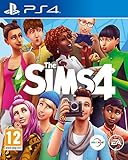
The Sims 4 (PS4) (Renewed) | $24.91 | Buy on Amazon |
EA app on PC or Mac
- Open the EA app and sign in to the account that owns the Pack.
- Select Library, then choose The Sims 4.
- Choose Manage and open Manage add-ons. If that option is not shown, open the game’s three-dot menu and select Manage add-ons.
- Under Owned add-ons, select the download icon beside the Pack you want to install.
EA says digital Packs usually install automatically after purchase. The owned add-on list lets you manually download a Pack that is not installed.
PlayStation
- Open Library > Purchased and select The Sims 4.
- Open Game Library > Your Collection.
- Find the Pack under Add-Ons and select it to download.
The Pack installs after the download. Menu names can differ between console generations or after system updates; if the path is different, look for The Sims 4 in your Library and open its add-ons.
Do these 3 things before closing this tab:
1Clear out junk files and repair common Windows errors2Scan for outdated or missing drivers - takes under a minute3Repair Windows errors before they cause bigger problems#1 Best Overall
- Create unique sims: A variety of sims are yours to personalize, each with distinct appearances, dynamic personalities, and inspiring aspirations
- Build the perfect home: Construct the home of your, and their dreams by planning its layout, choosing furnishings, and altering the landscape and terrain
- Explore vibrant worlds: Travel between locations, discover amazing and distinctive neighborhoods, and encounter captivating venues
- Play with life: Control the rich and entertaining moments of your Sims’ lives from their relationships to their careers
Xbox
Xbox Packs generally install after they are downloaded. If a Pack is missing or automatic updates are turned off, use this route:
- Highlight The Sims 4 in your games list.
- Open the controller menu and choose Manage game & add-ons.
- Select the Pack and choose Install.
These console routes follow EA’s The Sims 4 console guidance; menu wording may vary with console generation and system updates.
Rank #2
- Create a variety of unique sims with distinct appearances, big personalities, and all new emotions
- Construct the home of your dreams by designing its layout, choosing its furnishings, and altering the landscape
- Explore vibrant worlds: Travel between worlds, explore unique neighborhoods, and discover interesting venues
- Play with life: Control the rich and entertaining moments of your Sims' lives from their relationships to their Career
Check whether the Pack is owned and installed
Before buying a Pack again or assuming a download failed, check its status in the platform where you play. In the EA app, select Library > The Sims 4 > Manage > Manage add-ons. EA lists installed content under Installed add-ons & in-game content and owned but uninstalled content under Owned add-ons.
You can also check in the game on PC, Mac, PlayStation, or Xbox: open Marketplace > My Collection > Manage Storage. A selected checkbox indicates that a Pack is installed. On console, this area can also be used to select an owned Pack for installation. See EA’s instructions for installing and managing Packs.
Rank #3
- PLAY WITH LIFE, IN REAL LIFE: Dive into the neighborhood, meet iconic Sims, and fulfill your life’s aspirations like never before!
- A NEW WAY TO PLAY SIMS: Gather up to 5 players as you each craft your own story while collecting matching SIMbols along the way in this family strategy game
- EVERY GAME, A NEW STORY: Embark on an entirely new journey each time you play while encountering unexpected surprises at every turn — what will your life look like?
- ICONIC DETAILS FOR FANS: Ideal for play and display, featuring iconic artwork, nostalgic touches, plumbob movers, interaction dice, and a needs tracker familiar to fans
- MAIN CHARACTERS WANTED: Recommended for 2-5 players, ages 12 and up
Marketplace purchases and other PC stores
Packs bought with real money through The Sims 4 Marketplace should automatically download to the PC platform you use to play, including the EA app, Steam, or Epic Games. Marketplace purchase options differ by platform:
- PC and Mac: You can purchase through the game, the web Marketplace, or the EA app.
- PlayStation and Xbox: You can browse the web Marketplace, but purchases must be made in-game. Your console account must be linked to an EA Account to use the Marketplace.
If a Marketplace purchase appears in your account but not in the game, check the platform’s owned add-ons or the Marketplace collection and storage screens. EA explains Marketplace access and platform requirements in its The Sims 4 Marketplace guide. If you play through Steam or Epic, use the store or launcher where your game is installed to check the Pack’s download status.
Rank #4
- Create Unique Sims - Create a variety of unique Sims with distinct appearances, big personalities, and all-new emotions. Sculpt your Sims' body shape using the powerful new Create A Sim tool then choose their hairstyles, walk-styles, and fashions. Give their lives purpose by selecting their traits and aspirations that give you control over their mind, body, and heart
- Build the Perfect Home - Effortlessly build and design homes for your Sims using the new room-based Build Mode. Construct the home of your dreams by designing its layout, choosing its furnishings, and altering the landscape. You can even add a pool or basement
- Explore Vibrant Worlds - Travel between worlds, explore unique neighbourhoods, and discover interesting venues. Your Sims can visit new communities to expand their social circle, hangout with friends in parks, or find and collect fun new objects
- Play with Life - Control the rich and entertaining moments of your Sims' lives from their relationships to their careers. Your choices shape every aspect of their lives from birth, to being a toddler, and into adulthood. Develop your Sims' skills and pursue new hobbies.
Official Packs are different from Mods
In this context, DLC means official add-on content such as Expansion, Game, or Stuff Packs. Mods and custom content are made by players and use a different installation process on PC and Mac; they are not official Packs. EA says Mods are not available on PlayStation or Xbox. Don’t look for official DLC in the Mods folder. See EA’s guidance on Mods and The Sims 4 game updates and The Sims 4 on console.
What to know before switching platforms
Install and access the Pack through the platform account and game version where you play. The Sims 4 on console is a separate version from the PC or Mac game; EA says progress is not shared across those platforms. A Pack purchase on one platform should not be assumed to install or transfer to another. For console details, see EA’s console guide.
Recommended Free Tools
Quick Recap
Product prices and availability are accurate as of the date/time indicated and are subject to change. Any price and availability information displayed on Amazon at the time of purchase will apply.




