Recommended Free Tools
To widen or narrow the gameplay view on PC, open Settings > Display Options and adjust Field of View. For a freely positioned camera when composing a screenshot, use Photo Mode instead. These are different tools: the documented PC field-of-view slider does not switch the game between third-person and first-person, and the official sources here do not establish a universal gameplay camera-distance or perspective toggle.
Change gameplay field of view on PC
- Open Settings.
- Select Display Options.
- Adjust the Field of View slider to widen or narrow the camera’s field of view.
This setting changes how much of the scene is visible across the screen; it is not documented as a way to switch gameplay perspective. The official Hogwarts Legacy PC Features FAQ describes the slider as a control to “widen or narrow the camera’s field of view.” Its listed keyboard-and-mouse defaults and rebinding options are under Settings > PC Control Options.
| # | Preview | Product | Price | |
|---|---|---|---|---|
| 1 |

|
Hogwarts Legacy - Nintendo Switch | $37.49 | Buy on Amazon |
| 2 |

|
Warner Games Video Game for Switch Hogwarts Legacy: The Legacy of Hogwarts | $43.69 | Buy on Amazon |
| 3 |

|
Hogwarts Legacy - Nintendo Switch 2 | $31.99 | Buy on Amazon |
| 4 |
|
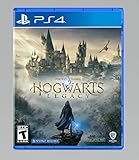
Hogwarts Legacy - PlayStation 4 | $24.99 | Buy on Amazon |
As an Amazon Associate I earn from qualifying purchases.
Use Photo Mode to compose a screenshot
Photo Mode is the option for moving and arranging a camera independently to frame a still image. On PlayStation, pause the game and tap Square to enter it, as described in the PlayStation Blog’s June 6, 2024 update announcement.
Photo Mode offers camera move, rotate, tilt, and field-of-view controls. It also provides visual adjustments including focus distance, exposure, contrast, depth of field, and zoom. The official Wizarding World overview of the 2024 summer updates notes that changes to time of day and season revert when you leave Photo Mode. Those composition controls are for screenshots; they are not evidence of a gameplay camera-perspective switch.
#1 Best Overall
- EXPLORE AN OPEN WORLD. The wizarding world awaits you. Freely roam Hogwarts, Hogsmeade, the Forbidden Forest, and the surrounding Overland area.
- BE THE WITCH OR WIZARD YOU WANT TO BE. Learn spells, brew potions, grow plants, and tend to magical beasts along your journey. Get sorted into your house, forge relationships, and master skills to become the witch or wizard you want to be.
- EXPERIENCE A NEW WIZARDING WORLD ADVENTURE. Experience the wizarding world in an unexplored era to uncover a hidden truth from its past. Battle against trolls, Dark Wizards, goblins, and more as you face a dangerous villain threatening the fate of the wizarding world.
Adjust how the camera moves
If the view is technically right but camera movement feels too fast, slow, or difficult to control, check the game’s accessibility options. Portkey Games Support lists these camera-related settings:
- Camera sensitivity and camera acceleration
- Camera deadzone
- Follow-camera speed
- Camera-axis inversion
These settings tailor camera handling rather than changing the gameplay perspective. See the official Hogwarts Legacy Accessibility Features list for the documented options.
Rank #2
- Video game for Switch from the brand Warner Games
- Color: Multicolor
- Dimensions: 10.5 x 16.8 x 1.2 cm
- Reference: S7830090
- If what you want is quality at the best price do not keep looking!
What about camera distance or first-person view?
The official sources cited here document a PC field-of-view adjustment, Photo Mode controls, and camera-handling accessibility options. They do not establish exact gameplay zoom buttons, a general first-person toggle, or equivalent camera-distance controls across PC, PlayStation, Xbox, and other platforms. If you want a specific gameplay camera-distance change, check the current in-game control mapping for your platform rather than relying on an unverified button combination.
The Tool Desk
Outbyte Driver Updater FREEFix the driver behind crashes, sound loss and screen glitchesFind Drivers →Outbyte PC Repair FREEClear out junk files and repair common Windows errorsFree Scan →Quick Recap
Rank #4
- We’re overwhelmed with gratitude for the response to Hogwarts Legacy from fans around the globe. The team is working hard to deliver the best possible experience on all platforms and we need more time to do this. Hogwarts Legacy will launch for PS4 and Xbox One May 5, 2023.
- EXPLORE AN OPEN WORLD. The wizarding world awaits you. Freely roam Hogwarts, Hogsmeade, the Forbidden Forest, and the surrounding Overland area.
- BE THE WITCH OR WIZARD YOU WANT TO BE. Learn spells, brew potions, grow plants, and tend to magical beasts along your journey. Get sorted into your house, forge relationships, and master skills to become the witch or wizard you want to be.
- EXPERIENCE A NEW WIZARDING WORLD ADVENTURE. Experience the wizarding world in an unexplored era to uncover a hidden truth from its past. Battle against trolls, Dark Wizards, goblins, and more as you face a dangerous villain threatening the fate of the wizarding world.
Rank #3
- This edition of Hogwarts Legacy has been enhanced for Nintendo Switch 2, including Joy-Con 2 mouse sensor support, improved graphics, audio, load times, and controls.
- Hogwarts Legacy is an immersive, open-world action RPG set in the world first introduced in the Harry Potter books. Take control of the action and be at the center of your own adventure in the wizarding world.
- Experience Hogwarts in the 1800s. Make allies, battle Dark wizards, and ultimately decide the fate of the wizarding world. Your legacy is what you make of it. Live the Unwritten.
Product prices and availability are accurate as of the date/time indicated and are subject to change. Any price and availability information displayed on Amazon at the time of purchase will apply.




