The Tool Desk
Outbyte PC Repair FREERepair Windows errors before they cause bigger problemsFix Now →Outbyte Driver Updater FREEScan for outdated or missing drivers - takes under a minuteDriver Scan →PPSSPP does not provide God of War downloads. It is a PSP emulator, so you need a compatible ISO or CSO game file obtained through a route you are allowed to use. The PSP God of War games are God of War: Chains of Olympus (2008) and God of War: Ghost of Sparta (2010).
Which God of War games work as PSP titles?
Sony lists two God of War games for PSP: Chains of Olympus and Ghost of Sparta. They originally launched in 2008 and 2010, respectively. Other games in the series were released for different platforms, so they are not PSP titles to load in PPSSPP. Sony’s God of War catalog identifies the series entries and platforms.
As an Amazon Associate I earn from qualifying purchases.
How do you get a game file for PPSSPP?
Downloading PPSSPP and getting a game are separate steps. PPSSPP does not distribute commercial games; its FAQ says you must provide your own ISO or CSO file. Its documented options are to make a copy from a UMD you have, or copy a PSP game downloaded from PlayStation Network onto a real PSP. Availability, applicable terms, and legal rights depend on your circumstances and location.
Use a UMD you have
PPSSPP describes an ISO as a raw copy of a disc, which can optionally be compressed. Its guidance explains dumping your own UMD to create a game file. A UMD is physical media, not a PPSSPP download, and the emulator does not convert an unrelated file into an authorized copy.
#1 Best Overall

- Sony PSP 3000 International Console, Fully Technician Tested.
Copy a PSP download already on a PSP
If you have a PSP game downloaded from PSN on a real PSP, PPSSPP documents copying it from the PSP to a computer via USB, then playing it in the emulator. Sony says previously purchased PSP content remains downloadable to a PSP through its Download List. Sony also says PSP content still offered for purchase can be bought through PS3 and PS Vita stores; in-game-store purchases for PSP content ended on July 6, 2021. Those notices do not confirm that either God of War title is currently for sale in every region. Check Sony’s current service notice for the relevant market rather than assuming a new PSP download is available.
How to open the game in PPSSPP
- Install PPSSPP from its official distribution channel for your device.
- Prepare your ISO or CSO through an authorized route available to you, such as dumping a UMD or copying a PSP download already on a real PSP. Exact steps vary by device and system version.
- Locate the file in PPSSPP. On desktop, choose File → Load or navigate to it through the Games tab. On Android, put the file in device storage and browse to that folder from the Games tab.
- Select the game file to start it. PPSSPP’s guide states: “If you have the game you want to run as an ISO, use the Games tab to navigate to your game.” See PPSSPP’s game setup instructions for its documented routes and navigation.
UMD or PSP download: which route applies?
| Route | What you need | What PPSSPP documents | Availability caveat |
|---|---|---|---|
| UMD | A physical PSP disc you have and a way to dump it | Creating a game image from your own UMD | A disc is not a ready-made PPSSPP file; follow applicable terms and local law. |
| PSN download | A PSP game already downloaded onto a real PSP | Copying the game from the PSP over USB for use in PPSSPP | Sony’s notices allow redownloading previously purchased content to PSP and purchases only for content still offered on PS3 or PS Vita stores; current availability for these games is not established. |
Neither route is established as cheaper or faster for these specific games. The PSN route depends on already having the download or being able to access an authorized store offering it; the UMD route requires physical media and a dump.
Rank #2

- Sony PSP 3000 International Console, Fully Technician Tested.
Is it legal to download a God of War ISO?
Do not assume that owning a disc automatically makes downloading an ISO from an unrelated website lawful. PPSSPP says it cannot distribute commercial game files, and Sony’s US software license restricts copying, distribution, and obtaining software outside SIE-authorized methods. That license applies to the US and is not a complete statement of copyright law worldwide. Use an authorized source, and check the terms and laws that apply where you live. See the US PlayStation software license and PPSSPP FAQ.
Do these 3 things before closing this tab:
1Fix the driver behind crashes, sound loss and screen glitches2Repair Windows errors before they cause bigger problems3Scan for outdated or missing drivers - takes under a minuteQuick Recap
Best Value
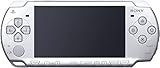
- Sony PSP 3000 International Console, Fully Technician Tested.
Rank #4

- Sony PSP 3000 International Console, Fully Technician Tested.
Rank #3

- Sony PSP 3000 International Console, Fully Technician Tested.
Product prices and availability are accurate as of the date/time indicated and are subject to change. Any price and availability information displayed on Amazon at the time of purchase will apply.




