What’s actually slowing this PC down?
Pick the symptom - the matching free tool is one click away.
In the PC version of The Sims 2, open Neighborhood view, click the Families icon, choose Create a Family, enter the family’s last name, then select Create a Sim.
Open Create-a-Sim from Neighborhood view
- Go to Neighborhood view.
- Click the Families icon.
- Select Create a Family.
- Enter the family’s last name.
- Select Create a Sim. A randomly generated Sim appears as the starting model, according to the community-maintained The Sims Wiki family-creation guide.
Customize and accept your Sim
After entering Create-a-Sim, provide a first name and choose the Sim’s gender, skin tone, and fitness. Continue through the numbered creation steps to choose a head, adjust hair and facial features, select eye color and any available accessories, and choose outfits. The guide also describes setting aspiration, personality, Turn Ons, and Turn Offs; some choices depend on installed expansion content, so the available categories may differ between installations.
| # | Preview | Product | Price | |
|---|---|---|---|---|
| 1 |

|
The Sims 2: Double Deluxe - PC | $34.52 | Buy on Amazon |
| 2 |

|
The Sims 2 - PC | $4.50 | Buy on Amazon |
| 3 |
|
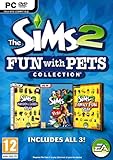
The Sims 2: Fun with Pets Collection - PC | $29.99 | Buy on Amazon |
| 4 |
|
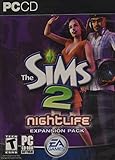
The Sims 2: Nightlife Expansion Pack - PC | $13.95 | Buy on Amazon |
| 5 |

|
The Sims 2: Apartment Life Expansion Pack | $44.49 | Buy on Amazon |
As an Amazon Associate I earn from qualifying purchases.
When the Sim is ready, select Accept Sim. If you are creating a household with more than one Sim, the guide describes options to create a child based on two adults’ genetics, set household relationships, and accept the family.
Place the completed family
Once you accept the household, it goes to the family bin. From there, move the family into a home they can afford. This happens after creating the Sim; it is not the entry point for Create-a-Sim.
#1 Best Overall
- Classic The Sims 2 Gameplay—Create unique Sims with personalities and life goals. Fulfill their dreams and build their ultimate home as you design their world
- The Sims 2 Nightlife Expansion Pack—Send your Sims on an epic night out. Hit the downtown hot spots, play the dating game with your Sims, and live the Pleasure Life Aspiration
- The Sims 2 Celebration Stuff Pack-Host the social event of the season. Must-have stuff to throw the ultimate weddings, birthday parties, and fiestas for your Sims
- Get expert tips and tricks from the Bonus 101 Video. The game’s designers share their best tricks and strategies. Learn how to create Sims and build and design their homes
PC and console controls are different
These steps describe the PC interface. Console editions use platform-specific controls, so controller directions should not be substituted for the PC mouse-and-interface route. Exact labels and interactions are not established here for every re-release, edition, or operating-system configuration; wording may vary in the version you are playing. Neoseeker’s Create-A-Sim page offers secondary corroboration for the general family-creation entry point, but does not resolve every platform or edition difference.
Quick Recap
Best Value
- Move into the perfect apartment: a spacious loft, a cozy place for a young couple, or a multi-bedroom flat-share with friends
- Mingle with Sims from all-new social groups: stylish socialites, artsy bohemians, sports jocks, gadget-collecting techies, or edgy gearheads
- Take advantage of apartment life: form social networks to make new friends, advance their careers, or look for love
- Build your Sim’s new reputation meter: with a good reputation, your Sim can find the right friends to help them achieve their goals
- Control multiple households: will you make your Sims live in happy harmony or comical conflict
Rank #4
- Sims romantic attraction is now based on personality - Figure out their compatibility, then heat up their love life with new romantic social interactions
- Give the Sim of your dreams a longing gaze, go for a slow dance and top it off with a dramatic dip kiss
- Live it up in fun and style - over 125 new items objects & items including a DJ station, photo booth, karaoke machine and more. Exotic new Sims to mingle or date including vampires, hot waiters and more
- Doll up and head out -- chill out at mellow lounges, dance the night away at nightclubs, enjoy candlelight dinners at fine restaurants or hit the bowling alley with the guys and become the ultimate king of the pins
Rank #3
- Choose from three new architectural themes, Moroccan, Art Deco, and Second Empire, to re-imagine and re-make the exteriors of your Sims' estates
- The Sims 2 Fun with Pets Collection includes 3 great titles: The Sims 2 Pets Expansion, The Sims 2 H&M Family Fun Stuff Pack, and The Sims 2 Mansion and Garden Stuff Pack
- Your Sims can share a lifetime with their pets. Sims can adopt dogs, cats, birds, and more. Choose from dozens of dog and cat breeds, or customize features for a unique pet and then pick their personalities
- Your Sims can encourage and discipline pets, training them to shake, play dead, and more. Unruly pets might dig in the yard, claw the sofa, topple the trash, or surprise their Sims in other ways
- The ability to possess must-have items for your Sims' entire family. Hang loose with Hawaiian style patio furniture and clothing or bring out the kids' adventurous side with exciting costumes
Rank #2
- Electronic Arts 14726 Sims 2 PC
Product prices and availability are accurate as of the date/time indicated and are subject to change. Any price and availability information displayed on Amazon at the time of purchase will apply.




