
Most “predictive-maintenance” false alarms begin before the anomaly model runs. A missing timestamp, drifting temperature probe, saturated vibration channel, duplicated record, or an unrecorded change in machine load can look exactly like equipment degradation. Fix the telemetry first, separate data-quality alarms from condition alarms, then use context-aware detection with operator feedback. This sequence reduces alert noise without hiding real failures.
Why predictive-maintenance systems generate false alarms
An alarm is only as trustworthy as the measurement and operating context behind it. Industrial assets rarely run at one steady condition: load, speed, product, ambient temperature, process recipe, and maintenance state change over time. A model that treats every observation as comparable will flag normal regime changes as failures.
As an Amazon Associate I earn from qualifying purchases.
False alarms generally come from two different problems that need different responses:
Free tools Windows power users keep installed
One-click scans. No signup required.
| Alarm type | What triggered it | First response | Typical corrective action |
|---|---|---|---|
| Data-quality alarm | Missing, duplicated, impossible, saturated, stuck, drifting, or out-of-order telemetry; clock or calibration problems | Verify the signal, timestamp, asset identity, and calibration state | Repair the data pipeline, recalibrate or replace the sensor, and preserve a traceable correction |
| Equipment-condition alarm | A credible change in machine behavior after data quality and operating context have been checked | Compare with a contextual baseline and related signals | Inspect, test, or schedule maintenance according to the confirmed condition |
Raising a model threshold is not a fix for recurring data-quality alarms. It can merely suppress evidence of a failing sensor or a broken ingestion path, increasing the chance that a genuine equipment event is missed.
#1 Best Overall
![[BLE Vibration Sensor] WTVB01-BT50 Smart Vibration Module Ar-duino, 3-axis Vibration(Amplitude+Frequency+Displacement+Speed) Detector, Wireless Acceleration Shock Motor Monitor](https://m.media-amazon.com/images/I/41va7oLvGmL._SL160_.jpg)
- 【Integrated Vibration Sensor】Real-time capture of 3-axis vibration and temperature data: Vibration displacement (0~30000um) + Speed (0~50mm/s) + Amplitude (0~180°) + Operating temperature (-20°C~60°C). Vibration and shock omnidirectional measurements can prevent breakdowns and repair costs.
- 【BLE 5.0 Low Power】 50m transmission distance, approximately 8 hours battery life. Bluetooth 5.0 is compatible with Android/iOS systems. The WITMOTION APP supports connecting sensors on smartphones (up to 4 on the same phone). It can also be connected to a computer via TYPE-C, making it easy for users to choose the best connection.
- 【Easy Install & Use】The wireless design allows the sensors to be installed on machine parts that are difficult to access. A small and portable sensor designed with strap holes at both ends that can be used and go anywhere.
- 【Analysis Vibration Sensor System】Condition monitoring and vibration analysis are seamlessly integrated with WITMOTION PC software, making it quick and easy to analyze and visualize data. Maintenance teams can set it up as needed.
- 【Attitude Measurement More Accurate & Reliable】Sensors integrated R&D fusion algorithm, low noise level, and increasing measurement accuracy ensuring stable data output. WITMOTION has been focusing on the sensor field for 10 years, providing professional attitude measurement solutions globally.
What the standards and case evidence actually establish
ISO/TS 8000-230:2026
ISO/TS 8000-230:2026 defines principles, a cleansing process, implementation requirements, and detection and repair methods for anomalies in sensor data. Its scope is to improve data quality by cleansing sensor anomalies that affect low inherent quality characteristics. It does not prescribe one universal real-time anomaly algorithm. Use it as a framework for governing telemetry, not as a promise that one filter will work for every asset.
The adaptive industrial case study
A heavy-industry case by Marek Hermansa, Michał Kozielski, Piotr Michalak, Krzysztof Szczyrba, Mariusz Wróbel, and Łukasz Sikora (Sensors, 2021/2022) combined wireless vibration measurements with temperature streams. The workflow transformed raw streams into multidimensional features, adapted to incoming data, and operated with a sliding window. Operators could see what influenced a recommendation, confirm an alarm, or mark it false; that interaction was then used to adapt the system.
Across the study datasets, the authors reported a 90.25% average reduction in false alarms compared with a stand-alone outlier-detection method. This is a result for that study and its datasets, not an industry-wide benchmark or a guaranteed reduction for another plant.
What’s actually slowing this PC down?
Pick the symptom - the matching free tool is one click away.
NIST’s validation caution
NIST IR 8219 (2020) notes that manufacturers face limited data, changing processes, and scarce ground-truth validation points. An impressive accuracy score on synthetic or balanced data therefore does not establish safe performance on a live asset population. Validation must use time-ordered industrial data and operational outcomes.
Build a telemetry inventory before changing the model
Create one authoritative record for every signal. The inventory is the reference used by engineers, data scientists, and operations when an alarm is challenged.
- Identity: asset, component, sensor tag, physical location, and channel identifier.
- Measurement: quantity, engineering unit, expected range, resolution, and whether the value is raw or derived.
- Timing: nominal sampling interval, timestamp source, clock synchronization method, time zone, and acceptable latency.
- Installation: mounting orientation, attachment method, cable or radio path, ingress protection, and hazardous-area constraints where applicable.
- Calibration: last calibration date, method, reference standard, due date, and any post-maintenance offset.
- Operating context: load, speed, product or recipe, ambient conditions, startup/shutdown state, and maintenance state available at the same time resolution.
- Data lineage: gateway, transformations, resampling, imputation, and the person or service that changed a record.
Do not infer a unit or sampling rate from a column name. A vibration value expressed in acceleration, velocity, or a proprietary feature has a different physical meaning and valid range. Confirm the specification and store it with the signal metadata.
Quarantine bad observations without destroying evidence
Keep an immutable copy of the raw record. Create a separate quality-controlled stream with a status and reason code for every changed or excluded value. This allows a later investigation to distinguish a real machine event from a repair made by the pipeline.
Recommended Free Tools
Rank #2

- 【DIY-Focused Vibration Sensing】EVB Lite’s 3-axis accelerometer captures vibration and motion data up to 1.6 kHz, ideal for hobbyist projects, experimentation, and personal monitoring.
- 【Wi-Fi or Offline Operation】Stream data live over Wi-Fi or operate in AP Mode for local access—no additional gateway or software required.
- 【Free Device Hub Software】Connect and manage up to 1,000 EVB Lite sensors using EVident’s free Device Hub for scalable DIY and small-network setups.
- 【Optional Platform Analytics】Upload data to evbdata.com (subscription required) for visualizations, historical tracking, and advanced analysis
- 【Accurate Time-Stamped Data】Built-in real-time clock ensures every data point is synchronized for consistent event comparison.
Missing and duplicated values
Count gaps against the expected sampling interval, not merely against row numbers. Mark a gap when elapsed time exceeds the allowed interval, and distinguish a communication outage from a sensor that stopped producing values. Duplicates need a policy: identical repeats may be a retransmission, while two different values with the same timestamp indicate a clock or ingestion conflict. Preserve both records until the conflict is resolved.
Impossible and out-of-range values
Use engineering limits and physical constraints. A negative value may be impossible for one channel but meaningful for a signed displacement channel. Flag values outside the documented range, sudden unit changes, and values that violate a known relationship such as a temperature below the sensor’s operating limit. Do not replace an impossible value with zero; quarantine it and record the reason.
Saturation and clipping
A flat run at a sensor’s maximum or minimum often means the measurement chain has clipped. Mark the interval as saturated and inspect the sensor range, amplifier, mounting, and acquisition settings. A clipped vibration waveform can hide a real severity increase, so treating the plateau as “stable” is unsafe.
Stuck sensors
Detect a value that remains unchanged for an implausibly long period relative to the signal’s normal variation and sampling interval. Combine this check with device status and neighboring channels: a steady process can produce a legitimate plateau, while identical values during a known load change suggest a stuck channel. Label the interval rather than silently interpolating it.
Drift and calibration changes
Slow bias can pass ordinary range checks. Compare the channel with a reference, redundant sensor, or a physically related measurement; review calibration and maintenance records for the date the bias began. A drift alarm should trigger an instrument check, not a higher equipment-anomaly threshold.
Out-of-order timestamps and clock changes
Sort only after preserving the original order and timestamp. Record clock resets, daylight-saving or time-zone conversions, gateway restarts, and delayed batches. Windowed features calculated across an uncorrected time reversal can combine observations from different machine states and create an artificial anomaly.
Check relationships and operating state before calling degradation
Single-channel limits cannot explain many industrial events. Build checks for relationships among sensors and for the process state in which each relationship is valid.
Rank #3
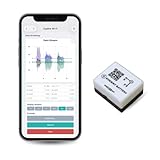
- 【High-Precision】 3-axis accelerometer and 3-axis gyroscope capture minute vibration changes with up to 0.000061 g and 0.0044 °/s. accuracy for reliable motion profiling and fault detection.
- 【Wi-Fi or Offline Mode】 Stream real-time vibration data through Wi-Fi or log locally via AP Mode—no extra gateway or software needed.
- 【Long Battery Life】 500 mAh Li-Po battery provides up to 8 hours of continuous use with USB-C fast charging. Supports continuous operation when externally powered.
- 【EVBdata Platform (Subscription, Optional)】Access live graphs and AI-powered analytics via evbdata.com to detect impact events and vibration patterns instantly.
- 【Device Hub Software (Free, Optional)】Enables multi-unit connection and centralized control.
- Compare vibration features with rotational speed and load; a higher value under a higher load may be normal.
- Compare temperature with ambient conditions, product temperature, and recent operating duration; warm-up behavior is different from steady-state behavior.
- Check that a commanded state and a measured state agree, such as valve position versus flow or motor command versus speed.
- Use maintenance and changeover records to mark periods when the asset is intentionally different from its historical baseline.
- Require agreement across related channels before escalating a weak, isolated deviation.
Context features should be time-aligned with the signal they explain. If load is sampled every minute and vibration every second, aggregate or join them with an explicit rule; do not let an accidental forward-fill make an old load value appear current.
Windows Errors? Fix Them Before They Spread
Repair common Windows errors and clear accumulated junk for a smoother, more stable PC - no reinstall needed.Free scan · no reinstallCrashes, No Sound, or Screen Glitches?
Random freezes, missing sound and display glitches usually trace back to one bad driver. Find and replace yours safely.Free scan · under a minuteConstruct a context-aware, adaptive baseline
A useful baseline describes normal behavior for comparable conditions, not one average for the entire plant. Partition or model behavior by variables such as load, speed, product, ambient temperature, startup state, and maintenance state. Keep the baseline’s training period and exclusions documented so an incident is not absorbed as “normal.”
Feature engineering for vibration and temperature
For vibration, derive features appropriate to the sensor and sampling rate, such as windowed amplitude or frequency-domain measures when the acquisition system supports them. For temperature, retain level, rate of change, and the relationship to ambient and load. The heavy-industry case used multidimensional features rather than judging each raw stream independently.
Sliding windows and adaptation
Score observations in a sliding window so the detector can represent recent behavior while retaining enough history to avoid reacting to one sample. Adaptation should be bounded and governed: exclude quarantined data, require confirmed normal operation before updating, and prevent a sustained failure from quickly becoming the new baseline.
Persistence and debounce
Define how long and how often a deviation must persist before creating an operator event. A persistence rule can require several consecutive qualifying windows or a proportion of qualifying samples in a period. A recovery rule should prevent rapid alarm-clearing and re-triggering when a value oscillates near the boundary. Set these rules with the cost of delay and the consequence of a missed failure in mind.
Use explanations and operators as part of the detector
An operator should be able to answer “why now?” from the alarm itself. Show the signals, context, and time window that contributed to the score, along with data-quality flags. An explanation is not proof of causality, but it exposes whether the recommendation is based on a plausible machine change or a bad channel.
Provide two explicit actions:
- Confirm: the operator accepts that the alert represents a condition requiring inspection or follow-up.
- Reject as false: the operator records that the recommendation was not actionable, with a reason such as startup, process change, sensor issue, or duplicate event.
Capture the reason code, asset state, operator role, and time. The adaptive case study used this confirmation or rejection interaction to adjust subsequent recommendations. Governance matters: do not let an unreviewed rejection automatically suppress future alerts for the same asset.
Rank #4

- WHY PAY A MONTHLY FEE, when you can protect it for free? Self-monitor and save when you take advantage of our many ways to be notified of alarms and off-normal events in and around your home or business. See the "Know Now!" section below for more info!
- DETECT & MONITOR: Attach to equipment like a generator, pump, or washing machine, to monitor and be notified of activity. Attach to windows to detect glass breaking. Please in or on objects like storage boxes or drawers to detect theft or attempted access to your possessions.
- DEVICE-TO-DEVICE PAIRING allows for two or more devices, like your Vibration Sensor and a Siren Alarm, to be paired together, so they will operate when needed, without WiFi, internet, even without AC power (battery-powered or backed-up devices)!
- LONGEST RANGE, BY FAR! YoLink devices use a new wireless technology called LoRa. Boasting an open-air range of up to 2,034 feet, and superior obstruction penetration, you can put sensors in places, like basements, outbuildings, several floors away, not possible with WiFi or older wireless systems.
- REQUIREMENTS: Android or Apple smartphone, wired ethernet port or stable WiFi connection (2.4 GHz band, only).
A practical remediation workflow
- Inventory every signal. Record unit, valid range, sampling interval, timestamp source, calibration state, asset, and operating-state fields.
- Preserve and quarantine. Keep raw data immutable. Mark missing, duplicated, impossible, saturated, stuck, drifting, and out-of-order observations with reason codes.
- Verify relationships. Compare correlated sensors and process commands, and inspect the operating state before labeling a deviation as degradation.
- Create a contextual normal baseline. Include load, speed, product, ambient conditions, startup/shutdown, and maintenance state where available.
- Score adaptively in windows. Exclude quarantined values, control adaptation, and apply persistence and debounce rules.
- Explain each event. Display contributing signals, context, quality flags, and the time window that produced the recommendation.
- Collect operator outcomes. Record confirm or reject status and a reason code; use reviewed outcomes to improve the detector and cleansing rules.
- Validate chronologically. Hold out later periods from the real asset population and measure false positives, missed events, detection latency, and maintenance outcomes.
- Correct the upstream cause. Recalibrate or replace sensors, repair clocks and gateways, or revise cleansing logic when quality alarms recur. Do not hide the pattern by merely increasing the anomaly threshold.
Measure performance with operational metrics
Report metrics by asset, operating regime, and alarm type. A single aggregate accuracy number can conceal an unacceptable missed-failure rate during a high-risk regime.
| Metric | What it tells you | How to interpret it |
|---|---|---|
| False-positive burden | Unconfirmed or rejected events per asset and operating period | Shows operator workload and alert fatigue; separate data-quality rejections from condition-alert rejections |
| Missed-failure risk | Known or credibly adjudicated failures not alerted in time | Prioritize consequences and confidence intervals when confirmed failures are scarce |
| Detection latency | Time from the first defensible deviation to the alert | Assess against the time needed to inspect, stop, or protect the asset |
| Adaptation behavior | Performance after load, product, season, or maintenance changes | Check that adaptation reduces nuisance alerts without absorbing failures |
| Explanation usefulness | Whether operators can identify the contributing signal and context | Review confirmation and rejection reasons, not just a satisfaction score |
| Data-quality recovery | Time and recurrence of gaps, drift, clipping, and clock errors | Demonstrates whether upstream repairs work |
Use time-ordered splits: train or calibrate on earlier periods and test on later periods. Keep entire events together so samples from one failure do not appear in both sets. Include the real mix of assets and regimes instead of balancing away the conditions that create operational difficulty.
Quick wins for a faster PC:
Repair Windows errors before they cause bigger problemsFix Now →Scan for outdated or missing drivers - takes under a minuteDriver Scan →Choosing or comparing a predictive-maintenance approach
Compare systems on the dimensions that determine whether an alarm can be trusted in the plant, not on model novelty alone.
| Comparison axis | Questions to ask |
|---|---|
| False-positive burden | How many operator events occur per asset and shift, and how are data-quality events separated? |
| Missed-failure risk | What failures were represented, how were they confirmed, and what was the consequence of a miss? |
| Detection latency | What is the delay from a defensible change to a usable alert under the intended sampling and network conditions? |
| Regime adaptation | Can the system distinguish load, speed, product, ambient, startup, and maintenance states? |
| Explainability | Can an operator see the contributing signals, window, context, and data-quality status? |
| Sensor-data cleansing | Does it detect and log gaps, duplicates, impossible values, clipping, stuck channels, drift, and timestamp faults? |
| Labeling requirements | How are confirmations, false alarms, maintenance records, and uncertain outcomes represented? |
| Evidence from live assets | Are results from representative industrial data, with a clear validation period and denominator? |
The adaptive interactive workflow in the Sensors case demonstrates one way to combine these capabilities. NIST’s warning about sparse ground truth means any claimed advantage should be read with the asset population, time period, and adjudication method attached.
When a wireless vibration sensor or data logger is the right troubleshooting tool
Wireless vibration measurements are directly relevant to the heavy-equipment workflow described above, but a device recommendation requires more than a product name. Verify the industrial temperature range, mounting method, sampling capability, ingress protection, radio reliability, battery behavior, and hazardous-area certification for the installation. A sensor that works in a laboratory may be unsuitable on a hot, wet, explosive, or high-vibration asset.
An industrial data logger can be useful for a controlled troubleshooting capture: compare the suspect channel with a reference instrument, preserve timestamps during a gateway investigation, or observe a suspected clipping or dropout. Treat the logger’s clock, calibration, and mounting as part of the test record. A short capture can identify a wiring or acquisition problem, but it does not establish long-term machine health by itself.
The Tool Desk
Outbyte PC Repair FREEClear out junk files and repair common Windows errorsFree Scan →Outbyte Driver Updater FREEScan for outdated or missing drivers - takes under a minuteDriver Scan →Common failure modes and recovery decisions
“The alarm started after a software update.”
Compare timestamp alignment, unit conversion, resampling, feature calculations, and default thresholds before changing the model. Replay a known period through the old and new pipelines and inspect the first point of divergence.
Best Value

- 【High-Precision】 3-axis accelerometer and 3-axis gyroscope capture minute vibration changes with up to 0.000061 g and 0.0044 °/s. accuracy for reliable motion profiling and fault detection.
- 【Wi-Fi or Offline Mode】 Stream real-time vibration data through Wi-Fi or log locally via AP Mode—no extra gateway or software needed.
- 【Long Battery Life】 5000 mAh Li-ion battery provides ~80 hours of continuous use with USB-C fast charging.
- 【EVident Platform Integration】 Access live graphs and AI-powered analytics via evbdata.com (Subscription) to detect impact events and vibration patterns instantly.
- 【Real-Time Timestamps】 Integrated RTC ensures each data packet is synchronized for traceable comparison and incident analysis.
“Every startup creates an alert.”
Label startup as an operating state and build a startup baseline or persistence rule. Do not train startup behavior into a steady-state baseline.
“One sensor disagrees with all of its neighbors.”
Check mounting, wiring, calibration, saturation, and clock alignment. Quarantine the channel while retaining its raw values, and rely on corroborating signals only under a documented policy.
“The detector became quiet after a long incident.”
Inspect adaptation history. If contaminated data entered the baseline, roll back to the last trusted version, exclude the incident window, and require reviewed normal-operation data before updating again.
“Operators reject too many alerts.”
Group rejection reasons. If most are process changes or sensor faults, improve context and data-quality handling. If they represent a real but low-consequence condition, revise the action policy rather than erasing the signal.
What a defensible rollout looks like
Start with one asset class and a small set of signals whose units, timing, and maintenance history are known. Establish data-quality dashboards before enabling condition alerts. Run the detector in observation mode long enough to characterize regimes, then introduce operator-facing events with explicit persistence rules and reason codes. Review outcomes on a fixed cadence, publish the time-ordered evaluation results, and version every change to cleansing, features, thresholds, and adaptation.
The objective is not the lowest possible alert count. It is a traceable chain from a trustworthy measurement, through a context-appropriate score, to an explanation and an action that protects the asset. When that chain breaks, repair the broken link instead of asking a higher threshold to conceal it.
Quick Recap
Product prices and availability are accurate as of the date/time indicated and are subject to change. Any price and availability information displayed on Amazon at the time of purchase will apply.
Do these 3 things before closing this tab:
1Repair Windows errors before they cause bigger problems2Scan for outdated or missing drivers - takes under a minute3Clear out junk files and repair common Windows errors
