
What’s actually slowing this PC down?
Pick the symptom - the matching free tool is one click away.
If Honkai: Star Rail shows “Timeout, resource download failed, please try again,” switch to another network and retry. HoYoverse attributes that exact error to an unstable network. If changing connections does not help, work through the checks below in order; none is a guaranteed fix.
Fix the download in this order
-
Switch to another network
Try a different Wi-Fi network, or switch between Wi-Fi and mobile data, then restart the download. HoYoverse identifies an unstable network as the cause of the exact “Timeout, resource download failed, please try again” message. The result can vary by connection; no network type is guaranteed to work. See HoYoverse’s download and installation troubleshooting guidance.
As an Amazon Associate I earn from qualifying purchases.
-
Check available storage
Make sure the device has enough free storage for the download or update. HoYoverse recommends checking available space but does not specify a required amount in its download and update guidance.
Special offer. See more information about Outbyte and uninstall instructions. Please review EULA and Privacy policy. -
Repair the game on PC
In HoYoPlay, select Repair Now. Reopen the launcher and check whether the download issue persists.
#1 Best Overall
 Rainteam Honkai: Star Rail Scroll Poster for Indoor Décor(27.5 inch x 10 inch), Hanging Wall HD Printing Artistic Canvas Honkai: Star Rail Character Posters for Game(Silver Wolf LV.999)
- 【Perfect Artistic Canvas】The Honkai: Star Rail Poster merch size is (27.5 inch x 10 inch) and is made from high quality canvas, light weight, soft, non-wrinkled, easy to wash, long-lasting durability, and looks brighter and shiny.
- 【Premium Quality Printing】The posters are provided with an exquisite graphic feel, HD printing makes the Honkai: Star Rail figures clear and more vivid as in the game.
- 【Unique Gift】We provide great variety of character posters, you can choose your favorite Honkai: Star Rail characters, and it can be a surprising gift for Honkai: Star Rail game enthusiasts on Christmas, Thanksgiving, birthdays, and other celebratory holidays.
- 【Great Indoor Decor】The Honkai: Star Rail poster is a great indoor decor, perfect as a decorative addition to bedrooms, living room, dormitory, gaming rooms, anime theme hotel, clubs.
- 【user friendly】A pole and a rope are installed at the top, and you can easily hang the poster on the wall by hooks.
-
Restart the device
Restart your PC, phone, or tablet, then try the download or update again.
-
Reinstall only if the problem continues
For PC, reinstall the game from the official HoYoverse website. On mobile, reinstall it through the App Store or Google Play Store. These are HoYoverse’s recommended platform-specific sources.
Rank #2
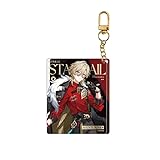 Honkai: Star Rail Express Travelogue Series Merchandise - Aventurine
- Honkai: Star Rail Express Travelogue Series Merchandise - Aventurine

The repair, restart, and reinstall steps are part of HoYoverse’s general download and update troubleshooting advice; they are not confirmed cures for an unstable-network error.
If the download reaches 100% but appears stuck
A download at 100% may still be verifying game-resource integrity. Wait for verification to finish. If it stays stuck for an extended time, contact HoYoverse Customer Support rather than assuming the download has failed.
PC: Consider the drive only if HoYoPlay downloads are slow or failing
HoYoverse recommends changing network environments and restarting the download for slow or failing HoYoPlay downloads. If the game is installed on a mechanical hard drive (HDD), installing it on a solid-state drive (SSD) is an optional performance consideration. HoYoverse does not provide benchmark figures or say that an SSD will fix the specific timeout error, which it attributes to an unstable network. Read its HoYoPlay download-speed guidance.
Independent reader supportYour contribution helps us test, update, and keep practical guides available for everyone.Contact support with the details they need
If the issue persists, send Customer Support your device model and operating-system version, a screenshot or screen recording of the error, and the time and region where it occurred. Those details help identify what happened without guessing at the cause.
Quick Recap
Rank #4

- Honkai: Star Rail GSC Nendoroid Figure - Phainon
Product prices and availability are accurate as of the date/time indicated and are subject to change. Any price and availability information displayed on Amazon at the time of purchase will apply.

