Flutter Jump is Yoshi’s brief midair hover: jump, then use the game’s specific input to stay aloft for a short time. The button and technique vary by game, so there is no single control that applies to every Yoshi title.
What Flutter Jump does
Flutter Jump lets Yoshi hover briefly after a jump—or, in Nintendo’s description of Yoshi and the Mysterious Book, after jumping or beginning to fall. It helps manage movement in the air, but the available sources do not establish a universal hover duration, height, or guaranteed landing result.
As an Amazon Associate I earn from qualifying purchases.
In Yoshi and the Mysterious Book, Nintendo also describes using Ground Pound while airborne to hit creatures below. That illustrates how the move can fit into an aerial action, but it does not establish that the controls match earlier games. Nintendo’s game page
Recommended Free Tools
How to Flutter Jump in specific Yoshi games
Yoshi’s New Island
In Yoshi’s New Island for Nintendo 3DS, jump and hold the jump button to float briefly. The manual’s A Style instructions say, “Jump and hold down A to float in the air for a short time.” The game offers both A Style and B Style controls, so check the selected style before relying on the A-button label. Nintendo’s Yoshi’s New Island manual
#1 Best Overall

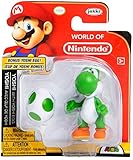
- Authentic four-inch figures from the Super Mario video games
- Yoshi has 11 points of articulation; Toad has three points of articulation
- Articulation on Yoshi is featured in the head, shoulders, wrists, hips, ankles, and feet. Toad’s articulation featured in the head and shoulders
- Toad includes Block accessory; Yoshi includes Egg accessory
- Suggested for kids ages 3 and up; Start your collection today!
Yoshi’s Story
In Yoshi’s Story, hold A to float in the air for a while. Its manual also gives a game-specific height tip: push the control stick upward before starting a Flutter Jump to reach higher places. The button and directional tip should not be assumed to apply to other Yoshi games. The control wording is reproduced by World of Nintendo from the game manual. World of Nintendo’s Yoshi’s Story manual reproduction
Yoshi and the Mysterious Book
Nintendo says, “If you jump or start to fall, Flutter Jump to hover for a bit.” This confirms that, in this game’s description, the move can begin from a jump or the start of a fall. Nintendo also describes Ground Pound as an airborne action for hitting creatures below; consult the game’s own controls for its button inputs. Nintendo’s game page
Rank #2
- Collect all your World of Nintendo favorite characters!
- Each figure comes with a secret power up accessory!
- Up to 13 points of articulation
- Collect them all!
- For ages 3 and up
How to stay airborne longer
- Use the jump-and-hold input documented for your game rather than assuming a button from another title will work.
- In Yoshi’s Story, try pushing the control stick upward before Flutter Jump; the manual’s tip is specific to that game.
- In Yoshi’s New Island, verify whether A Style or B Style is selected before following button-specific directions.
The cited descriptions call the hover brief or say it lasts “for a while”; they do not give a precise duration or guarantee that a particular technique will extend it by a set amount.
The Tool Desk
Outbyte Driver Updater FREEScan for outdated or missing drivers - takes under a minuteDriver Scan →Outbyte PC Repair FREEClear out junk files and repair common Windows errorsFree Scan →Which button should you hold?
It depends on the game and its control setup. The documented examples here use A in Yoshi’s Story and in the A Style instructions for Yoshi’s New Island. Those examples do not establish a universal button for the series, and Yoshi’s New Island also has B Style controls. For exact instructions, identify the Yoshi game and platform you are playing, then check that game’s manual or control settings.
Quick Recap
Best Value

- Figures shown not actual size and design may vary.
- Discover a brand new way to interact with your favorite characters and games.
- Tap amiibo figures to the Wii U GamePad controller to interact with compatible games, no portal needed.
- Each compatible game offers different ways to interact with your amiibo figure. Depending on the game, they can grow and learn as they compete alongside you, give you access to special items, or let you customize your characters and your gameplay.
Rank #4

- HERE WE GO! Collect all your favorite Super Mario characters in the World of Nintendo 2.5-inch figure line!
- COLLECTIBLE SIZE: Each figure measures approximately 2.5 inches tall - the perfect size for your office desk, home bookshelf and so much more!
- GREAT GIFT IDEA: Add this fun figure to your personal collection or gift it to the Mario fan in your life!
Rank #3
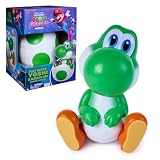
- Hatch Your Own Yoshi: Hatch your very own Yoshi, featured in The Super Mario Galaxy Movie Start the hatch by interacting with the egg, then watch as it rocks side to side on its own, until Yoshi eventually cracks open and pops out with a “Yoshi”. Use the bottom half of the egg as a display stand
- Play with Yoshi: Pat Yoshi’s nose and head and watch as it reacts and his eyes light up. Yoshi will rock its head side to side when you play with him, causing his whole body to rock when he’s excited
- Fun for Fans: This Yoshi toy is perfect for fans of The Super Mario Galaxy Movie Measuring 5.9” H x 4.25”W x 5.75”L once out of the egg, this Yoshi is the perfect interactive toy for kids to take anywhere
- Light Up Eyes: Yoshi’s eyes will light up when he’s ready to play Press his shell down and speak to Yoshi to hear him respond, after a while he’ll stop talking and end the conversation with an “aww”
- Toys for Girls & Boys: The Hatchin’ Yoshi can appeal to kids of all ages and is a fantastic addition to any Nintendo fan’s collection, sure to be a top wish list gift
Product prices and availability are accurate as of the date/time indicated and are subject to change. Any price and availability information displayed on Amazon at the time of purchase will apply.




