Do these 3 things before closing this tab:
1Clear out junk files and repair common Windows errors2Fix the driver behind crashes, sound loss and screen glitches3Repair Windows errors before they cause bigger problemsTo host a Rust server, install the dedicated server files with SteamCMD using Rust server App ID 258550, configure and launch RustDedicated, then connect locally or open the required network ports for other players. You can run it on a Windows, Linux, or macOS machine you control, or rent dedicated server resources. Facepunch’s official guide lists 12 GB of free RAM and 15 GB of free disk space as baseline guidance—not a player-capacity guarantee—and recommends SSD/NVMe storage. Facepunch’s server-creation guide is living documentation, accessed October 5, 2026.
Choose where to run the server
The core installation and configuration are the same whether the server runs at home or on rented infrastructure. The practical difference is who manages the machine and network. A spare computer can work for a small private server if it has adequate resources and a stable connection. Renting dedicated server resources can avoid home-router administration and may offer management controls, but features and support depend on the provider.

As an Amazon Associate I earn from qualifying purchases.
If you would rather not administer a home machine, Godlike.Host’s Rust server hosting is one game-server option. It comes with a Pterodactyl-based panel with a task scheduler, sub-users with permissions and SFTP access, up to three free backups a day with restore, free DDoS protection and 24/7 support by live chat or ticket. See the current plans for what each one includes.
Quick wins for a faster PC:
Repair Windows errors before they cause bigger problemsFix Now →Fix the driver behind crashes, sound loss and screen glitchesFind Drivers →Clear out junk files and repair common Windows errorsFree Scan →| Consideration | Machine you control | Rented dedicated resources |
|---|---|---|
| Setup and maintenance | You maintain the operating system, server files, firewall, router rules, and backups. | You still manage Rust settings and updates; control-panel features and provider support vary. |
| Network access | For outside players, you need a reachable public route and, behind a router, port forwarding to the server’s local address. | Check that the plan gives you the network and firewall controls needed for the ports you intend to use. |
| Resources | Choose hardware based on the map, population, plugins, and workload—not RAM alone. | Compare allocated memory, CPU, storage type and capacity, and server location; do not infer capacity from a single spec. |
| Recovery and security | You control backup and restore procedures and must arrange any network protection you need. | Check what backup access, DDoS protection, and recovery controls are actually included. |
| Cost and terms | There may be no separate rental charge, but you supply and operate the hardware and connection. | Check current price, billing period, cancellation terms, and support. No provider prices or terms are established here. |
Facepunch’s hidden-server guide discusses dedicated infrastructure and DDoS protection in that security-specific context. Treat protection as a requirement to investigate for your own exposure and risk, not as a feature guaranteed by every rental.
#1 Best Overall
Check the machine before installing
Facepunch supports Windows, Linux, and macOS for dedicated-server hosting. Its official server guide lists 12 GB free RAM—noting that a 6k map uses more—and 15 GB free disk space, with SSD/NVMe highly preferred. These are published baseline figures, not a benchmark or a promise that a particular map, population, or plugin load will run well. Requirements vary with use and population. The separate client-game requirements page describes the player’s game computer, not the dedicated server; do not substitute those figures. See Creating a server and Buying and Installing Rust.
- Leave headroom beyond the published free-RAM baseline if you expect a larger map or heavier workload.
- Prefer SSD/NVMe storage for the server files and data.
- Make sure the machine can remain online when players expect to join. A home server’s reachable connection matters as much as its hardware.
- Plan storage for server data and backups rather than treating the minimum free-space figure as a complete backup plan.
Install or update the dedicated server with SteamCMD
Rust’s dedicated server is installed through SteamCMD; you do not need a Steam account to install and run it. Players joining the server do need Rust. Use a dedicated install directory so the server files are separate from unrelated software. Facepunch’s official installation flow uses anonymous login and Rust server App ID 258550; its Linux example includes app_update 258550 validate. The same general install/update approach applies on Windows.
- Install SteamCMD for your operating system and create a directory dedicated to the server files.
- Start SteamCMD, select the dedicated install directory, and log in anonymously.
- Run
app_update 258550 validateto install or validate/update the Rust server files, then exit SteamCMD. - When updating later, use SteamCMD’s app update flow again. If you use Oxide/uMod, account for its separate reinstallation after a server update.
Use the current instructions on Facepunch’s server-creation page for the platform-specific SteamCMD setup. Do not copy old quick-install bundles uncritically: Facepunch marks its older example as outdated, notes that -autoupdate is no longer a valid feature, and says the sample calls SteamCMD twice unnecessarily.
Free tools Windows power users keep installed
One-click scans. No signup required.
Rank #2

- Olive Wood Salad Servers, utensilios de madera, wooden salad set – Crafted from solid olive wood, this 8 inch spoon and fork set highlights rich natural grain and smooth hand-finished texture, bringing warmth and character to everyday meals and stylish table settings.
- Wooden serving utensils, servidores de ensalada, pasta server spoon fork – Designed for easy tossing and serving, the wide spoon bowl and curved fork lift salads, pasta, and vegetables gently, making food prep and presentation simple in any cocina.
- Handcrafted olive wood, cucharas de ensalada madera, natural grain texture – Each piece features unique wood patterns and a comfortable ergonomic handle with hanging hole, offering balanced control and durable structure for regular kitchen use.
- 8 inch salad server set, tenedor de servir madera, compact kitchen tools – The practical size provides a secure grip without bulk, protecting bowls from scratches while delivering smooth, steady handling for daily cooking and hosting.
- Rustic kitchen utensils, utensilios cocina madera, housewarming gift idea – This 2 piece olive wood spoon and fork set fits farmhouse or modern décor, ideal for salads, pasta, and shared meals, adding natural charm to gatherings and family dinners.
Configure and launch RustDedicated
Launch RustDedicated.exe on Windows or the Linux dedicated-server executable/script in batch mode. Configure the details that define your server: game port, map world size, seed, maximum players, displayed hostname, description, and server identity. The identity creates a separate data folder, which helps keep one server’s files distinct from another’s.
Put persistent settings in server.cfg
Facepunch recommends putting most settings in the identity’s cfg/server.cfg. The file is read at startup, and its values take precedence over command-line values. This makes it easier to keep routine settings together and reduces the chance that a launch command and configuration file disagree. Relevant setting names include server.port, server.queryport, server.worldsize, server.seed, server.maxplayers, server.hostname, and the RCON settings.
The official guide’s example uses game port 28015 and RCON port 28016; these are example choices, not mandatory ports. Select a distinct query port if you want browser visibility. Keep a record of the port values because they must match your firewall and router rules. For identity and configuration details, see Getting started with your Rust server and Creating a server.
Rank #3

- Premium Acacia wood carrying tray with 3 removable ceramic sauce bowls perfect for everyday meals at home, party events, or commercial restaurants
- Raised display server stand is crafted from sustainable Acacia solid wood with cutout compartments for the condiment holders and slots for lid rests
- Serving set includes three round ceramic dipping bowls with a 4-ounce capacity, each with a lid cover and serving spoon, perfect for sauces, dips, charcuterie, or small side dishes
- Dining caddy is ideal for any dinner table or party setup and is a quality gift idea; wooden carrier can be wiped clean with a damp cloth and ceramic dishes should be handwashed **Hand wash only; Do NOT soak; NOT dishwasher safe**
- Approximate Dimensions of the Serving Dishes Set : Tray - 11.8 L × 4.9 W × 2.4 H; Each Bowl - 2.4 H × 3.4 Diameter (in inches)
Wait for startup before testing
Let the process finish starting and wait for the startup-complete message before trying to connect. On the server computer itself, open Rust’s game console and run connect localhost:28015, replacing 28015 with the configured game port if you changed it. A successful local connection checks that the server process is running and that its local game endpoint is responding; it does not prove that players outside your network can reach it.
Make the right ports reachable
Start by deciding whether players will connect only from the same computer or LAN, whether the server should be listed publicly, and whether you need remote administration or Rust+. Each purpose uses a different endpoint. Facepunch documents the game and query ports as UDP, RCON as TCP, and the Rust+ companion endpoint as TCP.
| Purpose | Protocol | When to allow it |
|---|---|---|
Game traffic (server.port) |
UDP | Allow the configured game port for players who need to connect. |
Server-browser discovery (server.queryport) |
UDP | Allow the query port if you want the server visible in the game browser. It must be different from the game port. |
| RCON administration | TCP | Allow only if you need remote administration, and restrict who can reach it. |
| Rust+ companion server | TCP | Allow only if you enable Rust+ and need its companion endpoint reachable from the internet. |
For local or LAN play
For a same-computer test, connect through localhost. For another device on the same local network, use the server machine’s LAN address and configured game port. Internet-facing router forwarding is not needed for a local-only test.
Rank #4

- 𝐂𝐨𝐦𝐩𝐥𝐞𝐭𝐞 𝐑𝐮𝐬𝐭𝐢𝐜 𝐂𝐚𝐤𝐞 𝐃𝐢𝐬𝐩𝐥𝐚𝐲 𝐒𝐞𝐭 — Includes a 12 inch bark-edge wood cake stand, cake knife, server, and 3 blank wood slice toppers for a coordinated dessert table.
- 𝐖𝐫𝐢𝐭𝐞-𝐎𝐧 𝐖𝐨𝐨𝐝 𝐒𝐥𝐢𝐜𝐞 𝐓𝐨𝐩𝐩𝐞𝐫𝐬 — Add names, dates, initials, or short messages with your own marker. Toppers are blank; marker not included and writing is not erasable.
- 𝐒𝐢𝐳𝐞𝐝 𝐟𝐨𝐫 𝐂𝐞𝐥𝐞𝐛𝐫𝐚𝐭𝐢𝐨𝐧 𝐂𝐚𝐤𝐞𝐬 — The 12 inch top, 3 inch height, and 5 inch base create a raised single-tier display for cakes, cupcakes, pastries, and dessert tables.
- 𝐍𝐚𝐭𝐮𝐫𝐚𝐥 𝐁𝐚𝐫𝐤-𝐄𝐝𝐠𝐞 𝐂𝐡𝐚𝐫𝐚𝐜𝐭𝐞𝐫 — Real wood grain and bark edges make each stand unique. Shape, color, and edge texture may vary, so no two pieces look exactly the same.
- 𝐒𝐞𝐚𝐥𝐞𝐝 𝐒𝐮𝐫𝐟𝐚𝐜𝐞, 𝐒𝐢𝐦𝐩𝐥𝐞 𝐂𝐚𝐫𝐞 — Wipe clean and dry promptly after use. Do not soak or place in the dishwasher; use a cake board or liner under frosted or oily desserts.
For players outside your home network
- Give the server machine a stable local address, so the router rule will not point to a different device after a network change.
- Allow the configured game port through the server machine’s firewall using UDP.
- In the router’s port-forwarding settings, map that UDP port on the public side to the same port and the server machine’s stable LAN address.
- If you want browser discovery, allow and forward the distinct query port using UDP as well.
- Test from outside your home network. A successful LAN test alone does not verify the public route.
Exact router menu names differ by model, so the important values are the destination machine, port number, and protocol. Facepunch’s guide explains the server ports and browser visibility in Creating a server.
For a hidden server
A hidden server is not automatically access-controlled: an obscure address or port does not prevent an unwanted player from joining if they can reach the game endpoint. Facepunch’s hidden-server guide says to block the Steam query port to prevent listing and discovery. That means the server will not be discoverable through the browser; arrange a deliberate way for invited players to connect, and use actual access controls rather than relying on obscurity. The guide also discusses nonstandard ports as an added obscurity measure, not as a substitute for firewall rules or access control. See Creating a hidden, whitelisted server.
The Tool Desk
Outbyte PC Repair FREEClear out junk files and repair common Windows errorsFree Scan →Outbyte Driver Updater FREEScan for outdated or missing drivers - takes under a minuteDriver Scan →Set up admins and control who can join
Facepunch documents assigning owner or moderator status using a player’s SteamID, either through server commands or by editing users.cfg while the server is stopped. On Linux, use RCON to send commands. Follow the command syntax in the official guide for the account role you intend to grant, and give elevated status only to trusted people.
Best Value
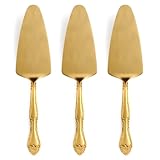
- WHY IT’S SPECIAL: This 3-piece cake server set features a beautiful rose handle design, making it a stylish addition to any dessert table for weddings, birthday parties, or special gatherings. The golden sandblasted finish adds a touch of vintage luxury, perfect for creating memorable moments at any celebration.
- WHAT'S IN THE PACKAGE: The package includes 3 pieces elegantly crafted cake serving utensils with a stunning golden color and satin finished surface, making them ideal for serving cakes, pies, and other desserts. This luxurious set enhances your family celebrations, making entertaining effortless!
- WHAT IT’S MADE OUT OF: Crafted from high-quality stainless steel, these cake pie pastry servers feature a rust-resistant and durable construction. This golden satin finish cake serving set not only adds elegance but also ensures long-lasting beauty for all your celebratory occasions in the kitchen.
- WHO IT’S FOR: Ideal for anyone who loves hosting events, this versatile pie server set is perfect for wedding planners, party hosts, and home bakers seeking that extra touch of elegance. The vintage luxury design is sure to impress your friends and family at every gathering!
- HOW TO CARE FOR IT: Enjoy hassle-free cleaning as this dessert servers set is dishwasher safe, making cleanup quick and easy after your events. Maintain its pristine look and luxurious golden finish for future celebrations with minimal effort!
If you enable RCON, use a strong password instead of copying an example value, and restrict access to its TCP port. Facepunch’s example recommends rcon.web 1; keep RCON private where possible rather than exposing it to every internet address.
Rust does not include a built-in whitelist system, according to Facepunch’s hidden-server guide. The documented options include an Oxide/uMod whitelist plugin or the built-in skip-queue approach. A plugin adds an update obligation: after server updates, Oxide/uMod must be installed again, and SteamCMD can revert files to vanilla. If you use a plugin, plan how you will restore it and verify it after each update. The official options and caveats are described in Facepunch’s hidden-server guide.
Enable Rust+ only if you need it
Rust+ uses a companion server endpoint separate from ordinary game traffic. Facepunch documents its default TCP port as the greater of the game port plus 67 or the RCON port plus 67. For example, calculate both values from your configured ports and use whichever is higher; check the server’s app.info output if you need to confirm the endpoint. Make the companion TCP port reachable from the internet if players need Rust+ functionality, and include it in the router and firewall plan.
Keep companion.id with the server and include it in your backups. Facepunch warns not to share or reuse this file on another server, or delete it casually; players may need to pair again if it is lost. Rust+ details are in Facepunch’s Rust+ Server documentation.
Host a custom map only if you can serve its file continuously
Ordinary procedural maps do not need this extra step. A custom map does: its file must be hosted at a public website that remains available, because new players download the map from that URL rather than from the Rust server itself. A temporary link or a file stored only on the game-server machine is not enough unless it is exposed through a continuously working public web address. Follow Facepunch’s custom-map hosting instructions for the map-specific setup.
Keep the server recoverable
Server identity and Rust+ companion files are operational data, not disposable setup artifacts. Preserve the identity’s data folder and back it up so you can recover the server’s configuration and data after a machine failure or migration. Keep companion.id with those backups if Rust+ is enabled, and do not distribute it. Before an update, identify any optional components that need reinstalling; in particular, Facepunch notes that Oxide/uMod must be installed again after server updates and SteamCMD can restore vanilla files.
Quick Recap
- Record the server identity, game and query ports, RCON port, map settings, and any custom-map URL.
- Keep backups somewhere separate from the active server files, and know how to restore them.
- After an update, confirm that the server starts, the intended map and settings load, and any optional plugin or Rust+ endpoint works as expected.
Troubleshoot the common setup failures
| Symptom | Check first |
|---|---|
| The server does not appear in the browser | Confirm the server is fully started, the UDP query port is configured separately from the game port, and the query port is allowed through both the machine firewall and router. A hidden server intentionally blocks discovery. |
| You can join locally, but friends cannot | Check that the server machine’s LAN address has not changed, the game port is forwarded to that address using UDP, and the host firewall allows it. Test from outside the home network. |
| Players cannot connect to the configured game port | Compare the port in the server configuration with the firewall and router rules. If the values differ, update the rules or configuration so they agree. |
| RCON does not respond | Check the configured RCON port, TCP access, password, and any restriction on remote addresses. Do not assume opening the game’s UDP port also enables RCON. |
| A plugin disappears after updating | SteamCMD may have reverted server files to vanilla. Reinstall Oxide/uMod as required and verify the plugin after startup. |
| Players have to pair Rust+ again | Check whether companion.id was deleted, replaced, or reused elsewhere. Restore the correct file from the server’s backup if available. |
| New players cannot load a custom map | Verify that the map file’s public web URL still works continuously; the game server does not deliver the custom map file itself. |
Final pre-launch checklist
- The server installed or updated through SteamCMD with App ID
258550. - Hardware has adequate free memory and disk space for the intended map and workload.
- The identity, persistent configuration, hostname, map settings, and player limit are set deliberately.
- The server reaches its startup-complete message and accepts a local connection.
- The game, query, RCON, and Rust+ ports are opened only for the functions you use, with the correct protocols.
- Router forwarding points to a stable LAN address if internet players need to connect.
- Access controls, administrator credentials, backups, and any plugin update steps are in place.
Product prices and availability are accurate as of the date/time indicated and are subject to change. Any price and availability information displayed on Amazon at the time of purchase will apply.
Recommended Free Tools




