
For Arknights: Endfield, an email is linked to a Gryphline Account; it is not a separate login that replaces your PlayStation Network (PSN) account. The right steps depend on whether your PSN account has already entered the game and whether your email is already registered with Gryphline. You can check the linked email in Settings → Platform & Account → User Center.
First, identify what you want to link
On iOS, Android, and PC, you log in with a Gryphline Account. On PlayStation, you log in with PSN. Linking accounts lets you use shared game progress across supported platforms; it does not make your email and PSN interchangeable login methods. Progress carries across platforms only when the accounts are linked and use the same server. Americas/Europe and Asia server data are not shared. See GRYPHLINE’s PSN Account Registration, Login & Usage FAQs for the PlayStation rules.
As an Amazon Associate I earn from qualifying purchases.
Check which email is linked
- Log into the game on the account you want to check.
- Open Settings → Platform & Account → User Center.
- View the linked email shown in the User Center.
This menu path is confirmed by the GRYPHLINE Help Center.
The Tool Desk
Outbyte Driver Updater FREEScan for outdated or missing drivers - takes under a minuteDriver Scan →Outbyte PC Repair FREEClear out junk files and repair common Windows errorsFree Scan →Link an email to a PSN account
If this PSN account has never logged into Endfield
On its first login, accept the user agreement and use the prompt to link your existing Gryphline Account. Do not skip the prompt if you want to use an email already registered to that account. According to GRYPHLINE, skipping it creates a Gryphline Account for that PSN account, and you cannot later link another already-registered email through the User Center.
#1 Best Overall

- Endmin characters from the popular game "A-E"
- Figure is carefully crafted to restore the look of the game in action expressions
- Made of high quality PVC material that does not emit a pungent smell
- Figures are Mini scale and are the focal point of the tabletop
- If you have any questions about the product, please contact us and we will reply within 24 hours
If this PSN account already has game progress
- Log into the game with the PSN account that has the progress.
- Go to Settings → Platform & Account → User Center → Link Email.
- Enter an email address that is not already registered with a Gryphline Account, then follow the in-game instructions.
A PSN account can link to one Gryphline Account, and a registered Gryphline email can be bound to one PSN account. If the email you want is already registered, GRYPHLINE describes changing the email on that Gryphline Account to release it for this specific situation. That is not a general email-removal procedure; consult the official FAQ or support before changing account details.
Link an account on Steam
GRYPHLINE’s Steam notice says first-time users can choose Log Into Existing Account & Link or Register & Link. To carry over existing progress, choose the existing account and select the same server used for that progress. If your third-party account has no linked email, the notice directs you to the Gryphline Account Center to link one that is not already used to register a Gryphline Account. See the official Steam notice for those instructions.
Rank #2

- Endmin characters from the popular game "A-E"
- Plush doll is carefully crafted to restore the look of the game in action expressions
- There are two styles to choose from, each featuring a different facial expression
- These plush toys are designed in a mini size, standing about 6 inches tall, and make a great addition to any desk
- If you have any questions about the product, please contact us and we will reply within 24 hours
Unlinking: PSN and email are different cases
Unlink a PSN account
The official FAQ says you can unlink a PSN account in the Gryphline Account User Center, but each account can do this only once. GRYPHLINE warns: “You can unlink it in the Gryphline Account User Center. However, each account can only unlink once. Please proceed carefully.” This is a limit on unlinking PSN, not a stated one-time limit for removing an email.
Remove or change a linked email
The official material does not provide a universal self-service walkthrough for unlinking an email. It only explains changing an email to free it in the specific case of a PSN account with existing progress. For other email changes, account recovery, or ownership issues, contact official support rather than assuming the PSN unlink steps also remove an email.
Rank #3

- 【Size】about 9 inch
- 【Package】1 plush
- 【Material】The plush is made of soft pp cotton
- 【Safe】Everything is attached and sewn. There is nothing on the plush that could be dangerous to people
- 【Perfect Home Accent】Ideal for living rooms, bedrooms, offices
When to contact support
For Steam account-linking issues, GRYPHLINE lists in-game Settings → Platform & Account → Contact Customer Support and [email protected]. Include your UID, server, device details, a clear description of the issue, and relevant screenshots or recordings. For other linking or recovery problems, use the in-game support option and explain which platform account and Gryphline email are involved.
Quick Recap
Best Value
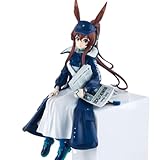
- From the smartphone video game "Arknights" comes the figure Amiya Newsgirl version.
Rank #4
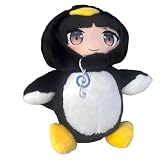
- 【Size】about 9 inch
- 【Package】1 plush
- 【Material】The plush is made of soft pp cotton
- 【Safe】Everything is attached and sewn. There is nothing on the plush that could be dangerous to people
- 【Perfect Home Accent】Ideal for living rooms, bedrooms, offices
Product prices and availability are accurate as of the date/time indicated and are subject to change. Any price and availability information displayed on Amazon at the time of purchase will apply.

