What’s actually slowing this PC down?
Pick the symptom - the matching free tool is one click away.
Yes—fans have documented a way to play Lionhead’s 2001 Black & White on modern Windows, but it is not an official rerelease or a one-click reinstall. The practical route starts with the original game disc or a mounted disc image and requires a specific patch sequence. A separate open-source engine project, openblack, also needs the original game’s assets and is not established as a finished, drop-in replacement.
What “playable again” means
The revival is fan-supported compatibility work, not a confirmed return to official retail or digital storefronts. The Black & White Community provides a Windows installation guide and an unofficial patch; the separate openblack project describes an open-source reimplementation using modern C++ and OpenGL/Vulkan. Neither source establishes an official remaster or a complete commercial release.
| # | Preview | Product | Price | |
|---|---|---|---|---|
| 1 |

|
Black & White - PC | $79.99 | Buy on Amazon |
| 2 |
|
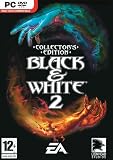
Black & White 2 Collectors Edition | $47.99 | Buy on Amazon |
| 3 |

|
Black & White 2 - PC | Buy on Amazon | |
| 4 |

|
Black & White 2 - PC | $89.99 | Buy on Amazon |
| 5 |

|
Black & White Creature Isle Expanson (PC CD) | Buy on Amazon |
Both paths depend on having lawful access to the original game. The community guide begins with an original disc or mounted ISO. openblack does not provide the copyrighted game data; users must extract and supply the required assets.
Install the original game on Windows 10 or 11
The Black & White Community guide presents this sequence for its disc-based setup. It is community guidance, not a guarantee for every PC, and no independent machine testing is established here.
Free tools Windows power users keep installed
One-click scans. No signup required.
#1 Best Overall
- Start with a clean original game disc, inserted in an optical drive or mounted as an ISO. If you own the disc but your computer has no optical drive, an external USB DVD drive is one optional way to read it; it does not provide the game or solve compatibility by itself.
- Run the installer as administrator and install to the C: drive, as the guide recommends. If the installer offers to launch the game when setup finishes, decline so you can patch it first.
- Install the patches in this order: official Patch v1.1, official Patch v1.2, then Unofficial Patch v1.42. The community guide specifically says not to install Patch v1.3.
- For music, copy the disc’s
Audiofolder into the game’s installation folder if it is missing there. - Use the unofficial patch’s
Setup.exeto choose a screen resolution, then launchrunblack.exeas administrator.
The community guide warns against Windows Compatibility mode, saying it causes more problems than it solves. It also states: “Without the unofficial patch the game will not launch.” Treat both as that guide’s advice, rather than official publisher support.
Keep the two patch instructions separate
openblack’s README describes a different workflow for preparing assets for its engine. It lists the original installer, official patch 1.10, and official patch 1.2 as prerequisites; unofficial patch 1.42 is optional for extraction. The community setup page instead labels its first official patch v1.1. Follow the version labels and steps of the specific route you choose—do not combine them into a single patch sequence.
How openblack differs from the community patch
| Route | What it is | What you need | Scope and caveat |
|---|---|---|---|
| Community patch setup | A patched setup of the original Windows game | Original disc or mounted ISO; installer and patches in the guide’s order | The community describes it as aimed at Windows 10 and 11; compatibility on every system is not established. |
| openblack | An open-source reimplementation using modern C++ and OpenGL/Vulkan | Original game assets, extracted using the project’s instructions | A distinct engine project, not demonstrated by its README to be a finished, drop-in release or to have full feature parity. |
openblack documents using Wine for Linux and macOS, but those instructions still require the original game data. The community says the original Mac port works only on older PowerPC Macs. These sources do not establish a turnkey native release for modern Macs.
A more technical alternative: individual binary patches
The bw1-patches repository documents individual binary patches and a command-line tool. Its listed fixes cover windowed mode, texture behavior on graphics cards with 2GB or more of VRAM, detail-level handling, draw distance, add-ons, saves, widescreen screens, and resolutions above 2048 pixels. The repository targets an unprotected executable, making this a more technical option than installing the community’s ready-made patch; it is not the same as the community installation sequence.
Recommended Free Tools
Rank #3
- Wage massive wars, sieges and battles or use your skill and power to keep the peace
- Discover and use new Epic Miracles, including the ground-ripping Earthquake and volcanoes, which cause rivers of lava
- Choose and customize the Creature that's right for you from a selection, including old favorites such as the Ape, Cow, and Lion
- Research and create new forms of weaponry, from swords to bows to siege machines
- Create and control settlements that include housing, farming, and many other buildings like fountains and lush gardens (if you're Good) or spikes and torture pits (if you're Evil)
One search-result mix-up to avoid
Double Fine’s Keeper support page uses the heading “Back in Black and White” for a December 4, 2025 update involving HDR calibration, Noir Mode, High Contrast Mode, and other fixes. That update is for Keeper, not Lionhead’s 2001 Black & White; it is not evidence that the older game has returned.
Quick Recap
Best Value
Rank #4
Product prices and availability are accurate as of the date/time indicated and are subject to change. Any price and availability information displayed on Amazon at the time of purchase will apply.




