Minecraft’s enchanting-table symbols are the Standard Galactic Alphabet (SGA), a letter-for-letter substitution alphabet associated with Commander Keen. Match each glyph to its English letter to read the displayed words—but don’t treat them as clues: the phrases are cosmetic and do not reveal or affect the enchantment.
What is the enchanting table language?
The runes use the Standard Galactic Alphabet, a simple alphabet-substitution cipher. The Minecraft Wiki describes the symbols as written in SGA; you can read them by replacing each glyph with its corresponding English letter. No extra cipher step or grammar translation is needed. Minecraft Wiki: Enchanting mechanics


How to decode the glyphs
Use an SGA A–Z key, then read the phrase one symbol at a time:
- Find a clear SGA alphabet key that shows each glyph beside its English letter.
- Match each visible glyph to its letter, working from left to right.
- Keep spaces where they appear in the interface so the decoded letters remain grouped as words.
For example, if a glyph corresponds to “A” on the key, write down A; repeat for the other symbols. The result is a transliteration into English letters, not a translation from a separate spoken language.
#1 Best Overall
What do the displayed words mean?
The phrases are random, decorative text and are unrelated to the enchantment applied to an item. They are not a hidden recipe, a prediction of the result, or a code for choosing an enchantment. The Minecraft Wiki describes a pool of words joined into phrases of three to five words, so a decoded line can sound strange, fictional, or nonsensical. Minecraft Wiki: Enchanting mechanics
Examples documented by the reference include “Well Played Internets You Are Good,” “These Names Will Be Random And Confusing,” and “Each Spell Costs Experience Levels.” These are examples, not a guarantee that the same lines appear in every version.
The consulted reference also documents words such as “elder,” “scrolls,” “klaatu,” “xyzzy,” “bless,” “curse,” “fire,” “water,” “enchant,” “creature,” “undead,” “cthulhu,” and “baguette.” This is a reported word pool, not a verified complete list for every edition or current game version.
Independent reader supportYour contribution helps us test, update, and keep practical guides available for everyone.How to check an enchantment instead
To see information about an option, inspect its enchantment entry in the table interface: hovering over an option reveals one enchantment. On mobile, the interaction may be tap or press-and-hold, depending on the control behavior. This preview should not be read as a complete list of every enchantment the resulting item may receive. Minecraft Wiki: Enchanting mechanics
Quick Recap
Best Value

- Minecraft Coloring Book Set for Kids, Boys Ages 4-8 - Bundle with Minecraft Coloring Pages, Activities, Games Plus Minecraft Stickers, Jumbo Crayons | Minecraft Activity Book Set
- This Minecraft coloring book set comes with 1 Minecraft coloring and activity books filled with 32 coloring pages featuring games, puzzles, mazes, activities and more. This Minecraft coloring set also includes 4 jumbo crayons and exclusive Mincraft stickers!
- This Minecraft coloring book set for kids is the perfect activity for at home or on the go coloring creativity. Color alongside favorite characters and scenes from the hit video game including Alex, Steve, Enderman, Ender Dragons, Creepers and more.
- Sure to be a hit with Mincraft fans of all ages, this coloring book set is great to give as a gift to the Minecraft fan in your life.
- Officially licensed Minecraft coloring and activity book set for kids also includes bonus Decade West exclusive Rex-Man door hanger.
Rank #4
Rank #3
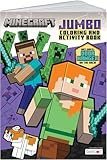
- AUTHENTIC MINECRAFT: Officially licensed Minecraft coloring book featuring iconic characters, blocks, and scenes from the popular game
- CREATIVE CONTENT: 80 pages of pixel art designs and activities that bring the Minecraft world to life through coloring
- PIXEL ART FOCUS: Detailed pixel-style illustrations that stay true to the game's distinctive blocky aesthetic
- EDUCATIONAL VALUE: With a variety of coloring pages and activities, this book helps develop fine motor skills and creativity.
- JUMBO FORMAT: Large-format pages provide plenty of space for coloring and creative expression
Product prices and availability are accurate as of the date/time indicated and are subject to change. Any price and availability information displayed on Amazon at the time of purchase will apply.




