
Free tools Windows power users keep installed
One-click scans. No signup required.
Some links on this page are affiliate links: if you buy through them we may earn a commission, at no extra cost to you.
Windows 10 Mobile Hotspot normally shuts down five minutes after the last connected device disconnects when its no-connections timeout is enabled. That is documented Internet Sharing behavior, not automatically a failing Wi-Fi adapter. To keep the hotspot available, turn off the Mobile Hotspot page’s Power Saving option when your build provides it. If the hotspot stops while a device is connected, troubleshoot the source connection, adapter power management, or Windows sleep separately.
The right fix depends on what “turning off” means: an idle hotspot with no clients, a lost Wi-Fi/Ethernet/cellular source, a network adapter that powers down, or a sleeping laptop. The steps below separate those causes so you do not reset a working network unnecessarily.
As an Amazon Associate I earn from qualifying purchases.
Why does Windows 10 Mobile Hotspot turn off after five minutes?
Windows Internet Sharing has a documented no-connections timeout. Microsoft says that after the last client disconnects, Internet Sharing waits five minutes; if no other client connects, sharing turns off and the PC returns to its normal power state. The Windows API exposes this setting as the NoConnections timeout.
This timer is triggered by the absence of connected clients, not simply by low data use. A phone, console, tablet, or another computer that remains associated with the hotspot prevents the “last client disconnected” condition, even if it is not actively downloading. If the hotspot stops while a client is still connected, use the source-connection and power-management checks later in this guide instead of treating it as the normal timer.
Popular on Amazon

- Compatible System -- Compatible with Windows ( 11/10/ 7/ 8/ 8.1/ XP); Mac OS X (10.6~10.15.3); (Before using, please download the latest driver from our EDUP website site: szedup.com/ac1689/ )
- Lightning Fast speed -- Upgrades your Wi-Fi Card to 1300Mbps Wi-Fi speeds. Offering 867Mbps over 5GHz or 400Mbps over 2.4GHz for online gaming and HD video streaming with lag free experience
- USB 3.0 & MU-MIMO -- USB 3.0 wifi adapter can transfer data up to 5Gbps, which is backward compatible with USB 2.0 & 1.1; Multi-user MIMO ensures more devices process data simultaneously, no more delay in sequence
- Stable Performance -- With advanced RTL8812BU chipset amd built-in Antenna for range extended Wi-Fi connection and superior stability on your Desktop, Laptop, wireless adapter offers up to 1300Mbps Wi-Fi speeds in the signal strength, average upload and reading speed.
- Wi-Fi Hot Spot & Warranty Service : You can create a Hot spot with the Soft AP Function for more wifi devices;Lifetime manufacturer replacement warranty and 45 days no questions asked return policy
Microsoft Learn describes the behavior as a power-saving feature. It is particularly noticeable when you leave a hotspot enabled for a game console or handheld but disconnect the only client between sessions.
How do I turn on Mobile Hotspot correctly?
First make sure Windows is sharing the connection that actually has Internet access. A hotspot can be enabled while its source is disconnected, but clients will not get usable Internet service.
- Open Start > Settings > Network & Internet > Mobile hotspot.
- Under Share my Internet connection from, select the active source: Wi-Fi, Ethernet, or cellular, depending on how this PC reaches the Internet.
- Under Share over, choose Wi-Fi for normal laptop, phone, console, or handheld use. Choose Bluetooth only when the client and your sharing plan are designed for Bluetooth networking.
- Turn on the Mobile hotspot toggle.
- Use the network name and password displayed on that page to connect the client device.
Test with one client before changing advanced settings. If the client connects and the hotspot remains on while that client is associated, the basic feature is working and any later shutdown is likely tied to disconnection, sleep, or a source-network interruption.
How do I keep Mobile Hotspot on when no device is connected?
On Windows 10 builds that expose the control, disable the Mobile Hotspot power-saving switch. Open Settings > Network & Internet > Mobile hotspot and look for “When no devices are connected, automatically turn off mobile hotspot.” Turn that switch off, then enable Mobile Hotspot again if Windows left it off.
The exact label and whether the switch appears are version-sensitive. Not every Windows 10 installation presents the same Mobile Hotspot page, so do not assume a missing switch means the feature is broken. Install the latest updates available for your supported build, restart, and check the page again; if the option still is not present, Windows may be enforcing the documented timeout without a consumer-facing override.
What is the API option?
Microsoft’s developer documentation exposes DisableNoConnectionsTimeout through NetworkOperatorTetheringManager. That is an API-level control for software or managed deployments, not a universal Settings instruction. It requires an application or management system that calls the Windows networking API; copying an API name into a normal Settings search will not change the timer.
What’s actually slowing this PC down?
Pick the symptom - the matching free tool is one click away.
For a single gaming laptop, the Power Saving switch is the appropriate first attempt. Use the API only when you administer software that must control tethering behavior across managed Windows devices.
What if the source Internet connection is dropping?
A hotspot cannot share a source that Windows has disconnected. If the Mobile Hotspot toggle turns off at the same time that Wi-Fi, Ethernet, or cellular Internet disappears, correct the source connection before changing hotspot timeout settings.
Also popular on Amazon

- High Stability: This portable travel router offers exceptional network speed and stability, without relying on any network cables. With just a simple insertion of a standard SIM card, whether it is in a mobile phone, laptop, desktop, or tablet, you can easily connect to hassle-free (SIM card not included)
- And Portable Design: Designed to be compact and lightweight, this sim card hotspot device is incredibly portable. You can conveniently connect your smart home devices without the need for any network cables, giving you the freedom to use your devices anywhere and anytime
- High Speed Internet Access: Powered by a SIM card, this mobile internet router provides 4G connectivity, ensuring fast and internet access. This enhances coverage and eliminates any network dead angles that may exist
- 2100mAh Large Capacity Battery: Equipped with a powerful 2100mAh battery, this portable mobile hotspot offers an extended usage time. Crafted from premium and materials, this device guarantees a long service life, making it a companion for your travel or day-to-day usage
- 8 to 10 Users: With the capability to support 8 to 10 users simultaneously, this 4G lte travel mobile wi-fi hotspot is for various settings, such as homes, offices, and travel. It easily caters to the needs of multiple users, ensuring everyone stays connected without any compromise in the network performance
| Source | Checks to make | What the result means |
|---|---|---|
| Wi-Fi | Confirm the PC is still connected to the intended network and that the connection has Internet access. Reselect that network if Windows moved to another access point or lost authentication. | If the PC itself is offline, Mobile Hotspot has no usable source to share. |
| Ethernet | Check the cable, link status, and whether Windows reports Internet access on the wired adapter. | A disconnected cable or failed upstream connection can make a correctly configured hotspot appear to fail. |
| Cellular | Turn on the Cellular quick action. Review Let Windows manage this connection, the carrier APN, metered-connection settings, and the data-plan status. | Windows may disconnect cellular service because of a disabled radio, incorrect APN, metering policy, or plan limits. |
After correcting the source, return to Settings > Network & Internet > Mobile hotspot, verify the same source is selected under Share my Internet connection from, and toggle sharing off and on. This rebinds Internet Sharing to the connection that is actually online.
How can I stop Wi-Fi adapter power management from interrupting the hotspot?
If the source is still online but the host adapter repeatedly disconnects, prevent Windows from powering down that adapter and then update its software.
The Tool Desk
Outbyte Driver Updater FREEScan for outdated or missing drivers - takes under a minuteDriver Scan →Outbyte PC Repair FREERepair Windows errors before they cause bigger problemsFix Now →- Right-click Start and open Device Manager.
- Expand Network adapters.
- Open the Wi-Fi adapter’s Properties.
- Select the Power Management tab.
- Clear Allow the computer to turn off this device to save power, then select OK.
- Check Windows Update and the adapter manufacturer’s supported driver channel for a newer driver, install it, and restart the PC.
The checkbox affects adapter power-down, not the documented five-minute no-client timer. Clearing it therefore helps only when the adapter itself is going offline. If the checkbox is unavailable, your driver or hardware may not expose that policy; continue with driver updates and the sleep checks below.
Can Windows sleep make the hotspot disappear?
Yes. Sleep suspends normal networking activity, so a hotspot that worked while the laptop was awake can become unavailable when the computer sleeps. For long sessions, choose a less restrictive Windows power mode when your device offers that control, keep the laptop plugged in when practical, and adjust sleep behavior so the host does not enter sleep during the sharing period.
Microsoft says the Windows power-mode slider is hardware-dependent and available on Windows 10 version 1703 or later. If your hardware does not show the slider, use the power and sleep settings that are available on that installation rather than assuming the feature is missing from Windows entirely.
Power settings do not repair a carrier drop, a bad APN, or a failed Wi-Fi driver. They are useful when the shutdown lines up with inactivity, battery conservation, lid-close behavior, or the computer entering sleep.
Recommended Free Tools
When should I use Windows 10 Network reset?
Use Network reset only after the ordinary checks fail. Microsoft places it at Settings > Network & Internet > Status > Network reset and describes it as a last step.
Network reset removes installed network adapters and reinstalls them after the restart. That can clear corrupted adapter configuration, but it also removes custom networking state. Afterward, you may need to reconnect to Wi-Fi networks and reconfigure VPN clients or Hyper-V virtual switches.
Also popular on Amazon
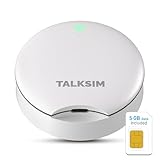
- Powerful WiFi 6 for Up to 10 Simultaneous Devices: This portable WiFi hotspot for travel connects smartphones, laptops, tablets, and more—up to 10 devices at once—without any lag. WiFi 6 technology efficiently allocates bandwidth, so everyone gets fast, stable internet for HD video calls, streaming, and browsing simultaneously. The mobile wifi hotspot is deal for families and group travel.
- All-Network US Coverage with Auto Carrier Switching: Enjoy 5GB of high-speed data and intelligent carrier switching across America. The portable hotspot device automatically picks the strongest signal from AT&T, T-Mobile, and Verizon, ensuring you have a stable connection—whether you’re exploring a bustling city or a secluded national park.
- Powerful WiFi 6 for Up to 10 Simultaneous Devices: This portable WiFi hotspot for travel connects smartphones, laptops, tablets, and more—up to 10 devices at once—without any lag. WiFi 6 technology efficiently allocates bandwidth, so everyone gets fast, stable internet for HD video calls, streaming, and browsing simultaneously. The mobile wifi hotspot is deal for families and group travel.
- Ultra-Portable & Charge Anywhere: Built for life on the move, its compact, lightweight design fits easily in your pocket. Charge the UFO portable hotspot on the go by power base, or plugging it into a power bank or wall adapter—whether you’re in a café, car, or airport—for nonstop connectivity with portable hotspot for travel.
- No SIM Required – Ready to Use Instantly in the US: Skip the hassle of buying a new SIM card. Just turn on the UFO Mobile Hotspot in America and get instant internet access. With included 5GB data for one month, this portable hotspot is perfect for mapping, translation, social media, and email—at home, in the office, or on the road.
Because of those side effects, a reset is excessive for a hotspot that reliably turns off five minutes after the last client leaves. Try the timeout switch, source selection, power-management setting, driver update, and sleep changes first. Record any VPN, virtual-switch, or manual adapter settings before selecting Reset now.
Independent reader supportYour contribution helps us test, update, and keep practical guides available for everyone.Which fix matches the way your hotspot fails?
Use the trigger, not the symptom, to choose a remedy. The following matrix keeps reversible Settings changes separate from higher-impact repairs.
| Observed trigger | Likely cause | First action | Scope and risk |
|---|---|---|---|
| Every client disconnects, then sharing stops about five minutes later | Documented no-connections timeout | Turn off When no devices are connected, automatically turn off mobile hotspot if that control exists | Settings-only and reversible; availability depends on the Windows 10 build |
| Sharing stops when the PC’s Wi-Fi, Ethernet, or cellular Internet disappears | Source connection loss or wrong source selected | Reselect the active source and check Wi-Fi, Ethernet, or cellular controls | Does not change timeout behavior; fixes the upstream connection |
| Adapter disconnects during inactivity or on battery | Network-adapter power management or an outdated driver | Clear the Device Manager power-off checkbox, update the driver, and restart | Adapter-level change; usually reversible |
| Hotspot vanishes when the laptop sleeps | Windows sleep or an aggressive power mode | Use a less restrictive power mode and prevent sleep during the session | Changes host power behavior and battery life |
| Networking remains broken after all normal checks | Corrupted adapter configuration | Run Network reset | Last resort; adapters are reinstalled and VPN or virtual-switch setup may need to be restored |
How should I test the fix with a console or gaming handheld?
- Connect the host PC to the Internet using the source you intend to share.
- Enable Mobile Hotspot and note the displayed network name and password.
- Connect one client, such as a console, handheld, phone, or second PC, and verify that the client receives Internet access.
- Leave the client associated while observing whether the host source remains connected.
- Disconnect the client deliberately. If sharing stops roughly five minutes later, you have reproduced the normal no-client timeout. If it stops immediately or while the client remains connected, follow the source, adapter, and sleep branches instead.
This controlled test prevents two different events from being confused: the normal timeout after the last client leaves and a genuine network interruption that cuts off an active session.
What does Windows 10’s end of support mean for Mobile Hotspot?
Microsoft Support states that Windows 10 support ended on October 14, 2025. The built-in hotspot may continue to work, but the operating system no longer receives free Windows Update software updates, technical assistance, or security fixes under normal support.
That date does not itself change the five-minute timeout or remove Mobile Hotspot from an existing installation. It does mean that driver, security, and compatibility problems become harder to resolve over time. Keep a record of your adapter model and networking settings, and consider your organization’s supported-OS policy before relying on an unsupported Windows 10 PC for continuous connectivity.
What should you avoid changing?
- Do not use Network reset as the first response to the five-minute no-client shutdown; it cannot turn off the timeout and can disrupt VPN or virtual-switch configuration.
- Do not assume a USB Wi-Fi adapter is required. Additional hardware is relevant only when the built-in adapter is missing, failing, or incompatible; it is not the normal remedy for documented timeout behavior.
- Do not treat a missing Power Saving switch as proof that Mobile Hotspot is defective. The label is build-sensitive, and Microsoft’s API control is intended for software or managed deployments.
- Do not troubleshoot hotspot settings while ignoring the source connection. Sharing cannot provide Internet access when Windows has lost the selected Wi-Fi, Ethernet, or cellular link.
Frequently Asked Questions
Does the five-minute timer run while one device is still connected but idle?
The documented condition is that the last client has disconnected. An associated client that is merely idle has not met that condition, so the no-connections timer should not be the explanation. If sharing still stops with that device connected, inspect the source link, adapter power policy, and sleep state.
Do these 3 things before closing this tab:
1Fix the driver behind crashes, sound loss and screen glitches2Clear out junk files and repair common Windows errors3Scan for outdated or missing drivers - takes under a minuteWhy does closing my laptop lid stop the hotspot even after I changed the timeout setting?
Closing the lid can put the computer into sleep, depending on its power configuration. The no-client option controls Internet Sharing’s idle shutdown; it does not keep networking active through sleep. Test with the lid open or adjust the available sleep behavior for the sharing session.
Can a regular Windows user change DisableNoConnectionsTimeout directly?
That name belongs to the NetworkOperatorTetheringManager API. It is exposed for an application or managed deployment, not as a guaranteed consumer setting or universal registry edit. For an individual PC, use the Mobile Hotspot page’s Power Saving control when the build provides it.
Will changing power mode fix a cellular carrier or APN problem?
No. Power mode and the Device Manager checkbox address the host’s power-management behavior. A carrier disconnect, disabled Cellular quick action, incorrect APN, metering policy, or exhausted data plan must be corrected in the cellular and source-connection settings.
Quick Recap
Product prices and availability are accurate as of the date/time indicated and are subject to change. Any price and availability information displayed on Amazon at the time of purchase will apply.

