To uninstall Fortnite safely, remove the local game through your device or console’s normal uninstall command. This does not delete your Epic Games account or its Fortnite progress. Account deletion is a separate, destructive action that can remove purchases and items.
Uninstalling Fortnite removes the game from your device; it does not delete your Epic Games account, Fortnite cosmetics, or account-level progress. Epic stores Fortnite progress and items with the linked Epic Games account, so you can reinstall the game later and recover them by signing in to the same account. Epic explains how Fortnite data is stored.
As an Amazon Associate I earn from qualifying purchases.
Use the instructions below for your platform. If you want to stop playing or free storage, choose uninstall, delete app, or remove software—not delete Epic Games account.
Recommended Free Tools
Before you uninstall: account deletion is different
Removing Fortnite from a PC, phone, or console only removes the local installation. It does not normally remove:
#1 Best Overall

- With broad game support, the Logitech Gamepad F310 works with old standbys to today's biggest titles, so it's easy to set up and use with your favorite games.
- Profiler software allows the gamepad to be programmed to perform keyboard and mouse commands for games without gamepad support.* * Requires software installation.
- A familiar control layout that doesn't require a learning curve to be able to use, with all the same buttons as on an Xbox 360.
- The unique floating D-pad rests on four switches-instead of a single pivot point-making it responsive to quick changes in direction.
- The six-foot cord lets you lean back and play a comfortable distance from your PC monitor.
- Your Epic Games account
- Fortnite cosmetics, skins, emotes, and other items
- Account-level Fortnite progress
- Purchases associated with the correct Epic Games account
Deleting your Epic Games account is a separate, destructive process. Epic warns that account deletion removes purchases, in-game progress, and items associated with the account, and that the deletion cannot ultimately be reversed after the applicable reactivation period. Do not use account deletion as a way to uninstall Fortnite or reclaim storage; see Epic’s account-deletion guidance only if you specifically intend to close the entire account.
Fortnite purchases and progress can remain available across Xbox, PlayStation, PC, Switch, and mobile when those platforms are linked to the same Epic Games account. Epic notes that V-Bucks transfers between platforms have separate limitations, so do not assume that every V-Buck balance behaves identically across devices. Check Epic’s cross-platform purchases and progress information before changing account links.
How to uninstall Fortnite on Windows 10 or Windows 11
Remove Fortnite through the Epic Games Launcher
- Open Epic Games Launcher.
- Select Library.
- Find Fortnite.
- Open Fortnite’s three-dot menu.
- Select Uninstall and confirm.
Fortnite can later be installed again from its game tile in the Epic Games Launcher. These are the current steps in Epic’s Fortnite uninstall instructions.
Quick wins for a faster PC:
Fix the driver behind crashes, sound loss and screen glitchesFind Drivers →Repair Windows errors before they cause bigger problemsFix Now →Scan for outdated or missing drivers - takes under a minuteDriver Scan →Remove Fortnite from Windows Settings
You can also use Windows’ installed-app controls:
- Open Start > Settings > Apps > Installed apps.
- Find the relevant Fortnite entry.
- Open its additional-options menu, usually shown as ….
- Select Uninstall and follow the prompts.
Menu labels can differ slightly between Windows 10 and Windows 11. Microsoft documents this general removal route in its guide to uninstalling apps and programs.
Fortnite versus the Epic Games Launcher
Uninstalling Fortnite removes the game. Uninstalling the Epic Games Launcher is broader: Epic warns that removing the launcher also removes games installed through it. Those games can be downloaded again from your Epic account, but do not uninstall the launcher if you only want to remove Fortnite.
How to uninstall Fortnite on macOS
If Fortnite is managed by the Epic Games Launcher, remove it through the launcher whenever that option is available. This is the least disruptive choice if you want to keep other Epic games installed.
Do these 3 things before closing this tab:
1Repair Windows errors before they cause bigger problems2Scan for outdated or missing drivers - takes under a minute3Clear out junk files and repair common Windows errorsRank #2

- MODERNIZED DESIGN — Experience the modernized design of the XBOX Wireless Controller with sculpted surfaces and updated geometry that enhances comfort and control during long gaming sessions.
- PRECISION PERFORMANCE — Stay on target with a hybrid D-pad and textured grips on triggers, bumpers, and back case for improved accuracy and handling.
- SHARE BUTTON: Seamlessly capture and share content such as screenshots, recordings, and more with the new Share button.
- VERSATILE CONNECTIVITY — Connect via USB-C for plug-and-play on console and PC, or quickly pair and switch between supported devices with XBOX Wireless and Bluetooth support.
- BUILT-IN AUDIO SUPPORT — Plug in compatible headsets using the 3.5mm audio jack for direct voice chat and immersive in-game sound.
To remove the entire launcher instead:
- Quit Fortnite and the Epic Games Launcher.
- Confirm that related Epic processes are no longer running.
- Move Epic Games Launcher from the Applications folder to the Trash.
- Empty the Trash if you are sure you want to remove it.
A full launcher cleanup may also involve remaining Epic folders in locations such as Application Support, Caches, Preferences, Logs, and Cookies. The exact files and layout vary by macOS version and installation, so do not delete unrelated folders merely because they contain similar names. Epic’s launcher reinstallation guidance describes this as part of a full launcher cleanup, not the normal way to remove only Fortnite.
How to uninstall Fortnite on PlayStation 5
On PS5, delete Fortnite from console storage:
- Open Settings.
- Select Storage.
- Choose the relevant storage location.
- Select Fortnite from the installed games and apps.
- Choose Delete and confirm.
PlayStation’s storage troubleshooting documentation uses this route for deleting a game. You can reinstall Fortnite later from your game library. Deleting the local game does not delete your PlayStation Network account or Epic Games account.
If the game icon or storage information does not update after deletion, restart the PS5 and check storage again. Use database-repair procedures only when ordinary deletion has failed; follow PlayStation’s current PS5 storage guidance rather than deleting system data manually.
How to uninstall Fortnite on PlayStation 4
- Open the PS4 home screen or Library.
- Highlight Fortnite.
- Press the controller’s Options button.
- Select Delete and confirm.
This removes the installed game from PS4 storage. If a deleted game icon remains visible, restarting the console may refresh the display. PlayStation also documents rebuilding the database as a possible remedy for persistent library or storage issues, but it is a troubleshooting step—not a necessary part of a normal uninstall. Consult PlayStation’s PS4 support information.
Do not confuse hiding a game with uninstalling it. Hiding changes library visibility but does not necessarily free the game’s storage. PlayStation describes that feature separately in its game-hiding guide.
How to uninstall Fortnite on Xbox consoles
Xbox menu labels can vary by console model and system-software version, so use the current command shown on your console:
- Open My games & apps.
- Locate Fortnite under installed games.
- Open the game’s options menu.
- Choose the console’s Uninstall or Remove command.
- Confirm the removal.
This deletes the local Xbox installation, not the Epic Games account. If your Xbox account is linked to the same Epic account used on another platform, Epic says Fortnite content and progress can remain associated with that account. Before reinstalling, make sure you sign in with the original Epic login rather than creating a new account.
Rank #3

- The Mouse Pad Is Large Enough,It Will Fit Your Desktop Perfectly And Provide Perfect Movement Space,Offers Plenty Of Room For Gaming Or Office Works All While Protecting Your Desk,Applies To All Types Of Mouse Keyboards And More.
- This Large Mouse Pad Is Crafted With A Clever Anti Slip Rubber Base,Dense Slip-Resistant Shading Can Firmly Grip The Desktop To Provide Stable Operation Of The Mouse And Keyboard,It Can Effectively Prevent The Mouse And Keyboard From Sliding And Moving.
- Cloth Is Made Of High-Density Material With High Quality Stitching Around Its Edges,The Silky Smooth Surface And Thick Edge Allows More Accurate And Fast Mouse Movement,Let You Maintain Excellent Speed And Control When Your Gaming Or Working.
- When You Spill A Drink Or Somehow Get Food On It, It’s Easy To Clean And Will Not Delay Your Work Or Game.Due To The Foldable Design,You Can Carry This Mouse Pad With You Everywhere You Go,Easy To Carry,Even In Your Travling.
- Available For All Types Of Mouse, Laser & Optical.
How to uninstall Fortnite on Nintendo Switch or Switch 2
Fortnite is normally downloaded software on Nintendo hardware, not a physical game card. Nintendo distinguishes downloadable software stored in system memory or compatible storage from physical software launched from a game card; see its Switch 2 software documentation.
To remove the local Fortnite installation:
- Highlight Fortnite on the HOME Menu.
- Open the software-management menu using the console’s current options command.
- Choose Archive Software or Delete Software.
- Confirm the choice.
Archiving generally removes the local software data while retaining a recoverable software icon. Deleting removes the local software entry more completely. The exact labels and available choices can differ between Switch generations and system-software versions, so follow the wording displayed on your console. Neither option deletes your Epic Games account or account-based Fortnite items.
How to uninstall Fortnite on iPhone or iPad
Delete Fortnite completely
- Touch and hold the Fortnite app.
- Tap Remove App.
- Tap Delete App.
- Confirm by tapping Delete.
Apple distinguishes deleting an app from offloading it. Offload App frees the app’s storage while retaining its documents and data, and may leave an icon for downloading the app again. Delete App removes the app and its related local data. Apple explains both choices in its iPhone and iPad storage guidance.
Deleting Fortnite does not automatically cancel an in-app subscription. Cancel any subscription separately through the relevant Apple account settings; Apple specifically warns that app deletion alone does not cancel subscriptions. See Apple’s app-deletion instructions.
If iOS or iPadOS will not let you delete Fortnite
Parental-control restrictions can prevent app deletion. Check the device’s Screen Time or parental-control settings and make sure the Deleting Apps permission is allowed. A managed device may also restrict removal through an administrator policy.
How to uninstall Fortnite on Android
The Google Play Store provides a device-independent removal route:
- Open Google Play Store.
- Tap your profile icon.
- Select Manage apps & devices, then Manage.
- Select Fortnite.
- Tap Uninstall and confirm.
Some Android phones also offer an Uninstall command by touching and holding the app icon, or through Settings > Apps. The exact route varies by manufacturer and Android version.
Rank #4
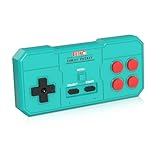
- Plug & Play, Instant Connection Simply install 2 AAA batteries (not included) – no drivers or setup needed. The controller auto-connects to your GV300S console for instant retro gaming.
- 2-Player Fun with Extra Controllers Want to team up with friends? Buy an additional controller for co-op battles! Classic button layout and ultra-responsive controls bring back childhood gaming joy.
- Perfect Replacement for GV300S Designed exclusively for GV300S consoles, this controller matches original specs. Ideal for replacing lost or damaged controllers.
- Retro Buttons, Precise Control Classic D-pad + function buttons deliver lag-free responsiveness, Conquer challenging levels with ease!
- Ready to Use & Complete Package Includes 1 controller and 1 manual – unbox and start gaming instantly!
Android may offer Archive instead of full removal. Google says archiving removes app data while retaining the icon and certain personal information on the device. Choose full uninstall if your goal is to remove Fortnite’s local installation rather than simply reduce its app footprint. Google documents these options in its Play Store app-management instructions.
On a supervised or work-managed device, an administrator-installed app may not be permanently removable. Google documents restrictions affecting managed Android apps in its Android Enterprise support information.
Free tools Windows power users keep installed
One-click scans. No signup required.
What uninstalling Fortnite removes—and what it does not
| Item | Usually affected by uninstalling Fortnite? |
|---|---|
| Local game application | Yes; it is removed from the device or console. |
| Local installation files | Usually; the platform’s standard uninstall removes the game’s installation data. |
| Device or console storage usage | Usually reduced, although temporary files, launcher data, or reserved space may remain. |
| Epic Games account | No. |
| Fortnite cosmetics and account-level progress | No, when associated with the correct Epic Games account. |
| Subscriptions or payment arrangements | Not necessarily. App deletion does not automatically cancel subscriptions. |
Do not assume that every cache, launcher file, saved setting, or temporary file disappears after the game’s standard uninstall. If you need to reclaim more space, inspect the platform’s storage controls or remove launcher data only when you understand what other games it may affect.
Independent reader supportYour contribution helps us test, update, and keep practical guides available for everyone.If your Fortnite progress seems missing after reinstalling
Uninstalling should not erase account-based Fortnite progress. If Fortnite starts at level 1 or your cosmetics appear missing after reinstalling, the more likely issue is account identity or platform linking:
- Sign out and identify the Epic Games account originally used for Fortnite.
- Check that you did not sign in with a different email address or create a new Epic account.
- Confirm that the Xbox, PlayStation, Nintendo, or other platform account is linked to the intended Epic account.
- Reinstall and sign in using that same Epic account.
- Do not unlink accounts or create another account before checking the original linkage.
Epic lists signing into the wrong Epic account and linking a console account to a different Epic account among the common causes of apparent progress loss. Its level-one and missing-progress guidance is the appropriate next step.
What to do if Fortnite will not uninstall
Use this order so you do not jump straight to risky manual file deletion:
- Confirm the target: make sure you are removing Fortnite rather than the entire Epic Games Launcher.
- Close the game and launcher: quit Fortnite and any relevant Epic, Xbox, PlayStation, Nintendo, Apple, or Android process.
- Run the normal uninstall again: use the platform-specific instructions above.
- Restart the device: this can release locked files and refresh the storage reading or game icon.
- Check available storage: verify that the expected space has been reclaimed.
- Use platform repair tools only if necessary: Windows may offer Repair or Reset for an installed app, and Microsoft provides a Program Install and Uninstall troubleshooter for corrupted installation or registry information.
- Use console database troubleshooting only when appropriate: on PS4 or PS5, follow PlayStation’s current support instructions if a deleted game remains visible or storage data is incorrect.
Microsoft’s troubleshooter for programs that will not install or uninstall is safer than deleting random folders or registry entries. Epic does document leftover-folder cleanup when the Epic Games Launcher itself will not uninstall, but manual deletion should be treated as a troubleshooting measure for the launcher—not the default Fortnite-removal procedure.
Best Value

- This is a set of Silicon Rubber Button Replacement for NES Conductive Pads Controller Gamepad
- High quality and long duration.
- Put your NES controlllers pad like new again.
- Package Included: 2Set Silicon Rubber Button Replacement for NES Conductive Pads Controller Gamepad (If the number of products received is incorrect, please contact us . we will refund or give you a replacement).
- We highly appreciate all customers opinions to improve the selling, also if anything you unsatisfied, please contact us for probable best solution.
Reinstalling Fortnite later
When you are ready to play again, install Fortnite through the official store or launcher for your platform and sign in with the same Epic Games account. Reinstallation does not itself restore data from a deleted Epic account; it only reconnects the local installation to whatever account you use. Verify the account before purchasing items or changing platform links.
Frequently Asked Questions
Does uninstalling Fortnite delete my account or skins?
No. Uninstalling Fortnite removes the local game installation from your device or console. It does not delete your Epic Games account, Fortnite cosmetics, or account-level progress. Reinstall the game and sign in to the same Epic Games account to access linked content again.
Does deleting Fortnite cancel a subscription?
No. Deleting an app does not automatically cancel an in-app subscription. Cancel subscriptions separately through the account or platform that bills you.
The Tool Desk
Outbyte PC Repair FREEClear out junk files and repair common Windows errorsFree Scan →Outbyte Driver Updater FREEScan for outdated or missing drivers - takes under a minuteDriver Scan →Why is my Fortnite progress missing after I reinstall it?
Check that you signed in with the original Epic Games account and that your console account is linked to it. Apparent progress loss is commonly caused by using a different Epic account or a different platform linkage.
What is the difference between archiving and deleting Fortnite on Switch?
Archiving generally removes local software data while retaining an icon or recoverable entry. Deleting removes the local software entry. The exact options vary by Nintendo Switch generation and system software.
The Bottom Line
Use your platform’s normal uninstall command to remove Fortnite and free local storage. Do not delete your Epic Games account unless you intentionally want to lose its purchases, progress, and items. If you reinstall later, use the same linked Epic Games account.




