Recommended Free Tools
Open Blizzard’s official WoW Armory, choose the relevant game version and region, search for a character or guild, then check the realm and other details before opening a result. Armory profiles can show character gear, achievements, and stats; the sections available may vary by game version.
How to find a WoW character or guild
-
Go to the official WoW Armory.
-
Choose the game version and region that match the character or guild you want to find, if those selectors are available. The page currently presents choices for World of Warcraft, World of Warcraft Classic, Burning Crusade Classic, and Mists of Pandaria Classic, along with region options. Those controls do not guarantee that every profile or feature is available in every version.
-
Enter the character or guild name in the search field. Blizzard’s search interface supports both types of listings.
-
Check the results before opening one. If a name has multiple matches, compare the realm and any other identifying details shown to select the intended character or guild.
Special offer. See more information about Outbyte and uninstall instructions. Please review EULA and Privacy policy.#1 Best Overall
 Blizzard Wow Themed Symbol Gaming Mouse Pad, XXL Desktop Keyboard Mat
- Large Extra-Long Mouse Pad: The desk pad is large enough to place other desktop items while gaming, working, and studying, helping maintain your operation space and improve your focus
- Pick Your Side - Here comes the reliable ally of WOW, gaming-themed outlook with representative symbols of the two forces. Selected colors mixed for apex aesthetics offering unparalleled touch and vibe
- Unrivaled Touch - Engineered with high-density premium Jersey cloth, delivering silky-smooth glide while maintaining micro-adjustment controlling. Perfect harmony of daily comfort and esports-grade precision.
- Advanced Craftsmanship - High-temperature dye-sublimation printing delivers refined color detail on the surface, while being easy to clean and fade-resistant.
- Anti-Slip Base - Features evenly distributed anti-slip bumps with high density, combined with special textured craftsmanship, forging an unshakable foundation for intense gaming battles.
What a WoW Armory profile can show
Blizzard describes the current Armory as a way to view characters, gear, achievements, and stats. Its profile overview also describes character details, raid progression, PvP information, and reputation, but that overview was published on May 9 and is not a complete specification of the current interface. Treat those as profile sections Blizzard has documented, not a promise that every detail appears in every version today.
What to do if the profile is missing gear or details
If a profile is not displaying fully, Blizzard’s published advice is to log into the game, change a piece of gear, log out, and refresh the profile page. Blizzard cautions that the character may take a few minutes to appear. The guidance does not establish an exact refresh schedule or guarantee that this fixes every display issue.
Quick Recap
Best Value
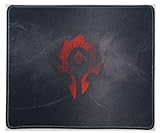
- 【Durable Stitched Edges】 Delicate edges which can prevent wear. Ensure prolonged use without deformation and degumming.
- 【Extra Large Design】 Gives you more space to achieve different movement.
- 【Wide Applicability,ultra-smooth Surface】Soft surface is available for all types of mouse, LASER & OPTICAL
- 【Non-slip rubber base】Dense shading and anti-slip natural rubber base can firmly grip the desktop.
- My Like is For Horde!!!
Rank #4

- FOR THE ALLIANCE! - The Alliance is celebrated for its wisdom, strategy, and cooperative spirit. The heroism and selflessness of the Alliance serve as a beacon of hope, inspiring all to fight for a brighter future.
- Pick Your Side - Here comes the reliable ally of WOW, gaming-themed outlook with representative symbols of the two forces. Selected colors mixed for apex aesthetics offering unparalleled touch and vibe
- Unrivaled Touch - Engineered with high-density premium Jersey cloth, delivering silky-smooth glide while maintaining micro-adjustment controlling. Perfect harmony of daily comfort and esports-grade precision.
- Advanced Craftsmanship - High-temperature dye-sublimation printing delivers refined color detail on the surface, while being easy to clean and fade-resistant.
- Anti-Slip Base - Features evenly distributed anti-slip bumps with high density, combined with special textured craftsmanship, forging an unshakable foundation for intense gaming battles.
Rank #3

- Large Mouse Pad:Increase your mouse sliding range to ensure smooth mouse operation without going out of bounds, helping maintain your operation space and improve your focus
- Pick Your Side - Here comes the reliable ally of WOW, gaming-themed outlook with representative symbols of the two forces. Selected colors mixed for apex aesthetics offering unparalleled touch and vibe
- Unrivaled Touch - Engineered with high-density premium Jersey cloth, delivering silky-smooth glide while maintaining micro-adjustment controlling. Perfect harmony of daily comfort and esports-grade precision.
- Advanced Craftsmanship - High-temperature dye-sublimation printing delivers refined color detail on the surface, while being easy to clean and fade-resistant.
- Anti-Slip Base - Features evenly distributed anti-slip bumps with high density, combined with special textured craftsmanship, forging an unshakable foundation for intense gaming battles.
Rank #2

- ✅【LARGE AND EXTENDED SIZE】The size of this XXL large mouse pad is 31.5×15.7×0.1 inch,which is big enough to fit your full-sized keyboard, mouse, laptop,or other item on the desk,providing more space for professional gaming or office work. Besides,you can also use this extended mouse pad as a desk pad,writing pad,platform protection mat. Keep your desk clean and uncluttered.
- ✅【HIGH QUALITY】The mouse pad surface is made of superior micro-weave cloth fabric, this mouse pad features clear, beautiful, colorful images and is durable enough to ensure consistent and reliable performance even after prolonged use.
- ✅【NON-SLIP】 This mouse pad is made of non-slip rubber that holds it firmly in place and prevents any unwanted sliding or movement. This ensures stability during intense gaming sessions or when tackling important projects.
- ✅【EXCELLENT PERFORMANCE】 The surface of the desktop extension mouse pad is made of fine high-density fabric, which allows easy and accurate mouse movement, essential for both gaming and productive work sessions. The durable stitched edges prevent fraying and ensure long-lasting performance.
- ✅【UNIQUE DESIGN & GREAT GIFT】 This mouse pad has a unique and stylish design, suitable for any office or gaming setup, adding a personalized touch to any desk space. It is also a great choice for holiday gifts.
Product prices and availability are accurate as of the date/time indicated and are subject to change. Any price and availability information displayed on Amazon at the time of purchase will apply.
Independent reader supportYour contribution helps us test, update, and keep practical guides available for everyone.



