
Recommended Free Tools
Windows may show “The program can’t start because iccrd20.dll is missing from your computer.” Another common message is “The code execution cannot proceed because iccrd20.dll was not found.”
The 60-second answer
iccrd20.dll is not a Windows system file or a normal Microsoft Visual C++ runtime file. Package contents associate it with Graphtec’s legacy Cutting Master 2 for Windows, including the color-management and prepress components used by older Graphtec plotter workflows.

As an Amazon Associate I earn from qualifying purchases.
The safest fix is to identify the program that is failing, then repair or reinstall its complete package from Graphtec’s official Cutting Plotters software page. Do not download a loose copy of iccrd20.dll, place it in System32 or SysWOW64, or run regsvr32 against it.
If Cutting Master 2 is no longer compatible with your Windows release or host application, use a newer Graphtec-supported application when your plotter supports it.
#1 Best Overall
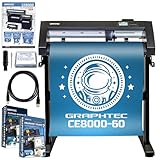
- Graphtec CE8000-60 P - 24 Inch Wide Format Plotter & Vinyl Cutter Industrial Grade Cutting Machine by Graphtec - Take Your Business to the Next Level! This machine is quiet, reliable, and a work horse.
- CE8000-60 Machine Stand, Updated CB09UB Blade Holder - Standard Blade for Vinyl up to .25 millimeter Thick, CB09UB Blade - .9 millimeter Diameter - 45 Degree
- Bonus: Graphtec Studio 2 Design Software, Studio CE8000 Machine Training Videos. Eithernet Connection (non Wifi), Roll Media Holder, Tool & Accessory Holder
- 500 in Sofontsy Design Cards for Mongrams, SVGs, JPGs, and Lots of other Commercial Use Artwork (Each card is good for up to 30+ designs)
- Cutting Blade Manual, USB Connector, Cutting Master 5 Plug-in for Adobe Illustator and CorelDraw
What causes the error
The most likely causes are:
- Cutting Master 2 was incompletely installed or removed.
- An antivirus product quarantined the DLL.
- The application was moved to another folder.
- Disk cleanup removed part of the installation.
- A system-image restore returned the application without all of its files.
- A 32-bit plug-in is being used with the wrong host application or architecture.
- A dependency of
iccrd20.dllis missing, even though the named file is present. - The legacy Cutting Master 2 release is incompatible with the current Windows or Adobe/CorelDRAW environment.
Graphtec package inventories list ICCRD20.DLL inside C-Master2(W) installer data, including version 1.80 packages. Graphtec’s support materials list Cutting Master 2 for older plotter families such as CE5000, CE6000 and FC-series models. That establishes a strong Graphtec connection, but it does not prove that every copy of the filename on every computer came from Graphtec.
First, identify the parent application
Before replacing anything, determine which executable or plug-in is producing the message.
- Close the error and note what you launched immediately beforehand.
- Check whether the failure occurs when opening Cutting Master 2 itself.
- Try opening the Adobe Illustrator or CorelDRAW host application without starting the Graphtec plug-in.
- Right-click the shortcut that fails and select Properties.
- Read the Target field and note the installation folder.
- In File Explorer, open that folder and search for
iccrd20.dll. - If the file is absent, check the original Graphtec installer archive or installation media rather than searching the web for a replacement.
If the error appears only when Illustrator or CorelDRAW loads, the damaged item may be the Graphtec plug-in installation rather than the host application. Reinstalling only Adobe or CorelDRAW will not normally restore a Graphtec DLL.
Also check the architecture. Older Cutting Master components may be 32-bit and run under WOW64 on 64-bit Windows. A 64-bit host cannot load a 32-bit DLL as its equivalent, and copying a 64-bit file into a 32-bit installation will not solve that mismatch.
Fix 1: Repair or reinstall Cutting Master 2
This is the most likely and most complete repair.
- Open Settings with Windows key + I.
- Select Apps, then Installed apps.
- Search for Cutting Master, Graphtec, or the related plug-in.
- If an available menu contains Repair, select it and follow the prompts.
- Restart Windows after the repair.
- Test the same application or host plug-in again.
If there is no repair option:
- In Installed apps, select the old Cutting Master entry and choose Uninstall.
- Restart Windows.
- Obtain the Cutting Master package from Graphtec’s official software support page.
- Choose the package intended for your plotter family, host application and Windows architecture.
- Right-click the installer and select Run as administrator.
- Complete the installation without moving its destination folder.
- Restart Windows again.
- Open the parent application and test the cutting or plug-in workflow.
Some older installers require removal of earlier Cutting Master releases before installation. Follow the installer’s own instructions rather than stacking multiple legacy versions together.
A successful repair restores the DLL in the application’s expected directory and allows the parent program or plug-in to start. If the installer refuses to run, crashes, or reports that the operating system is unsupported, do not force a random DLL into the installation. Use a newer Graphtec-supported product where possible, subject to the plotter and host-application compatibility listed by Graphtec.
Rank #2
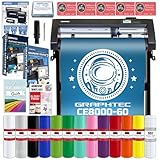
- Graphtec CE8000-60 P - 24 Inch Wide Format Plotter & Vinyl Cutter Industrial Grade Cutting Machine by Graphtec - Take Your Business to the Next Level! This machine is quiet, reliable, and a work horse.
- CE8000-60 Machine Stand, Updated CB09UB Blade Holder - Standard Blade for Vinyl up to .25 millimeter Thick, CB09UB Blade - .9 millimeter Diameter - 45 Degree
- 12 Rolls of Assorted 651 Glossy Vinyl, Transfer Tape, Guides, Eithernet Connection, Roll Media Holder, Tool & Accessory Holder
- Bonus: Graphtec Studio 2 Design Software, Studio CE8000 Machine Training Videos. 5 - Design Cards for Artwork - SVGs, JPGs, Monograms, Commercial Use (Each card is good for up to 30 designs)
- Cutting Blade Manual, USB Connector, Cutting Master 5 Plug-in for Adobe Illustator and CorelDraw
Fix 2: Check Windows Security quarantine
Antivirus software can remove a legitimate application file, or it can identify a tampered file that should not be restored. Verify its origin before taking action.
- Open Windows Security from the Start menu.
- Select Virus & threat protection.
- Select Protection history.
- Look for an event involving
iccrd20.dll, Cutting Master, or its installer. - Open the event details and note the original file path.
- Restore the file only if the path belongs to the genuine Graphtec installation or verified Graphtec installer.
- Run a scan on the original installer.
- Repair or reinstall the complete Graphtec package even after restoring the file.
Restoring a quarantined file by itself may leave other files, plug-ins or configuration data damaged. If Windows Security removes the file again, stop launching the program and obtain a clean installer from Graphtec support. Do not create a broad antivirus exclusion for an unknown DLL.
Fix 3: Check the host and architecture
Cutting Master 2 commonly works as an older plug-in or application component, so the host matters.
Check these items:
- Is the failing host Adobe Illustrator, CorelDRAW, Cutting Master 2, or another program?
- Is the host 32-bit or 64-bit?
- Is the Graphtec plug-in intended for that exact host version?
- Is Windows 10 or Windows 11 running at 64 bits?
- Does the installed Cutting Master release officially support the current combination?
- Was the application copied from another PC instead of installed normally?
Do not use a similarly named DLL from another application. A 32-bit DLL belongs in the application’s own 32-bit installation context, while a 64-bit host requires a compatible 64-bit component. Windows compatibility mode may help an installer launch, but it cannot make incompatible binaries compatible.
If the software worked before a Windows upgrade, host-application upgrade or plotter-driver change, reinstall the Graphtec plug-in version intended for the new host. If no compatible Cutting Master 2 package exists, check Graphtec’s current Cutting Master or Graphtec Studio listings for a supported replacement.
Fix 4: Reinstall or update the related plotter driver
A plotter driver does not normally supply iccrd20.dll, but an incomplete Graphtec installation can affect both the plug-in and device workflow.
Rank #3

- Graphtec CE8000-60 P - 24 Inch Wide Format Plotter & Vinyl Cutter Industrial Grade Cutting Machine by Graphtec - Take Your Business to the Next Level! This machine is quiet, reliable, and a work horse.
- CE8000-60 Machine Stand, Updated CB09UB Blade Holder - Standard Blade for Vinyl up to .25 millimeter Thick, CB09UB Blade - .9 millimeter Diameter - 45 Degree
- 2 Rolls Premim 651 Vinyl: Black & White - 24 Inches x 20 Feet Each, Swatch Book, Scraper, Eithernet Connection, Roll Media Holder, Tool & Accessory Holder
- Bonus: Graphtec Studio 2 Design Software, Studio CE8000 Machine Training Videos. 5 - Design Cards for Artwork - SVGs, JPGs, Monograms, Commercial Use (Each card is good for up to 30 designs)
- Cutting Blade Manual, USB Connector, Cutting Master 5 Plug-in for Adobe Illustator and CorelDraw
- Disconnect the plotter or turn it off.
- Open Settings > Bluetooth & devices > Printers & scanners.
- Remove the affected Graphtec printer or plotter entry if the Graphtec instructions require it.
- Press Windows key + X and select Device Manager.
- Expand Printers, Print queues, Universal Serial Bus controllers, and Ports (COM & LPT).
- Right-click the Graphtec-related device and select Uninstall device.
- If offered, select the option to remove the driver package.
- Restart Windows.
- Install the driver supplied for the plotter and Windows architecture from Graphtec’s official support resources.
- Reconnect or power on the plotter only when the installer requests it.
Outbyte Driver Updater can reduce the manual work of hunting through hardware entries and guessing which of several drivers is stale; its free scan identifies issues, while driver installation through the full version is optional. It is not a substitute for reinstalling Cutting Master when that application owns the missing DLL.
Test Cutting Master after reinstalling the driver. If the DLL error remains unchanged, focus on the application package rather than the device driver.
Fix 5: Determine whether a dependency is failing
A message such as “iccrd20.dll is either not designed to run on Windows or it contains an error” does not always mean that this file alone is damaged. The DLL may be present while one of its dependencies cannot load.
Quick wins for a faster PC:
Fix the driver behind crashes, sound loss and screen glitchesFind Drivers →Clear out junk files and repair common Windows errorsFree Scan →Scan for outdated or missing drivers - takes under a minuteDriver Scan →Other messages provide similar clues:
- Specified module could not be found: the named DLL or one of its dependencies may be absent.
- Entry point could not be located: the wrong DLL version may be loading, or the host expects a different build.
- Bad image or not designed to run on Windows: the file may be corrupt, incompatible, or the wrong architecture.
First reinstall the complete Graphtec package. If that fails, confirm the exact executable path and use a reputable dependency-inspection tool locally to identify the missing module. Do not download each reported dependency individually. The parent installer is the correct way to restore the matching set.
Install or repair Microsoft Visual C++ only if Cutting Master’s installer specifically requests it or dependency analysis identifies a missing runtime. Microsoft provides separate x86 and x64 redistributables, and the correct architecture must match the application. iccrd20.dll itself is not a Microsoft Visual C++ Redistributable file.
Fix 6: Repair Windows components when other programs are also failing
DISM and SFC are secondary checks. They repair Windows components and protected Windows files; they will not normally recreate a third-party Graphtec DLL.
First install pending updates:
- Open Settings > Windows Update.
- Select Check for updates.
- Install available updates.
- Restart Windows.
Then open an elevated terminal:
- Right-click Start.
- Select Terminal (Admin) or Command Prompt (Admin).
- Select Yes at the User Account Control prompt.
- Run:
DISM.exe /Online /Cleanup-image /Restorehealth
- Wait for it to finish.
- Then run:
sfc /scannow
- Restart Windows and test the application.
Microsoft recommends running DISM before SFC. If SFC reports repaired files, test Windows and Cutting Master again. If both commands complete without resolving the error, return to the Graphtec reinstall path.
Free tools Windows power users keep installed
One-click scans. No signup required.
Rank #4

- Quick Start: Built-in test function makes this vinyl cutter machine beginner-friendly. Preview your design before cutting to avoid wasted material and trial-and-error, ensuring an easy and beginner-friendly start
- System Compatibility: This vinyl cutting machine supports Windows 7–11 and macOS. Choose from USB, U-disk, or serial port connections. It comes with a licensed SignMaster activation code, no CD driver required, making setup fast
- Dual-Blade Design: Our vinyl plotter cutter is equipped with main and auxiliary blades for simultaneous drawing + cutting or scoring. No manual blade swaps needed. One setup completes multiple operations, greatly improving efficiency
- Material Versatility: This vinyl plotter works with sheets and rolls up to 1 mm thick, with 20–500 gf adjustable force. It easily handles vinyl, HTV, adhesive vinyl, magnetic sheets, sticker paper, car decals, and more for DIY or commercial projects
- Precise Cutting: Intelligent contour detection with ±0.1 mm accuracy and dual-spring pinch rollers keep media steady. Even during long cuts, the vinyl printer and cutter delivers exact tracking, clean edges, and flawless detail handling
When repeated manual DISM and SFC runs make it difficult to know what changed, Outbyte PC Repair can scan for broader system issues; its free scan shows detected problems, while repair through the full version is optional. It does not replace the definitive fix when a Graphtec installer is missing iccrd20.dll.
Why regsvr32 and System32 copies are wrong
Do not run:
regsvr32 iccrd20.dll
unless the software vendor explicitly identifies the file as a COM or ActiveX server and provides registration instructions. Ordinary private application DLLs are loaded by their parent program and do not become functional merely because they were registered.
Do not copy the file into C:WindowsSystem32 or C:WindowsSysWOW64. Windows searches the application directory as part of normal DLL loading, and placing an untrusted or mismatched DLL in a system search location can create version conflicts and DLL-preloading risks.
Manual copying is defensible only when extracting iccrd20.dll from the original, verified Graphtec installer and restoring it to the exact application directory. A full reinstall is safer because it restores dependencies, plug-ins, registry data and configuration together.
What’s actually slowing this PC down?
Pick the symptom - the matching free tool is one click away.
If the error remains
Confirm the following before contacting Graphtec support:
- The exact program and shortcut that launches the error.
- The executable’s full installation path.
- Whether
iccrd20.dllis present there. - The Cutting Master version and plotter model.
- The host application and its 32-bit or 64-bit architecture.
- The Windows edition and architecture.
- Whether Windows Security quarantines the file again.
- The full wording of the error, including any entry-point name.
- Whether the official installer completed successfully as administrator.
- Whether the failure affects only one plug-in or all Graphtec software.
If the file worked previously and a restore point predates the failure, System Restore is a last-resort recovery step. It should not replace installing a clean, compatible Graphtec package.
FAQ
Is iccrd20.dll a Windows file?
No. Available package evidence associates it with Graphtec Cutting Master 2 rather than Windows itself.
Best Value
Can I download iccrd20.dll by itself?
No. Loose DLL sources may provide malware, the wrong architecture or an incompatible version, and they do not restore the parent application’s dependencies. Use the official Graphtec installer.
The Tool Desk
Outbyte Driver Updater FREEScan for outdated or missing drivers - takes under a minuteDriver Scan →Outbyte PC Repair FREERepair Windows errors before they cause bigger problemsFix Now →Does Visual C++ Redistributable install this file?
There is no reliable evidence that it does. Install or repair Visual C++ only when the affected application or dependency analysis specifically requires it.
Should I use System32 or SysWOW64?
No. Restore the file to the application directory through the correct installer. System32 and SysWOW64 are not generic storage locations for third-party DLLs.
Why is the DLL present but Windows still reports it missing?
A dependency may be missing, the DLL may be damaged, or the architecture and host application may not match. Reinstall the complete package and inspect dependencies if the error continues.
Will Cutting Master 2 work on every Windows 10 or Windows 11 PC?
No compatibility guarantee should be assumed for this legacy release. Check Graphtec’s current compatibility information for the plotter, host application and Windows architecture, and consider a supported newer Graphtec application when available.
PC Slower Than It Used to Be?
A free scan shows the junk files, broken settings and background clutter dragging Windows down - then fixes them in one click.Free scan · Windows 10 & 11Outdated Drivers Are Slowing You Down
One free scan finds every outdated or missing driver and matches the right update for your exact hardware.Free scan · exact hardware matchQuick Recap
Product prices and availability are accurate as of the date/time indicated and are subject to change. Any price and availability information displayed on Amazon at the time of purchase will apply.

