
Free tools Windows power users keep installed
One-click scans. No signup required.
Some links on this page are affiliate links: if you buy through them we may earn a commission, at no extra cost to you.
Yes, you can fit a working museum reference library on a Game Boy cartridge. Dr. Marcel Pflug’s free Game Boy Museum, 2026 ROM catalogs 355 objects, adds a chapter-based encyclopedia, unified search and bookmarks, and runs either in a browser or on original hardware through a compatible rewritable flash cartridge. It is deliberately not a game. Pflug built it to test how much history, cataloguing and interface design the 1989 handheld could carry—and to keep that knowledge on the machine whose story it tells.
The result is a compact archive rather than an offline copy of an entire website. The catalog, articles, search index and saved links live in the ROM; QR codes take readers to fuller online entries and photographs. That distinction is central to what the project preserves, and why it matters.
| # | Preview | Product | Price | |
|---|---|---|---|---|
| 1 |

|
Nintendo Game Boy Advance - Indigo (Renewed) | $129.80 | Buy on Amazon |
| 2 |

|
Nintendo Game Boy Advance SP - Cobalt (Renewed) | $167.95 | Buy on Amazon |
| 3 |
|
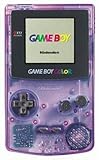
Game Boy Color - Atomic Purple (Renewed) | $119.99 | Buy on Amazon |
| 4 |

|
Game Boy Color - Teal (Renewed) | $129.99 | Buy on Amazon |
As an Amazon Associate I earn from qualifying purchases.
PC Slower Than It Used to Be?
A free scan shows the junk files, broken settings and background clutter dragging Windows down - then fixes them in one click.Free scan · Windows 10 & 11Crashes, No Sound, or Screen Glitches?
Random freezes, missing sound and display glitches usually trace back to one bad driver. Find and replace yours safely.Free scan · under a minuteWhat is the Game Boy Museum on a cartridge?
Game Boy Museum, 2026 is a non-game reference cartridge. Its home interface is divided into Topics, Catalogue, Search and Bookmarks. The Catalogue lets readers page through 355 collection objects, while the wiki organizes the machine’s history into chapters on origins and anatomy, the DMG series and add-ons, worldwide history, makers, games and studios, the system’s afterlife, and references.
The ROM is free to download. A browser emulator is enough to read it, so owning a console is optional. For original-hardware use, the practical route is a compatible rewritable Game Boy flash cartridge loaded with the ROM; compatibility depends on the particular cartridge and console setup, and no paid download or Nintendo endorsement is implied.
Popular on Amazon
- It features a more powerful processor than any previous portable system, for faster, smoother gameplay
- The high-resolution, full color screen makes the game jump out at you -- 50% bigger than Game Boy Color
- Two new buttons, L & R, bring you more control & game options
- Extended battery life lets you play for up to 15 hours on a pair of AA batteries
- Compact Game Paks let you store your game progress & are smaller then Game Boy Color Paks
Pflug’s goal was to make the museum itself one of the museum pieces. “Every object in the collection is a museum piece. So what if the museum itself became one of them?” he writes. The joke became a serious exercise in preservation, information architecture and low-level constraint.
Why would anyone put a museum on a Game Boy?
Pflug’s answer is personal rather than commercial: “That is the whole reason it exists. I thought it was a funny idea, and I wanted to see if I could do it.” The accompanying profile describes programming and tinkering as a source of relaxation, curiosity and challenge, built up over many evenings and weekends.
There is also a preservation argument. Pflug calls the cartridge “a homage to the machine” and “a small attempt to keep this knowledge where it came from in the first place, on the Game Boy itself.” A website can change, go offline or lose its images. A ROM stored on a cartridge remains readable as long as the hardware and a way to run it survive. That does not make it a complete web backup, but it gives the catalog and encyclopedia a durable, self-contained home.
How much can a Game Boy screen actually hold?
The interface is shaped by the Game Boy’s tile-based display. A screen can show only 255 small tile blocks. Pflug’s layout uses eight lines of roughly 30 characters, and the longest page consumes 251 of those 255 blocks. Four blocks remain, so a single extra icon, line break or decorative element can force a redesign.
That limit explains the restrained typography and the absence of a lavish virtual museum building. The title screen was drawn pixel by pixel. Pflug also abandoned a more elaborate museum-hall concept because it would not fit the available space. The cartridge’s only portrait required converting a photograph into four shades of green without reducing the face to an unreadable blob or skull.
Reading long entries is therefore a physical design problem as much as a writing problem. The project’s own description captures it: “Reading a museum on a Game Boy, it turns out, is a game of inches.”
Quick wins for a faster PC:
Repair Windows errors before they cause bigger problemsFix Now →Fix the driver behind crashes, sound loss and screen glitchesFind Drivers →Clear out junk files and repair common Windows errorsFree Scan →Also popular on Amazon
What can readers browse inside the ROM?
The four main interface areas serve different jobs:
| Area | What it does |
|---|---|
| Topics | Opens the chapter-based wiki, from hardware origins and anatomy to global history, makers, studios, the system’s afterlife and references. |
| Catalogue | Pages through all 355 objects in the collection. |
| Search | Provides a unified way to find catalogue items and encyclopedia material. |
| Bookmarks | Stores saved reading points; the public 1.0 release added battery-backed bookmarks. |
The catalogue and wiki are designed to be useful without a network connection. They are text-and-data records selected for the cartridge, not a compressed dump of every page and image on the associated site.
How do the QR codes connect a 1990s handheld to the web?
Every one of the 355 catalogue objects has a QR code rendered in advance on a PC and stored in the ROM. When a reader scans a code with a modern device, it opens the item’s fuller web entry and photographs.
The bridge is historically playful: QR codes were invented in 1994 for tracking parts on a Japanese car-factory floor, several years after the Game Boy’s 1989 launch. Pflug avoids tying the codes to changeable catalogue numbers. Instead, they point to permanent object identities, so reorganizing a list does not have to invalidate every printed or stored code.
The Tool Desk
Outbyte PC Repair FREEClear out junk files and repair common Windows errorsFree Scan →Outbyte Driver Updater FREEScan for outdated or missing drivers - takes under a minuteDriver Scan →This design also defines the preservation boundary. The ROM keeps the reference text, search and links locally; the photographs and expanded pages remain online dependencies. If those destinations disappear, the cartridge still functions as a catalog and encyclopedia, but it cannot recreate the missing web media.
How do I run the GB Museum ROM on a real Game Boy?
You do not need original hardware to explore the project, but a flash cartridge provides the intended physical experience.
Also popular on Amazon
- Unlike Modern Handheld Consoles, The Gb Color Does Not Have A Back Light And Is Best Used In A Well Lit Room Or Under A Lamp.
- Product Type-Video Game Hardware
- Package Quantity-1
- Package Weight-0.440924524 Lbs
- Obtain the free ROM from the Game Boy Museum project’s official release page.
- Choose a compatible rewritable Game Boy flash cartridge. Confirm that its supported system, memory and save features match the console you plan to use.
- Copy the ROM to the cartridge using the manufacturer’s loader or USB writer, following that hardware’s file and firmware requirements.
- Insert the cartridge into a Game Boy and start it like any other cartridge. A browser emulator can be used instead if you do not own a console or flash hardware.
- Use a separate phone or tablet for QR scans. The Game Boy displays the code; it does not provide the modern camera or web connection needed to open the destination.
The project does not state a universal compatibility list, current hardware stock or a guaranteed save behavior for every flash cartridge. If bookmarks do not persist, check whether the cartridge supports the release’s battery-backed save feature and whether its battery is healthy.
What does the cartridge preserve locally, and what remains online?
| Content or function | Stored in the ROM | Requires the web |
|---|---|---|
| 355-object catalog records | Yes | No |
| Chapter-based encyclopedia | Yes | No |
| Search index | Yes | No |
| Bookmarks | Yes, with the release’s supported save hardware | No |
| Full item pages and photographs | Links only | Yes |
| QR destinations | Codes and object identities are stored | Opening the destination requires a connected modern device |
Thinking of it as a compact reference archive, rather than a total offline mirror, prevents the wrong expectation. Its strongest preservation claim is that the Game Boy can still explain its own history without a server.
What’s actually slowing this PC down?
Pick the symptom - the matching free tool is one click away.
When was the project made?
The public release has a clear progression, even though the wider reporting describes Pflug’s tinkering as a practice sustained across years of evenings and weekends.
| Time | Milestone |
|---|---|
| December 2025 | Pflug began with the idea and a first text attempt. |
| Spring 2026 | The collection catalog was imported. |
| Summer 2026 | The wiki, unified search and a QR code for every object were added. |
| September 2026 | Public version 1.0 launched with battery-backed bookmarks. |
| After version 1.0 | Scrolling titles, settings and article cross-links were added. |
The dates show how the idea moved from a text experiment to a usable reference system in less than a year, while the longer tinkering habit explains the patience needed to polish a project this constrained.
Independent reader supportYour contribution helps us test, update, and keep practical guides available for everyone.Is this an archival project, a game or a repair tool?
It is archival software presented through game hardware, not an entertainment game. The deliberate absence of scoring, combat and levels lets the machine’s display, memory and controls become the subject.
The project also led to two separate cartridges. GB Test Lab is intended to help identify faulty console contacts or memory bits and test buttons, the printer and the link port. Label Boy turns the Game Boy Printer into a label maker. Those tools may interest collectors and repairers, but neither is required for the museum cartridge.
Also popular on Amazon
- Unlike Modern Handheld Consoles, The Gb Color Does Not Have A Back Light And Is Best Used In A Well Lit Room Or Under A Lamp.
- Product Type-Video Game Hardware
- Package Quantity-1
- Package Weight-0.440924524 Lbs
What makes the project unusual among retro-preservation efforts?
Its value is easiest to see across five practical dimensions:
| Dimension | Game Boy Museum approach |
|---|---|
| Local versus online preservation | Catalog, encyclopedia, search and links are local; expanded pages and photographs are online. |
| Hardware access | Runs in a browser emulator and can run on original hardware with compatible flash storage. |
| Depth | 355 cataloged objects plus a multi-chapter wiki, rather than a single static demo. |
| Interface constraint | Eight roughly 30-character lines and a 255-tile screen budget shape every page. |
| Purpose | Historical reference and homage, distinct from repair utilities or entertainment software. |
That combination makes the cartridge more than a novelty screenshot. It is a working argument that preservation can include the original platform’s limitations, not merely files extracted from it.
Why does this feel especially human in the age of AI?
The project’s contemporary contrast is not that it rejects modern tools; the reporting does not establish that. Its human quality comes from choosing an impractical constraint and staying with it. Someone decided that a machine with four shades of green, tiny tiles and limited memory should carry a museum, then solved the problems one page, portrait and QR code at a time.
That is why the cartridge resonates beyond nostalgia. It preserves facts about the Game Boy, but it also preserves a method of making: curiosity, painstaking editing, pixel-level judgment and the satisfaction of getting an idea to run on the object that inspired it.
Frequently Asked Questions
Does the museum cartridge contain any playable games?
No. It is reference software: a catalog, encyclopedia, search tool and bookmark system. The absence of game mechanics is intentional, so the Game Boy becomes both the subject and the display medium.
What happens to bookmarks when the console is switched off?
Version 1.0 is described as having battery-backed bookmarks, which are designed to retain saved reading points through power cycles on hardware that supports the required save memory. Actual retention still depends on the flash cartridge’s implementation and battery condition.
Can I read the museum if the linked website is unavailable?
The catalog records, encyclopedia text and search remain usable from the ROM. The unavailable part would be the expanded web pages and photographs reached through QR codes.
What other projects came from the same work?
Pflug later made GB Test Lab for checking contacts, memory bits, buttons, the printer and the link port, and Label Boy for producing labels with the Game Boy Printer. They are separate utilities rather than extra modes in the museum cartridge.
Quick Recap
Product prices and availability are accurate as of the date/time indicated and are subject to change. Any price and availability information displayed on Amazon at the time of purchase will apply.

