Xbox 360 supports 720p output, and Microsoft also documents 1080i. Those are video signal modes the console can send to a TV—not a promise that every game renders internally at that resolution. The official sources cited here do not establish a universal 1080p answer for every Xbox 360 model and game.
Which resolutions does Xbox 360 support?
Microsoft’s Xbox 360 HDTV setup manual lists 480p, 720p, and 1080i as HD resolutions for which the HDTV switch position on the Component HD AV Cable may be used. Microsoft’s Xbox Wire post likewise lists 480i, 480p, 720p, and 1080i as output standards. Microsoft’s setup instructions and Xbox Wire’s May 28, 2005 post support 720p and 1080i as documented modes.
These sources do not establish that all Xbox 360 revisions or games support 1080p. So the most careful answer to “Does Xbox 360 support 1080p?” is that the cited official documentation does not prove a blanket 1080p capability. Verify a specific console and game against model- or software-specific documentation rather than assuming that 1080p is universal.
Output resolution is not the same as a game’s rendering resolution
The dashboard’s selected resolution describes the video mode sent from the console to the TV. A game’s native rendering resolution describes the detail the game produces internally. Microsoft’s Xbox Wire post says a user with a 720p- or 1080i-capable TV can select that mode in the dashboard and that Xbox 360 games will support the selected output mode. That statement does not show that every game renders natively at 720p or 1080i.
Recommended Free Tools
#1 Best Overall
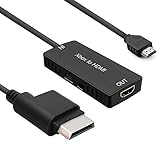
- 🎮 HD Link: Convert the native component signals from Xbox 360 to digital HDMI signals for modern HDTVs/monitors/projectors.
- 🎮Awesome Image: Provide the best signal processing with great precision, colors, resolution and details at this price.
- 🎮HD Ready: maximum possible video quality from our HDMI converter cable. Xbox 360 games that are native 720p will run in their respective resolutions.
- 🎮Compatible with: Microsoft Xbox 360 / XBOX 360 Slim.
- 🎮High Definition Connection; Plug and play; Need External Power Required; Won't affect the sound quality!
Choosing a higher output mode therefore does not by itself prove that a game contains more rendered detail. The official sources cited here do not provide a game-by-game list of native rendering resolutions.
What resolution should you set?
Choose a mode your television supports, using the TV’s available inputs and the Xbox dashboard’s video settings. Microsoft’s instructions for the Component HD AV Cable tell users to make sure the HDTV settings selected in the Xbox Dashboard are supported by the television. See Microsoft’s HDTV setup instructions.
Rank #2
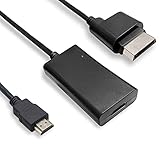
- COMPATIBILITY* Supports all versions of Xbox 360, especially the 1st version. Convert the component signals from Xbox 360 to digital HDMI signals for HDTVs/monitors.
- AWESOME IMAGE * Provide the best signal processing with great precision, colors, resolution and details at this price.
- EASY TO USE* Convert Xbox signal to HDMI signal, connect game console to HDMI TV, let you relive classic games. No power supply needed, plug and play, meet your daily needs.
- PACKAGE INCLUDE* HDMI Adapter for Original Xbox 360*1, HDMI Cable*1, Instruction*1
- 1 Year Warranty
- For a 720p television: 720p is a documented Xbox 360 output mode.
- For a television that supports 1080i: 1080i is also documented as an output mode; select it only if the TV supports it.
- For a 1080p television: the sources cited here do not establish that every Xbox 360 model supports 1080p output. Do not infer a universal answer from the TV’s capabilities alone.
Connecting an Xbox 360 to an HDTV with component inputs
Microsoft documents the Component HD AV Cable for connecting an Xbox 360 to a TV with component inputs. Check that both the console and television have the required ports before purchasing a legacy cable. Microsoft’s manual gives the connection and setup instructions.
Quick Recap
Best Value
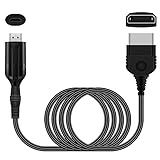
- The HD Link Cable for Xbox Convert Original Xbox signal to HDMI signal, the game console is connected to a new HDMI TV.
- HDMI signals to 1080p (60HZ)/720p(60hz) output(with the switch buttom)
- The Original Xbox to HDMI converter powers via a USB cable. (the package has not the power adapter)
- Don't need to install a driver,do not need a hdmi/x box cable, convenient and flexible, plug and play.
- if you have any question,please contact us at first . thank you
Rank #4
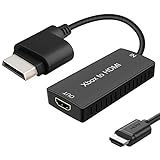
- 🎮 HD Link: Xbox 360 adapter Convert the native component signals from Xbox 360 to digital HDMI signals for modern HDTVs/monitors/projectors.
- 🎮Awesome Image: Provide the best signal processing with great precision, colors, resolution and details at this price.Xbox 360 converter is specifically designed to provide the sharpest video and sound for your Microsoft xBox 360 gaming system.
- 🎮HD Ready: maximum possible video quality from our HDMI converter cable. Xbox 360 and Xbox360 Slim games that are native 720p will run in their respective resolutions.
- 🎮Compatible with: Xbox 360 and XBOX 360 Slim.
- 🎮High Definition Connection; Plug and play; Won't affect the sound and video quality!
Rank #3

- Composite to HDMI Converter: Converts analog AV composite (Yellow, White, Red) input to HDMI 720P/1080P (60HZ) output, displayed on smart TV, Projector or HD Display, which bring back your old and cherish memories.
- Plug to Play: This HDMI Converter no extra drivers need, just plug and play,easy to use. Please hook up the USB Power Cable (included) to 5V power source during use. Note: The Video Converters only support converts AV to HDMI, can't converts HDMI to AV.
- Widely Used: This composite to hdmi adapter is widely applied to PS1, PS2, PS3, Xbox, N64, Wii, STB, VHS, VCR, DVD Players and other devices with standard composite AV input. Note: It can only be used when PS2 is set to RGB output.
- Wide Compatibility: This Video Audio Converter Adapter supports source formats of PAL, NTSC3.58, NTSC4.43, SECAM, PAL/M, PAL/N standard TV. Provide advanced signal processing with great precision, colors, resolutions, and details. Important Note: This converter can't improve video quality!
- Attention & Package: Please ensure to connect this av hdmi converter to power source to make it work. Package include: 1*AV to HDMI Adaptor, 1*USB Power Cable(adapter not included), 1*User Manual.
- Connect the Component HD AV Cable to the console.
- If the TV supports HD resolutions, set the cable’s switch to HDTV. Microsoft gives 480p, 720p, and 1080i as examples of supported modes for this setting.
- Connect the red, green, and blue video plugs to the matching component inputs on the TV, then connect the audio plugs.
- Select the matching input on the TV and choose a dashboard video mode supported by the television.
Product prices and availability are accurate as of the date/time indicated and are subject to change. Any price and availability information displayed on Amazon at the time of purchase will apply.




