Quick wins for a faster PC:
Scan for outdated or missing drivers - takes under a minuteDriver Scan →Clear out junk files and repair common Windows errorsFree Scan →Reports of high ping and mass disconnects do not, by themselves, confirm a League of Legends outage or show that all players are affected. Check Riot’s live service status for your game region first; if no incident is listed, compare your connection logs and test your local network before deciding where the problem lies.
Is League of Legends having an outage?
The available status information is regional and time-sensitive. In a Riot Games Service Status search result accessed October 8, 2026, North America’s League of Legends section showed no recent issues, although a separate Teamfight Tactics notice appeared. Riot had also published a Brazil-specific notice on September 24, 2026, saying it was aware of player disconnections and was investigating. That earlier notice does not establish a current League outage in Brazil or elsewhere.
Check Riot Games Service Status, select the relevant game and region, and look for an incident notice. A status page without a listed issue is useful evidence, but it does not rule out an ISP routing problem, a local network fault, or an issue that has not yet been posted.
What high ping, packet loss and jitter mean
Riot defines latency, commonly called ping, as the time data takes to travel from your computer to Riot’s game servers and back, measured in milliseconds. Lower latency generally means a faster response. Packet loss means packets fail to reach one endpoint or the other; jitter is variation in latency. Riot’s guidance is to keep packet loss and jitter as close to zero as possible.
#1 Best Overall

- The epic battles and Champions of League of Legends come to life with the limited edition LoL A30 headset.
- Matte black finish and bronze accents, LoL and Riot Games tags, plus a collectors box with artwork inspired by the game, make this the must-have headset experience for serious players and fans alike.
- The included mobile cable and reliable A30 cross-platform compatibility ensure seamless communication - critical for executing team strategy from your PC, laptop or mobile device.
- Breathable Fabric Cushions
- Unidirectional Mic to help isolate voice communication
These symptoms can come from three broad places: Riot’s service, your internet service provider (ISP), or software, equipment and settings on your device or network. Several players reporting trouble at once may be a reason to check for a shared incident, but does not prove the servers are at fault.
How to tell whether the issue is regional, local or with your ISP
Use the checks together rather than treating any one of them as proof. Riot’s Basic Connections Troubleshooting Guide, published June 2, 2026, recommends checking service status and connection conditions. Its Connection Troubleshooting Log Reader, published May 29, 2026, can help you examine metrics from a particular game.
Rank #2
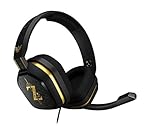
- The A10’s durable aluminum headband with damage-resistant rubberized cover and detachable cable system is designed to withstand wins, losses, and everything in between.
- Tuned for Gaming, ASTRO Audio was developed with pro gamers and game designers to deliver clarity and detail at every frequency and volume level.
- Featuring over-the-ear construction with premium ear cushions and headband, these lightweight ASTROs lower fatigue and extend the duration of any gaming session.
- Crystal clear communication and easy flip-to-mute action puts you in control of your voice com.
- The A10 connects to any audio source with a 3.5 millimeter jack – perfect for console controllers and most PCs and Macs.
| Check | What it can tell you | What it cannot prove on its own |
|---|---|---|
| Riot status for your game and region | Whether Riot has posted a relevant service incident. | A page with no notice does not rule out an unlisted issue, an ISP problem or a local fault. |
| League connection logs | How ping, jitter and packet loss changed during a specific game. | Those metrics alone do not identify which network segment caused the problem. |
| Other devices, services or players on the same network or ISP | Whether symptoms appear broader than one League session or device. | Similar symptoms do not establish that Riot is responsible. |
Use Riot’s connection tools
Riot’s Lag Report, available in most regions, aggregates recent games into a Connection Score and compares your connection with other players and ISPs in your area. Riot says a score of 90 or higher suggests the issue is likely not network-related. Treat that as a diagnostic clue, not a guarantee or a universal cutoff: the score does not prove that a match was free of connection trouble.
The log reader lets you review ping, jitter and packet loss over the course of a game. Riot documents the timestamped game-log folder on Windows and the League application-log location on macOS in its log reader instructions.
PC Slower Than It Used to Be?
A free scan shows the junk files, broken settings and background clutter dragging Windows down - then fixes them in one click.Free scan · Windows 10 & 11Outdated Drivers Are Slowing You Down
One free scan finds every outdated or missing driver and matches the right update for your exact hardware.Free scan · exact hardware matchRank #3

- 🖥️ Reduce Eye Strain & Improve Sleep: Our blue light blocking glasses help reduce harmful blue light emitted by digital screens. These blue light glasses are ideal computer glasses for daily screen use, scientifically designed to limit exposure that disrupts melatonin production and circadian rhythm.
- 🔶 Patented PLASMA Technology (Amber Tint): High-performance gaming glasses that filter 100% of blue light from 380–400 nm and 86% across 380–450 nm, plus full UV400 protection. These blue light glasses provide maximum visual safety for long screen sessions, while the amber tint enhances screen contrast for sharper, more comfortable vision.
- 💎 Professional Quality & Ultra-Light Comfort: lenses with anti-reflective coatings, UV400 protection, and an ultra-light 27 g polycarbonate frame designed for comfort under any gaming headset. Soft nose pads. FDA impact-resistance compliant (21 CFR 801.410, tested per ANSI Z80.3)
- ✨ Complete Package: Includes 1 pair of blue light glasses (unisex), 1 lightweight microfiber pouch, and 1 microfiber cleaning cloth made from 80% recycled material (190 g quality). A complete kit to protect and maintain your blue light blocking glasses, whether used as computer glasses or gaming glasses.
- 🇫🇷 Designed for Gamers: Professional French brand specializing in eSports & Gaming, trusted by over 500,000 gamers worldwide. Built to last with patented technologies and a lifetime warranty, these high-performance blue light glasses men and blue light glasses for woman are engineered to protect your eyes and elevate your focus and performance.
What to try if Riot has not posted an incident
- Test in a custom game. If you need to check whether the connection is stable, Riot recommends using a custom game to avoid risking an AFK penalty in a regular match.
- Try Ethernet if you are on Wi-Fi. A wired connection can help isolate wireless interference, which may contribute to lag spikes or packet loss. It will not resolve an issue on Riot’s end or an ISP routing problem.
- Reduce competing network activity. Pause connection-heavy downloads or streams and check whether other people or devices are heavily using the same connection. Shared activity can contribute to buffering or unstable play.
- Turn off VPNs or proxies while troubleshooting. Riot advises against using them to connect to League servers; they can complicate diagnosis and do not establish whether the underlying issue is with Riot, the ISP or your local setup.
What the reconnect message means
Riot says that while the reconnect message is displayed, the game is trying to catch up on missing data. Your champion may freeze, or it may appear to keep moving while the rest of the game is frozen. Check regional service status and your ISP connection, then use a custom game to test stability. If the problem continues, collect the relevant logs and contact Riot Player Support.
What is—and is not—confirmed about these reports
No verified incident count, affected-player total or outage duration is available for the reports described as high ping and mass disconnects. The evidence does not establish that every report refers to one shared event, or identify a single cause. Your region, ISP and the timing of the symptoms matter; use Riot’s live regional status page for the latest incident information.
Quick Recap
Rank #4

- Dongle Receiver Adaper For Logitech G733 Lightspeed Wireless Gaming Headset Before 2023 editon
- Only for G733 headset 1st Gen editon, like the picture show, Not universal, Not for G733 2st Gen or G pro x Wireless another headset
- Please carefully distinguish your headphone version based on the reference image. The second and first generations cannot be distinguished by the appearance and packaging of the phone, but their receivers are not interchangeable.
- !!!! Ensure your headset editon is very important before place order.
Product prices and availability are accurate as of the date/time indicated and are subject to change. Any price and availability information displayed on Amazon at the time of purchase will apply.




