
Quick wins for a faster PC:
Repair Windows errors before they cause bigger problemsFix Now →Scan for outdated or missing drivers - takes under a minuteDriver Scan →luaconfig.dll is a private game DLL from the Relic Entertainment Dawn of War family, not a Windows component. If Windows says it is missing or cannot load it, repair the matching Dawn of War installation or the Dark Crusade tools instead of downloading a replacement DLL.
What this file actually does
luaconfig.dll belongs with the executable that installed it. It is associated with Warhammer 40,000: Dawn of War, including Dark Crusade, Soulstorm, Winter Assault and related modding tools. The current Steam package is sold as Warhammer 40,000: Dawn of War – Anniversary Edition (Classic) and includes the original game, Dark Crusade, Soulstorm and Winter Assault.
| # | Preview | Product | Price | |
|---|---|---|---|---|
| 1 |
|
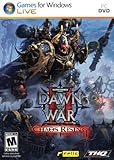
Warhammer 40000: Dawn of War II: Chaos Rising - PC | $9.99 | Buy on Amazon |
| 2 |

|
Warhammer 40K: Dawn of War Soulstorm | $74.50 | Buy on Amazon |
| 3 |

|
Warhammer 40,000: Dawn of War -- Dark Crusade | $8.25 | Buy on Amazon |
| 4 |
|
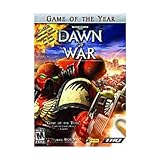
Warhammer 40,000 Dawn of War Game of the Year - PC | $38.99 | Buy on Amazon |
| 5 |

|
Warhammer Dawn Of War Platinum - PC | $35.96 | Buy on Amazon |
As an Amazon Associate I earn from qualifying purchases.
This file normally sits in the game’s installation directory, beside the relevant executable and other private modules. It does not belong in C:WindowsSystem32 or C:WindowsSysWOW64.
The exact internal description, publisher field, complete version history and universal architecture list are not established for this file. Publicly observed copies differ between Dawn of War products and releases, so a copy taken from Soulstorm, a demo, an old patch or another expansion is not automatically compatible.
#1 Best Overall
- Put new units for the Space Marines, Ork, Eldar, and Tyranid armies and two new last stand heroes to work for you on the battlefield.
- This expansion allows you to continue your fight against the enemies of the Emperor and use your squads’ wargear, abilities, and experience to battle Chaos in 15 new missions.
- New ice planet graphics set increases visual diversity and adds 7 new multiplayer maps while six-player online multiplayer and a raised level cap of 30 allows for even more glory and devastating abilities.
- New single player mechanic allows you to equip incredibly powerful equipment that corrupts your squad and will guide the story towards or away from the corrupting influence of Chaos.
- Swear loyalty to the Chaos Gods and play as the bloodthirsty Chaos Space Marines in multiplayer battles against both Chaos Rising and Dawn of War II owners.
The Dark Crusade Mission Editor is a particularly common source of this error. The editor may depend on an installed Dark Crusade copy, even when you intend to use the tool for mod work involving another game in the series.
Causes and symptoms
| What you see | Most likely cause | Correct response |
|---|---|---|
| “The program can’t start because LuaConfig.dll is missing from your computer” | Incomplete game or tool installation | Verify or reinstall the matching Dawn of War product |
| The error appears immediately after installing Mission Editor | The base game or Dark Crusade is not installed | Install the required game first, then reinstall the editor |
| The file is absent from the game folder | Quarantine, deletion or a damaged installation | Check antivirus history, then verify the installation |
| The file exists but Windows says “specified module could not be found” | A dependency of luaconfig.dll may be missing |
Repair the complete installation and note any new DLL named |
| The error began after a mod or manual patch | Mixed files from different releases | Remove modifications and restore the original files |
| “Not designed to run on Windows” or a similar loader error | Corruption, wrong build or architecture mismatch | Reinstall the matching game package |
| Only one Windows account has the problem | Permissions, security software or profile-specific settings | Test another account and inspect access controls |
Fix 1: Repair the Dawn of War installation first
This is the safest and most likely solution for a Steam installation. Steam can replace missing or damaged official files, although verification may overwrite modified files.
- Close Dawn of War, the Mission Editor and any mod manager.
- Open Steam.
- Select Library.
- Right-click the installed Dawn of War product.
- Choose Properties.
- Select Installed Files.
- Click Verify integrity of game files.
- Wait for the process to finish.
- Restart Steam and launch the same game or tool again.
A successful repair usually lets the game reach its menu or lets the editor open without the original missing-file message.
If Steam reports that files were replaced but the error remains, check that you are launching the correct product. Dark Crusade, Soulstorm and the original Dawn of War use related but distinct installations. Do not assume that a valid DLL in one folder can replace the file in another.
If you installed the game from disc media, GOG or another legitimate release, use that release’s Repair, Verify, Change or Reinstall option if available. Otherwise, uninstall the affected product, restart Windows, and reinstall it from the original installer. Back up saved games and personal mod projects first.
Fix 2: Install the required game before the Dark Crusade Mission Editor
A missing luaconfig.dll after installing the Mission Editor often means the tool was installed without the underlying game files it expects. Reports for the tool also identify missing files such as Debug.dll, STLPort.dll and Util.dll when the base game is absent.
Rank #2
- Customize your hero’s weapons, items and abilities as they grow in power
- Personalize your army’s insignias, colors, banners and names
- Earn and unlock achievements and medals as you prove your superiority online in 29 NEW multi-player maps
- Includes all previous Dawn of War maps for a stunning 114 maps in total
- Groundbreaking Hybrid Expansion design allows Soulstorm to be played alone, or combine it with Dawn of War, Winter Assault, and Dark Crusade to create the largest RTS ever
Use this order:
- Confirm that Dawn of War – Dark Crusade is installed on the computer.
- Launch Dark Crusade once from its own shortcut or game client entry.
- Close the game.
- Uninstall the Mission Editor or mod tools from Settings → Apps → Installed apps if they are listed.
- Restart Windows.
- Reinstall the editor from the same legitimate release or the tool’s original distribution.
- During setup, select the actual Dark Crusade installation folder if the installer asks for it.
- Launch the editor using Run as administrator for the first test. Right-click its shortcut, select Show more options if necessary, and choose Run as administrator.
The editor should open when the expected game directory and companion DLLs are present. If it still fails, identify the executable named in the error. The editor may be looking for Dark Crusade while you are checking a Soulstorm folder.
Do not copy luaconfig.dll from another expansion, a demo or a different computer. The observed files vary by product and release, and the matching executable and companion DLLs matter.
Fix 3: Check antivirus quarantine
Security software can remove or quarantine a game DLL after an update, mod installation or false detection.
- Open Windows Security from the Start menu.
- Select Virus & threat protection.
- Choose Protection history.
- Look for an event involving
luaconfig.dllor the Dawn of War installation folder. - If the file is identified as belonging to the legitimate installation, review the detection details before restoring anything.
- Restore it only when you trust the game source and the file path is correct.
- Return to Steam and run Properties → Installed Files → Verify integrity of game files.
If the file returns to quarantine, do not keep downloading replacements. Update Windows Security, run a full scan, remove unofficial modifications and contact the game or tool publisher if a legitimate file is repeatedly detected. A recurring quarantine event can indicate either a false positive or a compromised installation.
Fix 4: Remove mixed mods and manual file copies
Dawn of War mods can replace executables and private DLLs. A patch intended for one expansion can leave another installation with incompatible files.
The Tool Desk
Outbyte Driver Updater FREEFix the driver behind crashes, sound loss and screen glitchesFind Drivers →Outbyte PC Repair FREEClear out junk files and repair common Windows errorsFree Scan →To restore a clean Steam installation:
- Back up your saves and mod projects.
- Move unofficial mod files out of the game directory rather than deleting projects you may need.
- In Steam, open Library.
- Right-click Dawn of War and select Properties.
- Open Installed Files.
- Select Verify integrity of game files.
- Test the unmodified game before reinstalling mods.
- Reinstall each mod only when its instructions identify the same Dawn of War product and release.
If the error changes from luaconfig.dll to Debug.dll, STLPort.dll, Util.dll or another module, that is useful evidence. It usually means the original file was only one part of an incomplete or mismatched installation, not that you need to collect DLLs one at a time.
Rank #3
- THQ 49298 Warhammer 40K: Dawn of War PC
Fix 5: Check architecture and the actual game folder
These are older game binaries and are generally treated as 32-bit-era applications, but a definitive architecture and version table is not available for every public build. The important rule is to keep the DLL, executable and companion files from the same release.
Check the path Windows is using:
- Right-click the shortcut you use to start the game.
- Select Properties.
- Read the path in the Target box.
- Select Open File Location if available.
- Confirm that
luaconfig.dllis in that application’s folder. - Do not place it in a Windows system folder to make another shortcut work.
If the game is installed in more than one location, remove confusion by launching the executable from the repaired installation or recreating its shortcut. A file can exist on the computer while the active executable searches a different folder.
Fix 6: Do not use System32, DLL sites or regsvr32
Do not download luaconfig.dll from a random DLL website. Public copies can have unknown provenance, the wrong release, the wrong architecture or missing companion dependencies, and replacing the file often leaves the real installation problem untouched. Use Steam’s file verification or the original installer for the game and tools.
What’s actually slowing this PC down?
Pick the symptom - the matching free tool is one click away.
Do not copy the file into System32, SysWOW64, the Windows folder or a random path. Windows normally searches the application directory for a private DLL, so the correct copy belongs beside the matching game executable.
regsvr32 is also not the normal repair. It is intended for DLLs that provide registration entry points such as DllRegisterServer, commonly COM or ActiveX components. A game engine DLL loaded privately by Dawn of War does not become usable merely because it was registered. Only run a vendor-supplied registration command when the software’s own documentation explicitly requires it.
Fix 7: Repair Windows components only if Windows has wider problems
luaconfig.dll is not a Windows system file, so DISM and SFC will not normally recreate it. Use them when several unrelated applications or Windows features also report corruption.
Rank #4
- Real-time strategy game based on the popular table-top war game
- Vie for the survival of mankind or its ultimate destruction
- Control 1 of 4 unique races
- Improved resource model makes it easier to focus on frontline action
- Single player campaigns; Multiplayer for up to 8 via LAN or Internet
First install pending Windows updates and restart. Then:
Free tools Windows power users keep installed
One-click scans. No signup required.
- Open Start.
- Type Command Prompt.
- Right-click Command Prompt.
- Select Run as administrator.
- Run:
DISM.exe /Online /Cleanup-image /Restorehealth
- Wait for it to finish.
- Run:
sfc /scannow
- Restart Windows.
- Verify the Dawn of War installation again.
Success means DISM or SFC reports that repair completed, and unrelated Windows errors improve. If the game alone still reports luaconfig.dll, return to the game repair steps rather than repeating system scans.
Manually hunting through Windows repair commands and repeating SFC or DISM without knowing what changed can be time-consuming. Outbyte PC Repair provides a free scan that shows reported problems, while repair is performed by the full version; reinstalling the Dawn of War product remains the definitive fix for this game DLL.
Independent reader supportYour contribution helps us test, update, and keep practical guides available for everyone.Fix 8: Handle a separate runtime or driver error correctly
Installing Visual C++ Redistributable or DirectX is not a verified fix for luaconfig.dll itself. Consider a Microsoft runtime only when the error names a separate file such as MSVCP, VCRUNTIME or api-ms-win-crt. Install it from Microsoft’s official documentation and select the package matching the application when the instructions specify one.
Windows Features will not normally restore this game DLL. To check optional components anyway:
- Press Windows key, type Turn Windows features on or off, and open it.
- Review only features required by the game’s documentation.
- Enable a required feature.
- Select OK and restart if Windows requests it.
- Test the game again.
Do not enable unrelated features as a DLL remedy.
Drivers are relevant only when the error changes to graphics, sound or device failures. To check them:
- Right-click Start.
- Open Device Manager.
- Expand Display adapters, Sound, video and game controllers or the category named in the error.
- Right-click the affected device.
- Select Update driver.
- Choose Search automatically for drivers.
- Restart Windows and test the game.
If Windows cannot find a driver, obtain it from the computer or hardware manufacturer’s official support channel. Outbyte Driver Updater can scan for outdated drivers and show what needs attention, while driver installation is performed by the full version; it is not required to repair a missing Dawn of War DLL.
If the error remains after repair
Capture the complete message and identify the program displaying it. Check whether:
Best Value
- the error names the game, the Mission Editor or a mod launcher
luaconfig.dllexists in that program’s own folder- another DLL is named after verification
- antivirus quarantines the file again
- the failure occurs only in one Windows profile
- the installation was copied manually rather than installed
- the executable and DLL came from the same release
For a single-profile failure, test a clean Windows account and inspect Windows Security → Virus & threat protection → Ransomware protection, permissions and controlled-folder access. If the file exists but loading still fails, the named module may be a dependency of luaconfig.dll.
Do these 3 things before closing this tab:
1Repair Windows errors before they cause bigger problems2Scan for outdated or missing drivers - takes under a minute3Clear out junk files and repair common Windows errorsIf the message says the file is not designed to run on Windows, stop replacing individual DLLs. A clean reinstall of the matching Dawn of War product or tool is safer than forcing a system-wide file. System Restore is a last resort only when the problem clearly began after a recent system change and no clean reinstall is available.
FAQ
Is luaconfig.dll a Windows file?
No. It is a private application DLL associated with the Relic Entertainment Dawn of War game family. It is not expected in System32 or SysWOW64.
Does Visual C++ Redistributable install it?
No evidence supports that. Microsoft runtime packages provide Microsoft C/C++ libraries, not this Dawn of War-specific file.
Why does the Mission Editor need Dark Crusade?
The tool can depend on files from an installed Dark Crusade game, including private modules that are not supplied by the editor alone. Install the required base product before reinstalling the tool.
Recommended Free Tools
Can I copy the file from Soulstorm?
Do not assume that will work. Different Dawn of War releases contain different builds, and the DLL must match the executable and its companion files.
Should I register it with regsvr32?
Normally, no. A game DLL is not fixed through registry registration unless the vendor explicitly identifies it as a registration-based component.
What if verification removes my mod?
Steam verification can replace modified official files. Back up mod work first, test the clean game, then reinstall a version-compatible mod.
Quick Recap
Product prices and availability are accurate as of the date/time indicated and are subject to change. Any price and availability information displayed on Amazon at the time of purchase will apply.

