Free tools Windows power users keep installed
One-click scans. No signup required.
Enter Mad City: Chapter 2 codes in the game’s Phone app, not on Roblox.com/redeem. According to community documentation, open the phone with M on PC or the on-screen menu control, then choose Codes. The codes listed below are community-reported leads—not a guarantee that they still work—so test them in-game.
Where do I enter codes in Mad City: Chapter 2?
Mad City: Chapter 2 is a Roblox experience by Schwifty Studios. Its community wiki documents a Codes app inside the in-game Phone. The Roblox experience listing does not provide current step-by-step code-entry instructions, so treat the documented controls as a guide and check the live game for interface changes.
Open the Phone, select Codes, enter a code exactly as shown, and submit it. The community wiki’s phone instructions are at madcity.fandom.com/wiki/Phone; its code table is at madcity.fandom.com/wiki/Codes.
How do I enter Mad City codes on PC?
- Join Mad City: Chapter 2 on Roblox.
- Press M to open the in-game Phone. If that key does not work or the layout differs, use the bottom-right menu icon described in the community wiki.
- Select Codes in the Phone.
- Type or paste the code with its spelling and capitalization intact, then submit it. Check the in-game response to see whether it was accepted.
How do I enter codes on mobile?
- Join Mad City: Chapter 2 in the Roblox mobile app.
- Tap the on-screen phone or menu control to open the in-game Phone. Its position or appearance may change with game updates.
- Tap Codes, enter the code as listed, and submit it.
- Read the in-game response. If the code is rejected, check for typing errors and try another reported code.
A 2022 tutorial also covered PC and mobile code entry, but it is historical and cannot confirm today’s interface or code validity: Mad City Chapter 2 codes tutorial.
Outdated Drivers Are Slowing You Down
One free scan finds every outdated or missing driver and matches the right update for your exact hardware.Free scan · exact hardware matchWindows Errors? Fix Them Before They Spread
Repair common Windows errors and clear accumulated junk for a smoother, more stable PC - no reinstall needed.Free scan · no reinstall#1 Best Overall

- Redemption: Online only. Robux cards can only be redeemed in a browser at Roblox.com/redeem. They cannot be redeemed in the Roblox mobile app or any video game console.
- Roblox is an immersive platform for connection and communication. Every day, millions of people come to Roblox to create, play, work, learn, and connect with each other in experiences built by our global community of creators.
- Get more with every Roblox Gift Card! From now on, when you redeem a Roblox gift card, you get up to 25% more Robux. Perfect for gaming, creating, and exploring- more Robux means more possibilities!
- Deck out your avatar and unlock additional perks in your favorite experiences when you use Roblox Gift Cards to purchase Robux (Roblox's virtual currency).
- Each gift card grants a free virtual item upon redemption.
Which rare Mad City codes are still working?
“Rare” does not mean confirmed active. The community wiki lists these codes as active, but its table is community-maintained and may be out of date. As of October 8, 2026, no reliable current confirmation of each code’s validity was established. Treat them as codes to try, and rely on the game’s response rather than the table’s status label.
| Code reported by the community wiki | Reported reward |
|---|---|
| CeeJay | 75,000 |
| Conlord | 75,000 |
| ZDMD | 75,000 |
| Degree | 75,000 |
| SUSHY | 75,000 |
| WelcomePlayStation | 10,000 |
The listed rewards and status come from the community wiki, not an official current announcement. If a code fails, it may be expired, mistyped, or otherwise unavailable. Older entries such as 0MGC0D3, BILLYBOUNCE, and datbrian are marked inactive by the same wiki. It also notes that Chapter 1 Twitter codes became inactive with the release of Chapter 2. Check the code table for its latest community-maintained status: Mad City Codes wiki.
Rank #2
![Roblox Digital Gift Card - 1,000 Robux [Includes Exclusive Virtual Item] [Digital Code]](https://m.media-amazon.com/images/I/419axeltOqL._SL160_.jpg)
- The easiest way to add Robux (Roblox’s digital currency) to your account. Use Robux to deck out your avatar and unlock additional perks in your favorite Roblox experiences.
- This is a digital gift card that can only be redeemed for Robux at Roblox.com/redeem. It cannot be redeemed in the Roblox mobile app or any video game console. Please allow up to 5 minutes for your balance to be updated after redeeming.
- Roblox Gift Cards can be redeemed worldwide, perfect for gifting to Roblox fans anywhere in the world.
- From now on, when you redeem a Roblox Gift Card, you get up to 25% more Robux. Perfect for gaming, creating, and exploring- more Robux means more possibilities!
- Every Roblox Gift Card grants a free virtual item upon redemption.
Is Roblox.com/redeem where Mad City codes go?
No. Roblox.com/redeem is for Roblox platform-level promo, retail, and gift-card codes. It is separate from the Mad City Phone’s Codes app, which is the documented place for experience codes. Roblox Support notes that promo codes may expire or be available only briefly. See Roblox Redeem and Roblox Support’s promo-code instructions.
Quick Recap
Best Value
![Roblox Physical Gift Cards (Multipack of 3 x $15) [Includes Free Virtual Item] [Redeem Worldwide] - $45](https://m.media-amazon.com/images/I/41XMq2PTTKL._SL160_.jpg)
- Redemption: Online only. Robux cards can only be redeemed in a browser at Roblox.com/redeem. They cannot be redeemed in the Roblox mobile app or any video game console.
- Multipack of three physical $15 Roblox gift cards.
- Roblox is an immersive platform for connection and communication. Every day, millions of people come to Roblox to create, play, work, learn, and connect with each other in experiences built by our global community of creators.
- Get more with every Roblox Gift Card! From now on, when you redeem a Roblox gift card, you get up to 25% more Robux. Perfect for gaming, creating, and exploring- more Robux means more possibilities!
- Deck out your avatar and unlock additional perks in your favorite experiences when you use Roblox Gift Cards to purchase Robux (Roblox's virtual currency).
Rank #4
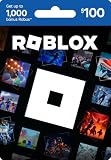
- Redemption: Online only. Robux cards can only be redeemed in a browser at Roblox.com/redeem. They cannot be redeemed in the Roblox mobile app or any video game console.
- Roblox is an immersive platform for connection and communication. Every day, millions of people come to Roblox to create, play, work, learn, and connect with each other in experiences built by our global community of creators.
- Get more with every Roblox Gift Card! From now on, when you redeem a Roblox gift card, you get up to 25% more Robux. Perfect for gaming, creating, and exploring- more Robux means more possibilities!
- Deck out your avatar and unlock additional perks in your favorite experiences when you use Roblox Gift Cards to purchase Robux (Roblox's virtual currency).
- Each gift card grants a free virtual item upon redemption.
Rank #3
![Roblox Digital Gift Card - 2,500 Robux [Includes Exclusive Virtual Item] [Digital Code]](https://m.media-amazon.com/images/I/41p8GJ7ZLdL._SL160_.jpg)
- The easiest way to add Robux (Roblox’s digital currency) to your account. Use Robux to deck out your avatar and unlock additional perks in your favorite Roblox experiences.
- This is a digital gift card that can only be redeemed for Robux at Roblox.com/redeem. It cannot be redeemed in the Roblox mobile app or any video game console. Please allow up to 5 minutes for your balance to be updated after redeeming.
- Roblox Gift Cards can be redeemed worldwide, perfect for gifting to Roblox fans anywhere in the world.
- From now on, when you redeem a Roblox Gift Card, you get up to 25% more Robux. Perfect for gaming, creating, and exploring- more Robux means more possibilities!
- Every Roblox Gift Card grants a free virtual item upon redemption.
Product prices and availability are accurate as of the date/time indicated and are subject to change. Any price and availability information displayed on Amazon at the time of purchase will apply.




