mfplay.dll is a genuine Microsoft Windows Media Foundation file, and errors involving it usually mean that a Windows media component is missing, damaged, or unavailable to the application. Do not download a replacement DLL from a random website; first check whether your Windows edition is an N edition, then repair Windows or the affected application.
What this file actually does
mfplay.dll is the Media Foundation Playback API DLL, part of Microsoft Media Foundation, the Windows framework used by applications for audio and video playback. Microsoft documents MFPlay as a legacy API supported from Windows 7 onward and recommends newer media APIs for newly developed software.
As an Amazon Associate I earn from qualifying purchases.
On 64-bit Windows, the normal 64-bit copy is:
%windir%System32mfplay.dll
The 32-bit copy used by 32-bit applications is normally under:
%windir%SysWOW64mfplay.dll
This directory naming is confusing: on 64-bit Windows, System32 contains 64-bit system files and SysWOW64 contains 32-bit system files. Windows selects the appropriate location through WOW64 redirection.
#1 Best Overall

- Media-Friendly: The K400 Plus wireless touch TV keyboard gives you integrated, comfortable control of your PC-to-TV entertainment, eliminating the clutter of a separate keyboard and mouse
- Plug-and-Play: Simply plug the Unifying receiver into a USB port and the wireless touchpad keyboard is ready to go; adjust controls using the Logitech Options Software to save preferred settings
- Power-Packed: Built with laid-back control in mind, this wireless TV keyboard has a reliable and long battery life of up to 18 months (2), including an on/off button to help it go even longer
- Wireless Freedom: Designed for seamless comfort and control, this HTPC keyboard boasts a range of up to 33 ft (1) wireless connectivity, with quiet keys and a large touchpad for easy navigation
- Broad Compatibility: Designed for use with Windows 7, Windows 8, Windows 10 and later, Android 7 or later, and Chrome OS
mfplay.dll is not a Visual C++ Redistributable, DirectX, or .NET runtime file. Reinstalling those packages is not the normal fix unless the application separately reports a missing file from one of them.
Diagnose the error before repairing anything
The exact wording helps distinguish a missing component from a damaged file or an application-specific problem.
| Symptom | Most likely explanation | First action |
|---|---|---|
| “The program can’t start because MFPlay.dll is missing from your computer” | Media Foundation is unavailable or Windows files are damaged | Check the Windows edition, especially for an N suffix |
| “MFPlay.dll was not found” | The application cannot load the expected Windows component | Check whether other mf*.dll files are also named |
| “The specified module could not be found” | mfplay.dll or one of its dependencies cannot load |
Repair Windows, then repair the application |
| “mfplay.dll is either not designed to run on Windows or it contains an error” | Bad image, wrong architecture, or corruption | Do not overwrite the file; run DISM and SFC |
Status code 0xc000012f |
A bad-image condition | Install updates and repair Windows components |
| Only one game or program fails | Damaged installation, incompatible architecture, or a missing application dependency | Use the program’s repair or file-verification feature |
Write down the complete message, the executable named in it, the file path, and any error code. Also note whether the problem began after a Windows upgrade, feature removal, antivirus quarantine, disk cleanup, failed update, or application update.
If the message also names mfplat.dll or mfreadwrite.dll, suspect a missing or damaged Media Foundation stack rather than three unrelated DLL failures.
Fix 1: Check whether Windows is an N edition
Windows 10 and Windows 11 N editions omit Media Foundation and related media technologies. This is the most direct explanation when several mf*.dll files are missing.
Check your Windows edition
- Press Windows + I to open Settings.
- Select System.
- Select About.
- Look under Windows specifications beside Edition.
If the edition ends in N, continue with the Media Feature Pack instructions. Do not infer the edition from your location or language. The edition shown in Settings is what matters.
Install Media Feature Pack
- Press Windows + I.
- Select Apps.
- Select Optional features.
- Select View features beside Add an optional feature.
- Search for Media Feature Pack.
- Select it, choose Next, then select Install.
- Restart Windows after installation.
The exact available feature can depend on the Windows release. Use Microsoft’s Media Feature Pack instructions if the feature is not listed.
After restarting, launch the affected application. If it still fails, repair or reinstall that application because it may have cached a failed installation state.
On ordinary Windows editions, Media Feature Pack may be unavailable or unnecessary. Do not force an unrelated package through Turn Windows features on or off.
Fix 2: Install Windows updates, then repair system files
If you are not using an N edition, or Media Feature Pack did not solve the problem, repair the Windows component store and protected system files.
Rank #2

- 7 Unique Backlight Color: 7 Elegant LED backlight with 3 brightness level.
- Easy Setup: Simply insert the 1.2M (4 feet) USB wire into your computer and use the keyboard instantly.
- Ergonomic design: Scissors X structure gives you the comfortable typing experience, low-profile keys offer quiet and comfortable typing.
- Ultra Thin and Light: Compact size (16.7 X 4.5 X 0.24in) and light weight (17.4oz) but provides full size keys, arrow keys, number pad, shortcuts for comfortable typing.
- Package contents: Arteck Backlit USB wired Keyboard, welcome guide, our 24-month warranty and friendly customer service.
Install pending updates
- Open Settings.
- Select Windows Update.
- Select Check for updates.
- Install all available updates.
- Restart if Windows requests it.
- Check for updates again after restarting.
Then open an elevated Command Prompt:
- Open Start and type
Command Prompt. - Right-click Command Prompt.
- Select Run as administrator.
- Approve the User Account Control prompt.
Run these commands separately:
DISM.exe /Online /Cleanup-Image /RestoreHealth
Wait for DISM to finish. Then run:
sfc /scannow
Microsoft recommends DISM before SFC because DISM can repair the component source that SFC uses. When SFC reaches 100 percent, read its result:
Quick wins for a faster PC:
Repair Windows errors before they cause bigger problemsFix Now →Fix the driver behind crashes, sound loss and screen glitchesFind Drivers →- Did not find any integrity violations: Windows protected files appear intact. Continue with application repair and architecture checks.
- Found corrupt files and successfully repaired them: Restart Windows and test the program.
- Found corrupt files but was unable to fix some of them: Restart, run Windows Update again, and repeat the repair. If it still fails, use a matching Windows installation source or consider a repair installation.
Microsoft’s System File Checker instructions explain the repair-source procedure. A source command has this form:
DISM.exe /Online /Cleanup-Image /RestoreHealth /Source:C:RepairSourceWindows /LimitAccess
Replace the example path with a matching Windows installation source. Do not run the placeholder path literally.
Repeating DISM and SFC manually can make it difficult to tell what changed. Outbyte PC Repair can scan for the underlying Windows issues and show what needs attention, while its repair actions require the full version; it is optional, and official Windows repair remains the appropriate path for a damaged system component.
Restart after successful repairs and test the application again.
What’s actually slowing this PC down?
Pick the symptom - the matching free tool is one click away.
Fix 3: Repair or reinstall the affected application
If mfplay.dll exists and Windows passes its integrity checks but only one program fails, the application installation is the stronger suspect.
Use the program’s own repair function first:
- Open Settings.
- Select Apps.
- Select Installed apps.
- Find the affected application.
- Select the three-dot menu.
- Choose Advanced options, if available.
- Select Repair.
- Test the application.
Some games provide a Verify files, Scan and repair, or similar option in their official launcher. Run that option instead of copying a DLL into the game folder.
If repair does not help:
- Back up application settings or saved data if the vendor documents where they are stored.
- Uninstall the application from Installed apps.
- Restart Windows.
- Download the installer from the application’s official vendor.
- Install the correct Windows architecture and current application release.
- Start the application once using its normal shortcut.
Reinstalling the application is especially important when mfplay.dll is present under Windows but the program reports that it cannot load it. The application may have another missing dependency or may be bundling an incompatible copy.
Fix 4: Check Windows and application architecture
A 32-bit application on 64-bit Windows uses the 32-bit system directory through WOW64 redirection. A 64-bit application needs the 64-bit system component.
Recommended Free Tools
Check whether Windows is 32-bit or 64-bit
- Open Settings.
- Select System.
- Select About.
- Read System type.
It will identify whether Windows is 64-bit or 32-bit.
Check the application
The application’s official system requirements or installer usually identifies whether it is 32-bit, 64-bit, or supports both. Task Manager can also help:
Rank #3

- 3 Built-In USB Ports - 3 Port USB hub, adds easy access and convenience to plug in additional input devices such as flash drives, and mice.
- Multimedia Controls - Control your media player with just one touch using the builtin Multimedia Hotkeys for easy access to your favorite video or music playlist.
- Windows One-Touch Controls - Instantly open your favorite Windows applications, such as My Computer, Calculator, Mail, or Search without having to navigate with your mouse.
- Quiet Membrane Key Switches - Membrane key switches provide a better tactile response and a quieter typing experience. Plus they last up to five million keystrokes.
- Start the application, if possible.
- Press Ctrl + Shift + Esc.
- Select Details.
- Look for the program executable.
Some 32-bit applications display a marker such as (32 bit). If you are unsure, use the vendor’s documentation rather than guessing.
Do not place a 32-bit DLL in System32, a 64-bit DLL in SysWOW64, or a downloaded DLL beside the program executable. A mismatched file can cause a bad-image error, and an application-folder DLL can override the Windows copy because of DLL search order.
The Tool Desk
Outbyte PC Repair FREEClear out junk files and repair common Windows errorsFree Scan →Outbyte Driver Updater FREEFix the driver behind crashes, sound loss and screen glitchesFind Drivers →Fix 5: Check antivirus quarantine
Security software can quarantine a legitimate system file after a false detection, although malware can also damage or replace system files.
- Open your antivirus or Windows Security application.
- Open Protection history, Quarantine, or the equivalent section.
- Search for
mfplay.dll. - Confirm that the detected path is a Windows system path.
- Restore the file only if the security product identifies it as a false positive and the file is Microsoft-signed.
- Run a full or offline malware scan.
- Run DISM and SFC afterward.
Do not disable antivirus simply to install a downloaded DLL, and do not restore a file without checking its path and signature.
Fix 6: Consider a driver or media-device change
A graphics or audio driver update is not the usual fix for a missing mfplay.dll, but it may matter if the error began immediately after a media-device or driver change.
To check drivers:
- Right-click Start.
- Select Device Manager.
- Expand Display adapters, Sound, video and game controllers, and Audio inputs and outputs.
- Right-click the relevant device.
- Select Properties and inspect the Driver tab.
- Use Roll Back Driver only when the problem clearly began after that driver update.
- Otherwise select Update driver and allow Windows to search, or install the driver from the hardware manufacturer.
Outbyte Driver Updater can reduce the manual work of hunting through driver versions and identify what its scan finds, while driver installation through the full version is optional; a driver update is not a substitute for restoring Media Foundation.
Free tools Windows power users keep installed
One-click scans. No signup required.
Why downloading mfplay.dll is unsafe
Standalone DLL download sites cannot reliably determine your Windows build, servicing level, architecture, or the dependencies required by the application. A replacement may be the wrong version, may not be digitally trustworthy, or may appear to fix one launch while leaving the damaged Windows component untouched.
A DLL copied beside an executable can also take precedence over the correct Windows file. That creates version conflicts and increases the risk of DLL preloading. Use Windows Update, Media Feature Pack, DISM, SFC, and the application’s official installer instead.
Does regsvr32 fix mfplay.dll?
Usually, no. regsvr32 is intended for DLLs that expose a registration entry point such as DllRegisterServer. It does not restore a missing Windows component or repair corruption.
A command such as:
regsvr32 mfplay.dll
may produce an error stating that the module loaded but the entry point was not found. That does not prove the file is missing. Do not make DLL registration part of the routine repair process. Restore the Windows component or repair the application instead.
Crashes, No Sound, or Screen Glitches?
Random freezes, missing sound and display glitches usually trace back to one bad driver. Find and replace yours safely.Free scan · under a minutePC Slower Than It Used to Be?
A free scan shows the junk files, broken settings and background clutter dragging Windows down - then fixes them in one click.Free scan · Windows 10 & 11If the file exists but shows a bad-image error
Do not overwrite the existing file. A bad-image message can indicate corruption, an architecture mismatch, a damaged update, or a dependency problem.
Rank #4
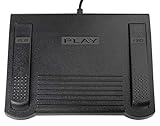
- USB CONNECTION: This foot pedal is only compatible with Windows Media Player and Windows Media Player (Legacy). It is not compatible with the newer Media Player app included with Windows. When using the ECS-WMP for the first time, you must configure it in the Windows Media Player settings before it will function correctly. Not compatible with transcription software or transcription programs
- COMFORT: The ergonomic design of this USB foot pedal allows you to rest your foot comfortably while you are playing or transcribing
- SLIM DESIGN: Molded with a sleek low profile and wider flare at the base of the foot pedal, offering greater flexibility in foot size and foot movement
- FUNCTIONAL: The internal durable and sensitive switches provide you with an Easy Touch response and minimal resistance, offering long-lasting comfort to any foot regardless of size
- CONVENIENT: Designed for ease-of-use transcribing and has the ability to handle a heavy duty workload with little to no foot fatigue
Follow this order:
- Install pending Windows updates.
- Run DISM.
- Run SFC.
- Restart Windows.
- Repair or reinstall the affected application.
- Check antivirus quarantine and application architecture.
If SFC reports no violations but the program still fails, the application may depend on another missing file or may be incompatible with the installed Windows build.
When to use System Restore or a repair installation
Use System Restore when the problem began after a clearly identifiable change and a suitable restore point exists:
- Open Start and search for Create a restore point.
- Open it.
- Select System Restore.
- Choose a restore point dated before the failure.
- Review the affected programs before confirming.
System Restore is an escalation step, not a replacement for checking the Windows edition and repairing the application.
If DISM and SFC cannot repair Windows, consider an in-place repair installation using matching Windows installation media. This preserves personal files and installed applications when performed correctly, but follow Microsoft’s current instructions carefully. If the issue affects several applications, returns after repair, or may involve malware, disk damage, or a failed update, contact Microsoft Support or the application vendor.
Frequently asked questions
Is mfplay.dll a Microsoft file?
Yes. It is the Media Foundation Playback API DLL used by Windows media functionality. Some old third-party databases have incorrectly associated the filename with unrelated software, but that should not guide a repair.
Which Windows editions include it?
Standard Windows editions include the Media Foundation components. Windows 10 and Windows 11 N editions omit Media Foundation and require the official Media Feature Pack. Specialized or stripped-down installations can also omit media components.
Why do mfplay.dll, mfplat.dll, and mfreadwrite.dll appear together?
They are related parts of the Media Foundation stack. Several names in one error usually point to a missing feature or damaged Windows media component, not several independent files that should be downloaded separately.
Do these 3 things before closing this tab:
1Repair Windows errors before they cause bigger problems2Fix the driver behind crashes, sound loss and screen glitches3Clear out junk files and repair common Windows errorsShould I install Visual C++, DirectX, or .NET?
Not for mfplay.dll alone. Install those runtimes only when the application separately reports a missing file belonging to one of them.
What if the file is present in System32?
The file may still be corrupt, the application may be 32-bit, or another dependency may be missing. Run DISM and SFC, check the application architecture, and repair the application.
What is the safest fix?
For Windows N, install Media Feature Pack. For ordinary editions, update Windows and run DISM followed by SFC. If only one application fails, repair or reinstall that application from its official source.
Quick Recap
Product prices and availability are accurate as of the date/time indicated and are subject to change. Any price and availability information displayed on Amazon at the time of purchase will apply.
Recommended Free Tools




