For better day-to-day battery use on Nintendo Switch 2, start by lowering handheld screen brightness to a comfortable level and choosing an auto-sleep interval that fits your breaks. For comfort, explore the console’s accessibility, controller, and audio options. Nintendo does not publish a specific runtime gain for these settings, so treat them as practical adjustments—not guaranteed extra hours.
Adjust handheld brightness first
In handheld and tabletop modes, you can set brightness manually or let the console adapt it to ambient light. Nintendo Support says, “When Auto-Brightness is enabled, the screen brightness will adjust based on ambient conditions.” Nintendo’s brightness instructions cover both approaches.
As an Amazon Associate I earn from qualifying purchases.
- Manual brightness: Use the slider to find a level where the image remains easy to see in your current surroundings. This gives you a consistent setting, but you may need to change it when the lighting changes.
- Auto-brightness: Choose this if you move between brighter and darker environments and prefer the screen to adapt. The resulting brightness can vary with ambient conditions.
To adjust it quickly, hold the HOME Button for at least one second to open Quick Settings, then change brightness or auto-brightness. You can also go to System Settings > Screen Brightness. Nintendo says brightness cannot be configured while the console is in TV mode. See the Quick Settings instructions for the shortcut and the brightness instructions for the display controls.
Choose an auto-sleep interval that fits your breaks
Auto-sleep limits how long the console stays awake when you leave it idle. Go to System Settings > Sleep Mode and choose 1, 3, 5, 10, or 30 minutes, or Never, for handheld and tabletop play. A shorter interval reduces idle screen-on time; a longer one may be more convenient if you pause often and return quickly. Nintendo does not quantify how much runtime any interval saves.
#1 Best Overall

- Travel case
- Protection Library holds 12 game cards and offers full screen and analog stick protection
- microSD Card Case 2pcs, each holds 2 microSD Cards
- Comfortable carrying handle and soft cleaning cloth
The available intervals and setting path are listed in Nintendo’s sleep-mode instructions.
Review the wired-connection option only if it applies
In System Settings > Sleep Mode, “Keep Wired Connection Active in Sleep Mode” lets the system begin downloads started from a PC or smart device while asleep. Nintendo says turning it off can reduce energy consumption while the system is asleep and connected to the internet. This setting applies only when a wired connection is set up; it is not a general gameplay battery control, and Nintendo does not state a quantified saving.
Rank #2
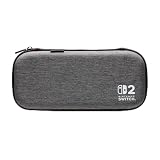
- Structured Protection: Molded interior with soft fabric lining
- Game Storage: Securely holds up to 10 game cards*
- Integrated Play Stand: unfold the convenient play stand and enjoy tabletop mode with ease
- Padded Screen Protector: The play stand doubles as a padded screen protector when the system is inside the case
- Compatibility: Compatible with Nintendo Switch 2
Details are in the same sleep-mode instructions.
Use Airplane Mode only when you do not need wireless features
Airplane Mode disables wireless communication functionality, including internet, local communication, Bluetooth, and NFC. It may suit a session where you do not need those features, but Nintendo’s Quick Settings information does not give a runtime gain for using it. In TV mode, Bluetooth remains active so the console can be reactivated with a paired controller, according to Nintendo’s Important Information booklet.
Crashes, No Sound, or Screen Glitches?
Random freezes, missing sound and display glitches usually trace back to one bad driver. Find and replace yours safely.Free scan · under a minuteWindows Errors? Fix Them Before They Spread
Repair common Windows errors and clear accumulated junk for a smoother, more stable PC - no reinstall needed.Free scan · no reinstallTo reach the toggle, hold HOME for at least one second and select Airplane Mode in Quick Settings. The feature list and shortcut are documented in Nintendo’s Quick Settings instructions.
Rank #3

- [Compatibility]: Compatible with Nintendo Switch 2 (2025 release) ONLY. Not Compatible with the Switch 2's Kickstand function.
- [Seamless Dock Compatible]: Specifically designed for Switch 2 with uninterrupted docking capability.
- [Foldable Joy Cons Coverage]: Revolutionary hinge mechanism enables Joy Con controllers quickly assembled and disassembled, protects Joy Cons from vibration and keeps Joy Cons firmly connected for a long time.
- [Enhanced Gaming Experience]: Anti-slip rubberized texture improves handling during intense gameplay. 139g weight-balanced construction preserves the console's natural feel while adding professional-grade protection.
- [Premium U.S.-Inspired Design]: Expertly crafted by professional designers with a sleek, futuristic aesthetic and ergonomic. Made with Bayer eco-friendly polycarbonate material from Germany, resistant to yellowing, fingerprints, and dust.
Turn on the battery percentage if you want a clearer readout
The battery percentage helps you monitor charge; it does not save power. To keep the approximate percentage visible on the HOME Menu, go to System Settings > System > System Battery (%). For a brief readout, press ZL and ZR together. Nintendo explains both options in its battery-life instructions.
Consider the charge limit for long-term capacity
Nintendo’s settings overview describes an option to stop charging at around 80–90% to help reduce battery-capacity loss over time. It caps the charge rather than extending play time from the current charge, so consider it as a battery-longevity preference, not a way to get more immediate runtime. The Nintendo Switch 2 System Settings overview describes the option.
Rank #4

- NINTENDO CASE - SWITCH 2 COMPATIBLE: Our premium Nintendo Switch case is custom fit for your Switch 2, shielding your console with anti scratch velvet lining and shock absorbing materials—perfect for daily storage, commutes, or long travel days
- TRAVEL READY DESIGN: This compact portable Nintendo Switch 2 carrying case fits easily in a backpack or carry-on or can simply be carried by itself with a wristlet handle for secure handling without risk of drops—great for on-the-go everyday players
- CONVENIENT GAME & AIRTAG STORAGE: Whether at school, traveling or on the go, you can organize up to 12 game cards in a dedicated slot system and track your Case for Nintendo Switch 2 accessories using a hidden AirTag compartment, so it's never lost
- DURABLE & STYLISH: Crafted with an abrasion- and water-resistant polyester exterior and brushed velvet interior lining, plus hidden, no-snag zippers, this Nintendo Switch 2 travel case protector resists wear and tear for lasting device protection
- SUSTAINABLY MADE + 2-YEAR COVERAGE: This durable Belkin Switch 2 Case comes in 100% plastic-free packaging. Plus, you can purchase the Nintendo Switch carrying case with peace of mind knowing that it comes with 2-year coverage
Personalize comfort and accessibility controls
There is no universal comfort setup. In the relevant System Settings sections, try the options that address your own needs:
What’s actually slowing this PC down?
Pick the symptom - the matching free tool is one click away.
- Button mapping: Remap controls to a layout that is easier for you to use.
- Text-to-speech: Explore this accessibility option if spoken text would help.
- Controller vibration: Adjust vibration to your preference.
- Audio output and volume: Set the sound to a level and output that suit your play environment.
Nintendo lists these examples in its System Settings overview; exact menu labels can change with system updates.
Quick Recap
Best Value

- 【CUSTOM FIT FOR NINTENDO SWITCH 2】— Designed specifically for Nintendo Switch 2 (2025). The custom-shaped base, four support grooves and secure hook-and-loop strap help keep the console stable, while the pull tab makes it easier to lift out. Not compatible with the original Switch, Switch OLED or Switch Lite.
- 【HARD-SHELL PROTECTION FOR EVERYDAY TRAVEL】— The protective hard shell helps shield your console from everyday bumps, pressure and scratches inside a backpack or suitcase. Soft interior lining and the card-slot divider help reduce contact with the screen and controls while the console is being carried.
- 【24 GAME SLOTS AND ORGANIZED ACCESSORY STORAGE】— Keep up to 24 physical game cards together and easy to find. The upper zippered mesh pocket organizes a charger, charging cable, earbuds, wrist straps and other small accessories, helping prevent scattered cards, tangled cables and missing gaming gear.
- 【SOFT NYLON ZIPPER PULLS NEAR THE CONSOLE】— Soft nylon zipper pulls help reduce hard-metal contact around the screen and Joy-Con controllers. The fully zippered accessory pocket also keeps small items separated from the console area instead of allowing them to fall loose inside the case.
- 【GRAB-AND-GO GAMING FOR SCHOOL, COMMUTES AND TRIPS】— Whether you are heading to school, commuting, visiting a friend, taking a road trip or packing for vacation, the lightweight case keeps your console, game cards and small accessories together. The sturdy top handle makes it easy to carry alone or place inside a backpack or suitcase.
Product prices and availability are accurate as of the date/time indicated and are subject to change. Any price and availability information displayed on Amazon at the time of purchase will apply.




