Quick wins for a faster PC:
Scan for outdated or missing drivers - takes under a minuteDriver Scan →Clear out junk files and repair common Windows errorsFree Scan →PCSX2 2.0 is a major upgrade over the old stable 1.6 release. Released on July 12, 2024, after more than four years of development and more than 6,000 changes, it modernized the emulator’s interface, removed the legacy plugin system, improved game-specific configuration, strengthened CPU emulation, introduced Vulkan, and corrected many longstanding rendering problems.
That does not mean every game suddenly runs perfectly or twice as fast. The biggest improvement is the combination of better compatibility, fewer manual fixes, more accurate graphics, and a smoother setup process. Results still depend heavily on the game, renderer, drivers, and the computer’s single-thread CPU performance.
| # | Preview | Product | Price | |
|---|---|---|---|---|
| 1 |

|
PlayStation 2 Slim Console PS2 (Renewed) | $185.58 | Buy on Amazon |
| 2 |
|
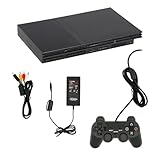
Sony PlayStation 2 Slim Console (Black) (Renewed) | $202.49 | Buy on Amazon |
| 3 |

|
Sony PS2 SLIM Game System Gaming Console with 2 WIRELESS CONTROLLERS PLAYSTATION-2 (Renewed) | $229.99 | Buy on Amazon |
| 4 |

|
Sony PlayStation 2 Console - Black (Renewed) | $185.51 | Buy on Amazon |
As an Amazon Associate I earn from qualifying purchases.
What made PCSX2 2.0 such a significant release?
PCSX2 2.0 was not a routine bug-fix update. It was the first major stable milestone after PCSX2 1.6 had remained the project’s last stable release for more than four years. The PCSX2 team described the release as the culmination of over 6,000 changes and marked it alongside the project’s 20th anniversary and more than 100 million downloads.
The release changed several layers of the emulator at once: the user interface, configuration model, emulation core, graphics backends, compatibility handling, capture tools, and texture support. That breadth is why PCSX2 2.0 can feel substantially better even when a particular game’s headline frame rate does not dramatically increase.
#1 Best Overall
- DualShock Controller
- DVD playback
- Digital surround sound
- 2 memory card slots
It is important to keep the comparison fair. The largest contrast is with PCSX2 1.6. Users who were already running a recent 1.7 development build may have experienced many of these improvements earlier. PCSX2 2.0 is also no longer the current development line in 2026; later 2.2 and 2.4 releases and ongoing 2.7 development builds have continued changing the emulator. See the official release page before choosing a version.
Read PCSX2’s official 2.0 announcement.
The interface and architecture became much easier to use
Qt replaced the older interface
PCSX2 2.0 replaced its older wxWidgets-based interface with Qt. The practical result is a cleaner application with reworked menus, widgets, themes, and customization options. It also creates a clearer separation between the user interface and the emulation core, making the project easier to maintain.
Qt does not make games run faster by itself. Its value is that fewer important settings are hidden among legacy configuration pages, making first-time setup and troubleshooting less intimidating.
The old plugin system was removed
Older PCSX2 releases exposed separate plugins for video, audio, input, optical media, USB, and networking. PCSX2 2.0 merged those components into the main emulator.
This eliminates many incompatible plugin combinations, reduces duplicated or abandoned code, and gives users more consistent defaults. The trade-off is less freedom for experienced users who were accustomed to swapping plugins manually. Modern PCSX2 does not support loading external plugins through the old system.
That change is best understood as removing configuration traps, not removing useful features. The relevant choices still exist, but they are managed as part of PCSX2 itself. The project’s official FAQ explains the current configuration model.
Automatic fixes and per-game settings are among the biggest upgrades
PCSX2 2.0 introduced a game index containing known information and compatibility fixes for individual titles. It also added per-game settings that inherit global settings but allow one game to override them.
Free tools Windows power users keep installed
One-click scans. No signup required.
You can configure a specific game’s:
- Internal resolution and renderer
- Memory-card assignment
- Compatibility or speed settings
- Game fixes and patches
- Texture-replacement behavior
This is a major improvement over changing a global setting, launching another game, and then having to remember to change it back. A problematic title can have its own profile while the rest of the library keeps the normal defaults.
These features should not be confused with one another. Automatic game fixes apply known workarounds, usually for crashes, soft locks, or title-specific bugs. Per-game settings are user-controlled overrides. Patches are optional modifications such as widescreen, no-interlacing, 60-FPS, or quality-of-life changes, available through the official patch repository.
Game fixes are not general-purpose performance boosts. PCSX2 notes that they can sometimes slightly reduce performance because they are intended to solve compatibility problems.
Rank #2
- Fully functional pre-owned console that has been professionally inspected, tested, and cleaned to meet Amazon Renewed standards.
- Console shows moderate signs of prior use such as light scratches or cosmetic wear, which do not affect functionality.
- Includes core components required for operation. May include accessories required for operation. See condition notes for details.
- Each unit is tested for power, connectivity, and primary functions to ensure consistent performance.
- Backed by the Amazon Renewed Guarantee for replacement or refund if not satisfied.
The emulation core can be faster and more consistent
Fastmem reduces memory-access overhead
Fastmem improves how the Emotion Engine and VU recompilers access host memory. PCSX2 2.0 enables this without requiring a special user configuration change, and the project describes it as improving performance without an intended accuracy penalty.
Outdated Drivers Are Slowing You Down
One free scan finds every outdated or missing driver and matches the right update for your exact hardware.Free scan · exact hardware matchWindows Errors? Fix Them Before They Spread
Repair common Windows errors and clear accumulated junk for a smoother, more stable PC - no reinstall needed.Free scan · no reinstallThe benefit is most relevant in CPU-limited games. It is not a universal frame-rate multiplier, because a title may instead be limited by its graphics workload, a particular effect, or an unusual emulation path.
More instructions received recompiler support
Some Emotion Engine instructions that previously forced expensive interpreter fallbacks gained recompiler support. Games that use those instructions can therefore avoid some of the performance penalties that caused inconsistent speed in earlier releases.
PCSX2 still depends heavily on strong single-thread performance. The emulator normally uses two CPU cores for emulation, while MTVU can run the PS2’s VU1 coprocessor on a third core when possible. That does not mean adding cores automatically solves every performance problem. Game behavior and per-thread speed remain more important than core count alone.
Audio and capture also improved
PCSX2 2.0 included ongoing sound improvements, an FFmpeg-based video-capture implementation, modern formats and encodings including AV1 where hardware support permits, a performance-statistics on-screen display, and clearer handling of Pnach 2.0 patches and cheats.
What’s actually slowing this PC down?
Pick the symptom - the matching free tool is one click away.
Graphics improvements go beyond higher resolution
Vulkan is a new option, not a universal winner
Vulkan gave PCSX2 a modern graphics backend designed to provide strong feature support and performance. It is especially relevant on Linux and handheld PCs, where OpenGL or Direct3D may not be the best fit.
However, “Vulkan is always fastest” is not an accurate rule. Driver quality and game behavior differ by hardware vendor. PCSX2 has documented possible Vulkan or OpenGL crashes on some Intel integrated graphics, problematic AMD OpenGL performance, and limitations in Direct3D with many blending effects.
For that reason, Automatic is the sensible first choice. PCSX2 attempts to select a renderer based first on stability and then accuracy. If a particular game has corruption or poor performance, test Vulkan, OpenGL, and Direct3D 11 or 12 where available. Software rendering remains an important accuracy fallback.
Blending effects became less expensive
Blending affects lighting, bloom, shadows, transparency, reflections, particles, and screen overlays. PCSX2 2.0 reduced the barriers, render passes, and readbacks needed to reproduce many of these effects.
The Tool Desk
Outbyte Driver Updater FREEScan for outdated or missing drivers - takes under a minuteDriver Scan →Outbyte PC Repair FREERepair Windows errors before they cause bigger problemsFix Now →That can improve both speed and correctness. More games can use basic blending without the severe performance cost historically associated with higher-accuracy modes, and some visual effects render more reliably. This is different from image sharpness: blending correctness is not the same thing as higher internal resolution or texture filtering.
Rank #3
- PS2 SLIM Console in Black
- Power Adapter
- A/V Composite Cables for connecting to your TV
- 2 New Wireless Aftermarket Controllers
- 2 New Controller Receiver Dongles
Native scaling helps preserve post-processing effects
Rendering a PS2 game above its native resolution can produce ghosting, broken bloom, or misaligned effects. PCSX2 2.0 improved native scaling so that effects designed for the original framebuffer can be detected and handled more appropriately while the rest of the scene is upscaled. More sophisticated half-pixel behavior also helps with alignment.
The result can be cleaner bloom and fewer artifacts at 2x, 3x, or 4x internal resolution. It is not a guarantee that every game scales cleanly. Some titles still need native resolution, software rendering, or a game-specific workaround.
Texture replacements are separate from resolution scaling
PCSX2 2.0 supports dumping, editing, and loading replacement textures. These are three different concepts:
- Internal resolution scaling renders the original geometry and textures at a larger framebuffer resolution.
- Texture filtering changes how the original textures are sampled.
- Texture replacements substitute new, community-created artwork for the original textures.
Texture packs are unofficial community projects, not an official PCSX2 content library. Some textures cannot be reliably replaced because their hashes change during loading, and packs may require updates as emulation behavior changes. PCSX2 does not host or support individual texture packs.
Compatibility is much better—but booting is not the same as finishing a game
The PCSX2 team described 2.0 as entering the “final frontier of compatibility,” stating that virtually every known game could at least reach a menu, with limited exceptions and the possibility of obscure or lost titles.
That statement concerns broad compatibility and bootability. A game reaching its menu does not prove that it can be completed with correct graphics, audio, video playback, input, performance, or networking. A title can boot while still suffering from a broken effect, an FMV problem, a speed issue, or renderer-specific corruption.
Use the official compatibility database for the exact game rather than relying on a single overall percentage. Also remember that accuracy improvements can occasionally cause regressions. If a game worked in one build and breaks in another, identify the last working build, test a newer development build, and report the build that introduced the problem when seeking help.
Do these 3 things before closing this tab:
1Fix the driver behind crashes, sound loss and screen glitches2Clear out junk files and repair common Windows errors3Scan for outdated or missing drivers - takes under a minuteWhat hardware does PCSX2 2.0 need?
PCSX2’s current FAQ presents these as broad guidelines rather than guarantees:
| Workload | Approximate guidance |
|---|---|
| Minimum | 64-bit Windows 10 1809 or newer, supported Linux, or macOS 11; SSE4.1 CPU; around 1,500 PassMark single-thread performance; two physical cores with SMT; 2GB VRAM; 8GB RAM; and Direct3D 11 Feature Level 10.0, OpenGL 3.3, or Vulkan 1.1. |
| Recommended | AVX2 CPU; around 2,000 PassMark single-thread performance; four or more physical cores; 4GB VRAM; 16GB RAM; and Direct3D 12, OpenGL 4.6, Vulkan 1.3, or Metal. This is associated with roughly 3x internal resolution, depending on the game. |
| Heavy workloads | Around 2,600 PassMark single-thread performance, six or more physical cores with SMT, about 6,000 PassMark G3D performance, 4GB VRAM, and 16GB RAM. The FAQ associates around 12,000 G3D performance with approximately 6x internal resolution, or about 4K, depending on the title. |
These figures should not be read as promises. A demanding game can struggle on hardware that runs lighter titles comfortably. Software rendering is also a separate, more CPU-intensive workload. At high internal resolutions, the GPU matters more, but PCSX2 remains unusually sensitive to single-thread CPU performance.
Independent reader supportYour contribution helps us test, update, and keep practical guides available for everyone.Best first settings for a new installation
- Download PCSX2 from the official website or the project’s official GitHub repository.
- Dump the BIOS from your own PlayStation 2.
- Complete the first-run setup.
- Add your game directory through Settings > Game List.
- Start an ISO through System > Start File.
- Leave the renderer on Automatic initially.
- Keep the default settings before applying speed hacks.
- Increase internal resolution gradually rather than immediately choosing 4K.
- Use per-game settings when one title needs a different renderer or resolution.
- Check the compatibility database and PCSX2 Wiki for title-specific issues.
PCSX2 can also launch a physical disc through System > Start Disc. ISO images are generally recommended for some games because computer optical drives do not behave exactly like a constantly spinning PS2 drive.
Rank #4
- The Playstation 2 system lets you play original PS1 games as well as the huge selection of PS2 games
- Includes: Playstation 2 System, 1 Dual Shock 2 Controller, AC Cable, AV Cable
- Color: Black
- PlayStation2 is equipped with a 128-bit Emotion Engine processor that enables lightning-fast gameplay and impressive graphics power
Common problems and practical fixes
The game runs below full speed
Restore the defaults, use Automatic, lower internal resolution, disable texture replacements, and test another renderer. Also check for excessive blending accuracy, laptop power throttling, shader-compilation stutter, and title-specific compatibility notes. Do not assume that a raw 60-FPS target applies to every game: NTSC titles normally use 59.94-FPS output timing, while PAL titles normally use 50 FPS.
Full speed is also not identical to making a game behave like a modern native 60-FPS title. Internal frame generation and displayed virtual FPS are not always the same.
The graphics are corrupted
Switch renderers, test native resolution, try software rendering, and check the game’s fixes. Temporarily disable texture replacements and patches so you can determine whether the problem comes from the emulator, a community pack, or a modification.
The game broke after an upgrade
Regressions are possible when accuracy or rendering behavior changes. Find the last working build, test a later development build, and record the exact build number when reporting the issue.
Audio is garbled
Return changed settings to their defaults first. According to the official FAQ, garbled audio can indicate that the system cannot sustain emulation speed.
The controller is not detected
Windows builds include XInput bindings, while Linux and macOS builds automatically detect recognizable controllers through SDL. PlayStation and Switch controllers may need additional compatibility software on Windows. An XInput-compatible controller is usually the simplest Windows starting point, but it will not reproduce every pressure-sensitive feature or the exact feel of an original DualShock 2.
BIOS, games, and legal setup requirements
PCSX2 does not include a PlayStation 2 BIOS or commercial games. You must dump the BIOS from your own console and use your own discs or personally created game dumps. Follow the official BIOS instructions; do not download BIOS files or unauthorized ISO collections.
The emulator itself is free and open source. Legitimate hardware purchases that may improve the experience include an XInput controller, a modern PC with strong single-thread CPU performance, and an SSD for storing a library and texture packs. Storage speed is rarely the main performance bottleneck.
Is PCSX2 2.0 worth using?
If you are still using PCSX2 1.6, upgrading is strongly recommended. The new interface, integrated architecture, automatic fixes, per-game settings, Vulkan backend, improved blending, native scaling, stronger recompilers, and texture-replacement support make it a materially better emulator.
Recommended Free Tools
If you already use a recent 1.7 development build, the difference may be less dramatic because many improvements were already present. If you are installing PCSX2 in 2026, use the latest appropriate official stable release or development build rather than treating the original 2.0 release as the final version.
PCSX2 2.0 is best described as a major reduction in friction. It makes PS2 emulation less dependent on manually selecting plugins, searching for fixes, and accepting broken high-resolution effects. It does not guarantee perfect emulation, universal 4K performance, or identical results across every renderer and computer.
Quick Recap
Product prices and availability are accurate as of the date/time indicated and are subject to change. Any price and availability information displayed on Amazon at the time of purchase will apply.




