Pokémon GO players have reported that the Deino Hat clips on female-presenting avatars, looks different between avatar screens, or disappears and leaves a bald-looking spot. Community posts discuss a fix, but the available sources do not confirm that Niantic officially acknowledged this exact bug or establish whether it is still occurring in the current game.
What does the Deino Hat issue look like?
Players have described several visual symptoms rather than one confirmed, consistent defect. A December 3, 2021 The Silph Road post reported that the hat clipped on a female avatar but not a male avatar, with discussion of the mask or hat fit appearing to change after leaving the dressing room. A separate December 1, 2021 post said the hat looked different on the profile page and map than in the shop view.

In an April 20, 2024 community post, a player said the Deino Hat was invisible and made their avatar look bald. These are individual player reports, not evidence of how many accounts were affected or whether all versions of the issue share the same cause.
Did Niantic acknowledge or fix it?
The available sources do not show an official Niantic statement naming the Deino Hat clipping or bald-spot issue. A later community discussion titled “Female Deino hat has been fixed” indicates that players discussed a fix, but its title is not official confirmation of a Niantic fix.
Nor do the sources establish whether the issue persists in the current version of Pokémon GO. Niantic’s March 18, 2024 announcement about testing avatar visual changes provides context for avatar changes being discussed at the time; it does not identify the Deino Hat defect.
Independent reader supportYour contribution helps us test, update, and keep practical guides available for everyone.What to do if the hat still looks wrong
- Check Release Notes & Known Issues. Visit the Pokémon GO Help Center’s Release Notes & Known Issues directory. The directory itself does not confirm whether this particular cosmetic issue is listed.
- Report it in the app if it is not listed. Use the Pokémon GO in-app support flow to submit a potential bug, following the Help Center’s Reporting a Bug guidance.
- Make the report reproducible. Describe what happens and what you expected, and include steps to reproduce the problem when possible. If useful, attach screenshots comparing the hat in the Style Shop, profile view, and map. Note whether it clips or vanishes, along with the app version and relevant steps.
- Check basic technical requirements. The Help Center recommends making sure the app is up to date and the device is supported before reporting a technical problem.
Niantic’s bug-report guidance says reports are reviewed for trends; QA teams group similar reports and develop reproduction tests, and engineers work on issues after reproduction conditions are determined. A verified fix may arrive in a future release. The guidance also says players should not expect an individual response to a report, so it does not provide a personal reply or fix-date guarantee.
Quick Recap
Rank #3

- Officially licensed product Sanei
- Beautiful and collectable
- Limited availability
- Size: approx. 7 x 4 x 7 cm.
Rank #2
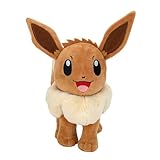
- POKÉMON PLUSH: Choose to cuddle Eevee, the Evolution Pokémon
- SPECIAL MATERIAL: Snuggly 8-inch Pokémon plush is made with super soft material
- AUTHENTIC DETAILS: Eevee looks like it jumped right out of the Pokémon Animated Series
- TEAM BUILDING: Collect other 8-inch Pokémon plush and build your own unique team
- OFFICIAL PRODUCT: Officially licensed Pokémon product from Jazwares
Product prices and availability are accurate as of the date/time indicated and are subject to change. Any price and availability information displayed on Amazon at the time of purchase will apply.




