To get a Mystery Box in Pokémon GO, link the game to the same Nintendo Account used by the mobile version of Pokémon HOME, then transfer a Pokémon from GO to HOME. Receive the Pokémon in HOME, then activate the Mystery Box from your Pokémon GO item bag to make Meltan appear temporarily.
What you need
- Pokémon GO and the mobile version of Pokémon HOME, with HOME’s tutorial completed.
- A Nintendo Account linked to Pokémon HOME. Use that same account when linking Pokémon GO.
- A Pokémon you are willing to transfer out of GO. The transfer cannot be reversed.
You do not need a Nintendo Switch, a Pokémon HOME Premium Plan, or a Nintendo Switch Online subscription for the HOME transfer method. Pokémon Support explains the account and transfer requirements.
| # | Preview | Product | Price | |
|---|---|---|---|---|
| 1 |
|
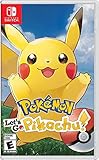
Pokémon: Let's Go, Pikachu! | $53.30 | Buy on Amazon |
| 2 |

|
Pokemon Brilliant Diamond - Nintendo Switch Brilliant Diamond Edition | $58.49 | Buy on Amazon |
| 3 |

|
Pokémon: Let's Go, Eevee! - Nintendo Switch | $53.87 | Buy on Amazon |
| 4 |
|
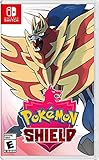
Pokémon Shield - Nintendo Switch | $51.68 | Buy on Amazon |
| 5 |

|
Pokémon™ Legends: Z-A – Nintendo Switch™ 2 Edition + Mega Dimension | $99.99 | Buy on Amazon |
How to get the Mystery Box
- Set up Pokémon HOME. Install the mobile app, complete its tutorial, and link it to your Nintendo Account.
- Link Pokémon GO to the same account. In Pokémon GO, open the Poké Ball menu and go to Settings > Pokémon HOME. Sign in with the Nintendo Account linked to the HOME account you intend to use. Check the displayed player name and HOME Support ID to make sure they match the intended account.
- Send a Pokémon from GO. Choose Send Pokémon in the Pokémon HOME settings. Select an eligible Pokémon, review the GO Transporter Energy cost shown on screen, and confirm. The first use starts with a full charge; later, energy recharges over time or can be replenished immediately with PokéCoins.
- Receive the transfer in HOME. Open Pokémon HOME and accept the pending transfer. Sending and receiving are separate steps: the Pokémon will not appear in your HOME boxes until you receive it. If you dismiss the prompt, restart HOME or choose Options > Pokémon GO Link > Receive. You must receive an outstanding transfer before sending another Pokémon.
- Activate the Mystery Box in GO. Open Pokémon GO’s item bag and use the Mystery Box. It temporarily causes Meltan to appear in the wild, according to the Pokémon GO Help Center.
What happens after you use the box?
Under the ordinary rules stated by Niantic, wait three days after activating the Mystery Box, then send another Pokémon to Pokémon HOME or to Pokémon: Let’s Go, Pikachu! or Pokémon: Let’s Go, Eevee! before activating the box again. The Let’s Go games are an alternate route for players who already have them; they are not required for the HOME method. Special events can change the usual wait, so check current official Pokémon GO announcements for temporary exceptions. The April 2026 event announcement documented an event-specific change, but its rules were for that event and should not be treated as current. Pokémon GO event announcements
Before you confirm the transfer
- GO-to-HOME transfers are permanent. A Pokémon sent from GO cannot be sent back to GO, so choose one you are willing to give up in the mobile game.
- Some Pokémon cannot be transferred. The transfer screen shows which Pokémon are eligible and the energy cost for each selection.
- Confirm the account before sending. If a transferred Pokémon is missing from HOME, check that GO was linked to the intended Nintendo Account and that the HOME box has space. You can also check HOME’s recent deposits or filter for Pokémon GO as the most recent game.
- Receive each transfer before starting another. An unreceived transfer remains pending and blocks additional sends.
Do you need a Switch?
No. Pokémon HOME on mobile is enough to obtain and use the Mystery Box. A compatible Pokémon: Let’s Go game on Nintendo Switch is an optional alternate transfer destination, useful only if you already have access to that game and console. The HOME route does not require the paid Premium Plan or Nintendo Switch Online.
Free tools Windows power users keep installed
One-click scans. No signup required.
Quick Recap
Rank #4
- Catch, battle, and trade Pokémon on an all-new adventure in the Galar region
- Choose from three new partner Pokémon and encounter never-before-seen Pokémon
- Unravel the mystery behind the Legendary Pokémon Zacian and Zamazenta.
- Team up with other Trainers to participate in Max Raid Battles.
- Battle wild Dynamax Pokémon in Max Raid Battles and try catching them
Rank #3
- Don the role of a Pokémon Trainer as you travel through Kanto
- Discover a new species of Pokémon with the Pokémon Lets Go series
- Catch Pokémon in the wild using a gentle throwing motion with either a Joy-Con controller or a Poké Ball Plus accessory, which will light up, vibrate, and make sounds to bring your adventure to life
- See the world in style by customizing Pikachu and your Trainer with a selection of outfits
- Connect to Pokémon GO* to transfer caught Kanto-region Pokémon, including Alolan and Shiny forms, as well as the newly discovered Pokémon, Meltan, from that game to this one
Rank #2
- Revisit the Sinnoh region from the original Pokémon Diamond Version game and set off to try and become the Champion of the Pokémon League
- The Pokémon Brilliant Diamond game brings new life to this remade classic with added features
- Explore the Grand Underground to dig up items and Pokémon Fossils, build a Secret Base, and more.
- Test your style and rhythm in a Super Contest Show
- A reimagined adventure, now for the Nintendo Switch system
#1 Best Overall
- Don the role of a Pokémon Trainer as you travel through Kanto
- Discover a new species of Pokémon with the Pokémon Lets Go series
- Catch Pokémon in the wild using a gentle throwing motion with either a Joy-Con controller or a Poké Ball Plus accessory, which will light up, vibrate, and make sounds to bring your adventure to life
- See the world in style by customizing Pikachu and your Trainer with a selection of outfits
- Connect to Pokémon GO* to transfer caught Kanto-region Pokémon, including Alolan and Shiny forms, as well as the newly discovered Pokémon, Meltan, from that game to this one!
Product prices and availability are accurate as of the date/time indicated and are subject to change. Any price and availability information displayed on Amazon at the time of purchase will apply.
Independent reader supportYour contribution helps us test, update, and keep practical guides available for everyone.



